
- Posts: 238
- Thank you received: 37
Trajectory Planner using Ruckig Lib
- TheRoslyak
- Offline
- Elite Member
-

Less
More
2 years 4 months ago - 2 years 4 months ago #302451
by TheRoslyak
Replied by TheRoslyak on topic Trajectory Planner using Ruckig Lib
I may not completely understand how to solve my task. But as I understand, after the Ruckig library, I need to learn how to use a trajectory planner. Maybe you didn't quite get that it's not just linear movements, but also circular interpolation, splines, etc. Additionally, I plan to use this system with a ToF camera in the future, which will create a relief map, and the robot will need to navigate obstacles to grab the object.
Last edit: 2 years 4 months ago by TheRoslyak.
Please Log in or Create an account to join the conversation.
- Grotius
- Offline
- Platinum Member
-

Less
More
- Posts: 2419
- Thank you received: 2349
2 years 4 months ago #302455
by Grotius
Replied by Grotius on topic Trajectory Planner using Ruckig Lib
@TheRoslyak,
To get result fast, maybe use lcnc as it is.
Create a nml c++ mdi hook and just push mdi gcode commands into a queue.
In the past i created a program that used a text file buffer that had the coordinates.
It used hal streamer. The source is in the archive . Just look for info.
Here is how the lcnc c++ gui sends gcode commands :
This is the easyest way for you to get on going.
@All,
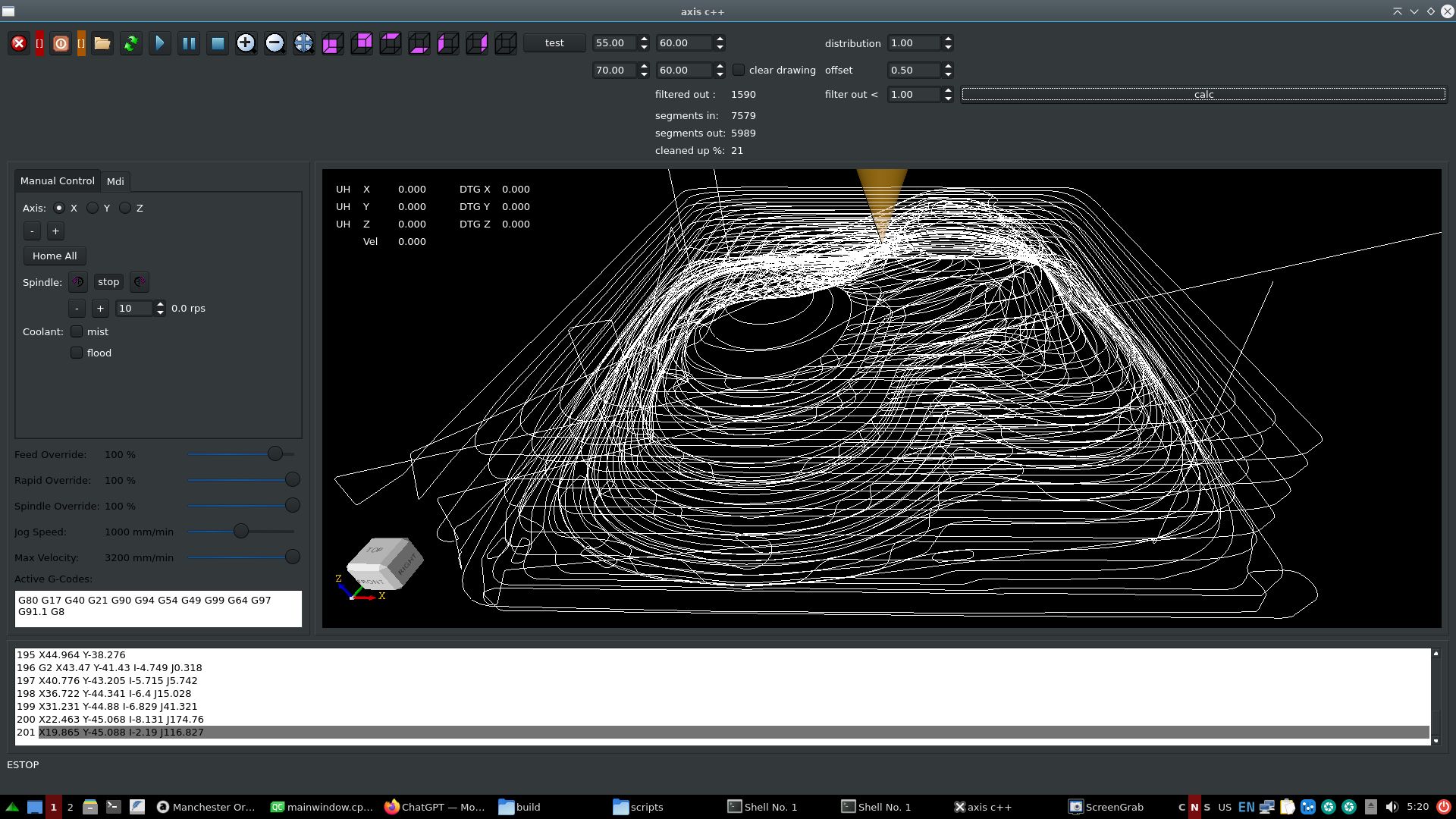
Did some test, given the gcode files by hmnijp.
Items<1mm are removed & tri_clothoid connected, saves 21%
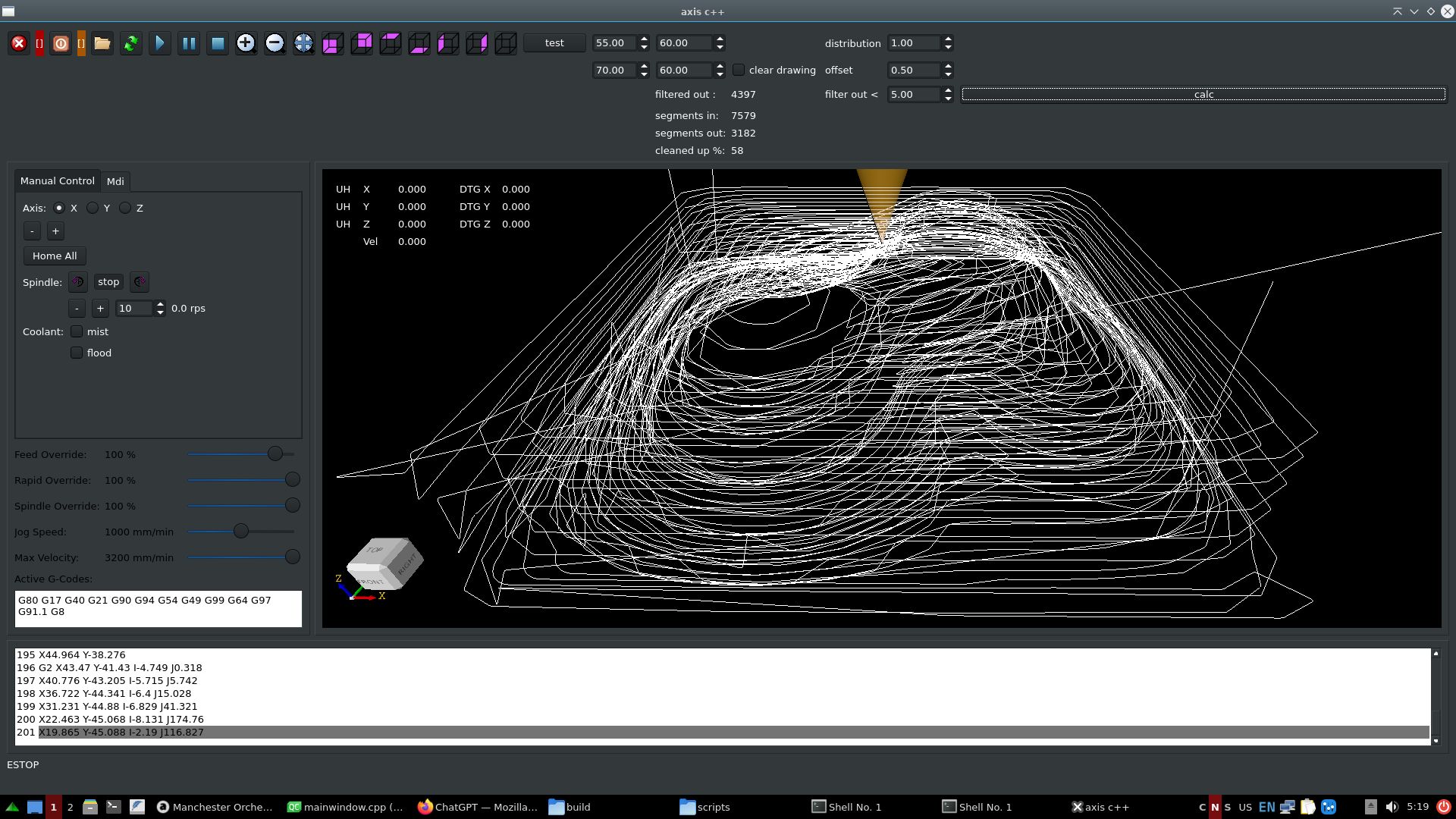
Items<5mm are removed & tri_clothoid connected, saves 58%
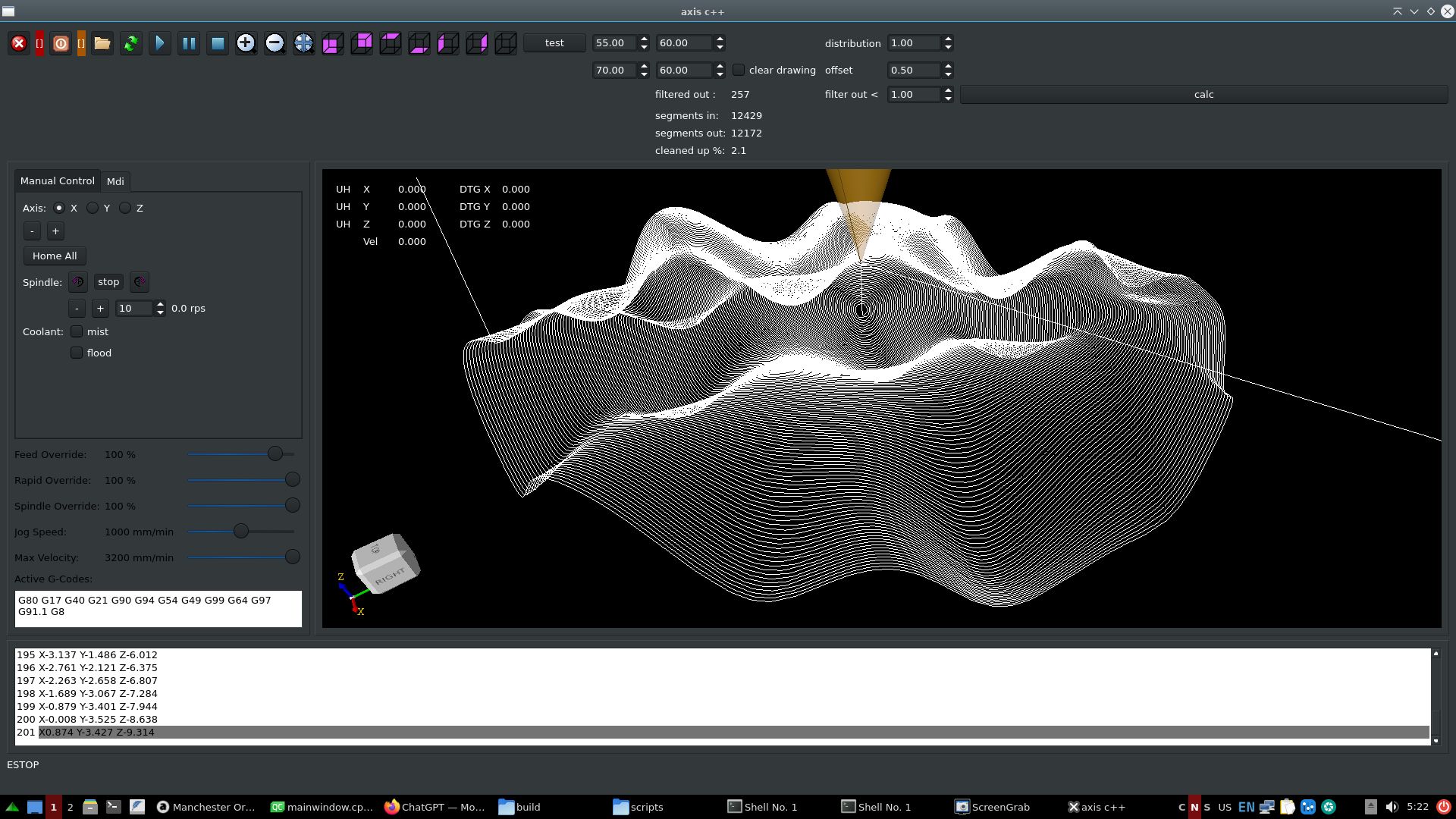
Items<1mm are removed & tri_clothoid connected, saves 2%
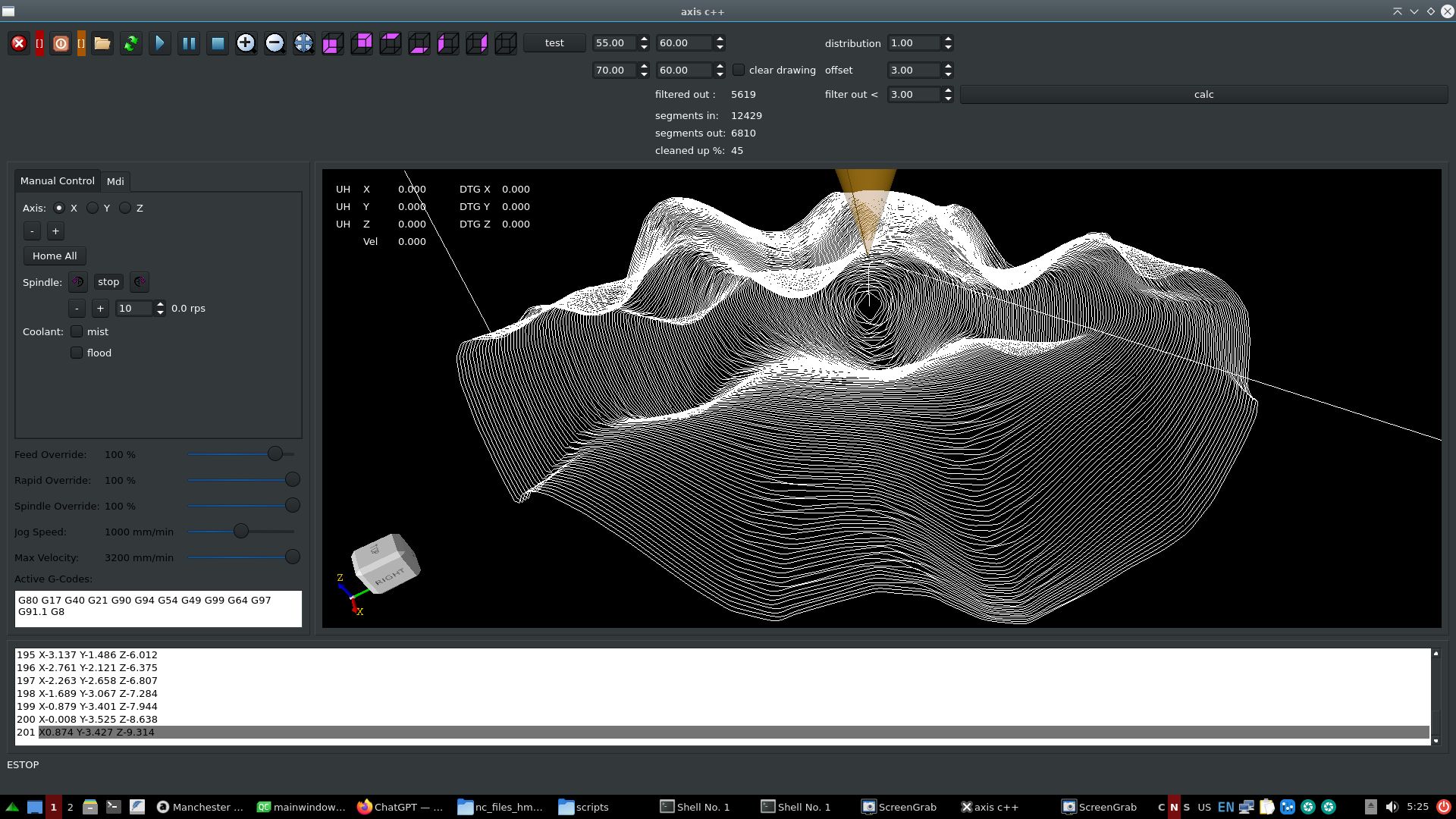
Items<3mm are removed & tri_clothoid connected, saves 45%
The files abobe ~20.000 - 30.000 lines will currently not load in opencascade. So i have to look
at a solution for that to minimize memory usage.
To get result fast, maybe use lcnc as it is.
Create a nml c++ mdi hook and just push mdi gcode commands into a queue.
In the past i created a program that used a text file buffer that had the coordinates.
It used hal streamer. The source is in the archive . Just look for info.
Here is how the lcnc c++ gui sends gcode commands :
Code:
QString mdi_text=ui->lineEdit_mdi_command->text();
nml->mdi(mdi_text.toStdString());
nml->mdi_execute();
This is the easyest way for you to get on going.
@All,
Did some test, given the gcode files by hmnijp.
Items<1mm are removed & tri_clothoid connected, saves 21%
Items<5mm are removed & tri_clothoid connected, saves 58%
Items<1mm are removed & tri_clothoid connected, saves 2%
Items<3mm are removed & tri_clothoid connected, saves 45%
The files abobe ~20.000 - 30.000 lines will currently not load in opencascade. So i have to look
at a solution for that to minimize memory usage.
Please Log in or Create an account to join the conversation.
- TheRoslyak
- Offline
- Elite Member
-
Less
More
- Posts: 238
- Thank you received: 37
2 years 4 months ago #302456
by TheRoslyak
Replied by TheRoslyak on topic Trajectory Planner using Ruckig Lib
I understand that you are currently developing a global software solution. Right now, I am trying to work with OMPL. As I understand it, this should work as follows: first, OMPL calculates the points, then either all at once or one by one, they are sent to Ruckig and only then to HAL. Is this how it should fundamentally work? I am currently trying to implement linear movement in this way. I understand perfectly well that this can be done using only Ruckig. But in the future, I plan to create more complex movements.
Please Log in or Create an account to join the conversation.
- Grotius
- Offline
- Platinum Member
-
Less
More
- Posts: 2419
- Thank you received: 2349
2 years 4 months ago #302460
by Grotius
Replied by Grotius on topic Trajectory Planner using Ruckig Lib
@TheRoslyak,
I get your point. But if you start using lcnc as it is with a c++ hook on top,
you will be able to use scurve planner in future. This then enables you to perform a G2 continues path movements.
And for now you just use the existing tp planner. With one day of hard work, you can get something to run.
Then just keep your c++ code base closed to the public.
I would certainly not advise to you to create your own planner, as this is a difficult and time consuming task.
But if you have no time limits, you can do it. If you think you have to do it, just do it.
@All.
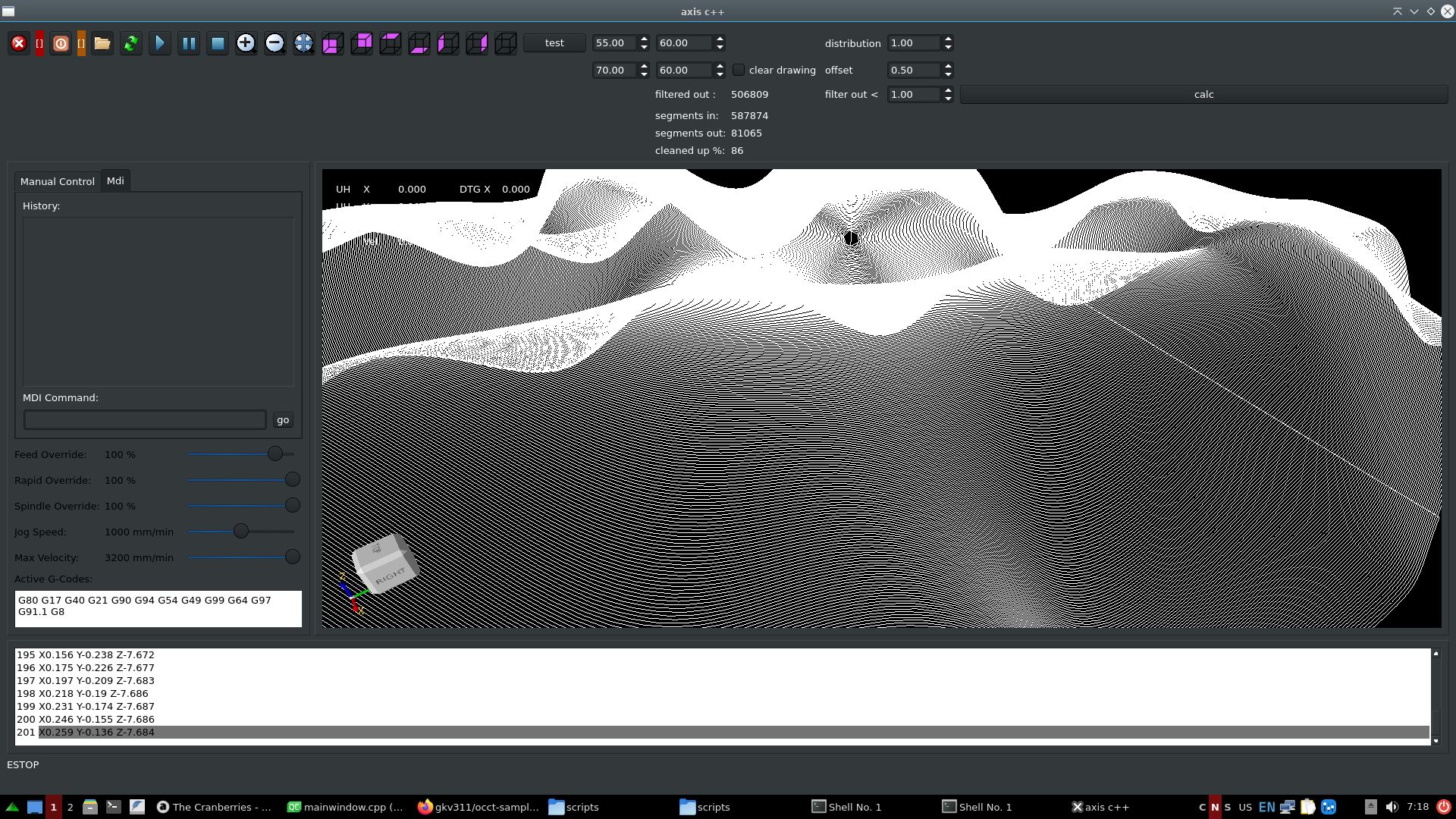
I got the file with half a milion gcode loaded. It's quite responsive.. haha.
Had to use a old trick in opencascade.

Filtered out 86% of stuff. Then made path G2 continue attaching tri-clothoids inbetween.
I get your point. But if you start using lcnc as it is with a c++ hook on top,
you will be able to use scurve planner in future. This then enables you to perform a G2 continues path movements.
And for now you just use the existing tp planner. With one day of hard work, you can get something to run.
Then just keep your c++ code base closed to the public.
I would certainly not advise to you to create your own planner, as this is a difficult and time consuming task.
But if you have no time limits, you can do it. If you think you have to do it, just do it.
@All.
I got the file with half a milion gcode loaded. It's quite responsive.. haha.
Had to use a old trick in opencascade.
Filtered out 86% of stuff. Then made path G2 continue attaching tri-clothoids inbetween.
The following user(s) said Thank You: tivoi
Please Log in or Create an account to join the conversation.
- TheRoslyak
- Offline
- Elite Member
-
Less
More
- Posts: 238
- Thank you received: 37
2 years 4 months ago #302468
by TheRoslyak
Replied by TheRoslyak on topic Trajectory Planner using Ruckig Lib
Yes, you said well that if I work on it for a day, I'll manage to get it done. That's how it turned out. I managed to use OMPL to build a linear trajectory, split it into segments, and then send these segments to Ruckig and then to HAL. Then I wrote to GPT asking to make an example with circular interpolation. It replied that OMPL cannot handle circular interpolation on its own; it needs to be calculated using sine and cosine, for example, and split into segments. So I end up first calculating with a simple equation, then OMPL, then Ruckig. And I wonder why this planner is needed at all if I still have to calculate the circle myself.
Maybe I don't quite understand what a trajectory planner is. To me, it should have tools for constructing circles and splines, etc. What is the point of it if I can indeed calculate the circle myself and use Ruckig?
Maybe I don't quite understand what a trajectory planner is. To me, it should have tools for constructing circles and splines, etc. What is the point of it if I can indeed calculate the circle myself and use Ruckig?
The following user(s) said Thank You: Grotius
Please Log in or Create an account to join the conversation.
- andrew2085
- Offline
- Junior Member
-

Less
More
- Posts: 28
- Thank you received: 42
2 years 4 months ago - 2 years 4 months ago #302477
by andrew2085
Hmm, it looks like this is coming to zero velocity and acceleration at the end of each segment instead of getting up to the highest velocity the segment can get to, and the next segment starting from that velocity.
Replied by andrew2085 on topic Trajectory Planner using Ruckig Lib
@Andrew,
Here is the scurve doing 100 segments:
Hmm, it looks like this is coming to zero velocity and acceleration at the end of each segment instead of getting up to the highest velocity the segment can get to, and the next segment starting from that velocity.
Last edit: 2 years 4 months ago by andrew2085.
Please Log in or Create an account to join the conversation.
Time to create page: 0.176 seconds