
- Posts: 12170
- Thank you received: 4153
LinuxCNC on Raspberry Pi 4
- rodw
- Offline
- Platinum Member
-

Less
More
3 years 9 months ago #261984
by rodw
Replied by rodw on topic LinuxCNC on Raspberry Pi 4
Seems like the issue is no longer about installing linuxcnc but ethercat.
building etherlabmaster is for the birds and obsolete anyway...
The sticky I did in the ethercat section also works for the pi.
forum.linuxcnc.org/ethercat/45336-etherc...-how-to-step-by-step
Try it and if you get stuck, ask in the ethercat section
building etherlabmaster is for the birds and obsolete anyway...
The sticky I did in the ethercat section also works for the pi.
forum.linuxcnc.org/ethercat/45336-etherc...-how-to-step-by-step
Try it and if you get stuck, ask in the ethercat section
Please Log in or Create an account to join the conversation.
- dannym
- Offline
- Elite Member
-

Less
More
- Posts: 220
- Thank you received: 1
3 years 9 months ago #262098
by dannym
Replied by dannym on topic LinuxCNC on Raspberry Pi 4
I VNC'ed in and tried to change the graphics settings, but all I can see are overscan, pixel doubling, and screen blanking. None of them changed the monitor output.
The cheap Wal-Mart "onn" monitor displays the other RPi 4 stuff fine. Just "no signal" on this image once it's passed the splash screen.
I have this old Motorola dock I've always used with RPis. This time it has an image, but it's still this, weirdly horizontal slant. It's not scrolling around or anything. overscan, pixel doubling, and screen blanking didn't fix anything.
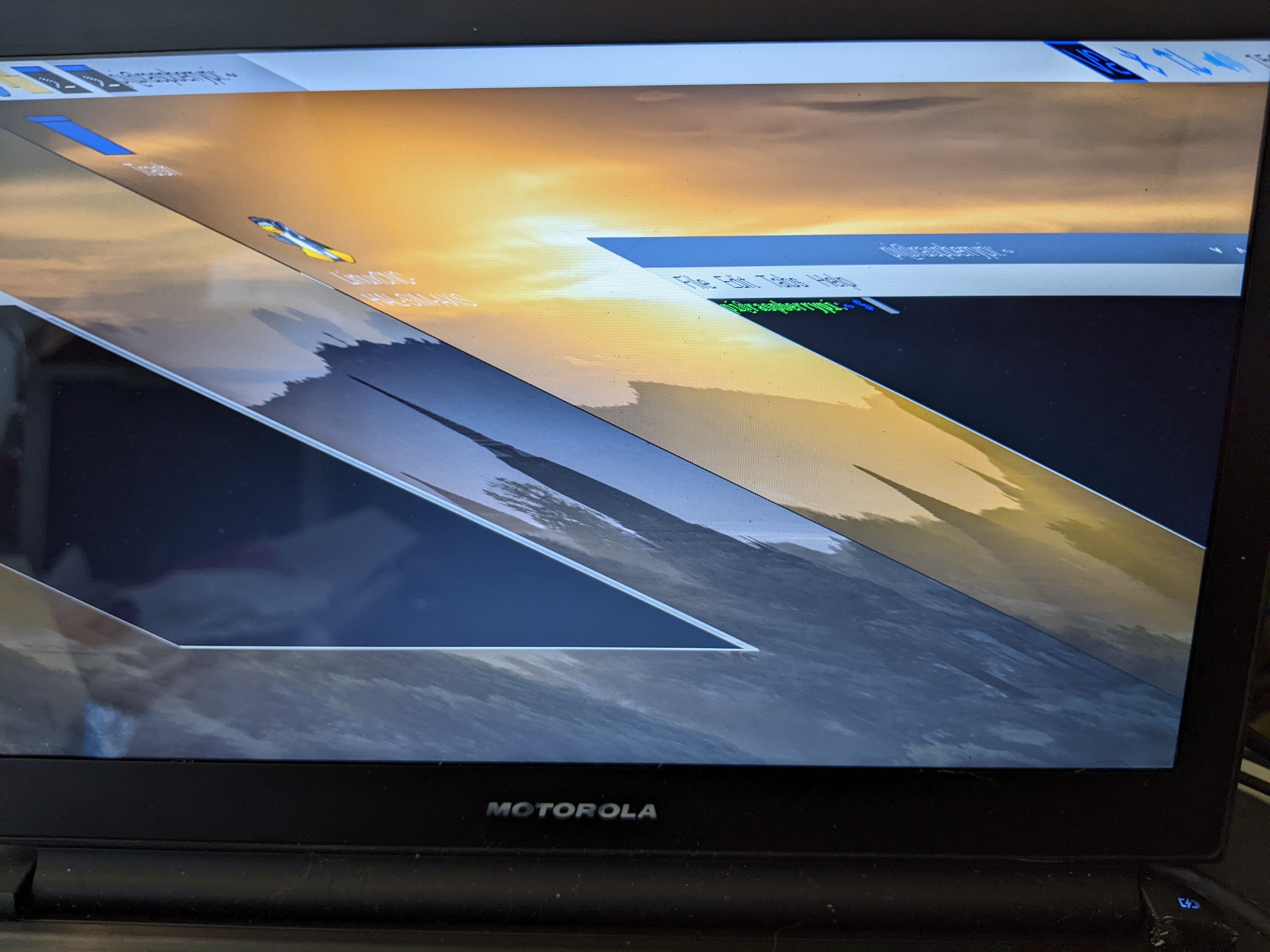
The cheap Wal-Mart "onn" monitor displays the other RPi 4 stuff fine. Just "no signal" on this image once it's passed the splash screen.
I have this old Motorola dock I've always used with RPis. This time it has an image, but it's still this, weirdly horizontal slant. It's not scrolling around or anything. overscan, pixel doubling, and screen blanking didn't fix anything.
Please Log in or Create an account to join the conversation.
- cakeslob
- Offline
- Platinum Member
-
Less
More
- Posts: 927
- Thank you received: 280
3 years 9 months ago #262206
by cakeslob
Replied by cakeslob on topic LinuxCNC on Raspberry Pi 4
Hey Danny, in your config.txt , try changing your graphics driver from kms to fkms
That was the issue for me at least, when my always rpi screen didnt work with a new image.
dtoverlay=vc4-fkms-v3d
That was the issue for me at least, when my always rpi screen didnt work with a new image.
dtoverlay=vc4-fkms-v3d
Please Log in or Create an account to join the conversation.
- dannym
- Offline
- Elite Member
-
Less
More
- Posts: 220
- Thank you received: 1
3 years 9 months ago #262212
by dannym
Replied by dannym on topic LinuxCNC on Raspberry Pi 4
Hmmm... ok, that made it WORK on the Onn monitor. But the Motorola HDMI docking station just went dead. No-signal instead of a slanted screen.
Please Log in or Create an account to join the conversation.
Time to create page: 0.122 seconds