Linuxcnc 2.9.2 and 2.93 images for Raspberry Pi 4b & 5

More
1 year 9 months ago #319535 by PopBang
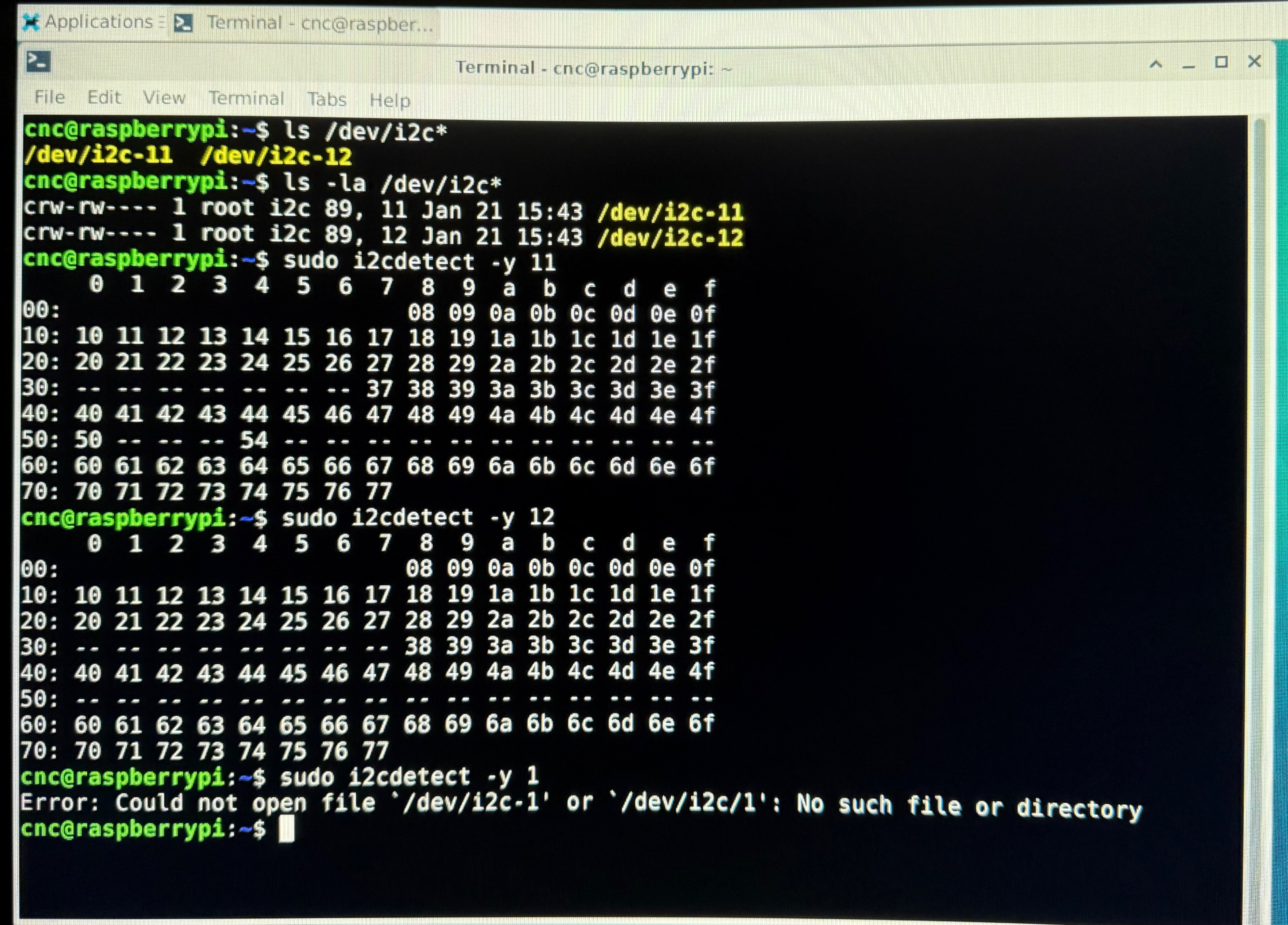
I’m using a raspberry pi 5 8gb with the latest 2.93 image that’s linked on the first page of this thread. I’ve attached a screen shot of what I’m getting when run the commands. 

Please Log in or Create an account to join the conversation.

More
1 year 9 months ago #319536 by Cant do this anymore bye all
Ok it was a typo I made, but if you tried to edit the file it should not of existed.

as superuser edit /boot/broadcom/config.txt & change the line from

#dtparam=i2c_arm=on
to
dtparam=i2c_arm=on

Then reboot.

Please Log in or Create an account to join the conversation.

More
1 year 9 months ago - 1 year 9 months ago #319547 by Moutomation
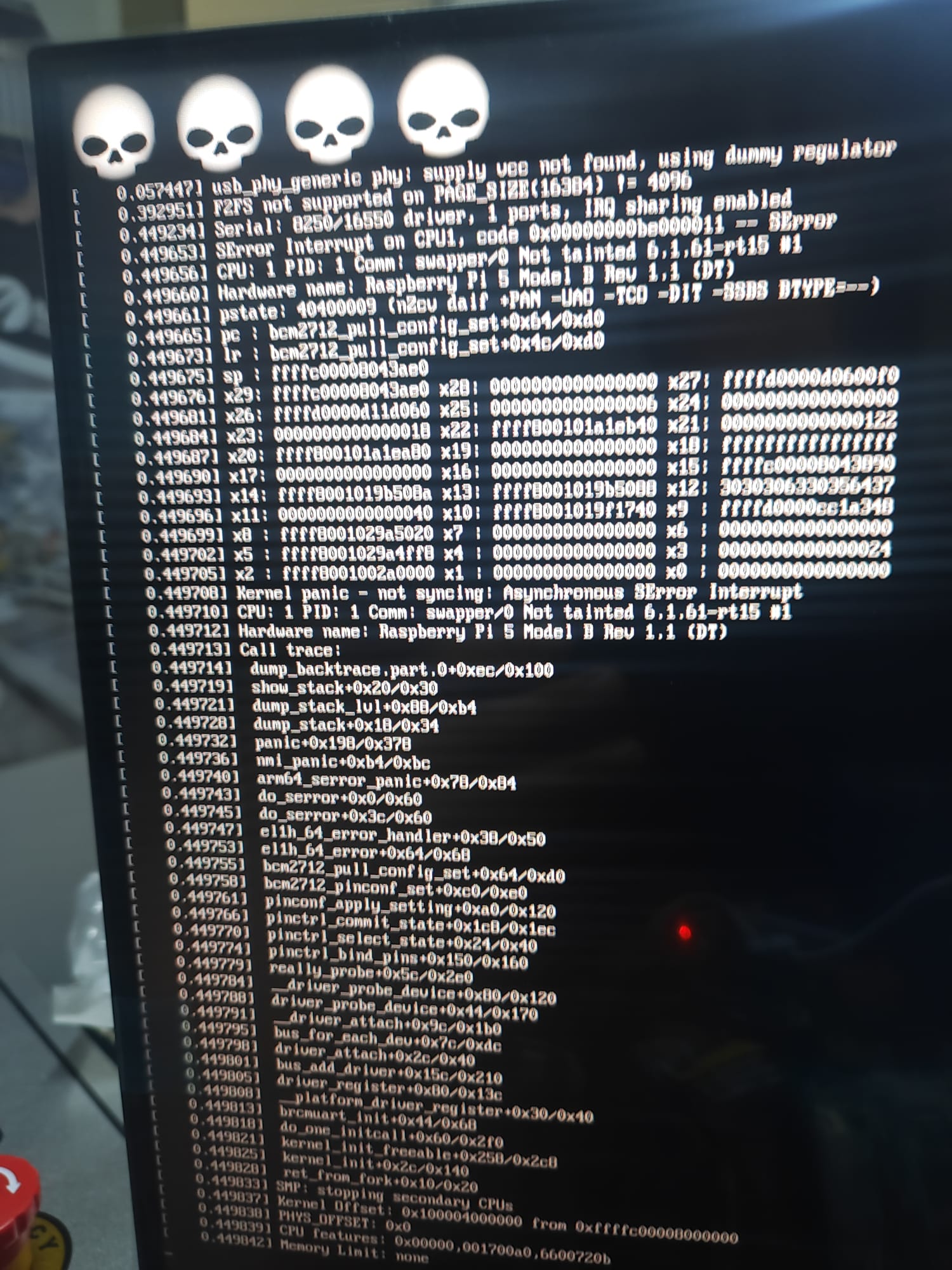
hello,I can install on both raspberry pi5 4gb and 8gb but the new 16gb I bought gives an error. What is the reason for this?
Last edit: 1 year 9 months ago by Moutomation.

Please Log in or Create an account to join the conversation.
More
1 year 9 months ago #319550 by rodw
I think the 16gb has historically not been good for linuxcnc

Please Log in or Create an account to join the conversation.
More
1 year 9 months ago #319551 by Moutomation
I think linuxcnc only works on 2-4-8gb,right?

Please Log in or Create an account to join the conversation.

More
1 year 9 months ago #319553 by Cant do this anymore bye all
Ok, the 16GB board was only released at the beginning of the year, maybe you were thinking of the 8GB boards rod. So I don't think it's a Linuxcnc issue but a kernel issue.

What I would suggest you do is load up an sd card with an Raspberry Pi image, boot it up and relay the output of
Code:
uname -a

I'm thinking it may require a 6.13.x or 6.12.x kernel. As the 6.6.y branch is active that keren may work but can't certain.

Please Log in or Create an account to join the conversation.

Time to create page: 0.099 seconds
Powered by Kunena Forum
