@gueee78 and zmrdko
I saw where both of you have posted and have the same problem. I decided to do a quick build as I can do a full install from scratch in about 58 minutes. Ok here is what I installed so that you know what I did. I know you both are using bookworm but I did this with bullseye, I will try bookworm soon when I have time (I am overloaded with work, just wanted to try and help somewhat). Ok I did a quick install to make sure IgH and the Sittner code was still working fine, and it is.
Everything changes over time, but 8-10 years ago you had to do a RIP of LCNC and have Linuxcnc-dev to get the Sittner code to work. This has changed as you can do a repo install of LCNC and get it to work as I have done both... BUT that doesn't necessarily mean you can do it under bookworm... it may require LCNC to be built from source as a RIP. I do not know as I have not tried anything past Debian 11. Ok just wanted to put that out there so that you knew in case that is the problem.
Another thing can be the hardware you are building on... I build all of my computers from scratch Dell parts (Optiplex) and if you put an incorrect CPU in a motherboard with the wrong chipset you can definitely have problems with getting "kernel headers" to work, so if you have another machine you may want to try it out just in case. I have about 20 computers with this on it and of the 20 there are 2 or 3 that you cannot build and install the code on as it throws errors. It may fire up and work by moving a working HDD to the machine, but you can't get the code installed on the system initially.
Ok I did the following tonight:
Debian 11 expert minimal install without a GUI, Desktop, or Utilities
Added RT kernel & headers... then removed the old kernel.
Then added SDDM, and LXQT-core to get a minimal desktop.
Then a RIP of LCNC 2.9
Then IgH EtherCAT install
Then the Sittner Linuxcnc-ethercat install
Added the XML in the Linuxcnc-dev config folder.
Then started LCNC up and made an AXIS config (This will be the easiest for you)
Then went and added the ethercat code to a postgui HAL file.
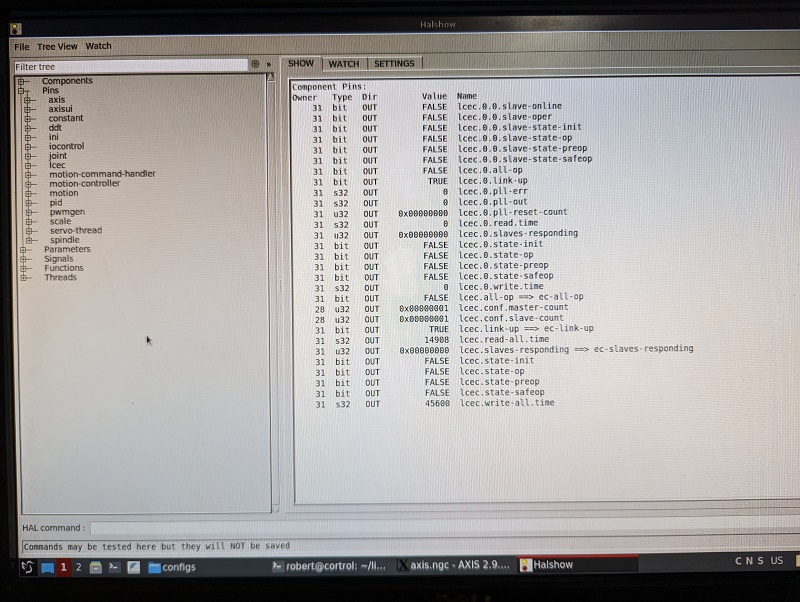
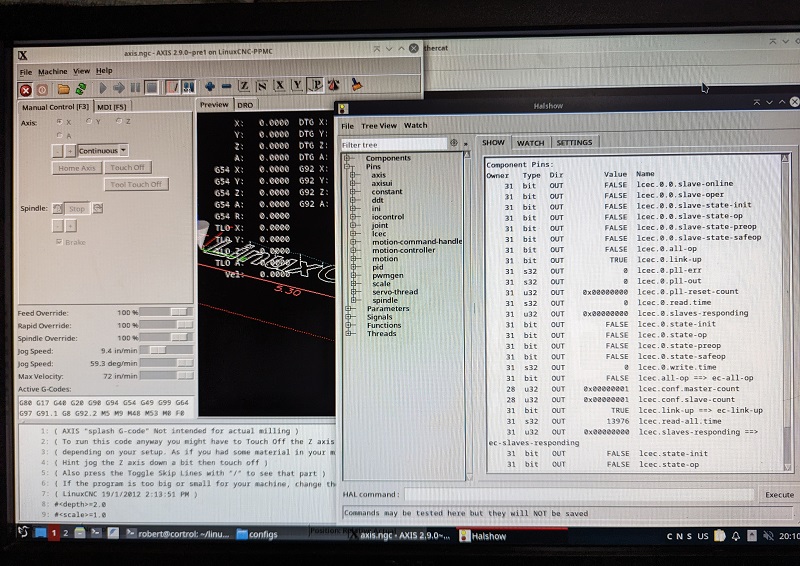
Started LCNC and opened HALSHOW to check that the LCEC was seen and pins there. (Pic attached)
Ok this has to be something with bookworm or how you are trying to install. Like Rod said, it is pretty easy to do the full install at this point as there are no work arounds other than the realtime.mk file. To be honest this is really easy compared to doing it back when this all started around 2012 or 13... My notes from over the years have been getting smaller and smaller, just no work arounds like in the past. I think my first working system was around 2014 and I was verse with how to get LCNC working way before EtherCAT, so don't feel intimidated or that you can't get it to work... it just takes some persistence, and you will get it working. LCNC is quite vast itself and jumping into EtherCAT is even another level.
I don't have time tonight, but I will try to make a PDF of my simplest install notes for this. Plus, when I get a chance, I will build on bookworm to see if I have the same problem you are having... I know this is not much to help, but the main thing I was trying to do tonight is make sure that everything still works for installing and getting it working and it does so we do have a start at figuring this out. Like I said before I am overloaded, but I will try my best to get you some install notes posted to hopefully help.
Hope it helps somehow,
Robert