
Flexible GUI

More
1 year 9 months ago #319715 by JT
Replied by JT on topic Flexible GUI
[FLEX]
TOUCH_FILE_WIDTH = True


[FLEX]
TOUCH_FILE_WIDTH = False


JT

Please Log in or Create an account to join the conversation.

More
1 year 9 months ago - 1 year 9 months ago #319767 by blazini36
Replied by blazini36 on topic Flexible GUI
Cool, that oughtta do it. I'll update my Flexgui as soon as I get done messing with HAL,

Having a little trouble with the GUI Estop. I have a hardware Estop as well, connected to halui. Both the GUI and the hard Estop work perfectly as long as I'm using one or the other. The hard Estop triggers the GUI just the same as the GUI Estop does.

The problem occurs when I have the hardware Estop set and push the GUI Estop button, the UI Estop will unset the Estop condition. Not quite sure how I stop that from happening.

Heres my HAL connections:

Code:
[code]##Estop Connections net estop-NO-switch   => halui.estop.activate net estop-NO-switch   => oneshot.estop.in     #Oneshot triggers reset from hardware Estop release net estop-out   <= iocontrol.0.user-enable-out net estop-out   => iocontrol.0.emc-enable-in #net estop-out   => motion.enable net estop-reset <= oneshot.estop.out net estop-reset => halui.estop.reset net estop-in    <= halui.estop.is-activated net estop-in    => flash.estop.enable net estop-led   <= flash.estop.out setp flash.estop.hold-prec       false setp flash.estop.hold-prec-inv   false setp flash.estop.hold            false setp flash.estop.flash-rate-ms   500 setp oneshot.estop.width         0.5 setp oneshot.estop.retriggerable false setp oneshot.estop.rising        false setp oneshot.estop.falling       true
[/code]


Just noticed another issue. I have the UI Estop button colors set in the ini file. If I ignore the hardware Estop, the button colors change as expected with Estop and power. If I set the hardware Estop, the UI states work fine, and the button labels change, but the button colors don't change. 

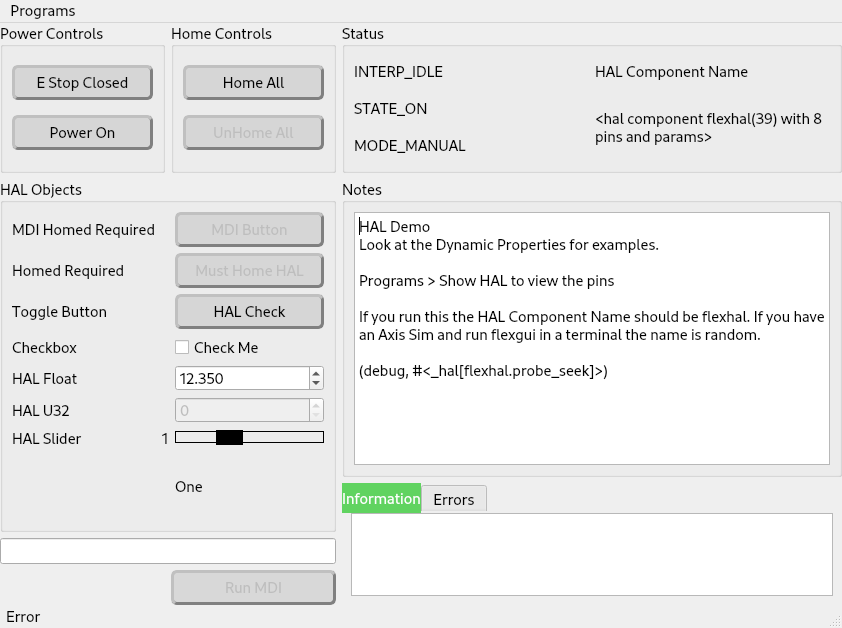
Also, just tried the multi-state label. I can't get the hal pin to show up, am I doing something wrong?
 
Last edit: 1 year 9 months ago by blazini36.

Please Log in or Create an account to join the conversation.

More
1 year 9 months ago #319813 by JT
Replied by JT on topic Flexible GUI
Take a look at this thread for the coordination of an external E-Stop with LinuxCNC
forum.linuxcnc.org/47-hal-examples/25861-external-e-stop

I have not tested an external E-Stop so the colors may not stay in sync.

Please Log in or Create an account to join the conversation.

More
1 year 9 months ago #319814 by JT
Replied by JT on topic Flexible GUI
Your screen shot looks correct. I added multi state labels on the 20th, how are you updating?


JT

Please Log in or Create an account to join the conversation.
More
1 year 9 months ago #319835 by blazini36
Replied by blazini36 on topic Flexible GUI

Take a look at this thread for the coordination of an external E-Stop with LinuxCNC
forum.linuxcnc.org/47-hal-examples/25861-external-e-stop
 
Nah estop-loop doesn't work right in practice without extra logic components either. The way it's shown in the other thread it does block the UI Estop, but the reset won't trigger until you toggle the UI button afterwards. I just didn't notice I still had iocontrol.0.emc-enable-in connected to iocontrol.0.emc-enable-in. I just needed to break that with a NC circuit. Maybe one day somebody will rework the mess that exists between halui and iocontrol estop pins. It would probably be as simple as adding 2 pins to halui to break the iocontrol loop when is-activated=true. If that loop is unused it would behave as it does now, like a toggle off a momentary switch.....That's besides the point, I figured it out.

I have not tested an external E-Stop so the colors may not stay in sync.

If they followed the same logic as the actual E-stop and Power states like the button labels do they'd be fine. You can test it easily by setting the halui.estop activate, reset and halui.machine.on pins
The following user(s) said Thank You: JT

Please Log in or Create an account to join the conversation.

More
1 year 9 months ago #319838 by blazini36
Replied by blazini36 on topic Flexible GUI

Your screen shot looks correct. I added multi state labels on the 20th, how are you updating?
JT
 
I'm downloading the deb release from the git page. It's still at 1.1.1 but is says it's been updated since then.

Looks like apt didn't update it right this time since it's still version 1.1.1, I used gdebi and now it works. I did get a wierd error about a different label already having that hal pin name but that wasn't the case. I'm not sure if that stems from the multi-state label having the same widget name as it's hal pin name or the hal pin name having underscores. I had other regular labels with a single hal pin with underscore in the name and it was fine. I just changed the underscores in the hal pin name to dashes and the error went away.

Please Log in or Create an account to join the conversation.

Moderators: JT
Time to create page: 0.269 seconds
Powered by Kunena Forum
