
Advanced Search

Search Results (Searched for: )

  • pippin88
  • pippin88
17 Aug 2025 00:10
Replied by pippin88 on topic How to set qtdragon to re-face my spoilboard

How to set qtdragon to re-face my spoilboard

Category: Qtvcp

Worth learning a bit of gcode.

Subroutines and parameters are quite powerful

Example code to get you started. I have not checked this on a machine / linuxcnc simulator. Probably has errors.
( Zig-Zag Spoilboard Facing Program with Parameters and Subroutine )
( Fully commented for beginners - for use with LinuxCNC )
( Units are millimeters - use G21 for mm or G20 for inches )

G21                ( Set units to millimeters - use G20 for inches )
G17                ( Use XY plane for machining )
G90                ( Use absolute positioning mode )
G64                ( Best path blending mode for smoother motion )

( --- USER-DEFINED PARAMETERS --- )
#100 = 12.0         ( Tool diameter - useful for planning )
#101 = 10.0         ( Step-over between each row in Y direction )
#102 = 1.0          ( Total depth to cut into the spoilboard )
#103 = 0.5          ( Depth per pass - amount to cut per layer )
#104 = 600.0        ( Width of the area to face in X direction )
#105 = 300.0        ( Height of the area to face in Y direction )
#106 = 1000         ( Spindle speed in RPM )
#107 = 500          ( Feedrate in units per minute for cutting moves )
#108 = 5.0          ( Safe Z height above material to avoid collisions )

( --- INTERNAL / TEMPORARY VARIABLES --- )
#110 = 0.0          ( Current Z depth, starts at zero on surface )
#111 = 0            ( Row counter for Y passes )
#115 = 0            ( Direction toggle for zig-zag: zero means forward pass, one means reverse pass )

( --- DERIVED VALUES FROM PARAMETERS --- )
#112 = [#104 / #101]   ( Calculate how many rows fit across X based on step-over )
#113 = [#102 / #103]   ( Calculate how many depth passes needed to reach total depth )

( --- PROGRAM START --- )

G0 Z#108            ( Move Z to safe height before starting )
M3 S#106            ( Turn spindle on clockwise at RPM from parameter )
G4 P2               ( Wait for 2 seconds to let spindle reach speed )

G0 Z#108            ( Confirm safe Z before any XY moves )
G0 X0 Y0            ( Move to starting XY origin at safe Z )

( --- Z-DEPTH PASS LOOP --- )
#114 = 0            ( Initialize Z pass counter )

o100 while [#114 LT #113]      ( Repeat passes until total depth reached )

    G0 Z#108            ( Retract to safe Z before repositioning )
    G0 X0 Y0            ( Return to XY origin at safe Z )

    #110 = [#110 - #103]       ( Lower cutting depth by depth per pass )

    o110 if [#110 LT -#102]    ( If cutting deeper than total depth )
        #110 = -#102           ( Clamp cutting depth to max depth )
    o110 endif

    G1 Z#110 F#107             ( Feed down to current cutting depth )

    #111 = 0                   ( Reset Y row counter for this depth pass )
    #115 = 0                   ( Reset zig-zag direction toggle to forward )

    ( --- Y ROW LOOP --- )
    o200 while [#111 LT #112]  ( Loop through all rows across Y direction )

        o<zigzag_row> call     ( Call subroutine to cut one row, direction depends on toggle )

        #111 = [#111 + 1]      ( Increment Y row counter )
        #115 = [1 - #115]      ( Toggle direction: 0 becomes 1, 1 becomes 0 )

    o200 endwhile             ( End Y row loop )

    G1 Z#108 F#107             ( Retract to safe Z before next depth pass )

    #114 = [#114 + 1]          ( Increment Z pass counter )

o100 endwhile                 ( End Z pass loop )

( --- PROGRAM END --- )

M5                    ( Stop spindle )
G0 Z#108              ( Move to safe Z )
G0 X0 Y0              ( Return to origin )
M2                    ( End of program )

( --- SUBROUTINE: ZIGZAG ROW --- )

o<zigzag_row> sub

( Cuts one row in X direction, then steps over in Y )
( Uses toggle #115 to choose direction )

o<zigzag_row_dir0> if [#115 EQ 0]   ( Forward pass )
    G90                             ( Use absolute positioning )
    G1 X[#104] F#107                ( Move forward in X to max distance )
    G91                             ( Switch to relative positioning )
    G1 Y[#101] F#107                ( Step over in Y by step-over distance )
    G90                             ( Return to absolute positioning )
o<zigzag_row_dir0> endif

o<zigzag_row_dir1> if [#115 EQ 1]   ( Reverse pass )
    G90                             ( Absolute positioning )
    G1 X0 F#107                    ( Move X back to zero )
    G91                             ( Relative positioning )
    G1 Y[#101] F#107                ( Step over in Y )
    G90                             ( Absolute positioning )
o<zigzag_row_dir1> endif

o<zigzag_row> endsub
  • Jonathan_H
  • Jonathan_H
16 Aug 2025 23:52

System hangs repeatedly with certain combinations of operations

Category: General LinuxCNC Questions

Thanks,
I've been looking at the hal file to remind myself what the setup is, so now I know what values to use. Given a little time I would have worked it out before leaving, but I had a bus to catch
  • AkkiSan
  • AkkiSan
16 Aug 2025 23:35 - 16 Aug 2025 23:36
Replied by AkkiSan on topic How to fix "Queue is not empty after probing"

How to fix "Queue is not empty after probing"

Category: General LinuxCNC Questions
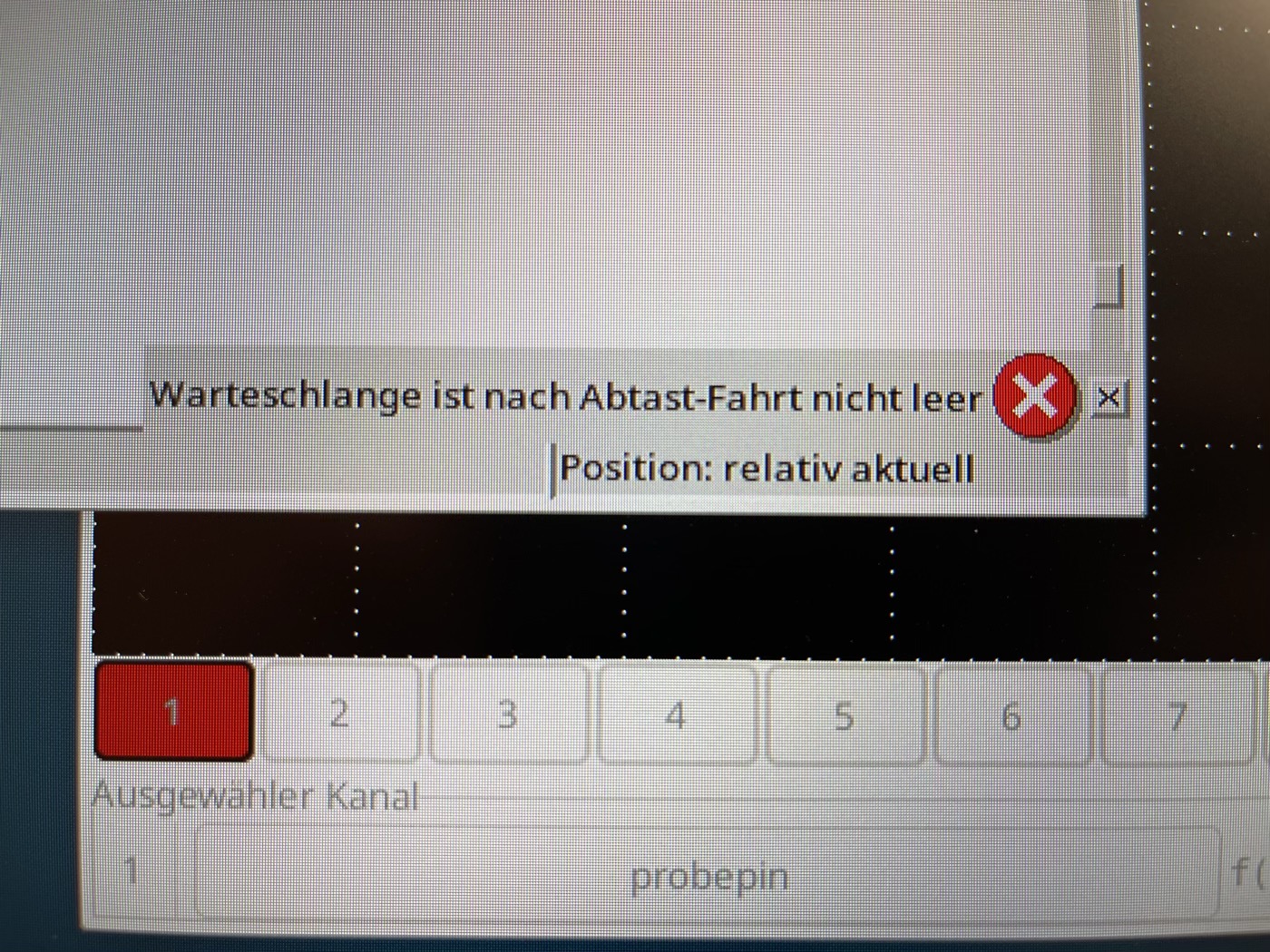
I now have the same issues.  
Happening after ~250 probe commands or so. All at different positions; of course also encapsulated in oword-loops.  


Initially, I only had severe problems with bouncing and had to fix it with a flipflop (which works fine):  
www.forum.linuxcnc.org/38-general-linuxc...move-deadlock#332412

And now this.  
Is this even related to the probe command or is it also possible that the origins are something completely different?

This all was never an issue with (really :) old versions; I probed millions of positions.


Meh,
AS
 
  • PCW
  • PCW's Avatar
16 Aug 2025 23:29

System hangs repeatedly with certain combinations of operations

Category: General LinuxCNC Questions

Note that the signal names in the example are just made-up

spindle-on is simply the signal that's connected to the pin spindle.0.on
  • rhscdn
  • rhscdn
16 Aug 2025 23:24 - 16 Aug 2025 23:30
Replied by rhscdn on topic AXYZ retrofit - Stepper driver settings

AXYZ retrofit - Stepper driver settings

Category: CNC Machines
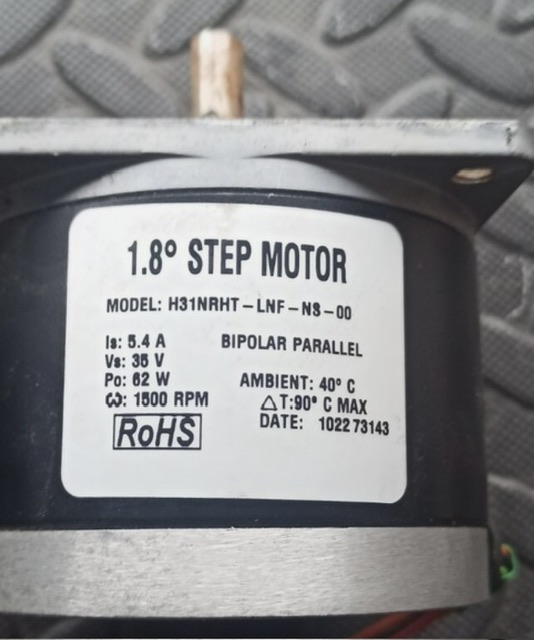
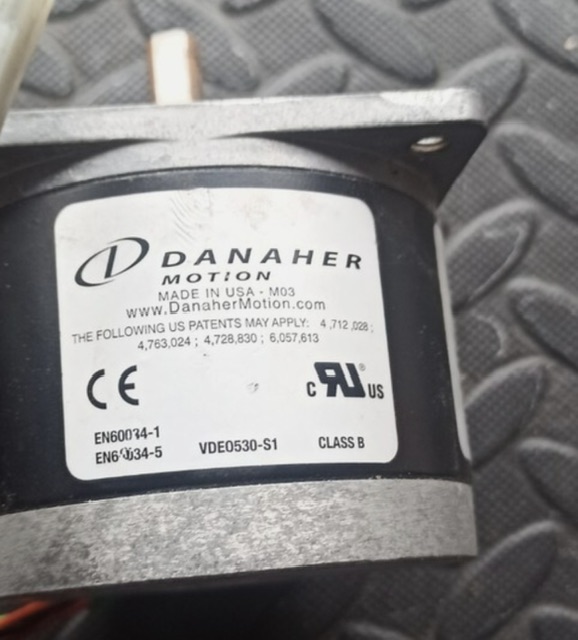
I found a few more details of these stepper motors online. 

1.8° STEP MOTOR
MODEL: H31NRHT - LNF - N8-00
Is: 5.4 A
BIPOLAR PARALLEL
Vs: 35 V
Po: 82 W
1500 RPM   

 
  • Kieran
  • Kieran
16 Aug 2025 22:33
Replied by Kieran on topic Axis gui no tool table or program editor.

Axis gui no tool table or program editor.

Category: General LinuxCNC Questions

I dont mind Geany. the problem is it wont open up my tool table from the axis screen. i have to go into the file/ folder system and open up my tool table. I think im gonna paly around with some different GUI to try and get my tool table integrated into the linuxcnc screen.
im running ethercat servos and a mesa 6i25 for my MPG and other IO. so the pnc/setpconf are irelivant for me.
  • Jonathan_H
  • Jonathan_H
16 Aug 2025 21:19

System hangs repeatedly with certain combinations of operations

Category: General LinuxCNC Questions

Having got caught up working on fixing 3d printers all day I thought I would try the example given quickly before going home, only to find that I don't currently seem to have a spindle-on signal.

I will look at fixing that tomorrow if I go in to the hackspace
  • Jonathan_H
  • Jonathan_H
16 Aug 2025 20:54

System hangs repeatedly with certain combinations of operations

Category: General LinuxCNC Questions

So I've taken a look at the wiring to remind myself of what is going on. Spindle-at-speed comes from the VFD, the relay can switch according to one of 6 values, one of which is "frequency reached". Anyway key point is that as suspected it only ever comes true when the spindle is on.

Is it going to be ok to set spindle-at-speed immediately to zero when the spindle is stopped, or should I be adding a delay?
  • Hakan
  • Hakan
16 Aug 2025 18:16
Replied by Hakan on topic AX58100

AX58100

Category: EtherCAT

Something has happened with the latest commits and I can't dig into that now.
Use git and go back to the March 2025 version. f79ad70
git checkout f79ad70
It does have all the same PDOs.
The ESI file wasn't stored in git so need to generate that as well. EEPROM_generator, restore project, write all files.
Write new eeprom, compile and upload firmware to processor.
Should work, it worked here.
  • Luc1luc
  • Luc1luc
16 Aug 2025 17:23
Replied by Luc1luc on topic Stepperonline A6 - How to properly Tune them?

Stepperonline A6 - How to properly Tune them?

Category: EtherCAT

Until now i didnt find any solution
  • COFHAL
  • COFHAL
16 Aug 2025 17:07
Replied by COFHAL on topic AX58100

AX58100

Category: EtherCAT

Also note that in the EEPROM generator file I removed the field for the DAC converter for spindle control.
  • PCW
  • PCW's Avatar
16 Aug 2025 16:34 - 16 Aug 2025 19:39

Getting stuck on G1 (but not G0) in NGC M6 remap

Category: General LinuxCNC Questions

I think it's also a function of the spindle-at-speed logic.
If you use the near function with the actual and commanded spindle
speed to generate the spindle-at-speed signal, it will be true even when
the spindle is at 0 speed, and the issue will not arise.
  • tommylight
  • tommylight's Avatar
16 Aug 2025 15:59
Replied by tommylight on topic AXYZ retrofit - Stepper driver settings

AXYZ retrofit - Stepper driver settings

Category: CNC Machines
If you can choose from the 3 you listed, DM860 for sure.
It is the only of those 3 that can drive your motors properly.
  • rhscdn
  • rhscdn
16 Aug 2025 15:50
Replied by rhscdn on topic AXYZ retrofit - Stepper driver settings

AXYZ retrofit - Stepper driver settings

Category: CNC Machines

DM542 Has a better voltage range, but is still small in current output (4A peak).
  • rhscdn
  • rhscdn
16 Aug 2025 15:47 - 16 Aug 2025 15:48
Replied by rhscdn on topic AXYZ retrofit - Stepper driver settings

AXYZ retrofit - Stepper driver settings

Category: CNC Machines

Here is what I’m seeing regarding specs. Recall, I have 42V and the stepper is listed at 5A.

DM542 2-phase stepper motor driver
* Output Peak Current: 1.0~4.2A (3.0 RMS)
* Input Voltage: +20~50VDC (Typical 36VDC)

DM556 2-phase stepper motor driver
* Output Peak Current: 1.8~5.6A (4.0 RMS)
* Input Voltage: +20~50VDC (Typical 24-48VDC)

DM860 2phase stepper motor driver
* Output Peak Current: 2.4~7.2A
* Input Voltage: +18~60VDC
 
Displaying 11011 - 11025 out of 17150 results.
Time to create page: 1.840 seconds
Powered by Kunena Forum

