
- Posts: 1916
- Thank you received: 394

Please Log in or Create an account to join the conversation.
I didn't change any configuration files. Besides in my custom_postgui.hal file there are no any gmocappy pin connectionsnewbynobi wrote: Please check the hal connections, as some hal pin names has been renamed!
I verified on my real harware config.newbynobi wrote: Please test with sim config and report steps to reproduce the error.
Norbert
Please Log in or Create an account to join the conversation.
I update to 2.8 gmoccapy 2.1.2 a pleasant surprise ,Well as user you'll get new gmocappy 2.1.0 when linuxcnc 2.8.0 will be released.
Please Log in or Create an account to join the conversation.
Back to other little bug. "Shorctuts mode switching problem"
Reproduce steps:
1. Switch to the AUTO mode.
2. Switch to the MDI mode with 'F5' shortcut.
3. Switch back to the AUTO mode.
4. Switch againt to MDI mode with 'F5' ---> oops. It doesn't switch.
5. Switch to the MANUAL mode by F3.
6. goto step 1
Please Log in or Create an account to join the conversation.
Other little issue is labels on macro buttons, and their alignment.
As you can see on the attached picture. The macro names are not full.
full names are "1_measure_and_change", "2_tool_change", "3_tool_measure"
Please Log in or Create an account to join the conversation.
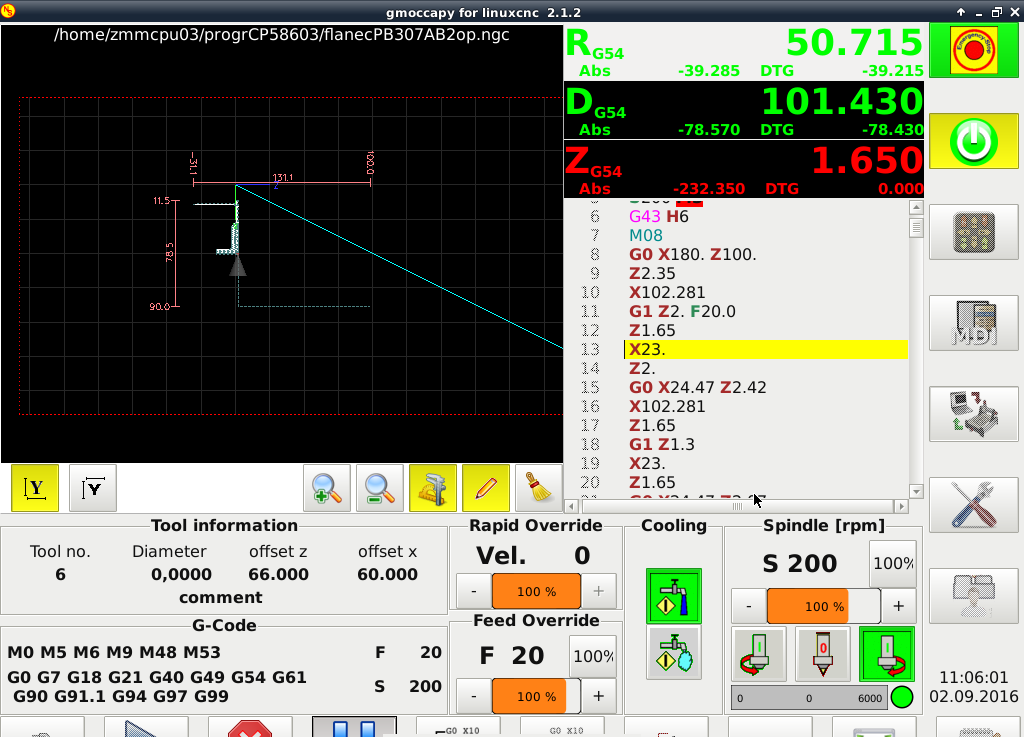
I update to 2.8 gmoccapy 2.1.2 a pleasant surprise ,
please note DRO axis Z remains in red after homing ..I use sim_hardware.hal .
Please Log in or Create an account to join the conversation.


