
- Posts: 96
- Thank you received: 6
LinuxCNC on Raspberry Pi 4
- knipknap
- Offline
- Premium Member
-

Less
More
4 years 8 months ago #235841
by knipknap
LinuxCNC on Raspberry Pi 4 was created by knipknap
Using the following download:
Any workaround for that one, apart from setting up Raspbian/Debian from scratch?
- LinuxCNC 2.8.1 Raspberry Pi OS based on Debian 10 Buster
Any workaround for that one, apart from setting up Raspbian/Debian from scratch?
Please Log in or Create an account to join the conversation.
- tommylight
- Offline
- Moderator
-

Less
More
- Posts: 22011
- Thank you received: 7491
4 years 8 months ago #235844
by tommylight
Replied by tommylight on topic LinuxCNC on Raspberry Pi 4
I was sure there is no RPI 4 with 1GB of ram, i was wrong 
First result sheds some light
www.google.com/search?q=rpi4+versions&so...oAEB&sclient=gws-wiz
First result sheds some light
www.google.com/search?q=rpi4+versions&so...oAEB&sclient=gws-wiz
Please Log in or Create an account to join the conversation.
- knipknap
- Offline
- Premium Member
-
Less
More
- Posts: 96
- Thank you received: 6
4 years 8 months ago #235871
by knipknap
Replied by knipknap on topic LinuxCNC on Raspberry Pi 4
Yeah, and it's the only model available for sale anywhere at the moment 
Please Log in or Create an account to join the conversation.
- elovalvo
- Offline
- Elite Member
-

Less
More
- Posts: 205
- Thank you received: 127
4 years 8 months ago - 4 years 8 months ago #235994
by elovalvo
You can try it this way:
1) download and install the legacy version of RaspiOS
downloads.raspberrypi.org/raspios_oldsta...ios-buster-armhf.zip
2) apply the procedure to install the kernel PREEMPT_RT (32 bit)
github.com/kdoren/linux/releases/tag/rpi_5.10.74-rt54
3) using the gdebi utility install Linuxcnc 2.8.2 from .deb-packages available
buildbot.linuxcnc.org/dists/buster/2.8-r...g68f883b96_armhf.deb
Replied by elovalvo on topic LinuxCNC on Raspberry Pi 4
Using the following download:
[*]LinuxCNC 2.8.1 Raspberry Pi OS based on Debian 10 Buster
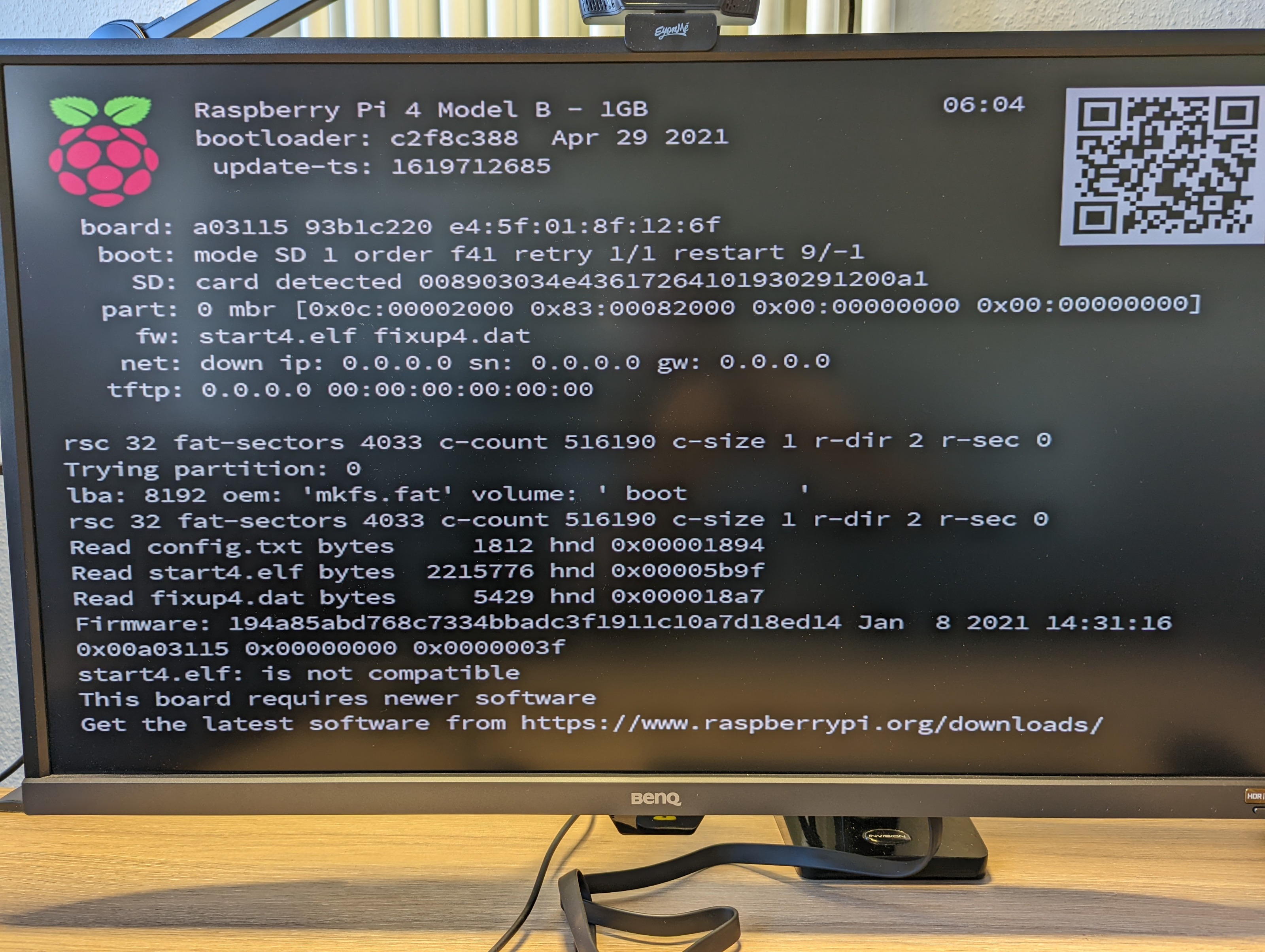
I flashed an SD card and put it into my Raspberry Pi 4. It doesn't boot, instead showing the following error: "This board requires newer software". (Screenshot attached)
Any workaround for that one, apart from setting up Raspbian/Debian from scratch?
You can try it this way:
1) download and install the legacy version of RaspiOS
downloads.raspberrypi.org/raspios_oldsta...ios-buster-armhf.zip
2) apply the procedure to install the kernel PREEMPT_RT (32 bit)
github.com/kdoren/linux/releases/tag/rpi_5.10.74-rt54
3) using the gdebi utility install Linuxcnc 2.8.2 from .deb-packages available
buildbot.linuxcnc.org/dists/buster/2.8-r...g68f883b96_armhf.deb
Last edit: 4 years 8 months ago by elovalvo.
Please Log in or Create an account to join the conversation.
- Deadtoxxic
- Offline
- New Member
-

Less
More
- Posts: 2
- Thank you received: 0
4 years 7 months ago #236959
by Deadtoxxic
Replied by Deadtoxxic on topic LinuxCNC on Raspberry Pi 4
Hi All,
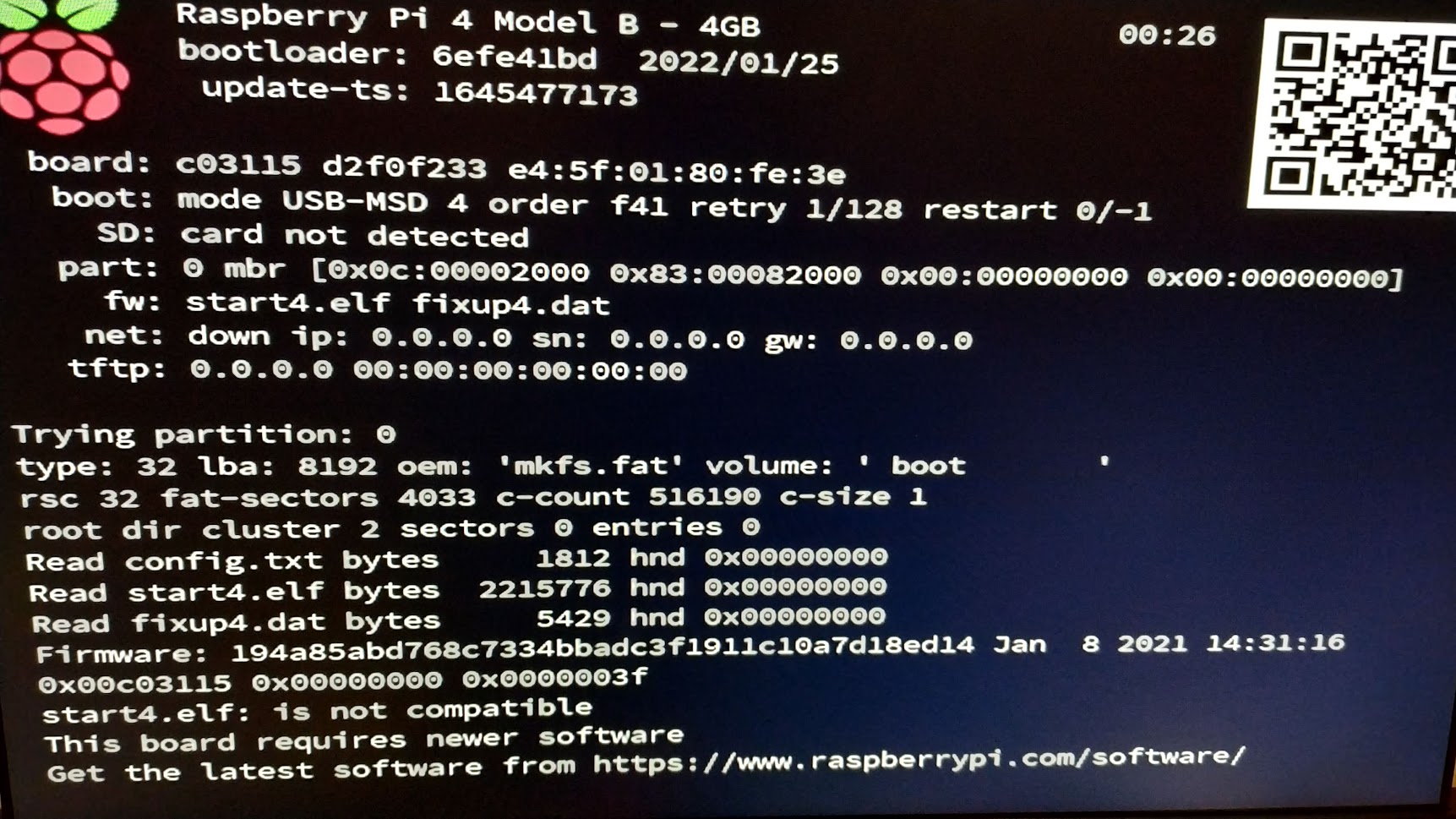
I also faced with this when iam using "LinuxCNC 2.8.1 Raspberry Pi OS based on Debian 10 Buster", but on 4GB version of RPI4.
I tried with two different SD car, with one USB flash drive, and with external SSD, but same result unfortunatelly.
Apart from everything, somebody have any clue what the problem?
Following elovalvo:
1. I tried to install a PREEMPT_RT kernel, but i am stuck with that.
2. Buildbot: When i want to reach this page, i recieved this message: "this site can’t be reached"
How should i proceed?
Thank you in advance!
I also faced with this when iam using "LinuxCNC 2.8.1 Raspberry Pi OS based on Debian 10 Buster", but on 4GB version of RPI4.
I tried with two different SD car, with one USB flash drive, and with external SSD, but same result unfortunatelly.
Apart from everything, somebody have any clue what the problem?
Following elovalvo:
1. I tried to install a PREEMPT_RT kernel, but i am stuck with that.
2. Buildbot: When i want to reach this page, i recieved this message: "this site can’t be reached"
How should i proceed?
Thank you in advance!
Please Log in or Create an account to join the conversation.
- andypugh
- Offline
- Moderator
-
Less
More
- Posts: 19899
- Thank you received: 4655
4 years 7 months ago - 4 years 7 months ago #237269
by andypugh
Replied by andypugh on topic LinuxCNC on Raspberry Pi 4
It's a bit late here now, but I would suggest starting with a standard 64-bit Raspbian install then searching for a packaged RT kernel.
I think it will probably be this one: packages.debian.org/buster/linux-image-rt-arm64
If you find one then the next step is to install is (sudo apt-get installl linux-image....... ) then compile LinuxCNC from source. (As the buildbot is only making 32-bit arm-hf images)
Code:
sudo apt-cache search linux-image*
I think it will probably be this one: packages.debian.org/buster/linux-image-rt-arm64
If you find one then the next step is to install is (sudo apt-get installl linux-image....... ) then compile LinuxCNC from source. (As the buildbot is only making 32-bit arm-hf images)
Last edit: 4 years 7 months ago by andypugh.
Please Log in or Create an account to join the conversation.
Time to create page: 0.181 seconds