
- Posts: 189
- Thank you received: 9

FernV wrote:
gmouer wrote: ...The workpiece never shows...
You have to uncheck Skip Block, the button with a '/'

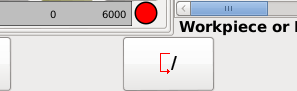
Fern
Please Log in or Create an account to join the conversation.
This option should be set in Preferences dialog. Not sure yet how this exclusion should be implemented how it would work. All videos I viewed use some way of finding the surface.tommylight wrote: Well that is correct, in most plasma setups you do not need anything related to z axis, but i know for sure the configs i use do not care if there are Z related codes or not. Some configs do use Z axis, so it is not advisable to remove it completly. Having a button to include or remove Z axis related code would be best.
The G38.x option should also be set once in the Preferences dialogtommylight wrote: The configs that do use Z also use some type of G38.x move to find the material and set offsets for every cut so that would need to be added as a preamble that can be edited to suit the needs of different setups. This can be done together with adding M3/M5 to every cut.
I think adding this delay should be in 'Cutting Params'tommylight wrote: Another thing that can be added for plasma use is adding a G04 pause after the M3, that is a pierce delay, and needs to be adjustable in 0.1 second increments from 0 to 1 second ( even more if cutting thick material ).
Please Log in or Create an account to join the conversation.
Please Log in or Create an account to join the conversation.
Please Log in or Create an account to join the conversation.
gmouer wrote: ...if cutting a circle pocket at a depth of one inch, it appears to cut to the full depth in one pass. Is there a way to specify multiple passes...
Please Log in or Create an account to join the conversation.
Please Log in or Create an account to join the conversation.
