

- Posts: 96
- Thank you received: 2
Useful Plasma Thread
8 years 1 month ago #117494
by scubawarm
Replied by scubawarm on topic Useful Plasma Thread
Brought down the new code compiled it, marked as a program etc.
When I get to running it I get this. I very well could have did something wrong too though.
superman@esab ~/linuxcnc-grotius $ linuxcnc
LINUXCNC - 2.8.0~pre1
Error in startup script: couldn't load file "/home/superman/linuxcnc-grotius/tcl/bin/../linuxcnc.so": /home/superman/linuxcnc-grotius/tcl/bin/../linuxcnc.so: cannot open shared object file: No such file or directory
while executing
"load [file join [file dirname [info script]] linuxcnc[info sharedlibextension]]"
(file "/home/superman/linuxcnc-grotius/tcl/bin/../linuxcnc.tcl" line 61)
invoked from within
"source [file join [file dirname [info script]] .. linuxcnc.tcl]"
(file "/home/superman/linuxcnc-grotius/tcl/bin/pickconfig.tcl" line 29)
When I get to running it I get this. I very well could have did something wrong too though.
superman@esab ~/linuxcnc-grotius $ linuxcnc
LINUXCNC - 2.8.0~pre1
Error in startup script: couldn't load file "/home/superman/linuxcnc-grotius/tcl/bin/../linuxcnc.so": /home/superman/linuxcnc-grotius/tcl/bin/../linuxcnc.so: cannot open shared object file: No such file or directory
while executing
"load [file join [file dirname [info script]] linuxcnc[info sharedlibextension]]"
(file "/home/superman/linuxcnc-grotius/tcl/bin/../linuxcnc.tcl" line 61)
invoked from within
"source [file join [file dirname [info script]] .. linuxcnc.tcl]"
(file "/home/superman/linuxcnc-grotius/tcl/bin/pickconfig.tcl" line 29)
Please Log in or Create an account to join the conversation.

8 years 1 month ago - 8 years 1 month ago #117537
by Grotius
Replied by Grotius on topic Useful Plasma Thread
Hi scuba,
I am planning to make a new install this weekend on a thirt pc. So i will check the process. I will make a new reprository for newer updates. When i am working on it i will set it private. Otherwise it can cause problems. Then the starred reprository will always be working at any time.
Your fault code looks a little bit strange.
Could be 2 things. I think you maybe forgot to type the rip environment procedure correctly. . ./
When i make changes i always check the compiling procedure and startup.
I am planning to make a new install this weekend on a thirt pc. So i will check the process. I will make a new reprository for newer updates. When i am working on it i will set it private. Otherwise it can cause problems. Then the starred reprository will always be working at any time.
Your fault code looks a little bit strange.
Could be 2 things. I think you maybe forgot to type the rip environment procedure correctly. . ./
When i make changes i always check the compiling procedure and startup.
Last edit: 8 years 1 month ago by Grotius.
Please Log in or Create an account to join the conversation.
8 years 1 month ago - 8 years 1 month ago #117577
by Grotius
Replied by Grotius on topic Useful Plasma Thread
Hi Scuba,
I did a new install on clean pc.
It works without problems. I had to change the parport adres, because of different parport adres to get the machine out of
emergency brake.
Here the procedure, also available at the end of the github install readme file.
github.com/michelwijnja/external_offsets...lob/master/README.md
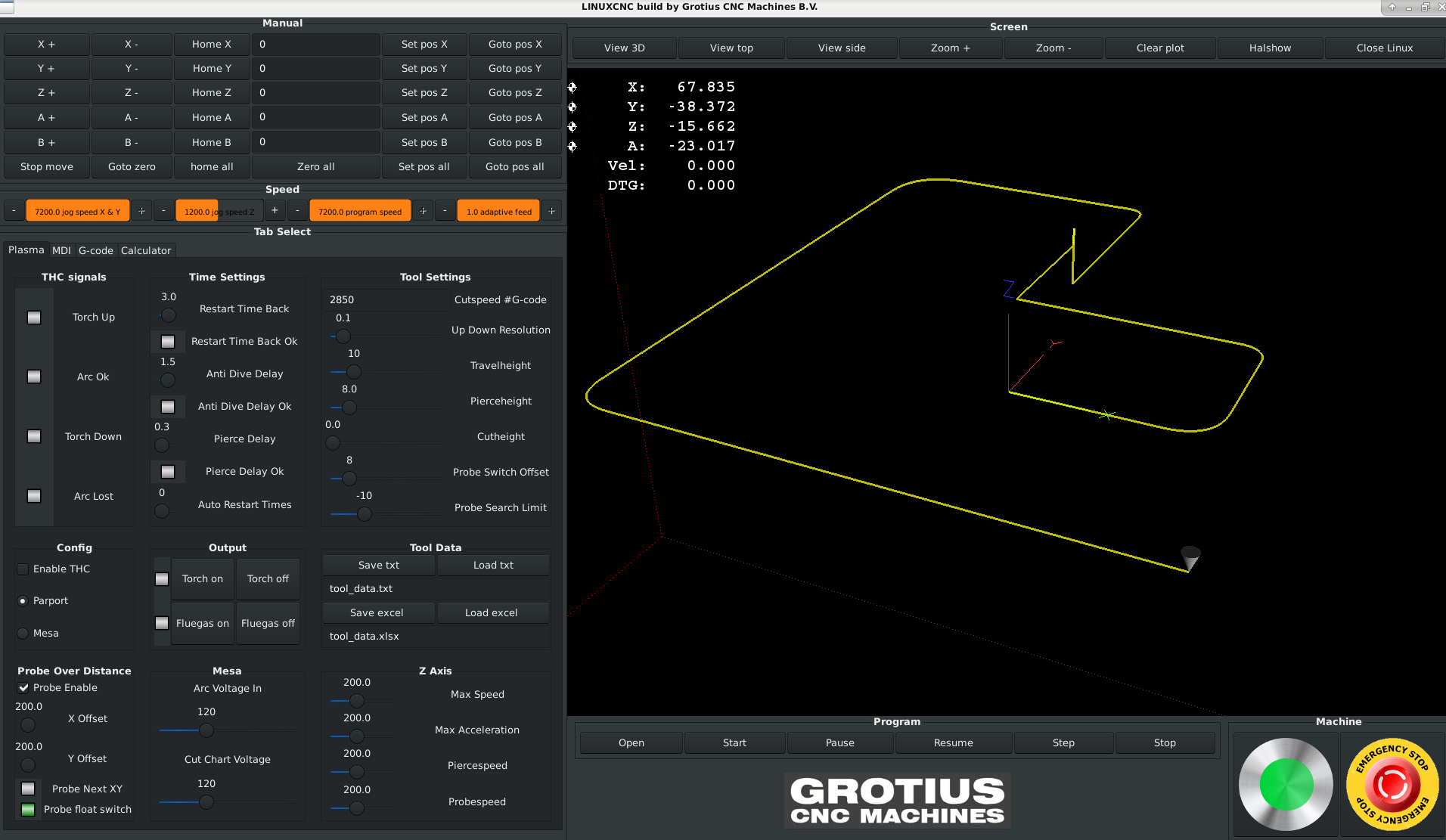
I will let this reprository what is is now, starred reprository
I will clone to new one and make my update's there. When update's are ready i will give a signal.
I did a new install on clean pc.
It works without problems. I had to change the parport adres, because of different parport adres to get the machine out of
emergency brake.
Here the procedure, also available at the end of the github install readme file.
github.com/michelwijnja/external_offsets...lob/master/README.md
Code:
Burn and install the iso cd debian stretch 64 bit : http://www.linuxcnc.org/testing-stretch-rtpreempt/linuxcnc-stretch-uspace-amd64-r11.iso
terminal :
1. sudo apt-get install git
2. git install https://github.com/michelwijnja/external_offsets_adaptive_feed.git linux_grotius
3. sudo apt-get install debhelper tcl8.6-dev tk8.6-dev libreadline-gplv2-dev asciidoc
4. sudo apt-get install dblatex docbook-xsl dvipng graphviz groff inkscape python-lxml source-highlight texlive-extra-utils
5. sudo apt-get install texlive-font-utils texlive-fonts-recommended texlive-lang-cyrillic texlive-lang-french texlive-lang-german
6. sudo apt-get install texlive-lang-polish texlive-lang-spanish texlive-latex-recommended w3c-linkchecker xsltproc asciidoc-dblatex
7. sudo apt-get install python-dev libxmu-dev libglu1-mesa-dev libgl1-mesa-dev libgtk2.0-dev gettext intltool
8. sudo apt-get install autoconf libboost-python-dev netcat libmodbus-dev libusb-1.0-0-dev
9. sudo apt-get install python-xlsxwriter
Make file in linux_grotius, bin folder, grotius => executable.
10. cd src
11. ./autogen.sh
12. ./configure
13. make -j2
14. sudo make setuid
15. cd ..
16. cd scripts
17. . ./rip-environment
19. linuxcnc
20. select grotius and make desktop shortcut
21. grotius desktop shortcut, select run in terminal
22. Look for parport adres : type in terminal : dmesg | grep par
23. Change the grotius.hal file with the correct parport adres, in my case : 0xe050
24. The complete line in grotius.hal = loadrt hal_parport cfg="0x1110 out 0x1120 out" (second parport is not used but has not to be deleted)
25. Ready.
I will let this reprository what is is now, starred reprository
I will clone to new one and make my update's there. When update's are ready i will give a signal.
Last edit: 8 years 1 month ago by Grotius.
The following user(s) said Thank You: tommylight
Please Log in or Create an account to join the conversation.
8 years 1 month ago #117754
by scubawarm
Replied by scubawarm on topic Useful Plasma Thread
I haven't been using debian ISO as it is so stripped down, doesn't seem to handle the multi Ethernet cards very well. Also I struggle without all the the utilities it does not come with.
That really shouldn't be an issue should it?
I did copy the old directory to a new name and installed the fresh in the original directory like the docs read.
I guess I'll try it all agian and see if I have any more luck this time.
That really shouldn't be an issue should it?
I did copy the old directory to a new name and installed the fresh in the original directory like the docs read.
I guess I'll try it all agian and see if I have any more luck this time.
Please Log in or Create an account to join the conversation.
8 years 1 month ago - 8 years 1 month ago #117760
by Grotius
Replied by Grotius on topic Useful Plasma Thread
Hi Scuba,
I read you have not used the debian Iso.
Hmm. The 32 and 64 bit version is perfect for linuxcnc. It will update during new installation when you have a connected internet cable.
What kind of utilities do you miss? Debian is in the linux timeline the core of all distribution's. it's very compact and clean.
I have tried several other distro's. And for me Debian 9, 64 bit is the best so far. Very stable version. You have to know more from command line function's instead of using Ubuntu or Mint. But that is no issue when there is a good readme file behind the installation.
If you have startup problem's on installing your way, you can replace the grotius.hal file and use the simulation hal files from axis.
It will startup, even without parport or anything, I started it on a clean laptop last week. And this week i started on a thirth pc.
But i have no Mesa config at this moment. So that is still to be worked out trough somebody.
Grab a pc and install 32 on old pc and 64 bit on newer pc. Just follow the github readme file. And you are done.
In worst case senario i can help you with tiemviewer to help install your application.
If you have a problem on that you could ask Mesa for how to update.
I read you have not used the debian Iso.
Hmm. The 32 and 64 bit version is perfect for linuxcnc. It will update during new installation when you have a connected internet cable.
What kind of utilities do you miss? Debian is in the linux timeline the core of all distribution's. it's very compact and clean.
I have tried several other distro's. And for me Debian 9, 64 bit is the best so far. Very stable version. You have to know more from command line function's instead of using Ubuntu or Mint. But that is no issue when there is a good readme file behind the installation.
If you have startup problem's on installing your way, you can replace the grotius.hal file and use the simulation hal files from axis.
It will startup, even without parport or anything, I started it on a clean laptop last week. And this week i started on a thirth pc.
But i have no Mesa config at this moment. So that is still to be worked out trough somebody.
Grab a pc and install 32 on old pc and 64 bit on newer pc. Just follow the github readme file. And you are done.
In worst case senario i can help you with tiemviewer to help install your application.
I don't know this, but it can be easy to update like : sudo apt-get install Mesa_multi_Ethernet_cardsdoesn't seem to handle the multi Ethernet cards very well
If you have a problem on that you could ask Mesa for how to update.
Last edit: 8 years 1 month ago by Grotius.
Please Log in or Create an account to join the conversation.
- snugglylovemuffin
- Offline
- Elite Member
-

Less
More
- Posts: 209
- Thank you received: 11
8 years 1 month ago #118065
by snugglylovemuffin
Replied by snugglylovemuffin on topic Useful Plasma Thread
Grotius, can you point me in the right direction to use inkscape for generating gcode? I'm seeing a lot of people using "unicorn"? plugin. Everytime I try to use the native gcodetools in inkscape it throws errors (not enough layers, not the right layers... etc.) and I'm having problems with fusion generating gcode as well.
Please Log in or Create an account to join the conversation.
Moderators: snowgoer540
Time to create page: 0.288 seconds