
- Posts: 319
- Thank you received: 90
Error in tool_offsetview.py
- MarkoPolo
- Offline
- Elite Member
-

Less
More
4 years 5 months ago #244075
by MarkoPolo
Replied by MarkoPolo on topic Error in tool_offsetview.py
When it comes to color messages, it would be better if you do it.
I have a corrected qtdragon.ui. The sliders from the camera did not fit into a small size and some other adjustments for a better fit of the layout.
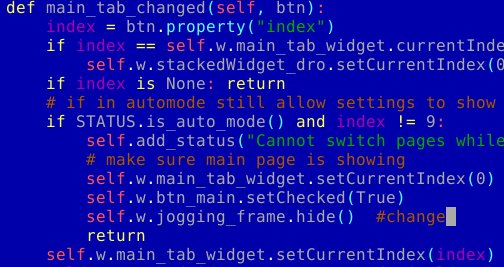
Two suggestions. During work, after entering the "settings" tab, the manual movements panel is shown, but after exiting, this panel does not hide. It proposes one entry just like in the screenshot.
Buttons with macros could also be hidden when working in auto mode.
I have a corrected qtdragon.ui. The sliders from the camera did not fit into a small size and some other adjustments for a better fit of the layout.
Two suggestions. During work, after entering the "settings" tab, the manual movements panel is shown, but after exiting, this panel does not hide. It proposes one entry just like in the screenshot.
Buttons with macros could also be hidden when working in auto mode.
- MarkoPolo
- Offline
- Elite Member
-
Less
More
- Posts: 319
- Thank you received: 90
4 years 4 months ago #244413
by MarkoPolo
Replied by MarkoPolo on topic Error in tool_offsetview.py
There is also a small correction in this file because the buttons did not fit into the small qtdragon window
- cmorley
- Offline
- Moderator
-

Less
More
- Posts: 7368
- Thank you received: 2181
4 years 4 months ago #244423
by cmorley
Replied by cmorley on topic Error in tool_offsetview.py
pushed. Also added color status messages as I described. let me know if you like it.
- MarkoPolo
- Offline
- Elite Member
-
Less
More
- Posts: 319
- Thank you received: 90
4 years 4 months ago #244475
by MarkoPolo
Replied by MarkoPolo on topic Error in tool_offsetview.py
Great, I like it very much, that's what it was about.
I only changed the colors, warning to yellow, critical to orange.
I have given hiding macro buttons in run mode.
There was a problem with the message if machine not home, there was only a popup, also there was a problem if the program was loaded from tool, after startup neither action nor message was there, so I added 2 conditions to the btn_start_clicked function.
Works flawlessly now.
I only changed the colors, warning to yellow, critical to orange.
I have given hiding macro buttons in run mode.
There was a problem with the message if machine not home, there was only a popup, also there was a problem if the program was loaded from tool, after startup neither action nor message was there, so I added 2 conditions to the btn_start_clicked function.
Works flawlessly now.
- hottabich
- Offline
- Platinum Member
-

Less
More
- Posts: 574
- Thank you received: 96
4 years 3 months ago #246808
by hottabich
Replied by hottabich on topic Error in tool_offsetview.py
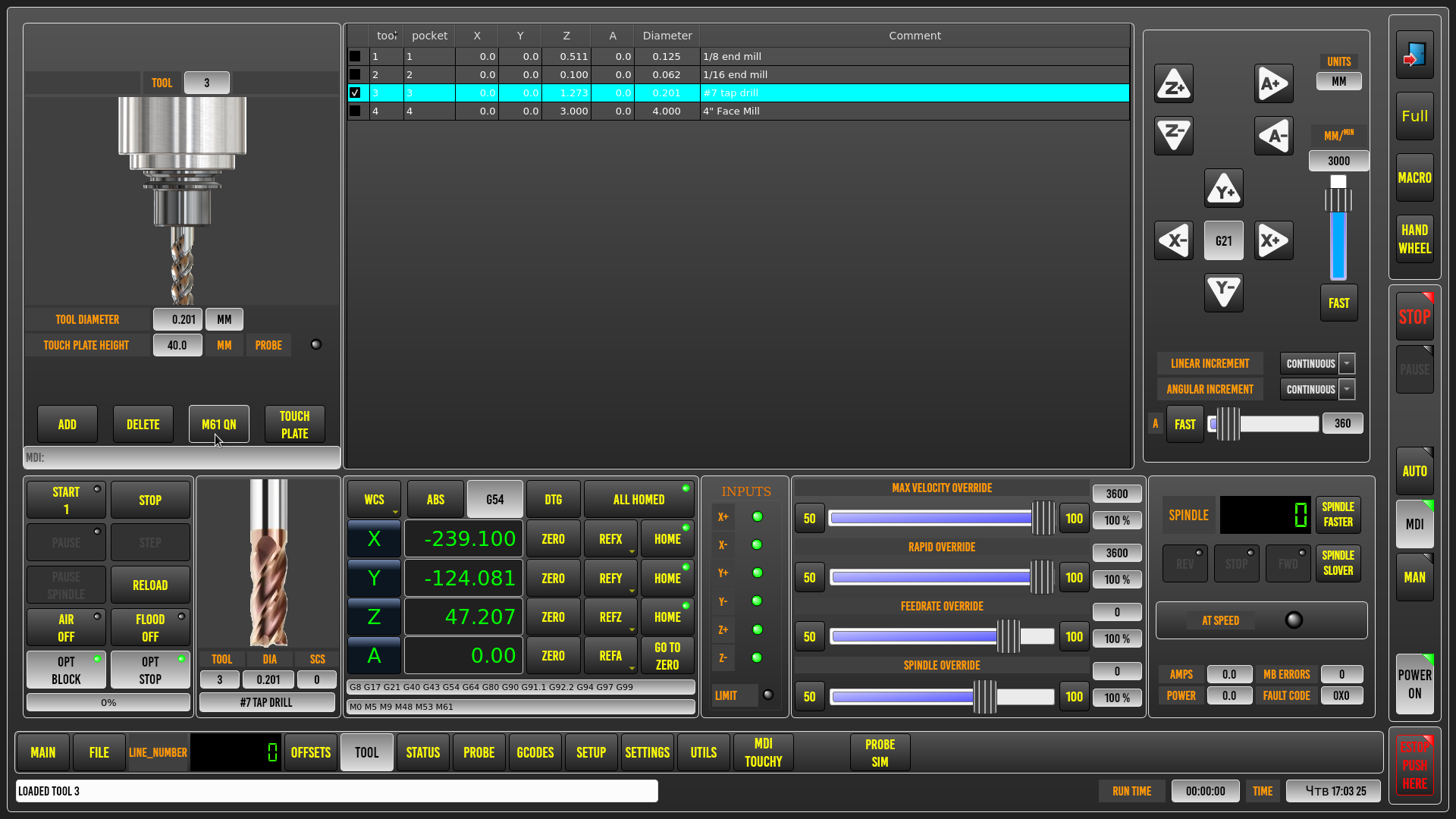
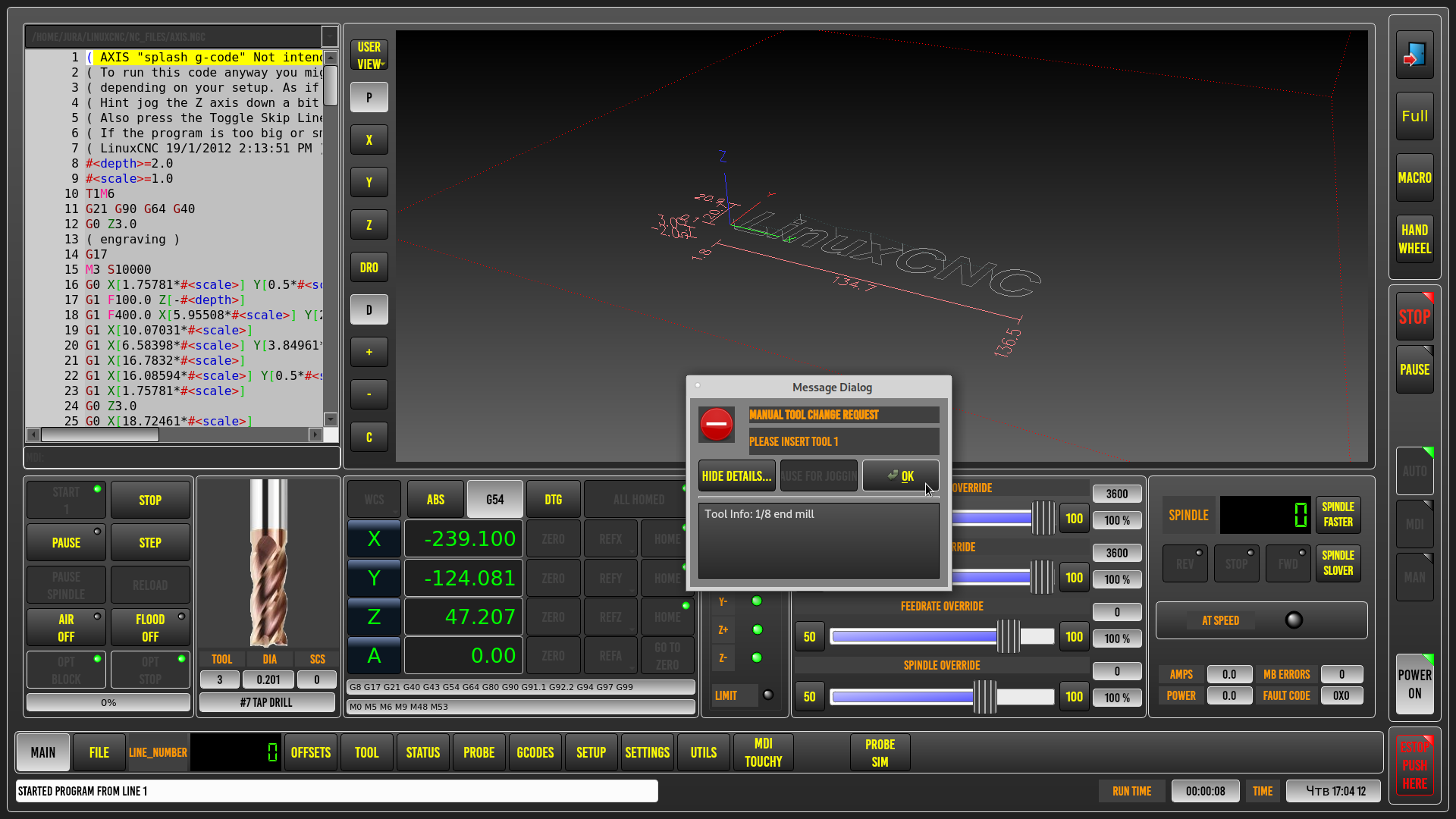
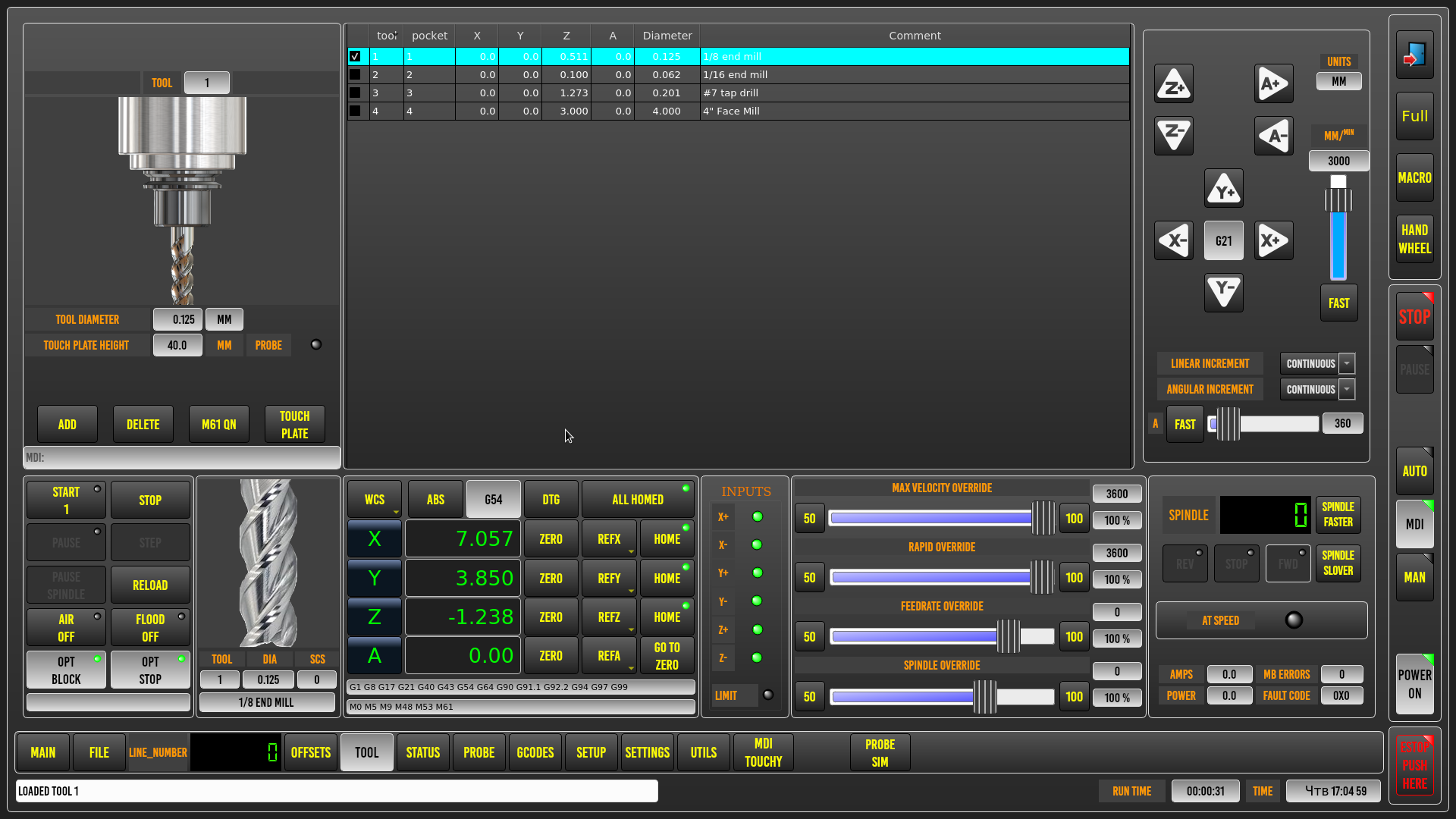
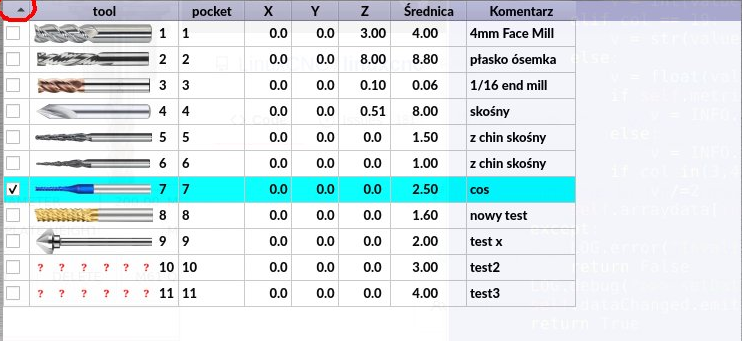
Hello! Please tell me how to add a tool image to the tool_offsetview .py widget. As well as switching the image through the tool selection dialog. Thank you!
- MarkoPolo
- Offline
- Elite Member
-
Less
More
- Posts: 319
- Thank you received: 90
4 years 3 months ago - 4 years 3 months ago #246820
by MarkoPolo
Replied by MarkoPolo on topic Error in tool_offsetview.py
this is just experimental fun but it works pretty well. Chris once mentioned that he wanted to add tool image options. Chris will do it right.
I did it like this:
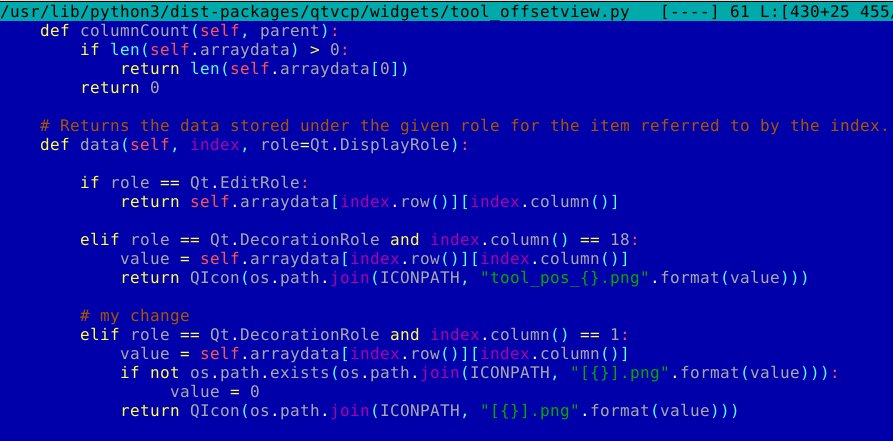
For the pictures to be displayed in the tools of the tool_offsetview.py in the file tool_offsetview.py, make such a change
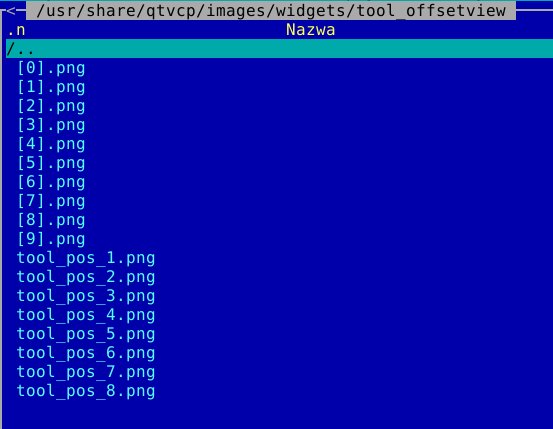
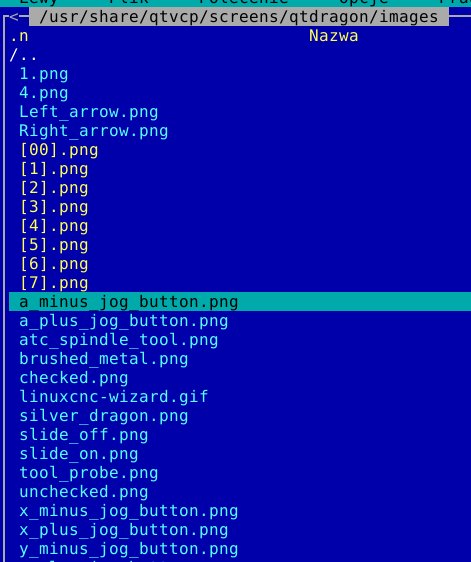
, do the image files in the directory:
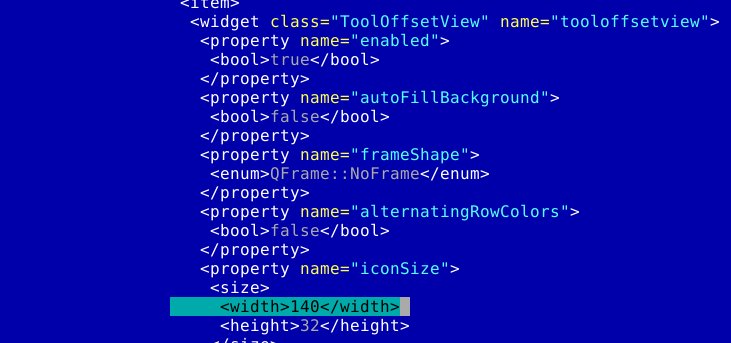
in the qtdragon.ui file, you need to enlarge the space for the tool image
In order for the images to update in the preview, you need to add such entries in the qtdragon_handler.py file


unfortunately the second set of vertical images in the catalog
I did it like this:
For the pictures to be displayed in the tools of the tool_offsetview.py in the file tool_offsetview.py, make such a change
, do the image files in the directory:
in the qtdragon.ui file, you need to enlarge the space for the tool image
In order for the images to update in the preview, you need to add such entries in the qtdragon_handler.py file
unfortunately the second set of vertical images in the catalog
Last edit: 4 years 3 months ago by MarkoPolo.
Moderators: cmorley
Time to create page: 0.180 seconds