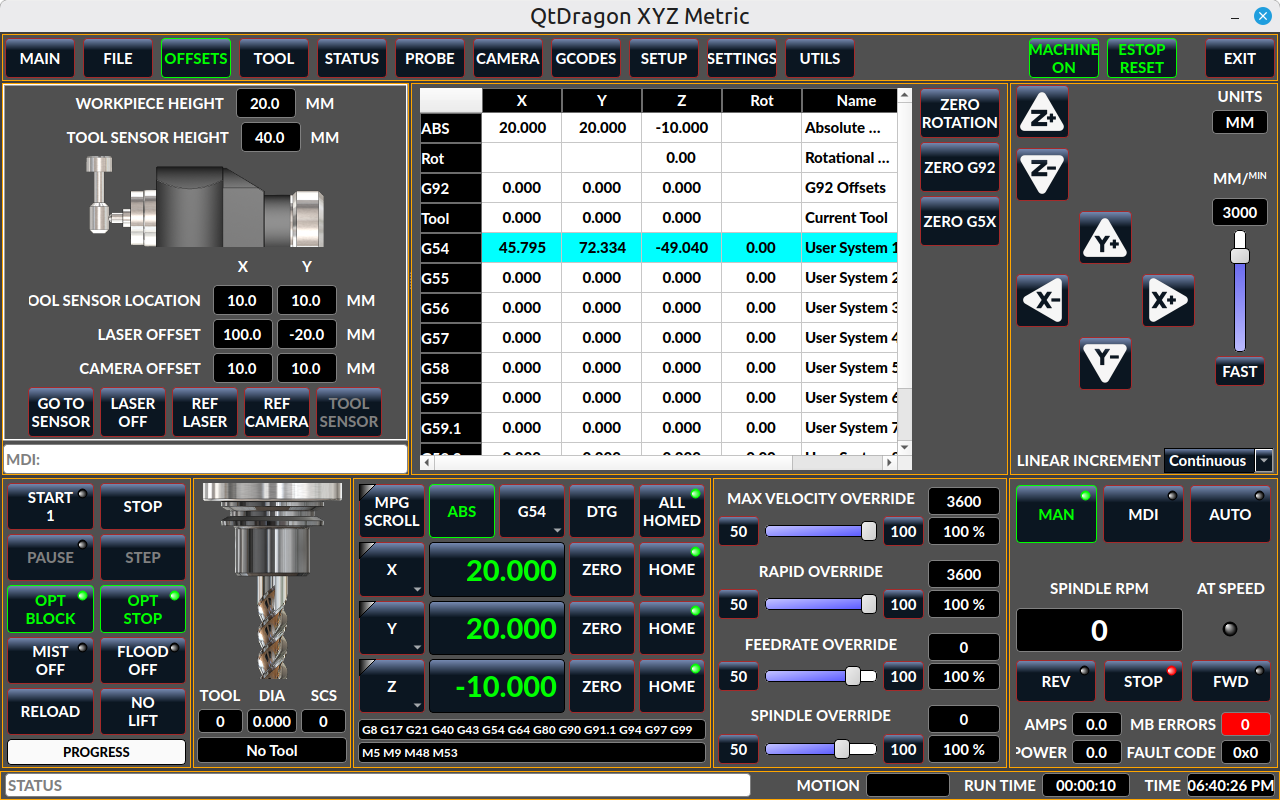
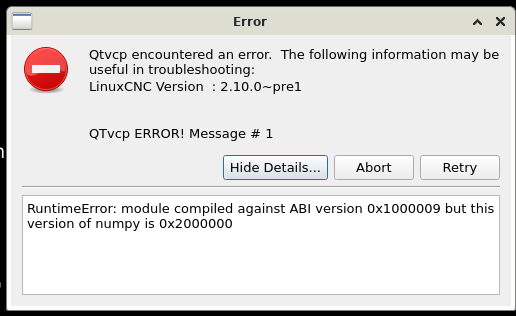
Compiling problems aren't usually QtDragons fault - you didn't mention what system you are compiling in so no one could help or evaluate the problem.
I'm sorry Qtdragon didn't suit you out of the box, but there is quite alot you could change.
For instance based on your pic, you could turn on the machine and home it, then the colors change from disabled to enabled and look like this:
First, about compilation issues.
My system is Debian 13.7 and the LinuxCNC sources are from the Git repository, main branch, i.e. version 2.10.
There is some misunderstanding here, because when LinuxCNC is compiled, the Python scripts are not compiled, but only copied to the right place. This means that if the scripts author screws up, it's his fault, because compilation itself doesn't change anything.
So we have the following flower:
This is what happens after compiling LinuxCNC yourself.
However, there are two live images that I ran.
1. linuxcnc_2.9.10-amd64.hybrid.iso
2. linuxcnc_2.10.pre1-amd64.hybrid.iso
Qtdragon starts in both, but neither suits my system.
In linuxcnc_2.9.10-amd64.hybrid.iso there is numpy 2.2.4 but LinuxCNC is 2.9.
In linuxcnc_2.10.pre1-amd64.hybrid.iso there is LinuxCNC 2.10, but Debian 12 with numpy 1.24.2.
Someone's sources have obviously gone wrong...
As for these "gray on grey" numbers, I wrote that I ran Qtdragon for the first time in my life and just took a look. I opened the tab called "offsets", so I thought there were offsets there and it didn't occur to me that it would only work after homing, because offsets have nothing to do with homing the machine.
Well, now I noticed that someone stuffed a machine position into the offsets, for unknown reason, because they can be seen much more conveniently in the window below. I started to wonder what else the authors of Qtdragon would surprise me with, but I think I'm less and less curious about it.




 .