
- Posts: 4793
- Thank you received: 1480
New Trajectory Planner - Testers/programs wanted
- Todd Zuercher
- Offline
- Platinum Member
-

Less
More
12 years 9 months ago #42581
by Todd Zuercher
Replied by Todd Zuercher on topic New Trajectory Planner - Testers/programs wanted
I think I see where the problem is.
The blending turns off (or is suposed to right now) for movements that contain axis other than XYZ. In this snipit of code:
the error occurs at the transition of a line with a W comand to a line line that does not have a W command. My guess is that the new planner is blending this transition move for XYZ but letting W do ??, causing the small gouge at that point.
The blending turns off (or is suposed to right now) for movements that contain axis other than XYZ. In this snipit of code:
Code:
G1 Z0. W0.
G1 X2.0155 Y2.3983 Z-0.015 W-0.015
G1 X2.0368 Y2.3972 Z0. W0.
G1 X2.0155 Y2.3983 Z-0.015 W-0.015
G1 X1.8094 Y2.2127
G1 X1.8083 Y2.1915 Z0. W0.
G1 X1.8094 Y2.2127 Z-0.015 W-0.015
G1 X1.7881 Y2.2138 Z0. W0.
G1 X1.8094 Y2.2127 Z-0.015 W-0.015
G1 X2.0155 Y2.3983
G1 X2.0166 Y2.4195 Z0. W0.
the error occurs at the transition of a line with a W comand to a line line that does not have a W command. My guess is that the new planner is blending this transition move for XYZ but letting W do ??, causing the small gouge at that point.
Please Log in or Create an account to join the conversation.
- rellenberg
- Offline
- Junior Member
-

Less
More
- Posts: 37
- Thank you received: 10
12 years 9 months ago #42586
by rellenberg
Replied by rellenberg on topic New Trajectory Planner - Testers/programs wanted
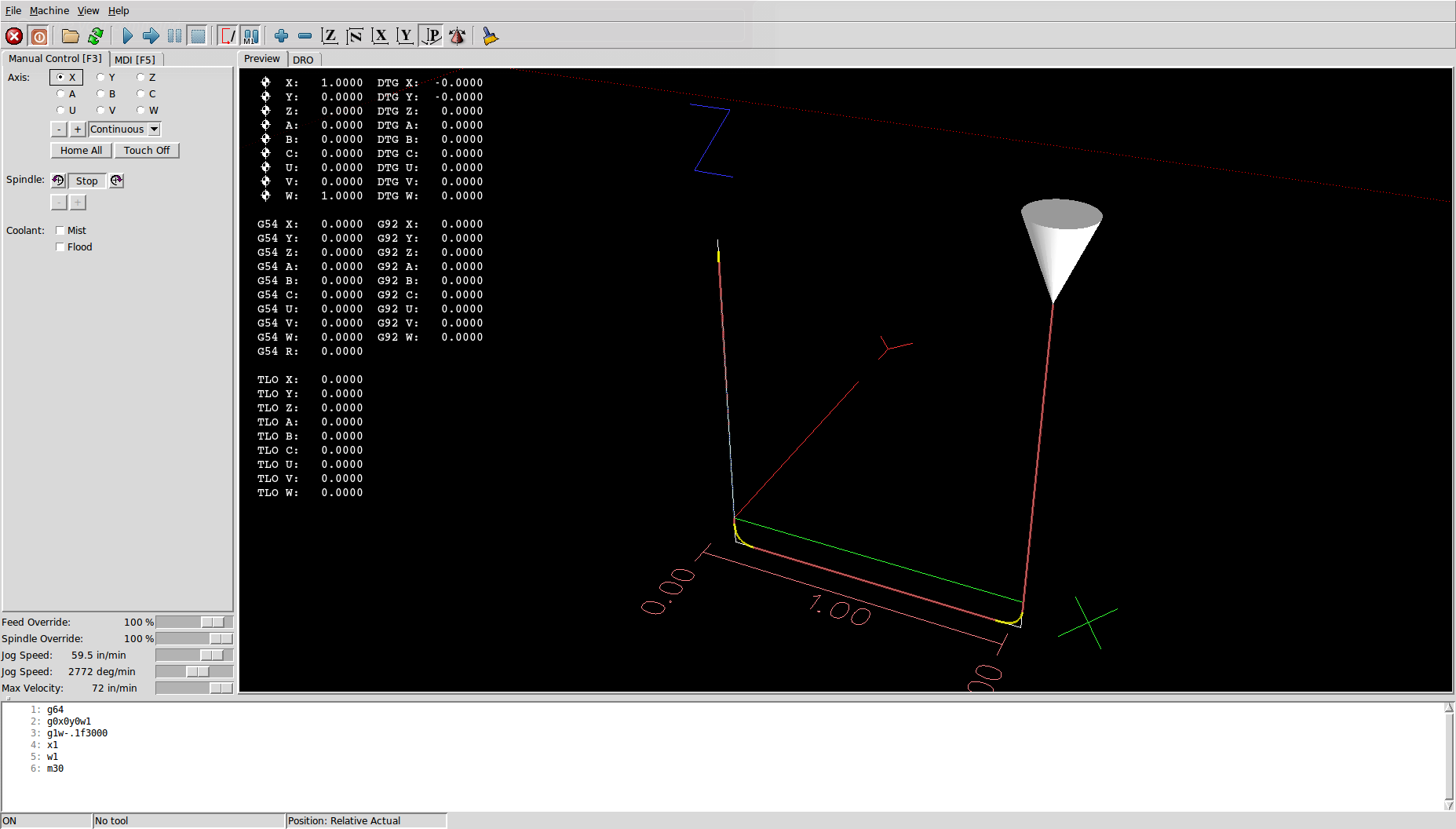
I think I've fixed this in the latest commit. It looks like I forgot to check both segments for ABC/UVW motion, so it was incorrectly creating blend arcs in the case when the previous segment had W movement. Now it detects ABC/UVW motion in either segment and skips circular arcs in this case.
Please Log in or Create an account to join the conversation.
- skunkworks
- Offline
- Moderator
-

Less
More
- Posts: 351
- Thank you received: 153
12 years 9 months ago #42588
by skunkworks
Replied by skunkworks on topic New Trajectory Planner - Testers/programs wanted
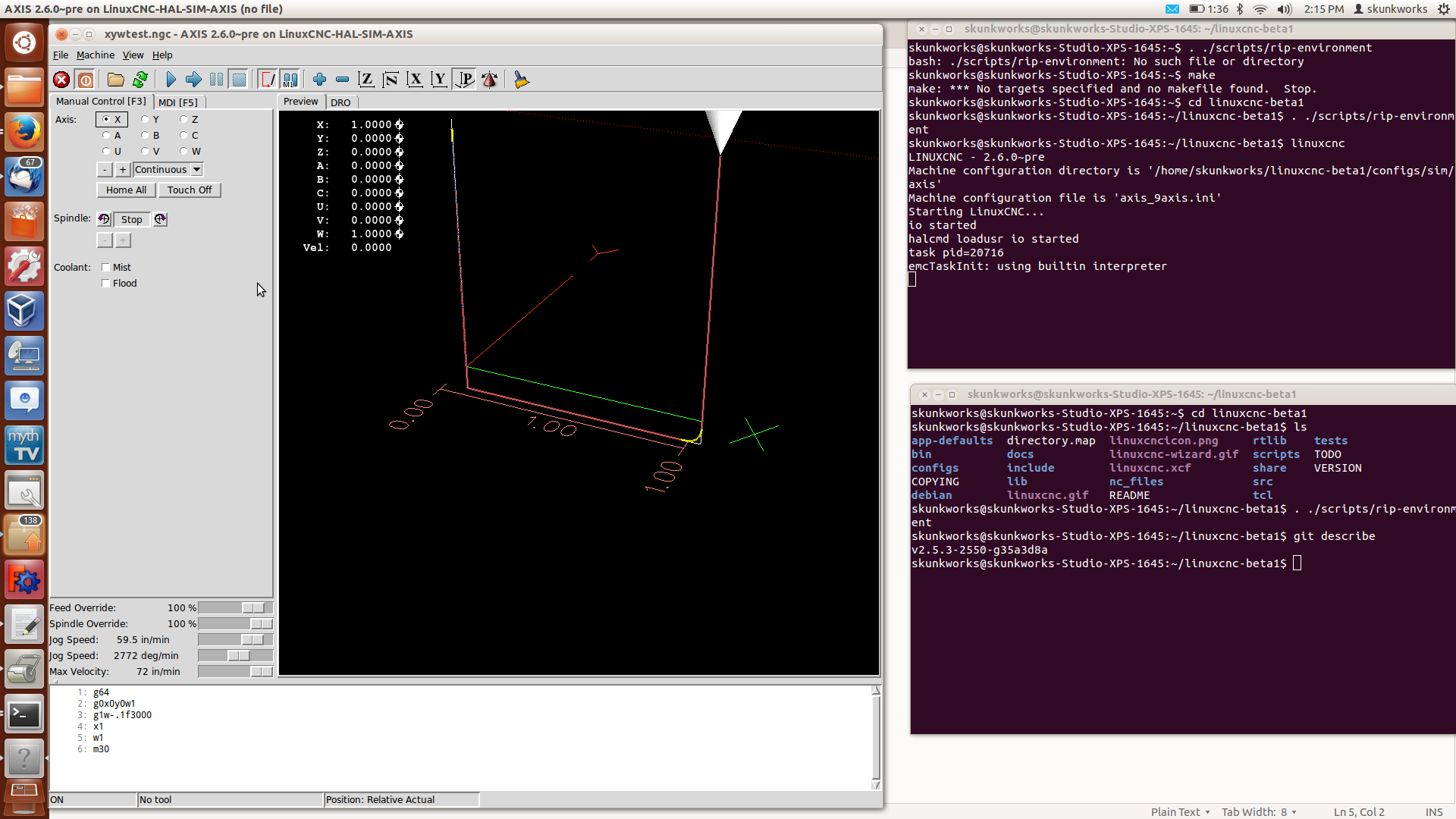
I am still seeing it here with the latest pull. The first corner doesn't seem to have any blending. This in on a sim install - not realtime. Make sure you start fresh - I had goofed around with loading programs and it seems to start blending the first move. (don't remember the steps) but on the inital loading of linuxcnc and run of the program shows this.
g64
g0x0y0w1
g1w-.1f3000
x1
w1
m30
sam
g64
g0x0y0w1
g1w-.1f3000
x1
w1
m30
sam
Please Log in or Create an account to join the conversation.
- skunkworks
- Offline
- Moderator
-
Less
More
- Posts: 351
- Thank you received: 153
12 years 9 months ago #42589
by skunkworks
Replied by skunkworks on topic New Trajectory Planner - Testers/programs wanted
Todd - in case you haven't done it before
cd into your linuxcnc rip directory
git pull
cd src
make clean
make
sudo make setuid
cd ..
. ./scripts/rip-environment
linuxcnc
cd into your linuxcnc rip directory
git pull
cd src
make clean
make
sudo make setuid
cd ..
. ./scripts/rip-environment
linuxcnc
Please Log in or Create an account to join the conversation.
- Todd Zuercher
- Offline
- Platinum Member
-
Less
More
- Posts: 4793
- Thank you received: 1480
12 years 9 months ago #42590
by Todd Zuercher
Replied by Todd Zuercher on topic New Trajectory Planner - Testers/programs wanted
I do not have a lot of experience venturing off the paved road. What is the best way to apply the update?
Please Log in or Create an account to join the conversation.
- skunkworks
- Offline
- Moderator
-
Less
More
- Posts: 351
- Thank you received: 153
12 years 9 months ago #42591
by skunkworks
Replied by skunkworks on topic New Trajectory Planner - Testers/programs wanted
See my above post 
Todd Zuercher wrote: I do not have a lot of experience venturing off the paved road. What is the best way to apply the update?
Please Log in or Create an account to join the conversation.
Time to create page: 0.218 seconds