
PUMA 200 Robotarm and some Hal/INI issues
- Aciera
-

- Offline
- Administrator
-

- Posts: 4809
- Thank you received: 2163
Not sure what you mean here. The point is to get all joints moved to their zero position in joint mode (ie 'trivkins') to be able to check if the home pose is correct.i do the g00 x0y0z0 a0b0c0.. but correct would be without a0?
Note that from this pose (the flange pointing straight down) you won't be able to switch directly to world mode (ie 'genserkins') because it is a singularity. See next comment.
homeing : i need on joint 4 or 5 ( joints here not linuxcnc.. i men robot) a 1deg. offset..if i dont have it.. kinematic errors came after homing... like in the example.. but with the puma560 genser simulator.. i can rebuild the existing failures....
You can set a 'HOME' value in your ini file so the joint is moved out of the singular pose before the mode is switched to world.
linuxcnc.org/docs/html/config/ini-homing.html#_home
Please Log in or Create an account to join the conversation.
- hitchhiker
- Offline
- Elite Member
-

- Posts: 247
- Thank you received: 21
i made a vismach model... i update it to the home position i want.. its 1:1 after homing th real arm.
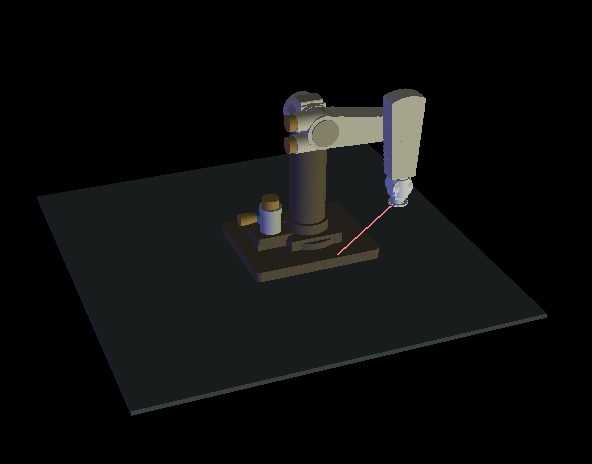
i dont know if it helps but if i home in this position. x0y0z0a0.5b0c0 in Identity/Joint Mode
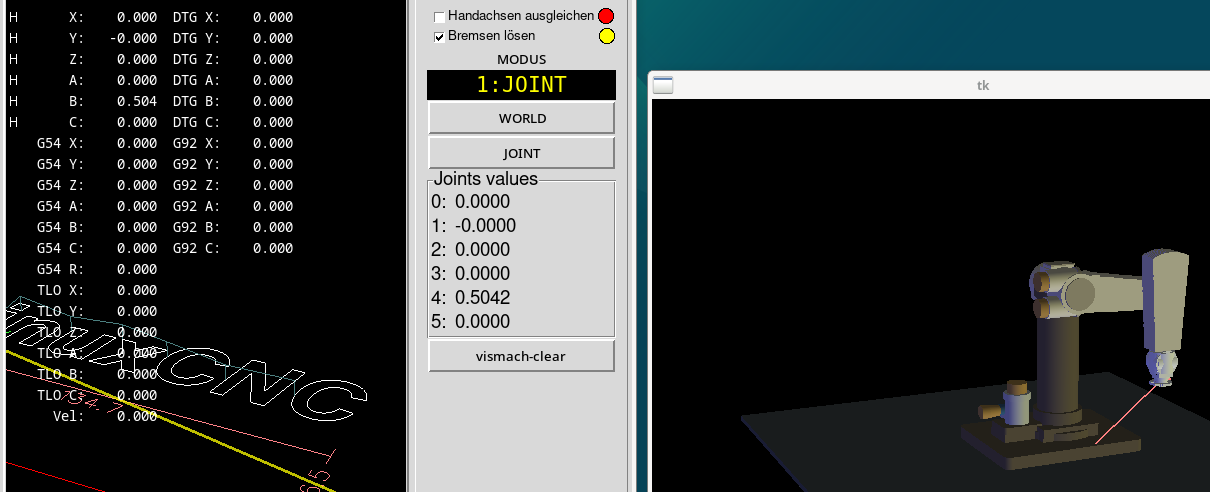
and in the world mode
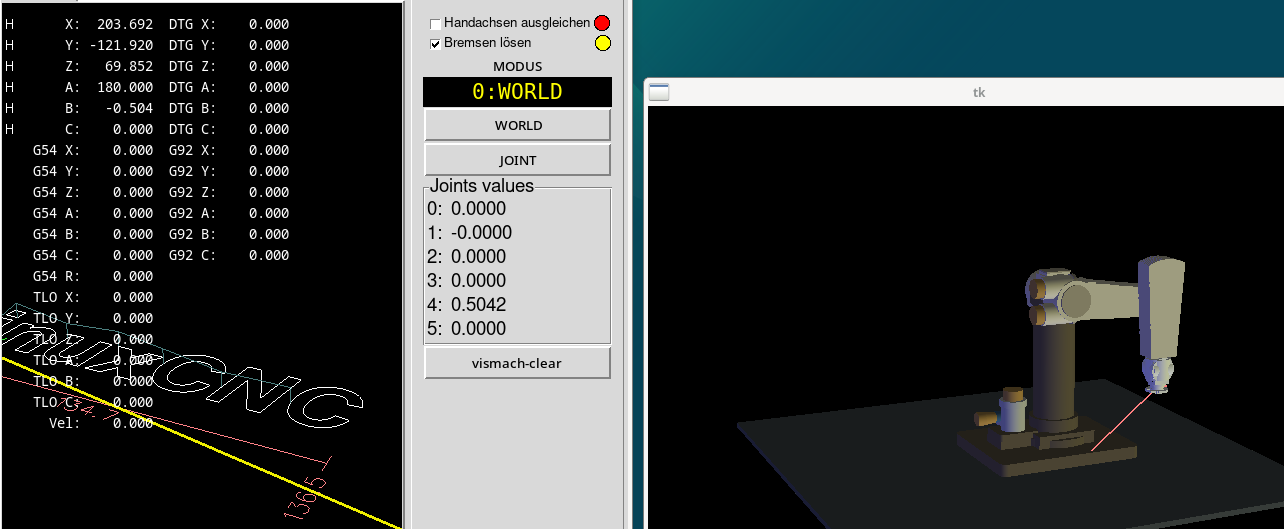
but if i jog in world mode x + - i see the real failure on the vismach model..
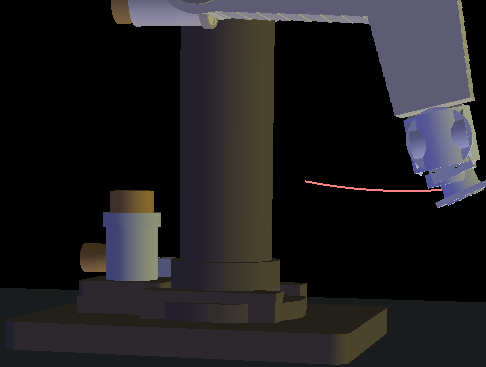
same in Y
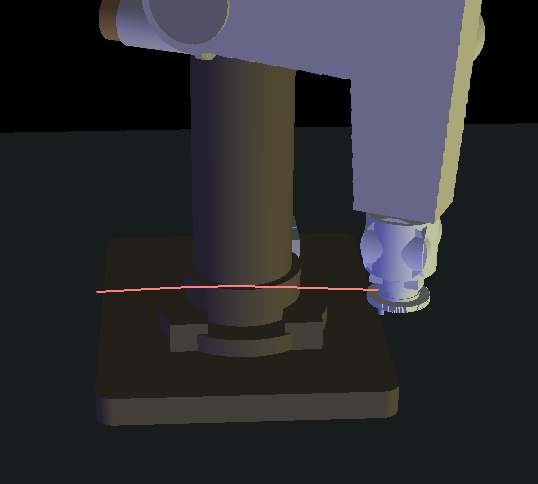
i dont know if this explain some wrong dh parameters?! but in some positions the A axis.. joint 4 on the arm starts flipping
thanks
Attachments:
Please Log in or Create an account to join the conversation.
- Aciera
-
- Offline
- Administrator
-
- Posts: 4809
- Thank you received: 2163
i made a vismach model... i update it to the home position i want.. its 1:1 after homing th real arm.
Nice!
i dont know if this explain some wrong dh parameters?! but in some positions the A axis.. joint 4 on the arm starts flipping
Have you read the stuff I wrote and linked to regarding singularities?
Move joint_4 away from the zero position and try again.
Please Log in or Create an account to join the conversation.
- hitchhiker
- Offline
- Elite Member
-
- Posts: 247
- Thank you received: 21
i homed all again to x0y0z0a0b0c0 and then jog ti a1 and b0.5 still flipping......
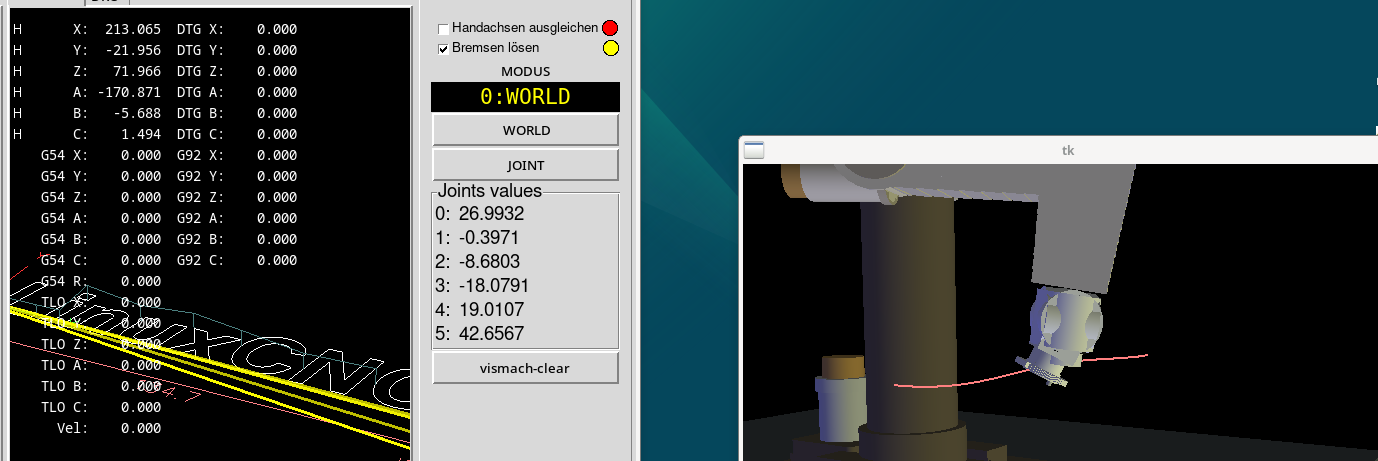
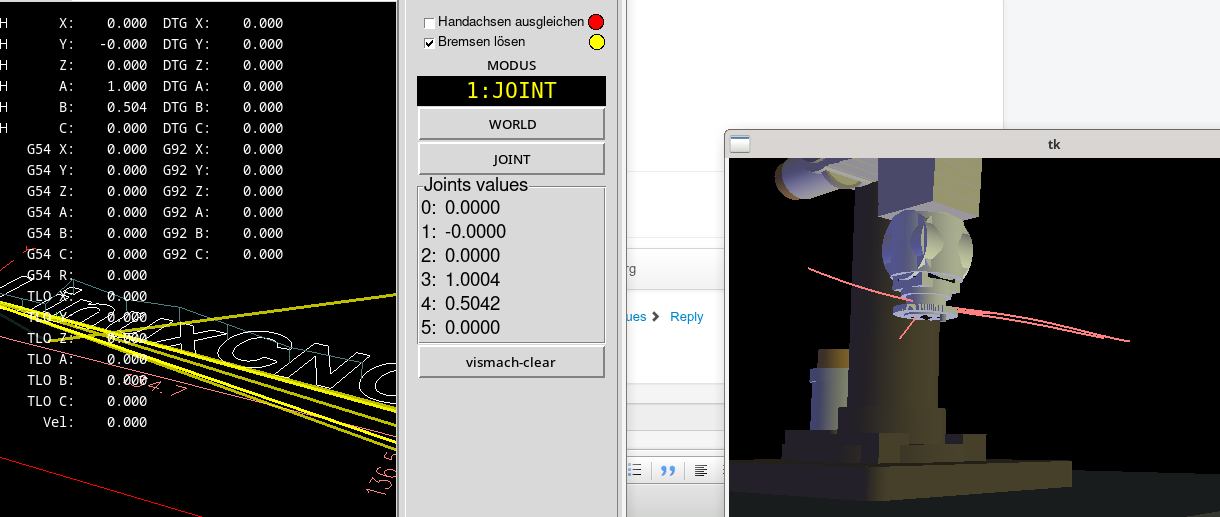
i checked again that all the movements in joint mode are correct ( encoder and motor to degree translation ) the scales are all correct.
an again i wonder that the tcp is upside down..
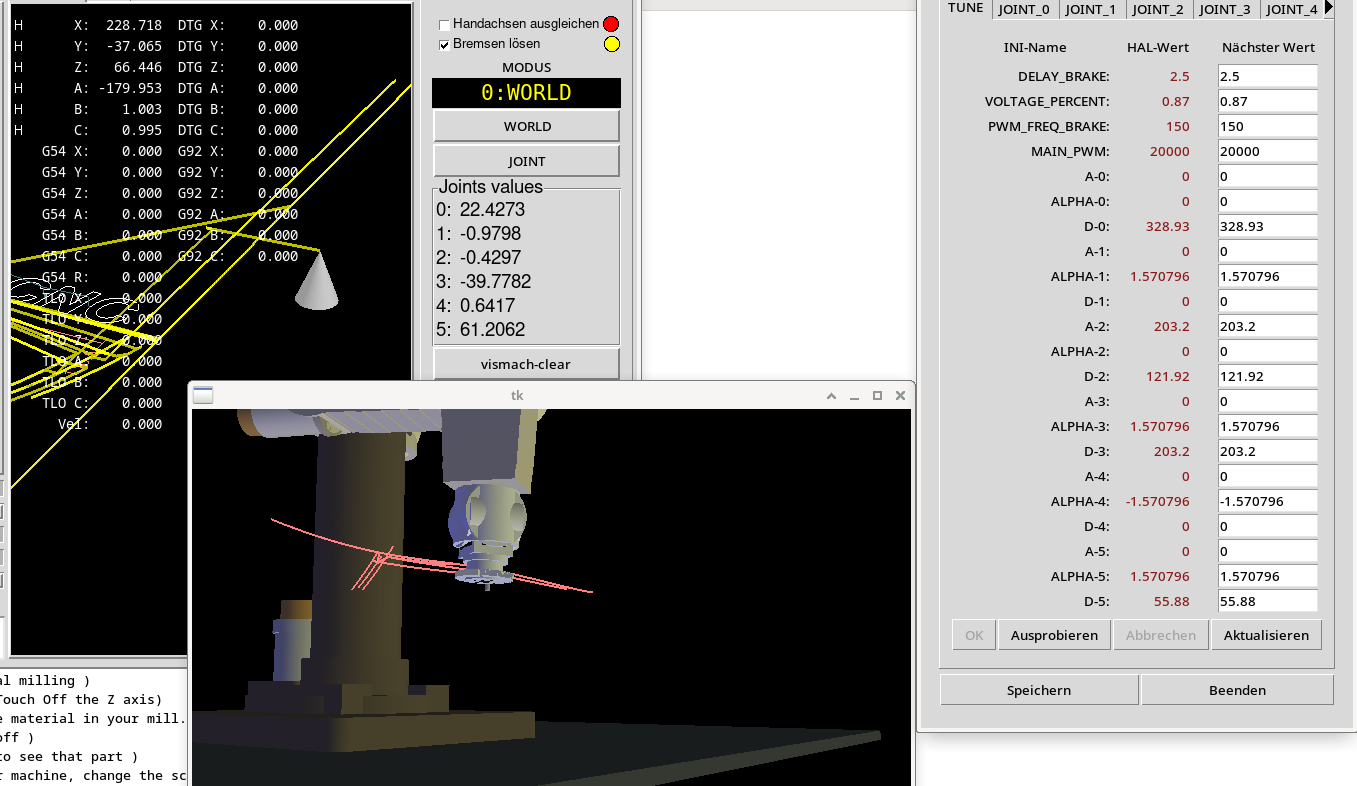
Attachments:
Please Log in or Create an account to join the conversation.
- Aciera
-
- Offline
- Administrator
-
- Posts: 4809
- Thank you received: 2163
an again i wonder that the tcp is upside down..
Looking at those curved jog paths I don't think you are done with your DH-parameters yet.
If you zip up the config folder with the vismach model I'll try to have a look at it.
Please Log in or Create an account to join the conversation.
- hitchhiker
- Offline
- Elite Member
-
- Posts: 247
- Thank you received: 21
I think the singularity is a issue... and dh parameters... possible the alohas are not correct... upside down tcp... i dont know
Please Log in or Create an account to join the conversation.
- hitchhiker
- Offline
- Elite Member
-
- Posts: 247
- Thank you received: 21

Please Log in or Create an account to join the conversation.
- Aciera
-
- Offline
- Administrator
-
- Posts: 4809
- Thank you received: 2163
i made a vismach model.
Looks like a lot of AI generated stuff so I'm not going to bother with it. Frankly, if you need to rely on AI to build the vismach model then you are most likely better off without it because working with an incorrectly constructed vismach model is only going to make things a LOT more difficult for you.
Generally I think you are trying to get around the tedious legwork of wrapping your head around the basic concepts of how those modified DH parameters work so my advise would be to get out the old paper and pencil and start from the beginning.
Please Log in or Create an account to join the conversation.
- hitchhiker
- Offline
- Elite Member
-
- Posts: 247
- Thank you received: 21
Do you find wrong stuff in the ini or hal???
Thanks
Please Log in or Create an account to join the conversation.
- hitchhiker
- Offline
- Elite Member
-
- Posts: 247
- Thank you received: 21
The model stays in a different position as the seted dh paramters ? Because i rotate the hand axis ( all 3) and the main tower.
Dh parameters= real positon/ angles
Vismach model = not build by dh paramters.
Or what do you mean?
The dh parameters i set are the parameters i get from right hand ruled cs. Possible i do it wrong. Because .. if i home over my sharpie marks the arm is in this position:
Joint 1 0 ( about 140 +- to the mechanical limits)
Joint 2 0 (90 deg to tower.. means parallel to base)
Joint 3 0 ( 90 deg to joint 2... means parallel to tower)
Joint 4 0 ( mid position +- 320)
Joint 5 0 ( mid position +-125)up and down same direction as joint 2 and 3
Joint 6 0 (mid position +- 280) left right same as joint 4
The values of A and D i get from the drawing
The Alphas i get from right hand rule cs.. and the signs for the A and D values i get with the alpha stuff.
And the angles after homing i checked with a digital pritractor... and the scales i checked with 90 deg moves looking to the digital protractor.
Please Log in or Create an account to join the conversation.