- Posts: 19311
- Thank you received: 4655

RyanG wrote:
RyanG wrote: I got it all figured out, but when I was looking at the GPIO Hal I noticed the pin assignments says they are for the Pi 2/3. Are the GPIO pins for the Pi4 the same as 2/3?
Yes.
But be aware the HAL driver uses physical pin numbers, not GPIO numbers.
Please Log in or Create an account to join the conversation.
andypugh wrote:
RyanG wrote:
RyanG wrote: I got it all figured out, but when I was looking at the GPIO Hal I noticed the pin assignments says they are for the Pi 2/3. Are the GPIO pins for the Pi4 the same as 2/3?
Yes.
But be aware the HAL driver uses physical pin numbers, not GPIO numbers.
Okay thank you!
Please Log in or Create an account to join the conversation.
Please Log in or Create an account to join the conversation.
Gene1934 wrote: This isn't for RyanG in particular, but its for whomever is actually downloading the rpi4-pre-empt-rt.tgz kernel file from my site at geneslinuxbox.net this evening of 11/10/19.. This is a built kernel but please follow John Thorntens recipe to install it on a pi4's sd card. You only need a few megs of it for a realtime kernel install. Its not built for arm64, but for armhf, which you get from installing the raspbian version of debian 10.1. Its running my big sheldon lathe very well, much easier than the rpi3 I took out. IMO armhf should have a smaller stack frame making context switches faster.
You could rebuild it for arm64, and install it on debian 10.1, but I don't think you'll quite get the latency I'm getting. In any event, have fun. And let me know if you hit any problems. The debs for a linuxcnc install are also armhf flavor.
Be aware that I am blocking the bots as they show up.
And a showstopper problem with the kernel file has I hope now been fixed. That bad file has now been replaced with a tar.bz2, 4.19 yadda yadda. Sorry bout the wasted time but it should work now.
Cheers, Gene Heskett.
Cheers All, Gene Heskett.
Please Log in or Create an account to join the conversation.
Please Log in or Create an account to join the conversation.

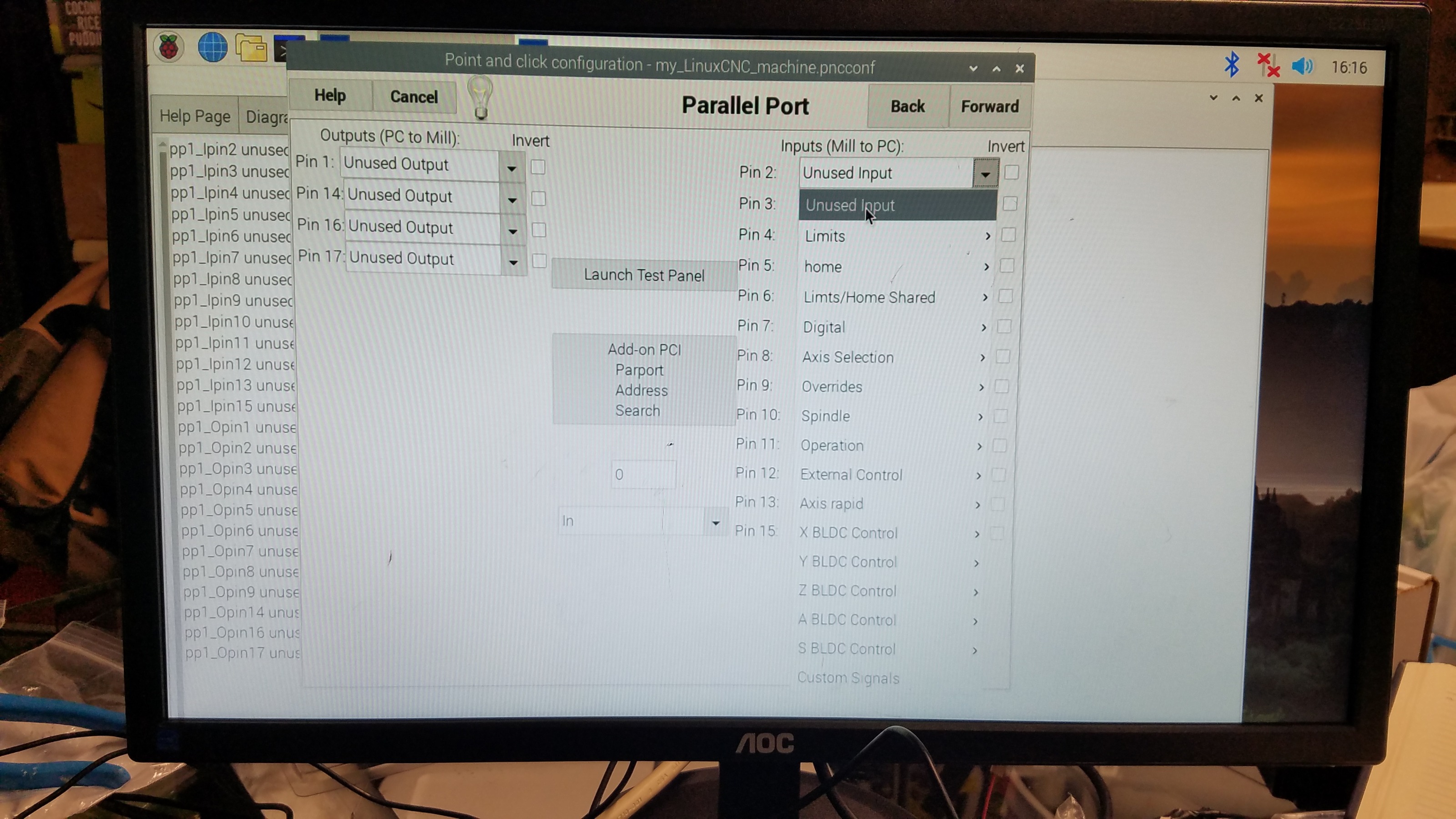
RyanG wrote: Hey guys, I have been working on getting my pi 4 setup to run linuxcnc through parallel port but I am not sure how to select Step and Dir from the options provided. What should I be selecting to setup the axis? There is no option for step and dir so I am assuming it should be something else but I don't want to try all of them. I appreciate your time and assistance.
Ryan
Please Log in or Create an account to join the conversation.