Remora - ethernet NVEM / EC300 / EC500 cnc board

More
3 years 3 months ago #274798 by scotta
I really think I should take down the stuff relating to the DAPlink. It's causing more issues then it solved.

CMSIS-DAP has been the most successful but converting an ST-Link is a pain.

There is a solution, a PicoProbe! Just tested and works out of the box with pyOCD.

pyocd remora-rt1052-1.0.0.bin --target mimxrt1050_quadspi
The following user(s) said Thank You: tommylight, raf1110

Please Log in or Create an account to join the conversation.

More
3 years 3 months ago #274800 by Murphy
Converting the stlink seems to be fine. It comes up as rt1052 drive. Only when you try and drop flash it, it fails. 

Please Log in or Create an account to join the conversation.
More
3 years 3 months ago #274803 by tuxcnc

converting an ST-Link is a pain.
 
Not true.
There is many versions of ST-Link clones with different processors and different schematics...
The more important problem of many projects is that the authors work very hard, but most important information hold in secret...
The conversion to DAPLink is a good example.
I don't know which "ST-Link" clone you used.
I have few in green plastic case, marked " www.betemcu.cn " with processor marked "Geehy APM32F103C8T6".
Will it work with your firmware?
What will be pinout of dongle socket?
Without these informations the conversion is not easy.

Please Log in or Create an account to join the conversation.
More
3 years 3 months ago - 3 years 3 months ago #274807 by zmrdko
Thanks for reply.I tried as you suggested. However, if I doubled the speeds I got following error on joint0. Even at 70mm/s. I was only able to increase the speed from 40 to 60mm/s.

Can you please check my configurations in attachment?
Last edit: 3 years 3 months ago by zmrdko.

Please Log in or Create an account to join the conversation.

More
3 years 3 months ago - 3 years 3 months ago #274824 by Murphy
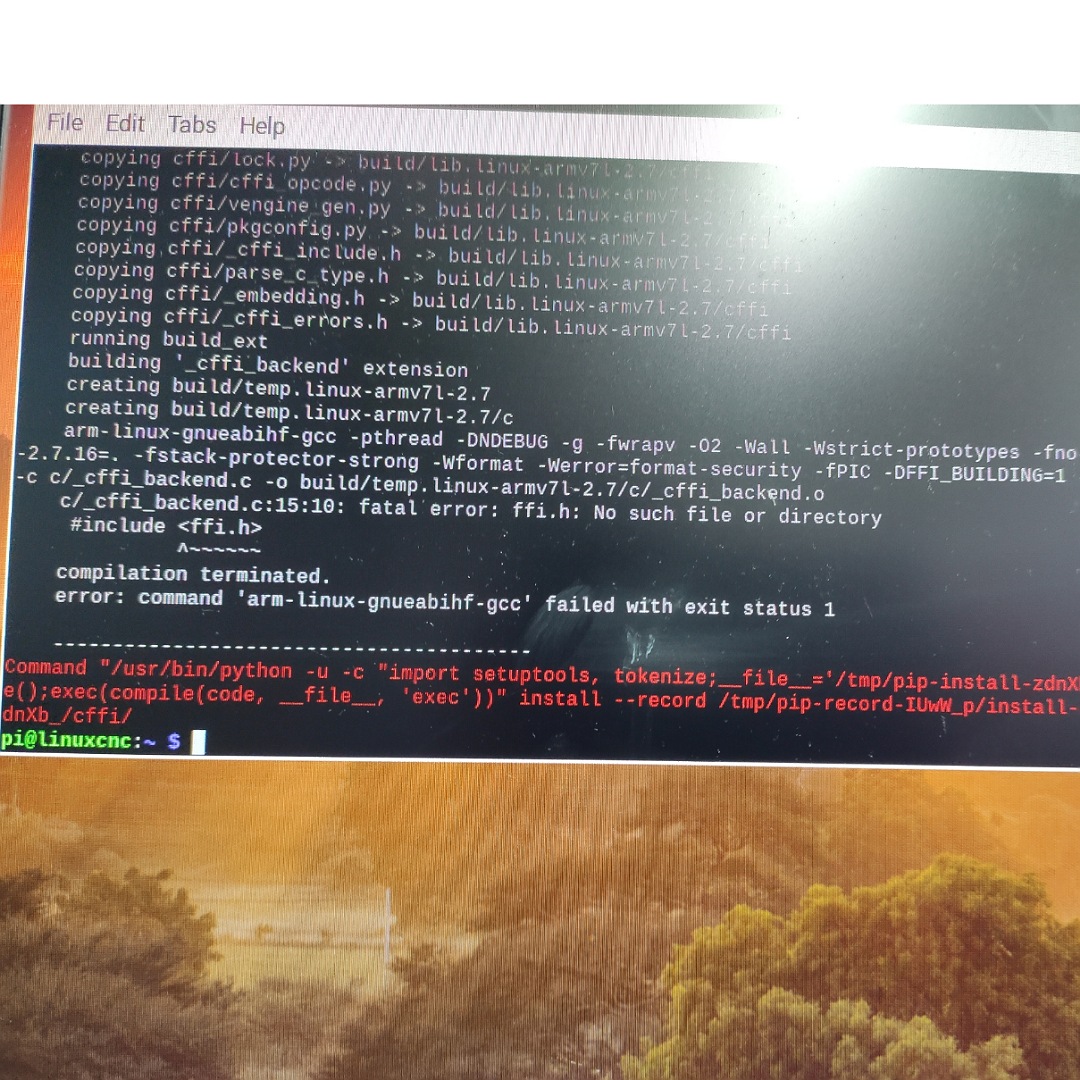
For anyone wanting to install firmware to EC500 with RT1052 with one ST-Link I just ran the Linuxcnc live install from USB and got it to work first go with zero drama.

Only three commands run, factory settings ST-Link. FW version V2.J29.S7sudo apt install python-pipsudo python -m pip install -U pyocd(run this last command from folder with firmware file, make sure highlighted text matches your file name)sudo pyocd flash ./[color=

Last edit: 3 years 3 months ago by Murphy.

Please Log in or Create an account to join the conversation.

More
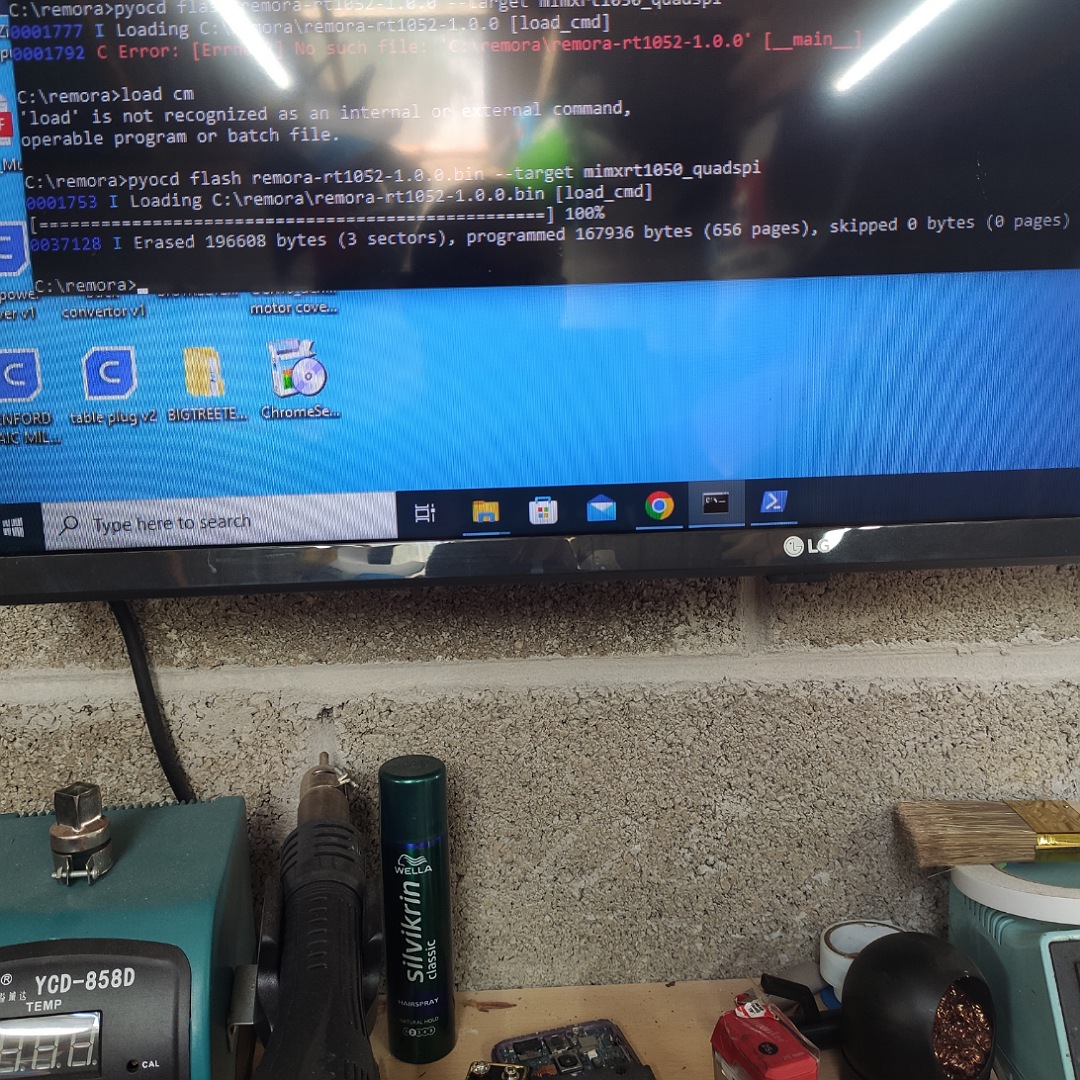
3 years 3 months ago #274827 by Murphy
Success , I got it working in Windows. Stupid user error. I never ticked the box to allow python to be run from the CMD line. 
The following user(s) said Thank You: meister

Please Log in or Create an account to join the conversation.

Time to create page: 0.315 seconds
Powered by Kunena Forum
