
- Posts: 351
- Thank you received: 153
Axis Modifications
- skunkworks
- Offline
- Moderator
-

Less
More
10 years 2 months ago #79742
by skunkworks
Replied by skunkworks on topic Axis Modifications
This is 2 different systems.. My laptop which I have been running for months with jessie/mate - and a fresh install of jessie running cinnamon right out of the box (matsuura). I installed cinnamon on my laptop to see if that acted the same and it did. I just tried for grins booting a 3x non-realtime kernel - same deal. It is just odd.
sam
sam
Please Log in or Create an account to join the conversation.
- tommylight
- Offline
- Moderator
-
Less
More
- Posts: 22011
- Thank you received: 7491
10 years 2 months ago #79743
by tommylight
Replied by tommylight on topic Axis Modifications
Most probably as Todd noted, an openGL problem. This is especialy true if using newer nvidia graphic cards. Install Blender ( via synaptics or terminal, it is in repos ), start it and if you get a transparent screen with nothing in it, you do have an nvidia card.
Real time kernels do not like nvidia proprietary drivers so install them only if you need sim, otherwise try software rendering. It is docuemnt in wiki.
Real time kernels do not like nvidia proprietary drivers so install them only if you need sim, otherwise try software rendering. It is docuemnt in wiki.
Please Log in or Create an account to join the conversation.
- skunkworks
- Offline
- Moderator
-
Less
More
- Posts: 351
- Thank you received: 153
10 years 2 months ago #79749
by skunkworks
Replied by skunkworks on topic Axis Modifications
heh - let me explain.
Axis runs just fine on both systems. (am running rt_preemt and uspace with mesa hardware)
The problem is with gnome/cinnamon when axis is first launched it doesn't show up. It is running - just looks minimized. I can alt-tab to it or click on the task bar to bring it up.
sam
Axis runs just fine on both systems. (am running rt_preemt and uspace with mesa hardware)
The problem is with gnome/cinnamon when axis is first launched it doesn't show up. It is running - just looks minimized. I can alt-tab to it or click on the task bar to bring it up.
sam
Please Log in or Create an account to join the conversation.
- tommylight
- Offline
- Moderator
-
Less
More
- Posts: 22011
- Thank you received: 7491
10 years 2 months ago #79753
by tommylight
Replied by tommylight on topic Axis Modifications
Oh that, well i have never seen that ! 
From how you explain it, it might have something to do with the window manager in Cinnamon. But i have nothing more. Blank!
From how you explain it, it might have something to do with the window manager in Cinnamon. But i have nothing more. Blank!
Please Log in or Create an account to join the conversation.
- qwerasdferty
- Offline
- New Member
-

Less
More
- Posts: 3
- Thank you received: 0
9 years 9 months ago #86533
by qwerasdferty
Replied by qwerasdferty on topic Axis Modifications
I am running Axis 2.7.8.
I found the axis.tcl located in
/usr/share/axis/tcl/
I've made some modifications to it....I'd like to change the source...
Where can I find the axis.py?
I found the axis.tcl located in
/usr/share/axis/tcl/
I've made some modifications to it....I'd like to change the source...
Where can I find the axis.py?
Please Log in or Create an account to join the conversation.
- massimodamassa
- Offline
- Senior Member
-

Less
More
- Posts: 45
- Thank you received: 9
9 years 6 months ago #91878
by massimodamassa
Replied by massimodamassa on topic Axis Modifications
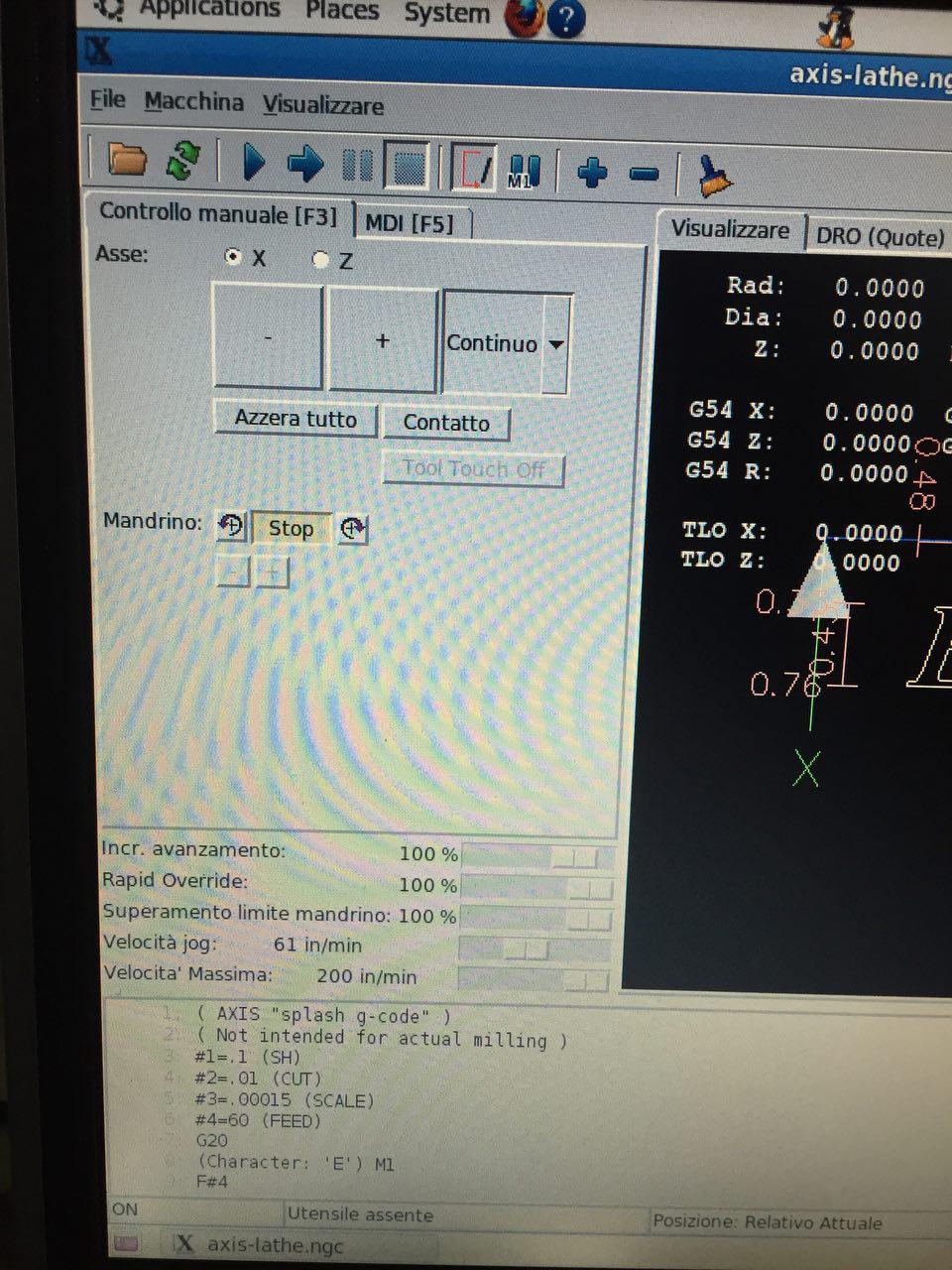
Hi everyone, I'm sorry I'm not a computer programmer but I like to try to modify things. I managed to get the axis.tcl file to zoom in the jog buttons, but I find it hard to figure out where to change the values.
Since all the original Axis GUI is all right, and since the machine controls the whole thing with external buttons, I'd like to eliminate what's missing.
Is there anyone who can explain how to intervene?
Is there any IDE that interprets the code so you can grab it graphically?
Thank you for your suggestions.
Since all the original Axis GUI is all right, and since the machine controls the whole thing with external buttons, I'd like to eliminate what's missing.
Is there anyone who can explain how to intervene?
Is there any IDE that interprets the code so you can grab it graphically?
Thank you for your suggestions.
Please Log in or Create an account to join the conversation.
Time to create page: 0.575 seconds