
- Posts: 63
- Thank you received: 21
ColorCNC Colorlight 5A-75E/5A-75B as FPGA controller board
- deroj
- Offline
- Senior Member
-

Less
More
3 years 6 months ago - 3 years 6 months ago #269286
by deroj
Replied by deroj on topic ColorCNC Colorlight 5A-75E/5A-75B as FPGA controller board
Here is my way....
Install Linux from official ISO
DEBIAN 10 - LINUXCNC 2.8.4 - ISO
Install packages:
sudo apt install python3-pip
sudo apt install git
pip3 install pydantic==1.10.5
pip3 install packaging==21.3
pip3 install ninja==1.11.1
pip3 install chardet==5.1.0
pip3 install meson==0.64.1
pip3 install requests==2.28.2
pip3 install yapps==2.2.0
pip3 install importlib-metadata
pip3 install -i test.pypi.org/simple/ litexcnc[cli]==0.9.0a5
litexcnc install_litex --user
litexcnc install_toolchain --user
#edit or check .bashrc and .profile
# set PATH so it includes user's private bin and oss-cad-suite directories if it exists
if [ -d "$HOME/.local/bin" ] ; then
PATH="$HOME/.local/bin:$PATH"
fi
# set PATH so it includes oss-cad-suite
if [ -d "/home/oj/oss-cad-suite/bin" ] ; then
PATH="/home/oj/oss-cad-suite/bin:$PATH"
fi
Install driver for LinuxCNC
litexcnc install_driver
this will compile the modules for linuxcnc. when you get the no permission error to copy the files to the linuxcnc folder you
will have to modify the file install_driver.py on line 19. found in ~/.local/lib/python3.7/site-packages/litexcnc/cli/
change 'halcompile.py --install' to 'halcompile.py --compile'
run 'litexcnc install_driver' again and it will compile the driver without copy them.
then copy the modules manually with sudo
open a terminal
cd .local/lib/python3.7/site-packages/litexcnc/driver/
sudo cp litexcnc.so /usr/lib/linuxcnc/modules
sudo cp litexcnc_eth.so /usr/lib/linuxcnc/modules
sudo cp pos2vel.so /usr/lib/linuxcnc/modules
create, or edit a JSON config file for your board. I used one of the examples and changed to my needs
litex-cnc.readthedocs.io/en/latest/examples/index.html
litexcnc build_firmware "<path-to-your-configuration.json>" --build
Install Linux from official ISO
DEBIAN 10 - LINUXCNC 2.8.4 - ISO
Install packages:
sudo apt install python3-pip
sudo apt install git
pip3 install pydantic==1.10.5
pip3 install packaging==21.3
pip3 install ninja==1.11.1
pip3 install chardet==5.1.0
pip3 install meson==0.64.1
pip3 install requests==2.28.2
pip3 install yapps==2.2.0
pip3 install importlib-metadata
pip3 install -i test.pypi.org/simple/ litexcnc[cli]==0.9.0a5
litexcnc install_litex --user
litexcnc install_toolchain --user
#edit or check .bashrc and .profile
# set PATH so it includes user's private bin and oss-cad-suite directories if it exists
if [ -d "$HOME/.local/bin" ] ; then
PATH="$HOME/.local/bin:$PATH"
fi
# set PATH so it includes oss-cad-suite
if [ -d "/home/oj/oss-cad-suite/bin" ] ; then
PATH="/home/oj/oss-cad-suite/bin:$PATH"
fi
Install driver for LinuxCNC
litexcnc install_driver
this will compile the modules for linuxcnc. when you get the no permission error to copy the files to the linuxcnc folder you
will have to modify the file install_driver.py on line 19. found in ~/.local/lib/python3.7/site-packages/litexcnc/cli/
change 'halcompile.py --install' to 'halcompile.py --compile'
run 'litexcnc install_driver' again and it will compile the driver without copy them.
then copy the modules manually with sudo
open a terminal
cd .local/lib/python3.7/site-packages/litexcnc/driver/
sudo cp litexcnc.so /usr/lib/linuxcnc/modules
sudo cp litexcnc_eth.so /usr/lib/linuxcnc/modules
sudo cp pos2vel.so /usr/lib/linuxcnc/modules
create, or edit a JSON config file for your board. I used one of the examples and changed to my needs
litex-cnc.readthedocs.io/en/latest/examples/index.html
litexcnc build_firmware "<path-to-your-configuration.json>" --build
Last edit: 3 years 6 months ago by deroj.
The following user(s) said Thank You: svb
Please Log in or Create an account to join the conversation.
- kzali
- Offline
- Junior Member
-

Less
More
- Posts: 38
- Thank you received: 12
3 years 6 months ago #270047
by kzali
Replied by kzali on topic ColorCNC Colorlight 5A-75E/5A-75B as FPGA controller board
Is this project alive? Any real world schematics/examples.!There is already 54 pages...
Can anybody give brief info, is ColorCNC works, is ready for use in real machine, and how to install it?
Thanks in advance.
Please Log in or Create an account to join the conversation.
- MartijnD
- Offline
- New Member
-

Less
More
- Posts: 10
- Thank you received: 0
3 years 6 months ago #270082
by MartijnD
Replied by MartijnD on topic ColorCNC Colorlight 5A-75E/5A-75B as FPGA controller board
The project is alive, please check this:
github.com/q3k/chubby75/issues/107#issuecomment-1517377816
@TOLP2 is working on his prove of concept.
@TOLP2 is working on his prove of concept.
Please Log in or Create an account to join the conversation.
- tuxcnc
- Offline
- Elite Member
-

Less
More
- Posts: 297
- Thank you received: 56
3 years 5 months ago #270879
by tuxcnc
Replied by tuxcnc on topic ColorCNC Colorlight 5A-75E/5A-75B as FPGA controller board
I have a question...
How to write bitstream to flash?
I have installed litex-cnc and all I need, I can compile bitstreams.
I have got Lattice HW-USBN-2A and installed Lattice Diamond Programmer, I can write bitstream to FPGA, but the W25Q32 flash chip is invisible.
This is not problem in development, but CNC driver which losts firmware at every power off is unusable...
How to write bitstream to flash?
I have installed litex-cnc and all I need, I can compile bitstreams.
I have got Lattice HW-USBN-2A and installed Lattice Diamond Programmer, I can write bitstream to FPGA, but the W25Q32 flash chip is invisible.
This is not problem in development, but CNC driver which losts firmware at every power off is unusable...
Please Log in or Create an account to join the conversation.
- MartijnD
- Offline
- New Member
-
Less
More
- Posts: 10
- Thank you received: 0
3 years 5 months ago - 3 years 5 months ago #270880
by MartijnD
Replied by MartijnD on topic ColorCNC Colorlight 5A-75E/5A-75B as FPGA controller board
I mentioned the same and was checking if I did something wrong. Apparently I'm not the only one 
I'm using a "ESP-prog" to program my FPGA
Due I'm quite unexperienced with LinuxCNC I am looking for easy way to create an configuration to get started...
Let's say I am building a XYZ mill with 2 Y motors.
I'm using a "ESP-prog" to program my FPGA
Due I'm quite unexperienced with LinuxCNC I am looking for easy way to create an configuration to get started...
Let's say I am building a XYZ mill with 2 Y motors.
Last edit: 3 years 5 months ago by MartijnD. Reason: added my unexperienced story ;)
Please Log in or Create an account to join the conversation.
- meister
- Offline
- Platinum Member
-

Less
More
- Posts: 806
- Thank you received: 502
3 years 5 months ago #270929
by meister
Replied by meister on topic ColorCNC Colorlight 5A-75E/5A-75B as FPGA controller board
can't wait to play with it 
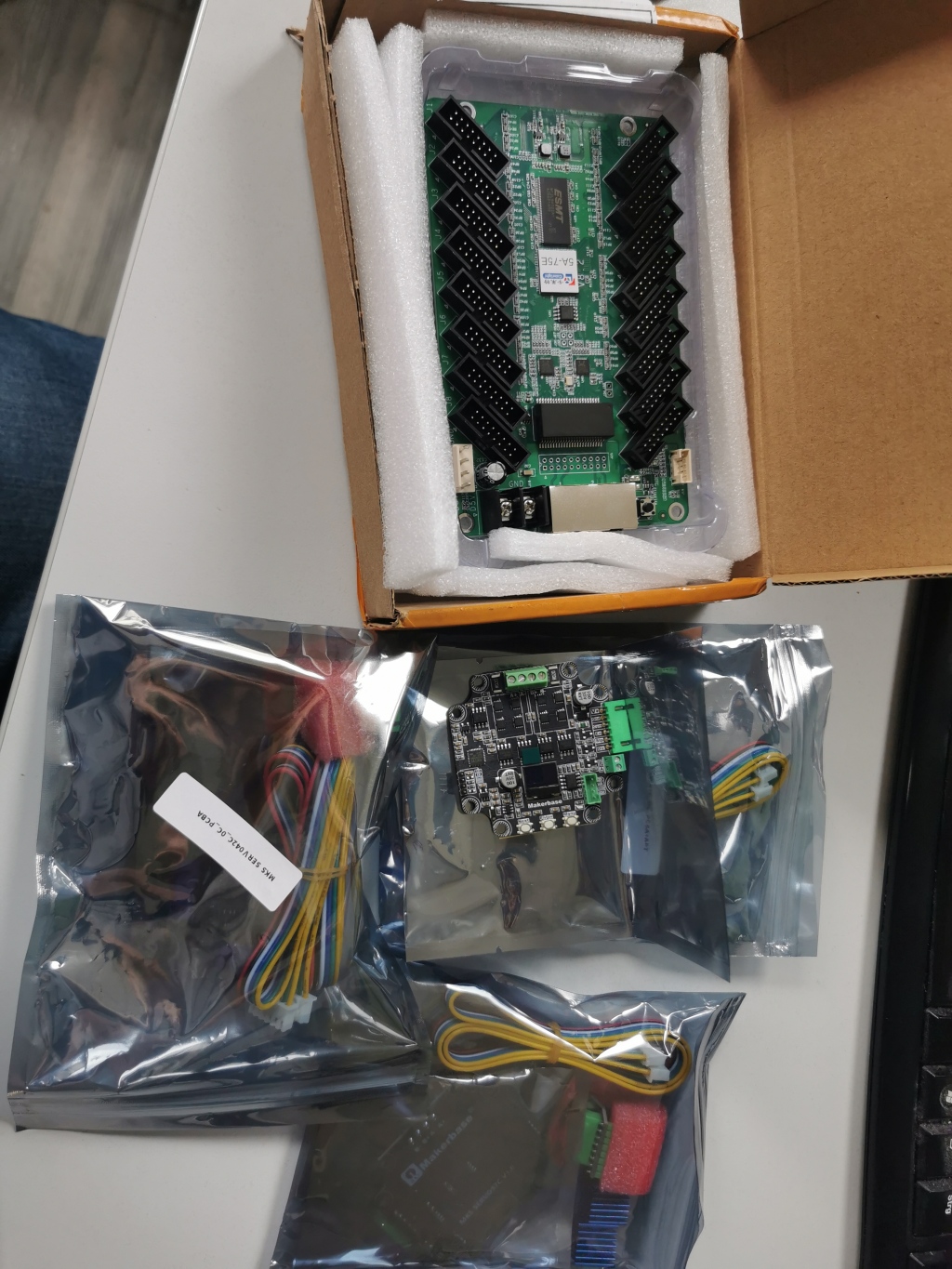
v8.2
v8.2
Please Log in or Create an account to join the conversation.
Moderators: PCW, jmelson
Time to create page: 0.203 seconds