
- Posts: 532
- Thank you received: 327
dxf2gcode - plasma enhancements
- Joco
- Offline
- Platinum Member
-

Less
More
5 years 5 months ago #209038
by Joco
Replied by Joco on topic dxf2gcode - plasma enhancements
A few adjustments today and closed off the plasma_leads branch into develop and open a new branch "beam_machine" which holds all changes made and these new ones.
New active branch is: github.com/joco-nz/dxf2gcode-plasma/tree/beam_machine
Key alterations/additions are:
1. added 'Beam' machine type
2. added G0 feed rates to config UI
3. Adjusted how Beam type impacts slices and gcode creation. Specifically altering the order of when the M3 and M5 commands are issued.
4. locked off pocket processing and drilling from Beam type machines
5. Adjusted the project save type to have some awareness of the new globals.
6. Added a concept of Beam Cut Height to the config UI. For those controllers that require Z moves this allows a cutting height to be defined in a more intuitive way as you can still set the work top as Z0. For those machines that control Z independently then you either set the Z post processor lines as empty strings or if you are lucky your controller might be able to be told to ignore Z gcode moves or strip them on load.
As part of beam machine addition have adjusted the post processor to be able to substitute %rapidfeed intelligently for G0 Z and XY moves. Also added comments for beam on/off activation when machine is type Beam.
Example from a post processor config:
And sample output resulting from it:
Some good progress today and good learning as to how the post processor is handling things.
Cheers - J.
New active branch is: github.com/joco-nz/dxf2gcode-plasma/tree/beam_machine
Key alterations/additions are:
1. added 'Beam' machine type
2. added G0 feed rates to config UI
3. Adjusted how Beam type impacts slices and gcode creation. Specifically altering the order of when the M3 and M5 commands are issued.
4. locked off pocket processing and drilling from Beam type machines
5. Adjusted the project save type to have some awareness of the new globals.
6. Added a concept of Beam Cut Height to the config UI. For those controllers that require Z moves this allows a cutting height to be defined in a more intuitive way as you can still set the work top as Z0. For those machines that control Z independently then you either set the Z post processor lines as empty strings or if you are lucky your controller might be able to be told to ignore Z gcode moves or strip them on load.
As part of beam machine addition have adjusted the post processor to be able to substitute %rapidfeed intelligently for G0 Z and XY moves. Also added comments for beam on/off activation when machine is type Beam.
Example from a post processor config:
Code:
rap_pos_plane = G0 X%XE Y%YE F%rapidfeed%nl
rap_pos_depth = G0 Z%ZE F%rapidfeed%nl
Code:
(* SHAPE Nr: 0 *)
G0 X-22.062 Y-22.062 F10000
G0 Z3.000 F5000
F440
G1 Z1.500
(* Beam ON *)
M3 M8
F2200
G1 X-27.719 Y-27.719
G3 X27.719 Y27.719 I27.719 J27.719
G3 X-27.719 Y-27.719 I-27.719 J-27.719
G1 X-22.062 Y-27.719
(* Beam OFF *)
M9 M5
F440
G1 Z3.000
G0 Z15.000 F5000
Some good progress today and good learning as to how the post processor is handling things.
Cheers - J.
The following user(s) said Thank You: tommylight
- Joco
- Offline
- Platinum Member
-
Less
More
- Posts: 532
- Thank you received: 327
5 years 5 months ago #209418
by Joco
Replied by Joco on topic dxf2gcode - plasma enhancements
One of the problems I have seen in this tool is that some dxf files from the net seem to create a failure situation when it tries to calculate the offset path with CAM side cutter compensation. After some digging I think I have found one of the causes of this issue and have an initial method coded that looks for and fixes this issue as the geometry is loaded.
If we consider a simple shape such as this:
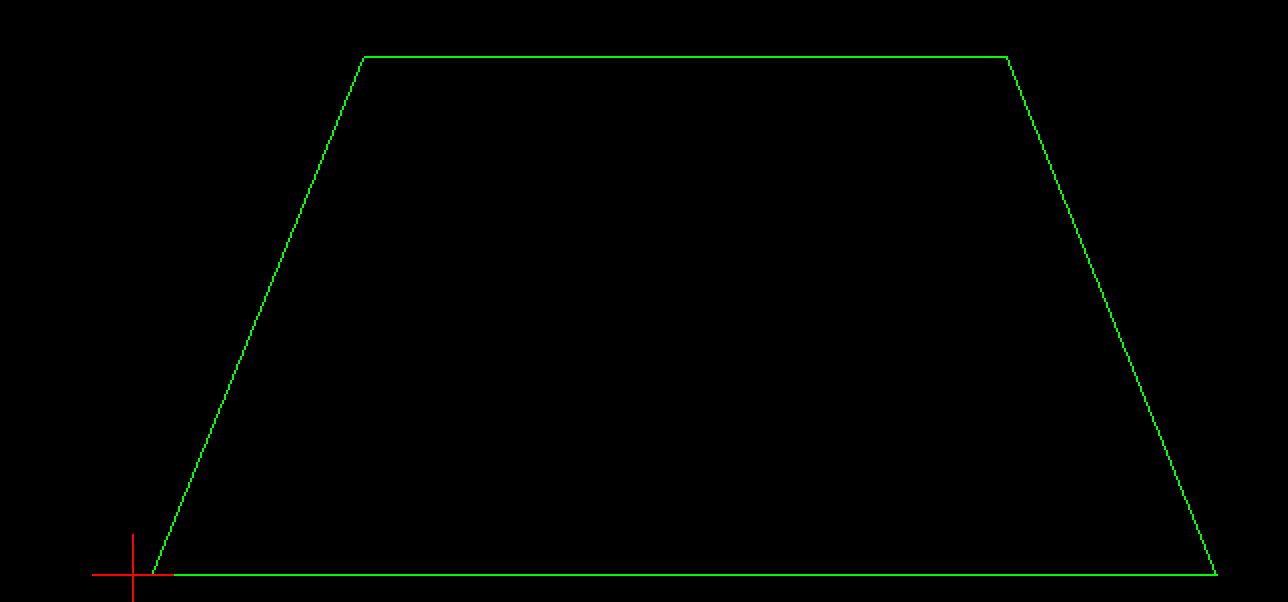
Everything looks fine but it still fails to properly calculate and create an internal offset based on CAM side cutter compensation. Why? The next image is the issue. The bottom right side corner is not really as it seems.
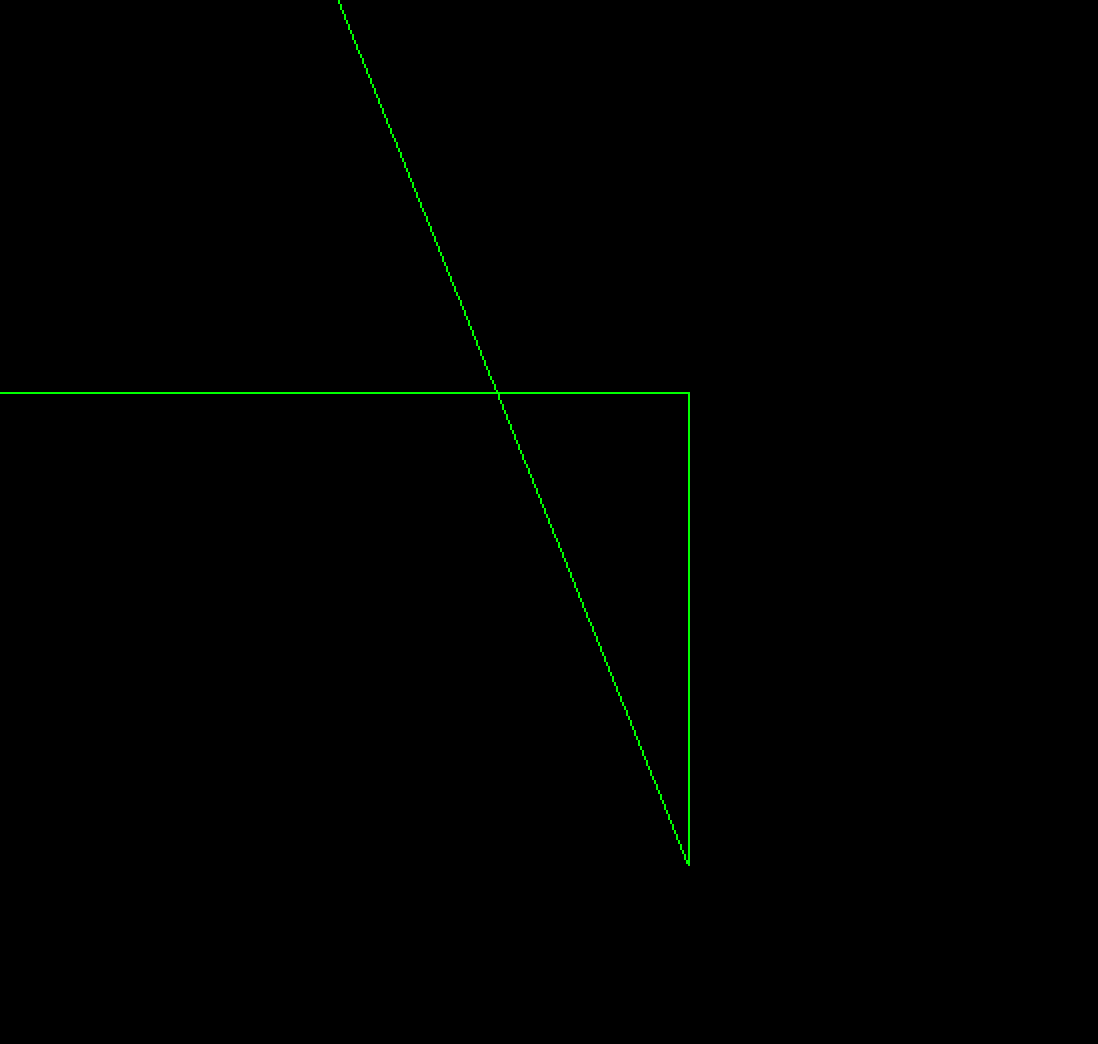
The corner has an extra ultra small line segment that creates a looping back crossed line situation. I have an algorithim that scans around a shape looking at a window of 3 line segments. geo1, geo2, geo3. If geo1 and geo3 intersect then we know geo2 is a problem so we remove it and realign geo1 and geo3 to link using the average of the delta between them. In most instance this change is no more than 0.05mm. But if the change is larger and can be seen in the resuling import then some manual correction is going to be needed in a LibreCAD or similar before import.
I'm still working on and testing this algorithm but the aim is to have it as an option that can be managed through the UIs config options.
Cheers - J.
If we consider a simple shape such as this:
Everything looks fine but it still fails to properly calculate and create an internal offset based on CAM side cutter compensation. Why? The next image is the issue. The bottom right side corner is not really as it seems.
The corner has an extra ultra small line segment that creates a looping back crossed line situation. I have an algorithim that scans around a shape looking at a window of 3 line segments. geo1, geo2, geo3. If geo1 and geo3 intersect then we know geo2 is a problem so we remove it and realign geo1 and geo3 to link using the average of the delta between them. In most instance this change is no more than 0.05mm. But if the change is larger and can be seen in the resuling import then some manual correction is going to be needed in a LibreCAD or similar before import.
I'm still working on and testing this algorithm but the aim is to have it as an option that can be managed through the UIs config options.
Cheers - J.
The following user(s) said Thank You: phillc54, snowgoer540
- tommylight
- Offline
- Moderator
-

Less
More
- Posts: 22011
- Thank you received: 7491
5 years 5 months ago #209426
by tommylight
Replied by tommylight on topic dxf2gcode - plasma enhancements
Yeah that is an issue with DXF (maybe somewhere else but i do not know where exactly), and the fact that there are a lot of DXF file types, 2 of main ones being 2D and 3D.
Not helping much, but i do recall having to open DXF files in LibreCAD and saving them again as R14 DXF to be able to use them in Inkscape while i was working at a local factory.
Not helping much, but i do recall having to open DXF files in LibreCAD and saving them again as R14 DXF to be able to use them in Inkscape while i was working at a local factory.
- Joco
- Offline
- Platinum Member
-
Less
More
- Posts: 532
- Thank you received: 327
5 years 5 months ago #209437
by Joco
Replied by Joco on topic dxf2gcode - plasma enhancements
Yes the joys of the various dxf formats. A whole world of joy I am just starting to appreciate. In this case that pattern of down grading didn't solve things. But some files I have that have some screwy stuff in them it does seem to help.
I'm on to my next bit fun. Making it possible to adjust the angle of leadin/outs via the gui to get the best compromise angle of attack into a cut.
lol - I am sooo many committs ahead of the main dxf2gcode code line now. But I "think" I am making useful progress.

I'm on to my next bit fun. Making it possible to adjust the angle of leadin/outs via the gui to get the best compromise angle of attack into a cut.
lol - I am sooo many committs ahead of the main dxf2gcode code line now. But I "think" I am making useful progress.
- Joco
- Offline
- Platinum Member
-
Less
More
- Posts: 532
- Thank you received: 327
5 years 5 months ago #209475
by Joco
Replied by Joco on topic dxf2gcode - plasma enhancements
Have started adding in the ability to tune of the angle of lead-ins/outs to better suite the specific layout of the geometry. Just using a CW/CCW menu choice (with keyboard shortcuts at the moment). Simple but seems to be effective.
Also found some odd behaviour with how how the split-line-segments feature was working and being countered by an under the hood join-colinear-lines function in the CAM side offset path processing functions. I should have a clean fix for that shortly.
This will allow either the use of custom placed entry points in the dxf geom or the automatic split-lines feature in the tool.
If there is something that is of interest to add to this nice light weight little tool sing out. I may be able to manage it.
Cheers - J.
Also found some odd behaviour with how how the split-line-segments feature was working and being countered by an under the hood join-colinear-lines function in the CAM side offset path processing functions. I should have a clean fix for that shortly.
This will allow either the use of custom placed entry points in the dxf geom or the automatic split-lines feature in the tool.
If there is something that is of interest to add to this nice light weight little tool sing out. I may be able to manage it.
Cheers - J.
The following user(s) said Thank You: tommylight
- tommylight
- Offline
- Moderator
-
Less
More
- Posts: 22011
- Thank you received: 7491
5 years 5 months ago #209477
by tommylight
Replied by tommylight on topic dxf2gcode - plasma enhancements
The following user(s) said Thank You: Joco
Time to create page: 0.387 seconds