Latency, error finishing read, and IRQ affinity

More
2 years 8 months ago #293026 by Mecanix

I haven't tested it myself yet, but I know I have a dual-core or two around here that I can try it on. Probably be next week or so before I can find time to do that.
 
(my take:) I wouldn't bother spending time on those expired dual-core dinosaurs, @mozmck. As soon as you "isolcpus=1" this in grub you instantly lose irqbalance. The service won't even start regardless if the script is ran from a policy or by using rc.local custom/adapted script from rc.local. 

One thing for sure, this hack works flawlessly for =>4 cores cpus. Remarkable enhancement I'd like to add. Recommend!!! image missing /media/kunena/emoticons/cool.png
The following user(s) said Thank You: seuchato, tommylight

Please Log in or Create an account to join the conversation.

More
2 years 8 months ago #293033 by tommylight

If this is stickied now, is this the right section? It might be better in Installing linuxcnc
That or "driver boards", what would be more appropriate?

Please Log in or Create an account to join the conversation.
More
2 years 8 months ago #293035 by cmorley
Should probably be added to official docs..
The following user(s) said Thank You: seuchato, tommylight, rdtsc

Please Log in or Create an account to join the conversation.

More
2 years 8 months ago - 2 years 8 months ago #293049 by mozmck
Here is a script which will do the following:
  1. Set up isolcpus and a couple of other kernel arguments
  2. Run update-grub
  3. Create the IRQ affinity policy script for irqbalance
  4. Set up irqbalance to use the script.

There are a few kernel options that *might* be helpful in reducing latency that can be enabled by uncommenting the relevant sections.
There are a couple of lines at the end which disable syncing the system clock to internet time servers.  This syncing has in the past been one cause of realtime errors.  This might should be made default???

To use, save the script as "rt_setup", make it executable, and run it with sudo because it needs root privileges.
Code:
sudo ./rt_setup
Then you'll need to reboot the PC.

One improvement would be to detect dual-core systems or ones without irqbalance and do something different for the IRQ affinity.

****** UPDATE ******
I updated this script and moved it to the first post in this thread.
Last edit: 2 years 8 months ago by mozmck.
The following user(s) said Thank You: seuchato, tommylight, Mecanix

Please Log in or Create an account to join the conversation.

More
2 years 8 months ago #293261 by Ekholm
 
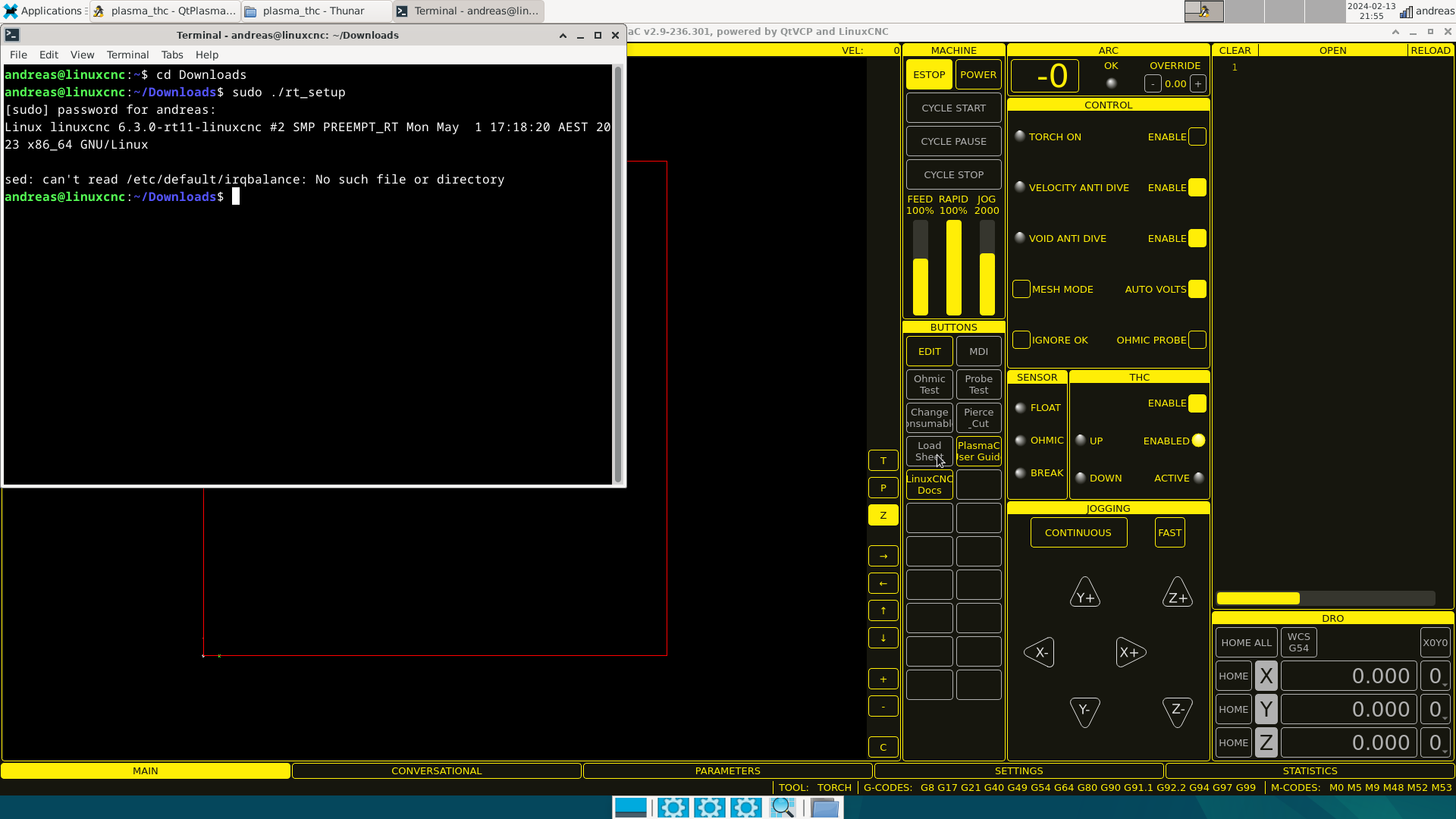
I got the error in the picture. can't find folder

Please Log in or Create an account to join the conversation.

More
2 years 8 months ago #293264 by Mecanix

I got the error in the picture. can't find folder
Code:
$ sudo apt update && sudo apt upgrade $ sudo apt install irqbalance $ sudo ./rt_setup ​​​​​​​
 
The following user(s) said Thank You: seuchato

Please Log in or Create an account to join the conversation.

Time to create page: 0.081 seconds
Powered by Kunena Forum
