THC problem

More
2 years 4 months ago - 2 years 4 months ago #302250 by acourtjester
Replied by acourtjester on topic THC problem
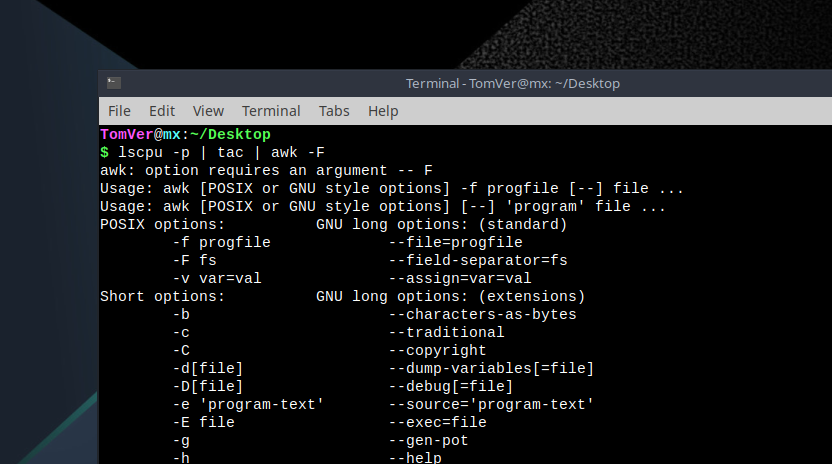
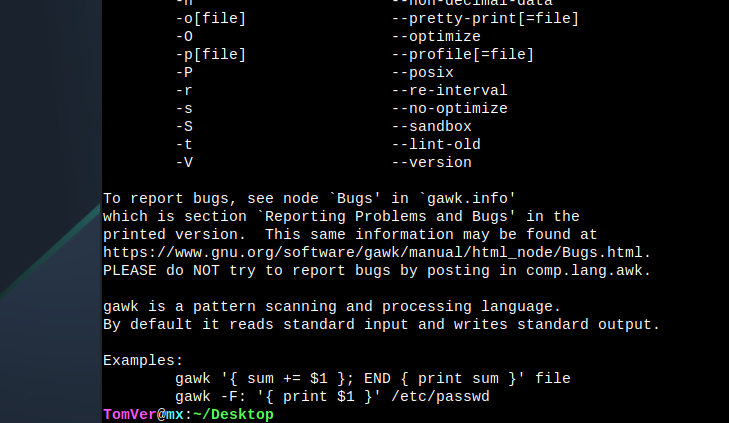
Ok I tried to get the info about the last core with this message.
lscpu -p | tac | awk -F
As stated I am very green with LinuxCNC so maybe the command or location in the terminal may be wrong.  But the info was not gathered to make changes to the Gurb file. Attached screen shot of terminal results.  I did try with --F and -f and -F,    image missing /media/kunena/emoticons/sad.png
Help.
Tom
 
Last edit: 2 years 4 months ago by acourtjester.

Please Log in or Create an account to join the conversation.
More
2 years 4 months ago #302257 by PCW
Replied by PCW on topic THC problem
You can try running this script:


File Attachment:

File Name: checkmask_...6-03.txt
File Size:621 B


download and then:

chmod +x checkmask.txt
./checkmask.txt [Your-Ethernet-device-name]


Please Log in or Create an account to join the conversation.

More
2 years 4 months ago #302282 by acourtjester
Replied by acourtjester on topic THC problem
Ok I see my error in the command for the core info and it showed 1,3 like in the other post. Now I just need to learn how to make the change in the grub file to see if that changes my Latency issue. One step at a time. (: (:

Please Log in or Create an account to join the conversation.

More
2 years 4 months ago - 2 years 4 months ago #302349 by acourtjester
Replied by acourtjester on topic THC problem
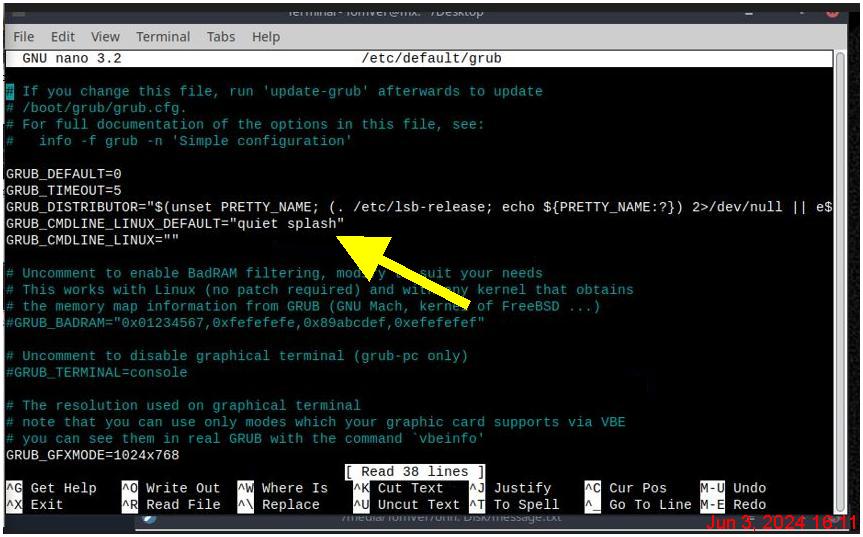
Once again I need help from the LinuxCNC experts, I got to the point of changing the Grub file, I have an Intel so I use the 3 for my printout.
I don't know how to make the change in the Grub file, I looked on line and on YouTube no help for this dummy, so please explain (simply for me).
Back space and retype don't get me there image missing /media/kunena/emoticons/sad.png
 
Last edit: 2 years 4 months ago by acourtjester.

Please Log in or Create an account to join the conversation.

More
2 years 4 months ago #302434 by jimmyrig
Replied by jimmyrig on topic THC problem
Many ways to solve this

For beginners I recommend installing visual studios code as it can edit things in sudo mode

code.visualstudio.com/

1. Download the .deb file
2. It will show up in your downloads folder

To install it

3. Navigate to downloads folder in terminal or by going to the file explorer and right clicking when in downloads and select "open terminal here

The type "sudo dpkg -i code" then hit the tab button and it'll fill out the rest of the file name (it needs the entire file name, tab auto fills things once it only has one option)

That should install it

Now navigate to the grub file in file explorer, right click and select open with code.

Now you can edit like any text editor. When you save you will get an error saying run as sudo and click yes. That should solve it

Vs code is also great for editing gcode files and such
The following user(s) said Thank You: acourtjester

Please Log in or Create an account to join the conversation.

More
2 years 4 months ago - 2 years 4 months ago #302445 by Aciera
Replied by Aciera on topic THC problem
Why not simply use

$ sudo nano /etc/default/grub

edit the file

then hit <ctrl>+X and Y then Enter to save.

[edit]

Are you referring to this grub modification?
forum.linuxcnc.org/38-general-linuxcnc-q...-irq-affinity#292969

Not sure if you want that but there is also a script at the end of that post that should do it all automatically.
Last edit: 2 years 4 months ago by Aciera.
The following user(s) said Thank You: acourtjester

Please Log in or Create an account to join the conversation.

Time to create page: 0.403 seconds
Powered by Kunena Forum