
- Posts: 7368
- Thank you received: 2181
Gscreen - a GTK / Glade / Python based screen
- cmorley
- Offline
- Moderator
-

Less
More
8 years 10 months ago #102677
by cmorley
Replied by cmorley on topic Gscreen - a GTK / Glade / Python based screen
Strange. I doubt anyone made a lang specifically for sourcview3 (and i would expect them to work the same anyways)
The python file is in lib/python/gladevcp/hal_sourceview
There is a function to set it directly from the handler file:
from hal_sourceview:
Chris M
The python file is in lib/python/gladevcp/hal_sourceview
There is a function to set it directly from the handler file:
from hal_sourceview:
Code:
def set_language(self, lang, path = None):
# path = the search path for the langauage file
# if none, set to default
# lang = the lang file to set
if path == None:
if 'EMC2_HOME' in os.environ:
path = os.path.join(os.environ['EMC2_HOME'], 'share/gtksourceview-2.0/language-specs/')
if path:
self.lm.set_search_path(path)
self.buf.set_language(self.lm.get_language(lang))
Chris M
Please Log in or Create an account to join the conversation.
- sqmathlete
- Offline
- Premium Member
-

Less
More
- Posts: 118
- Thank you received: 18
7 years 10 months ago #122149
by sqmathlete
Replied by sqmathlete on topic Gscreen - a GTK / Glade / Python based screen
Hi,
Well, here's another kick at the cat for a custom gscreen skin. It's pretty similar to gaxis, meant specifically for a CNC Lathe that has a Hydraulic
and will have the following physical buttons
using a rip 2.8 wheezy, glade 3.8.0
I am trying to use the KISS method, i.e. use glade auto connect signal handling and vcp widgets/actions wherever possible.
At this point my most pressing issue's are (not in order)
1) I want to embed Ngcgui, (and potientally NativeCAM if it can be done) I don't get any errors when it starts up but I can't see the tab,
2) pyNCG and gremlin plus crash glade everytime
3) **** setting up gscreen to jog with MPG or Joystick
4) setting/updating labels and having them react to hal pin changes for CSS and RPM
Threre are still many other issues but I don't want to get too far ahead of myself. Any help would be apreciated,
Dan
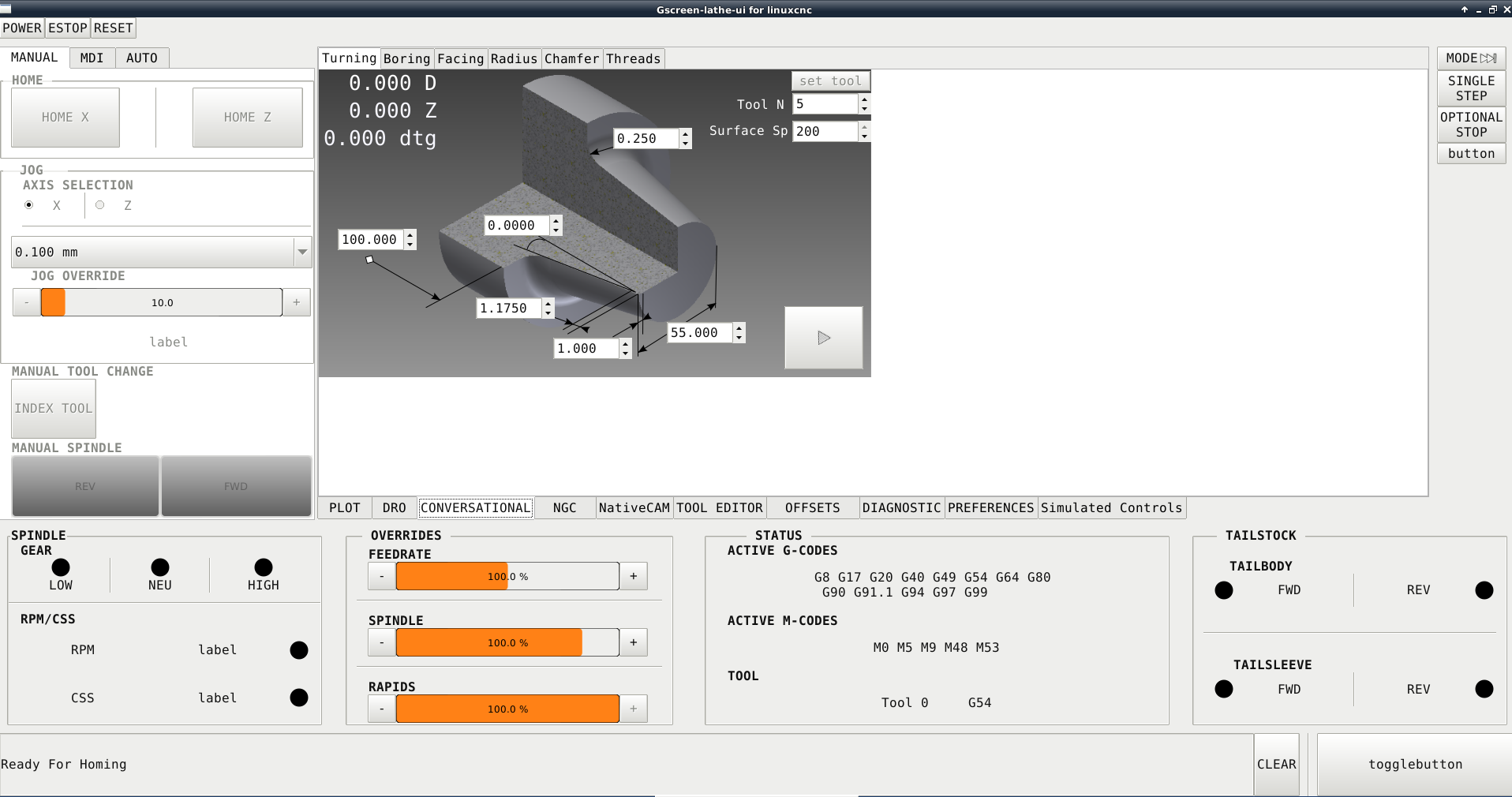
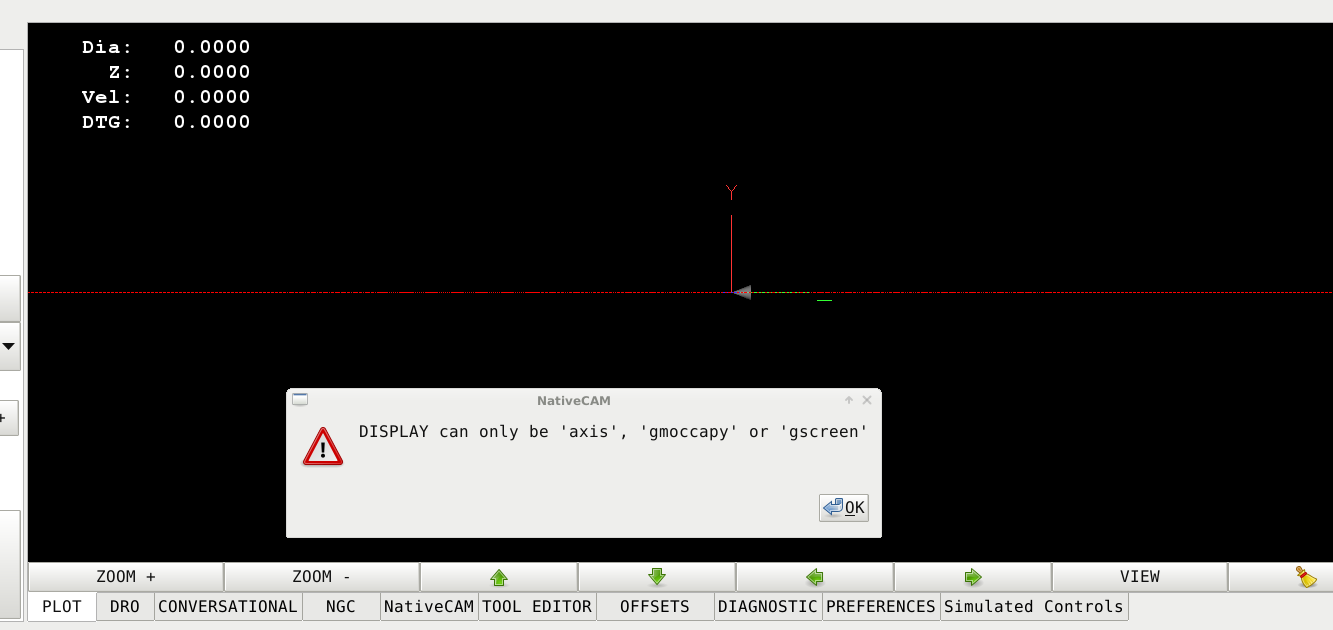
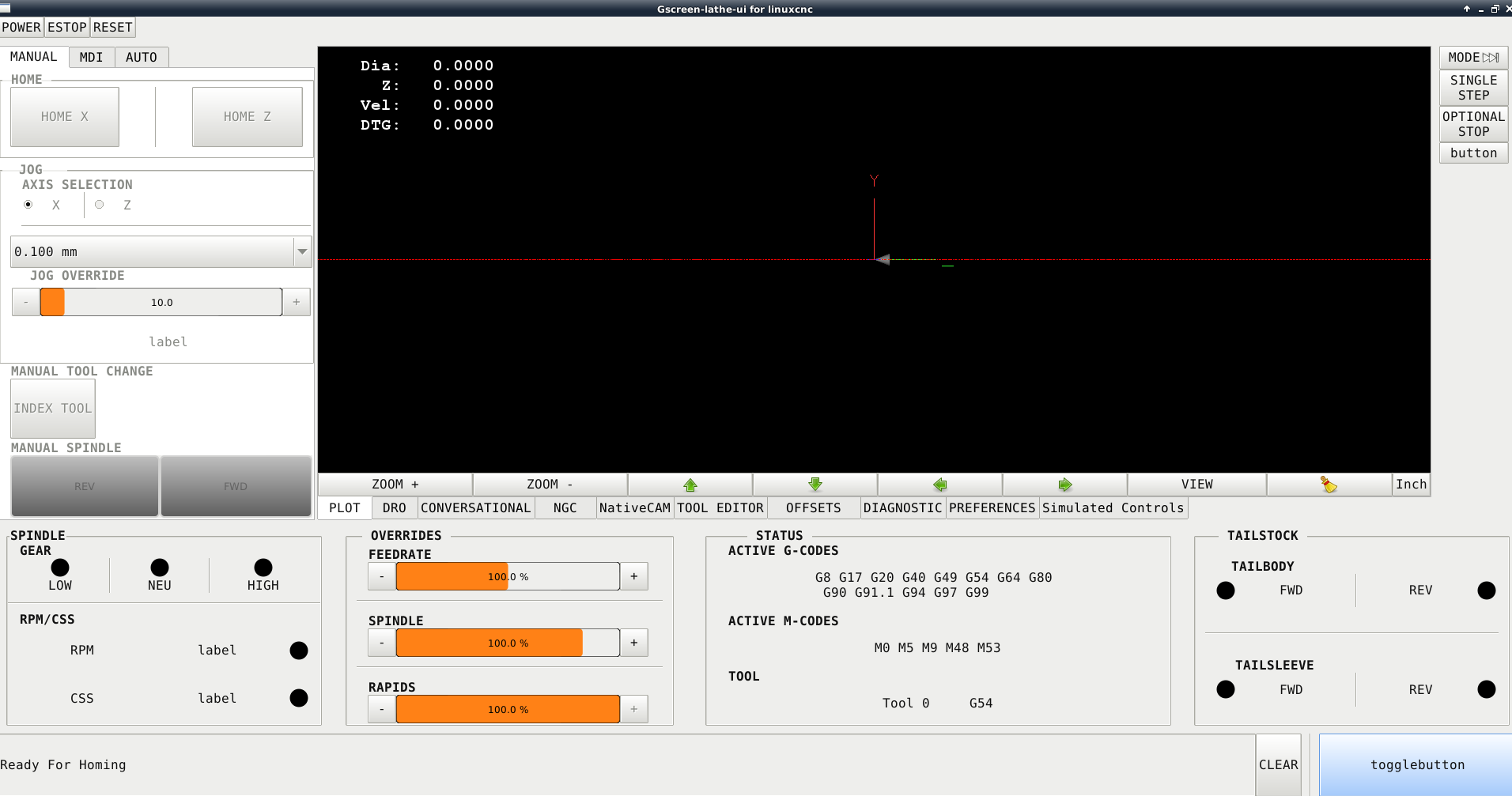
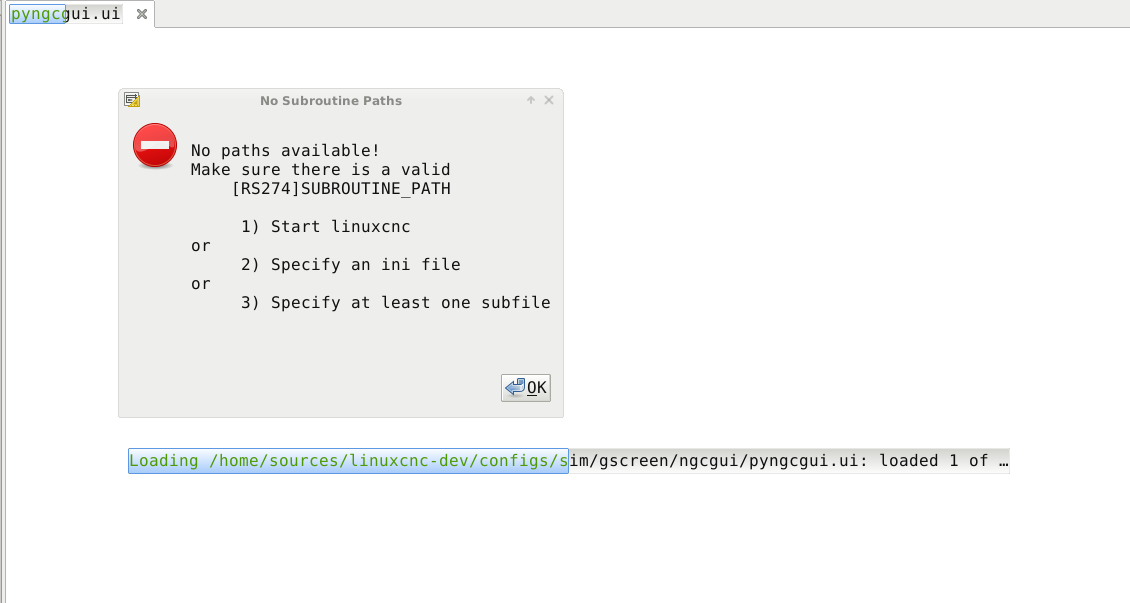
Well, here's another kick at the cat for a custom gscreen skin. It's pretty similar to gaxis, meant specifically for a CNC Lathe that has a Hydraulic
- 10 station turret
- programable tailstock
- 3 speed gearbox
and will have the following physical buttons
- program start/pause
- MPG
- Joystick
- tailstock/tailseeve fwd/rev
using a rip 2.8 wheezy, glade 3.8.0
I am trying to use the KISS method, i.e. use glade auto connect signal handling and vcp widgets/actions wherever possible.
At this point my most pressing issue's are (not in order)
1) I want to embed Ngcgui, (and potientally NativeCAM if it can be done) I don't get any errors when it starts up but I can't see the tab,
2) pyNCG and gremlin plus crash glade everytime
3) **** setting up gscreen to jog with MPG or Joystick
4) setting/updating labels and having them react to hal pin changes for CSS and RPM
Threre are still many other issues but I don't want to get too far ahead of myself. Any help would be apreciated,
Dan
Please Log in or Create an account to join the conversation.
- cmorley
- Offline
- Moderator
-
Less
More
- Posts: 7368
- Thank you received: 2181
7 years 10 months ago #122154
by cmorley
Replied by cmorley on topic Gscreen - a GTK / Glade / Python based screen
Welcome!
It's been awhile since working on gscreen, but i'll try not to lie...
1) I assume you mean embedded in a tab - AFAIK both can be embedded.
There is a sample config that works for me in configs/sim/gscreen/ngcgui - does it work for you?
2) I tried gremlim_plus and pyngc in GLADE - it didn't crash the editor for me - but the editor is known buddy - usually glade 3.8.6 is better but harder to get.
3)Jogging buttons are done in HAL, rate, increment and enable/selection are done in the gui.
4) hal_labels can change text via HAL pins in a limited way - the number follows the pin but the text is always the same as you set it in GLADE.
hal_lightbutton can be controlled from a hal pin and text can toggle between two selections.
But for more complicated visuals, you'll need to write some python code in the handler_file.
If you post your config files it will help with specifics
.I'm happy to see you try your hand at screen building !
Chris M
It's been awhile since working on gscreen, but i'll try not to lie...
1) I assume you mean embedded in a tab - AFAIK both can be embedded.
There is a sample config that works for me in configs/sim/gscreen/ngcgui - does it work for you?
2) I tried gremlim_plus and pyngc in GLADE - it didn't crash the editor for me - but the editor is known buddy - usually glade 3.8.6 is better but harder to get.
3)Jogging buttons are done in HAL, rate, increment and enable/selection are done in the gui.
4) hal_labels can change text via HAL pins in a limited way - the number follows the pin but the text is always the same as you set it in GLADE.
hal_lightbutton can be controlled from a hal pin and text can toggle between two selections.
But for more complicated visuals, you'll need to write some python code in the handler_file.
If you post your config files it will help with specifics
.I'm happy to see you try your hand at screen building !
Chris M
Please Log in or Create an account to join the conversation.
- andypugh
- Offline
- Moderator
-
Less
More
- Posts: 19899
- Thank you received: 4655
7 years 10 months ago #122172
by andypugh
Replied by andypugh on topic Gscreen - a GTK / Glade / Python based screen
There is a resizable version of the lathe macros screen based on an SVG. That might look better.
It is a bit kludgey in that the entry boxes are in a large but sparsely populated table overlaid in the image.
It would probably be possible to make the entry boxes part of the SVG, and also have them support clicks etc: www.svgopen.org/2010/presentations/47-Mi...ser_Input/index.html
Whether that is worth the trouble, or whether it is a terrible idea, I am not sure.
It is a bit kludgey in that the entry boxes are in a large but sparsely populated table overlaid in the image.
It would probably be possible to make the entry boxes part of the SVG, and also have them support clicks etc: www.svgopen.org/2010/presentations/47-Mi...ser_Input/index.html
Whether that is worth the trouble, or whether it is a terrible idea, I am not sure.
Please Log in or Create an account to join the conversation.
- cmorley
- Offline
- Moderator
-
Less
More
- Posts: 7368
- Thank you received: 2181
7 years 10 months ago #122179
by cmorley
Replied by cmorley on topic Gscreen - a GTK / Glade / Python based screen
I just pushed two new widgets to gladevcp.
Status_label can display:
0:user system
1:loaded file path
2:feed override
3:rapid override
4:spindle override
Status label has a text template that can be used to modify the displayed text.
eg if displaying user system you might use:
User System G%s
or for override:
Feed Override %d
State label can display:
0:metric mode
1:Diameter mode
2:CSS Mode
It has two properties false_text and true_text that can hold two text strings that will be displayed depending on the state.
Of course normal label properties can be changes to0 such as color or size.
You'll have to pull in the new changes I just pushed them.
See if that helps you out.
Chris M
Status_label can display:
0:user system
1:loaded file path
2:feed override
3:rapid override
4:spindle override
Status label has a text template that can be used to modify the displayed text.
eg if displaying user system you might use:
User System G%s
or for override:
Feed Override %d
State label can display:
0:metric mode
1:Diameter mode
2:CSS Mode
It has two properties false_text and true_text that can hold two text strings that will be displayed depending on the state.
Of course normal label properties can be changes to0 such as color or size.
You'll have to pull in the new changes I just pushed them.
See if that helps you out.
Chris M
Please Log in or Create an account to join the conversation.
- sqmathlete
- Offline
- Premium Member
-
Less
More
- Posts: 118
- Thank you received: 18
7 years 10 months ago #122247
by sqmathlete
Replied by sqmathlete on topic Gscreen - a GTK / Glade / Python based screen
Wow! Thanks for the quick responses.
forum.linuxcnc.org/48-gladevcp/33309-gla...ollow-this-for-3-8-6 ,
worked perfect!
@andypugh
It's going to take me a few days to amalgamate all of this into what I call lathezy. Ill post my files once I have them reorganized, cleaned up a bit and have as much done as possible...probably need to figure out how tar files for that though. lol.
Thanks again,
Dan
Yes, I've got the ngcgui tab going nowThere is a sample config that works for me in configs/sim/gscreen/ngcgui - does it work for you?
I followed this,3.8.6 is better but harder to get.
forum.linuxcnc.org/48-gladevcp/33309-gla...ollow-this-for-3-8-6 ,
worked perfect!
Awesome, Ill add them to the screen to test them out. Sound like they are exactly what I need.I just pushed two new widgets to gladevcp.
@andypugh
Agreed!That might look better.
It's going to take me a few days to amalgamate all of this into what I call lathezy. Ill post my files once I have them reorganized, cleaned up a bit and have as much done as possible...probably need to figure out how tar files for that though. lol.
Thanks again,
Dan
Please Log in or Create an account to join the conversation.
Time to create page: 1.955 seconds