
- Posts: 2419
- Thank you received: 2349
QT C++ code samples
- Grotius
- Offline
- Platinum Member
-

Less
More
6 years 9 months ago - 6 years 9 months ago #154816
by Grotius
Replied by Grotius on topic QT C++ code samples
Try this one..
I can download this one, and run it.. I see the CadCam file is 1.6 mb.
I can download this one, and run it.. I see the CadCam file is 1.6 mb.
Last edit: 6 years 9 months ago by Grotius.
Please Log in or Create an account to join the conversation.
- Grotius
- Offline
- Platinum Member
-
Less
More
- Posts: 2419
- Thank you received: 2349
6 years 9 months ago #154817
by Grotius
Replied by Grotius on topic QT C++ code samples
Hi Clive,
Thanks for your question.
It runs also on a window's machine. Only thing i have to do is compile it for window's. I tested that a few month's ago and it works fine for windows. I had to install the windows sdk (development set). Very soon i will provide a windows version.
Thanks for your question.
It runs also on a window's machine. Only thing i have to do is compile it for window's. I tested that a few month's ago and it works fine for windows. I had to install the windows sdk (development set). Very soon i will provide a windows version.
The following user(s) said Thank You: Clive S
Please Log in or Create an account to join the conversation.
- phillc54
- Offline
- Platinum Member
-
Less
More
- Posts: 5711
- Thank you received: 2100
6 years 9 months ago #154818
by phillc54
Replied by phillc54 on topic QT C++ code samples
I get the following error:
Code:
phill@stretch ~/Downloads/CadCam_2020-01-14 $ ./CadCam
./CadCam: /usr/lib/x86_64-linux-gnu/libQt5Core.so.5: version `Qt_5.12' not found (required by ./CadCam)
phill@stretch ~/Downloads/CadCam_2020-01-14 $
The following user(s) said Thank You: Grotius
Please Log in or Create an account to join the conversation.
- Clive S
- Offline
- Platinum Member
-
Less
More
- Posts: 2204
- Thank you received: 486
6 years 9 months ago #154824
by Clive S
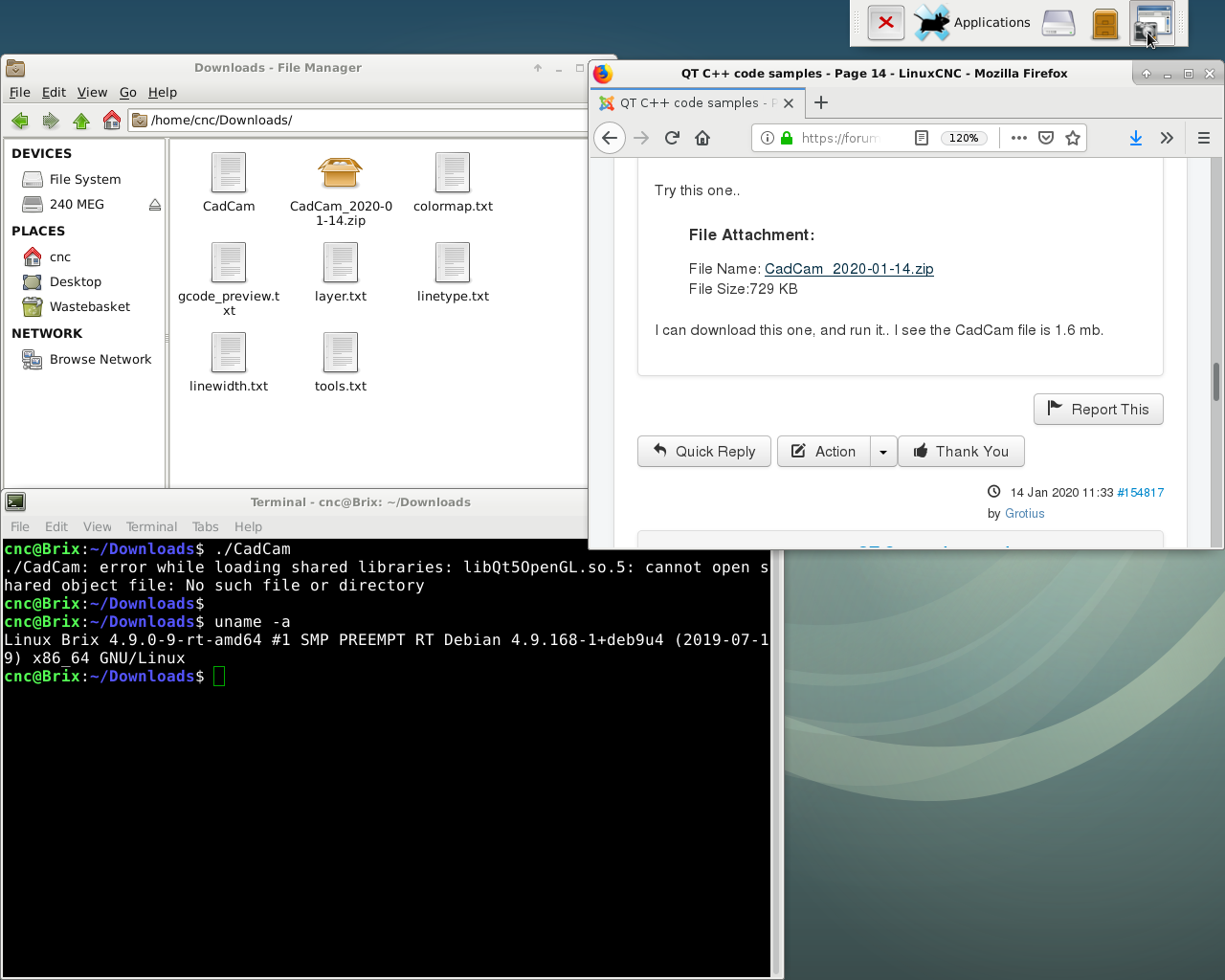
I have tried this but it won't open.
Replied by Clive S on topic QT C++ code samples
Grotius wrote: Try this one..
I can download this one, and run it.. I see the CadCam file is 1.6 mb.
I have tried this but it won't open.
The following user(s) said Thank You: Grotius
Please Log in or Create an account to join the conversation.
- tommylight
- Offline
- Moderator
-

Less
More
- Posts: 22011
- Thank you received: 7491
6 years 9 months ago #154825
by tommylight
Replied by tommylight on topic QT C++ code samples
Getting the same errors on all of them, even the 29MB one, the QT core version is up to date.
Slowly but surely i am beginning to hate QT, everything i have touched with it comes back with a plethora of very cryptic errors. Not good at all.
Slowly but surely i am beginning to hate QT, everything i have touched with it comes back with a plethora of very cryptic errors. Not good at all.
The following user(s) said Thank You: Grotius
Please Log in or Create an account to join the conversation.
- Grotius
- Offline
- Platinum Member
-
Less
More
- Posts: 2419
- Thank you received: 2349
6 years 9 months ago #154843
by Grotius
Replied by Grotius on topic QT C++ code samples
Hi all, thanks for this test phase so far.
I got a solution !! It's called "deployement" It writes all files, dependencies, libraries etc into one file as an image..
Have tested this on a non qt linux pc and it works now.. The program can be started from usb also..
The procedure is very, very easy :
Download and unpack the zip file, the executable is named : Cad--x86_64.AppImage (p.s. must be marked as executable, but i think it is already)
Download link :
CadCam program
For other QT writers..
I used in terminal :
terminal : export PATH=/home/grotius/Qt/5.12.3/gcc_64/bin/:$PATH
terminal : ./linuxdeployqt-6-x86_64.AppImage Cad -appimage
This video does the trick : h__ps://www.youtube.com/watch?v=2B--nzfoQ9s
I got a solution !! It's called "deployement" It writes all files, dependencies, libraries etc into one file as an image..
Have tested this on a non qt linux pc and it works now.. The program can be started from usb also..
The procedure is very, very easy :
Download and unpack the zip file, the executable is named : Cad--x86_64.AppImage (p.s. must be marked as executable, but i think it is already)
Download link :
CadCam program
For other QT writers..
I used in terminal :
terminal : export PATH=/home/grotius/Qt/5.12.3/gcc_64/bin/:$PATH
terminal : ./linuxdeployqt-6-x86_64.AppImage Cad -appimage
This video does the trick : h__ps://www.youtube.com/watch?v=2B--nzfoQ9s
Please Log in or Create an account to join the conversation.
Time to create page: 0.395 seconds