
- Posts: 2419
- Thank you received: 2349
QT C++ code samples
- Grotius
- Offline
- Platinum Member
-

Less
More
6 years 4 months ago - 6 years 4 months ago #170122
by Grotius
Replied by Grotius on topic QT C++ code samples
Hi all linux fans, a c++ update today.
Currently writing a more robust contour algoritme. It's written as a header only library.
Output:
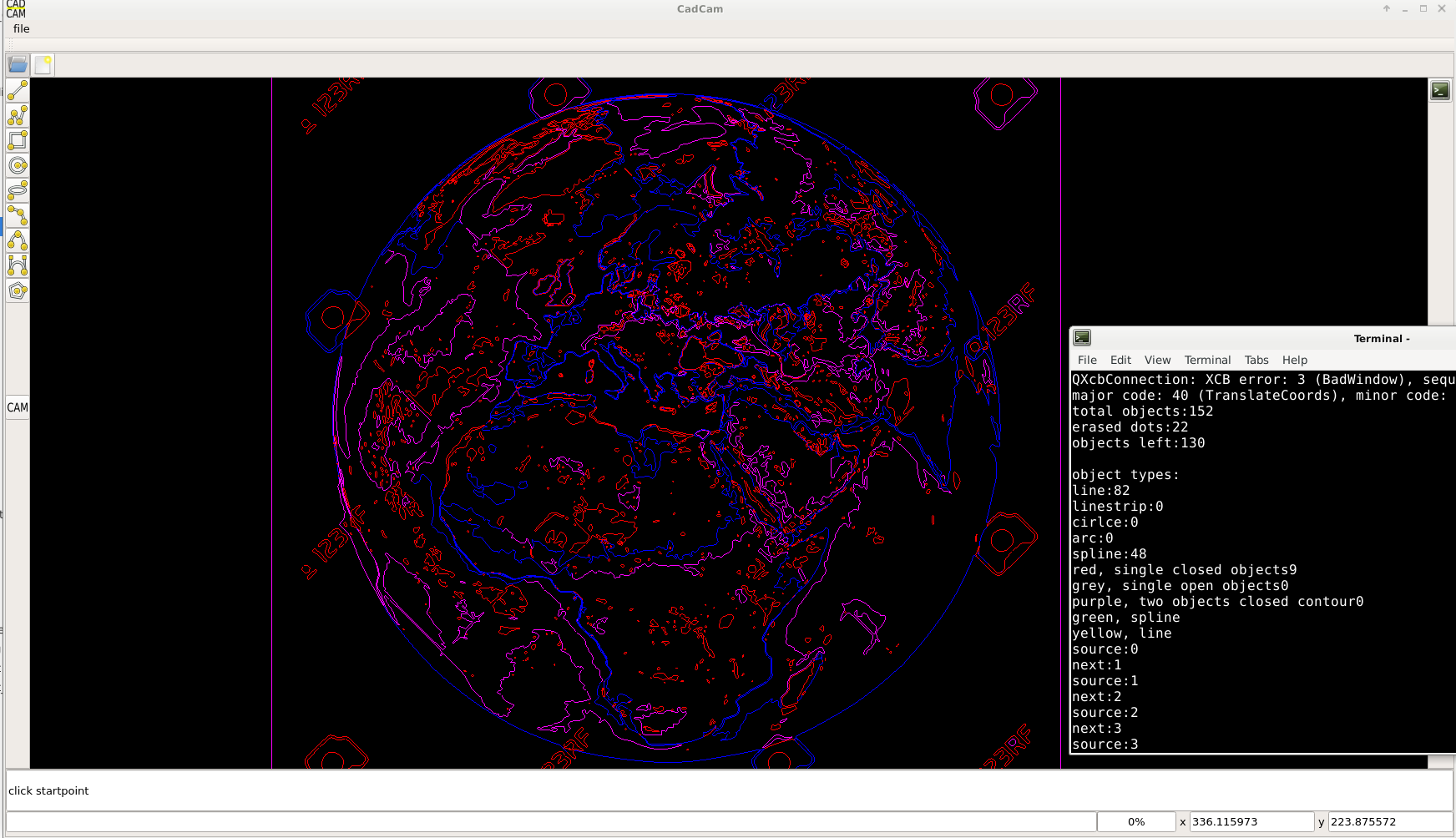
Grey : open path's
Red : single object, such as a spline with identical start- & endpoint.
Purple : closed contours that are build up from 2 objects.
Blue : closed contours that are build up from 3 objects or more.
Sequence:
All closed contours and open path's have the contour sequence.
Next step's are programmed, tested etc, but not integrated in this example.
Steps:
Area calculation for cw and ccw (for info: if area is positive we got cw, if area is negative we got ccw)
Add contour depth's (pip=point in polygon algoritme)
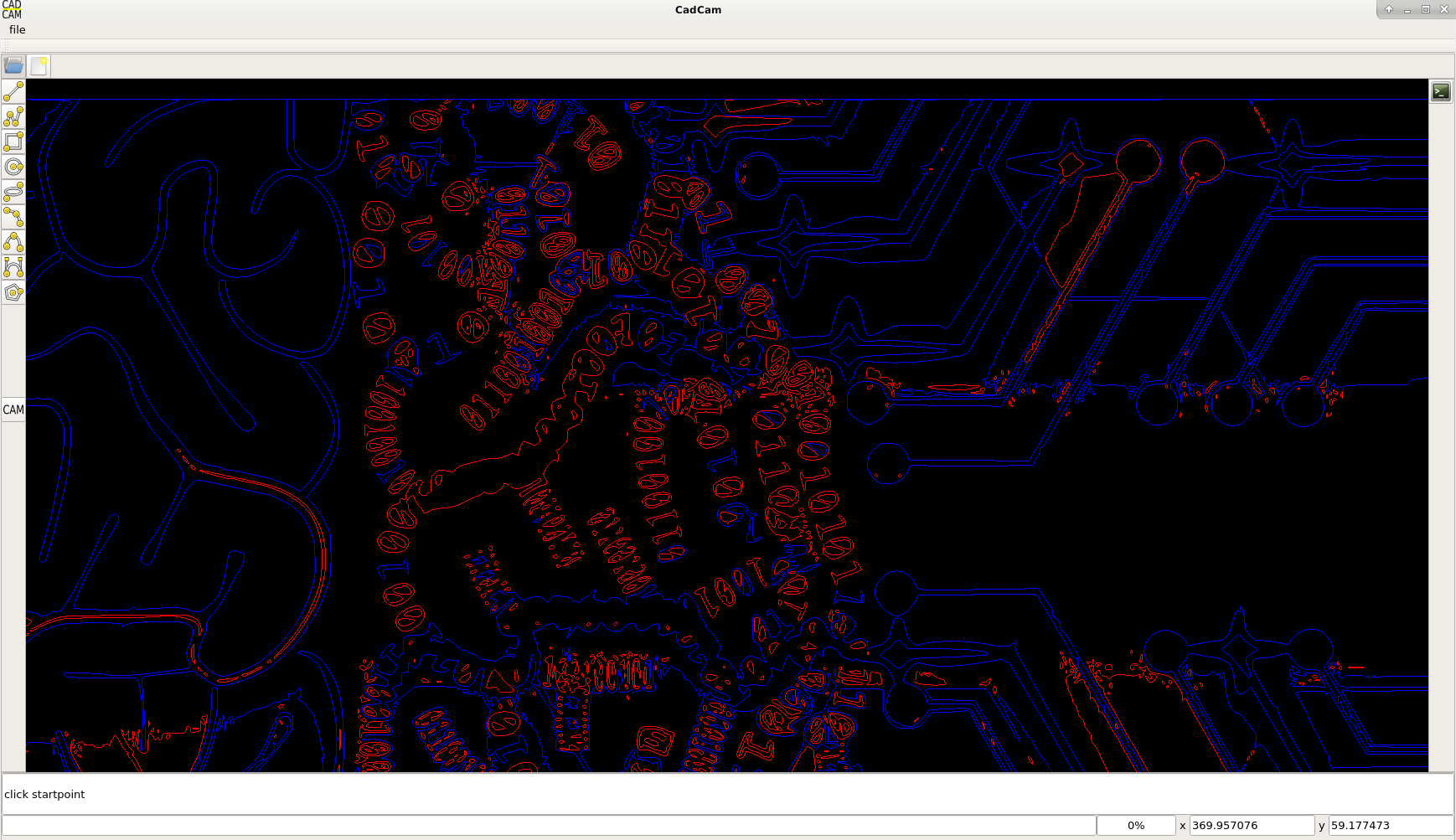
Oke, here are a few hardcore contour test's that are difficult to do with conventional cam program's.
I started with a downloaded picture, followed by the inkscape dxf output:
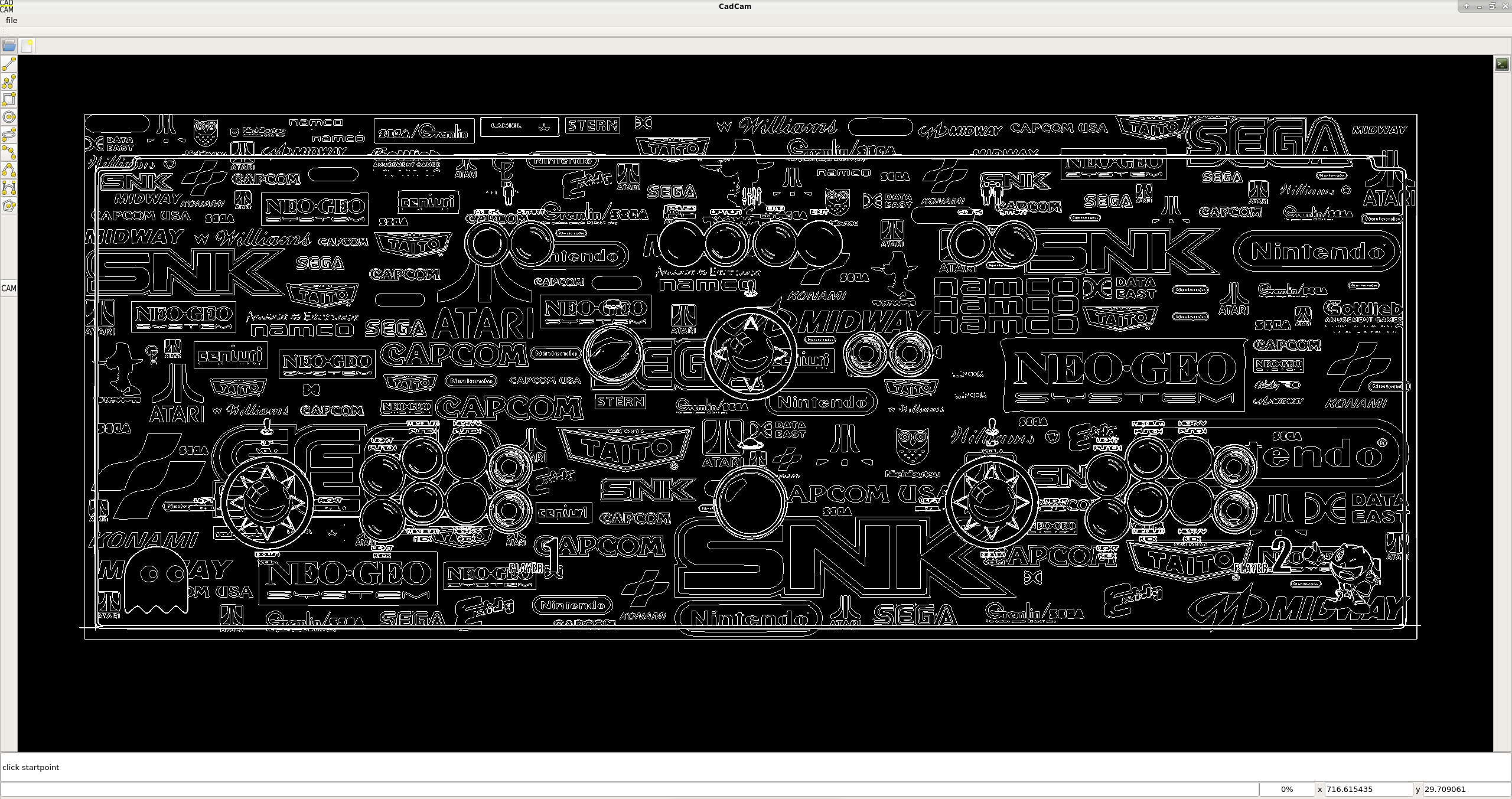
Then we press the cam button in the CadCam program and wait a few seconds:

Ok we try another one, earh map:
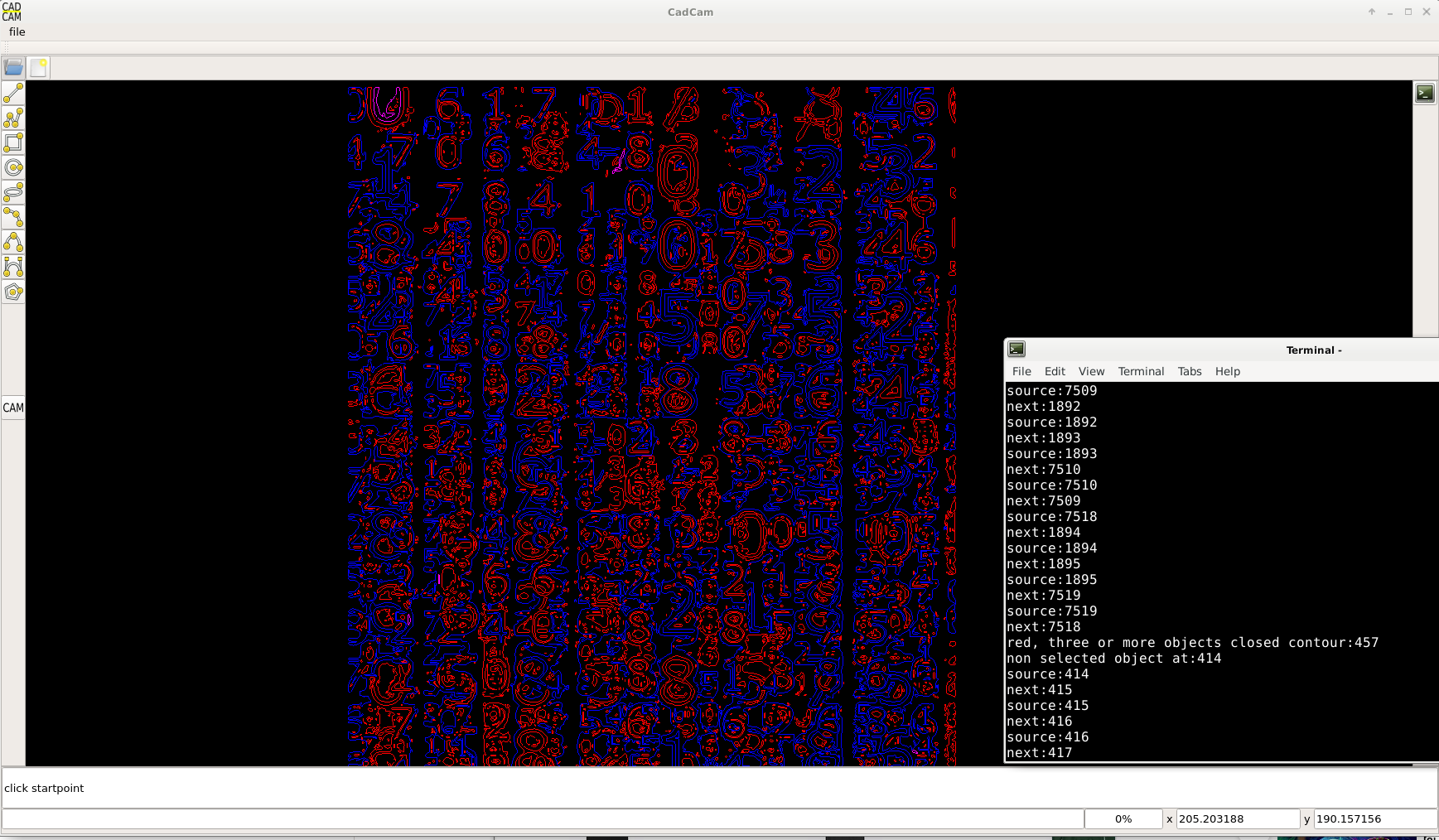
Another from the matrix:
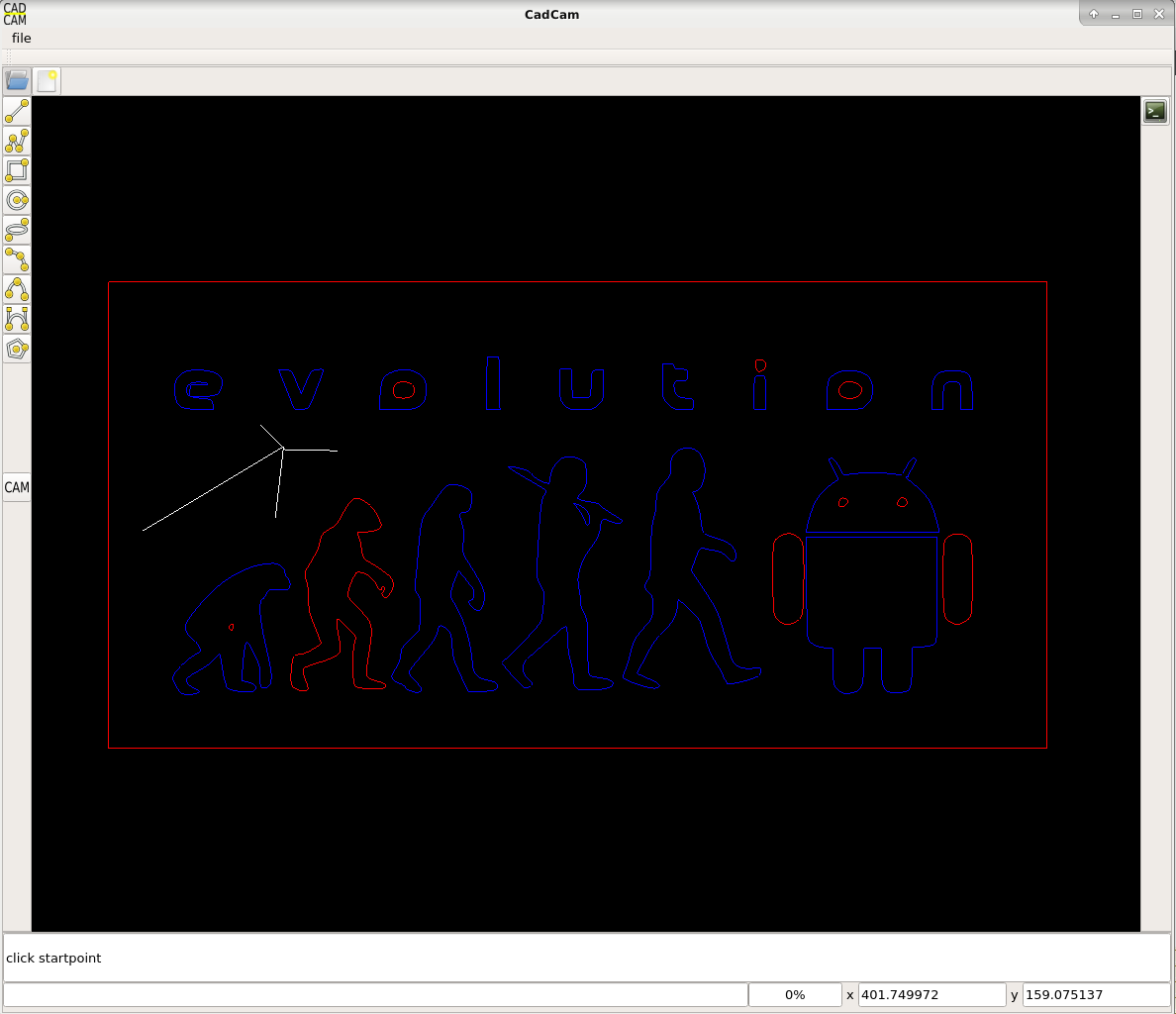
Evolution:
Ai:
So far so good. Have a nice day !
C++ header file included.
Currently writing a more robust contour algoritme. It's written as a header only library.
Output:
Grey : open path's
Red : single object, such as a spline with identical start- & endpoint.
Purple : closed contours that are build up from 2 objects.
Blue : closed contours that are build up from 3 objects or more.
Sequence:
All closed contours and open path's have the contour sequence.
Next step's are programmed, tested etc, but not integrated in this example.
Steps:
Area calculation for cw and ccw (for info: if area is positive we got cw, if area is negative we got ccw)
Add contour depth's (pip=point in polygon algoritme)
Oke, here are a few hardcore contour test's that are difficult to do with conventional cam program's.
I started with a downloaded picture, followed by the inkscape dxf output:
Then we press the cam button in the CadCam program and wait a few seconds:
Ok we try another one, earh map:
Another from the matrix:
Evolution:
Ai:
So far so good. Have a nice day !
C++ header file included.
Last edit: 6 years 4 months ago by Grotius.
The following user(s) said Thank You: phillc54, tommylight, Clive S
Please Log in or Create an account to join the conversation.
- Grotius
- Offline
- Platinum Member
-
Less
More
- Posts: 2419
- Thank you received: 2349
6 years 4 months ago - 6 years 4 months ago #170850
by Grotius
Replied by Grotius on topic QT C++ code samples
Project update.
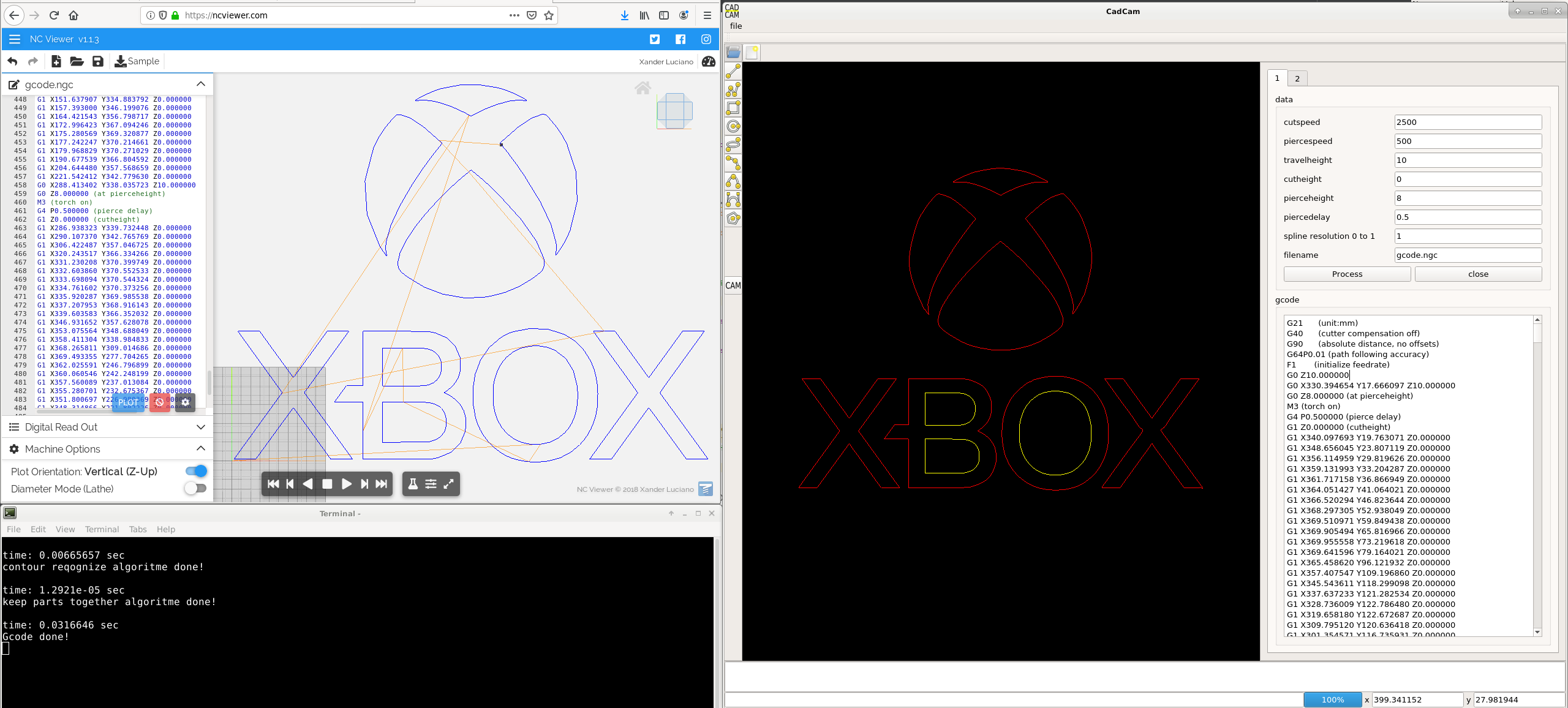
Today i added gcode output. The gcode output looks okey. Tested with ncviewer several times.
Splines are morphed into linestrips with a user defined accuracy, set to 1.
Depth cutting sequence okey.
Keep parts together cutting sequence okey.
Cw and ccw cutting sequence okey.
Time to add the G5 for splines. Have to practice with linuxcnc a little bit to find out how to program the G5 output in a correct way.
End of this week i will try to deploy an app image, for current version.
My current linux system is too new to deploy an app image. No problem, i will grab a other hard drive later on.
Project source code attached.
Today i added gcode output. The gcode output looks okey. Tested with ncviewer several times.
Splines are morphed into linestrips with a user defined accuracy, set to 1.
Depth cutting sequence okey.
Keep parts together cutting sequence okey.
Cw and ccw cutting sequence okey.
Time to add the G5 for splines. Have to practice with linuxcnc a little bit to find out how to program the G5 output in a correct way.
End of this week i will try to deploy an app image, for current version.
My current linux system is too new to deploy an app image. No problem, i will grab a other hard drive later on.
Project source code attached.
Last edit: 6 years 4 months ago by Grotius.
The following user(s) said Thank You: phillc54, tommylight, rodw
Please Log in or Create an account to join the conversation.
- Grotius
- Offline
- Platinum Member
-
Less
More
- Posts: 2419
- Thank you received: 2349
6 years 4 months ago - 6 years 4 months ago #171407
by Grotius
Replied by Grotius on topic QT C++ code samples
Hi,
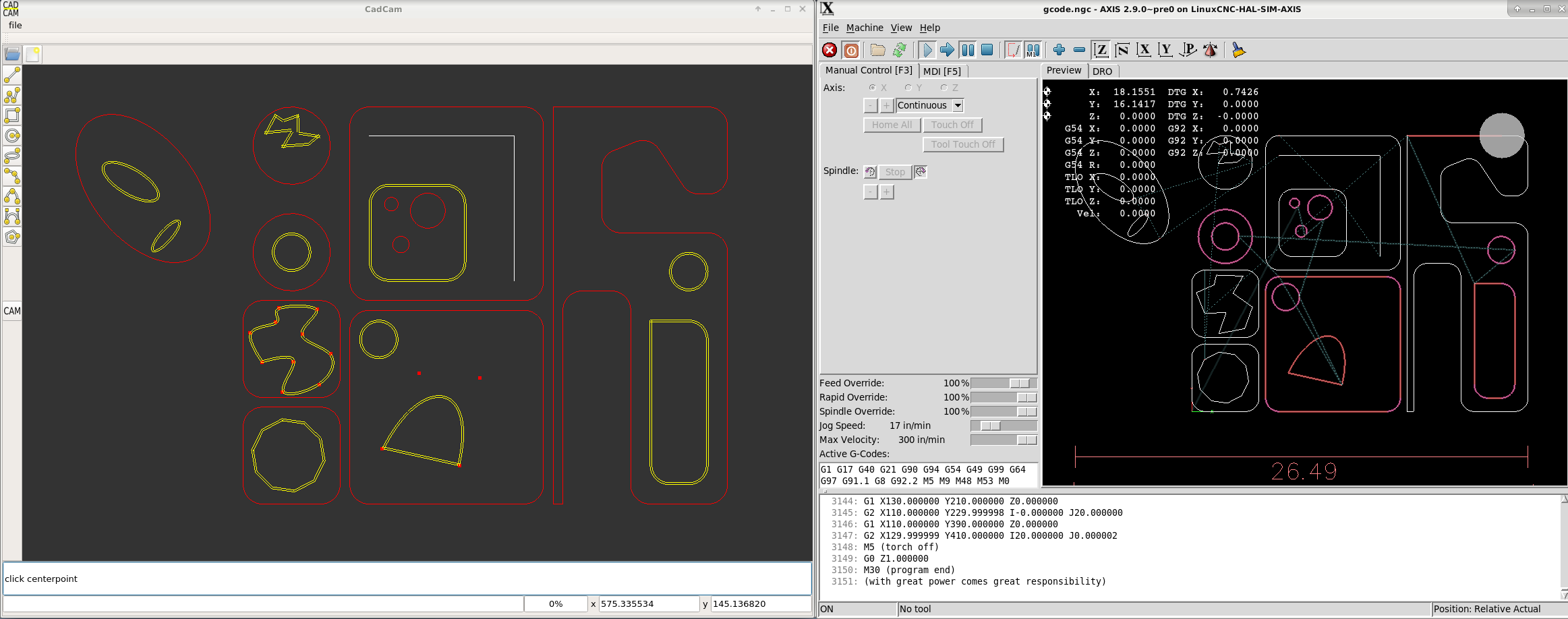
Today we are at a new level. Finally starting with the pocket algoritme.
Have made a offset.h file that can offset all types of curves.
At the moment it can offset : line, linestrip, polygon, arc, circle, ellipse, bezier curve, rectangular.
The pocket algoritme is quite a difficult algoritme to design.
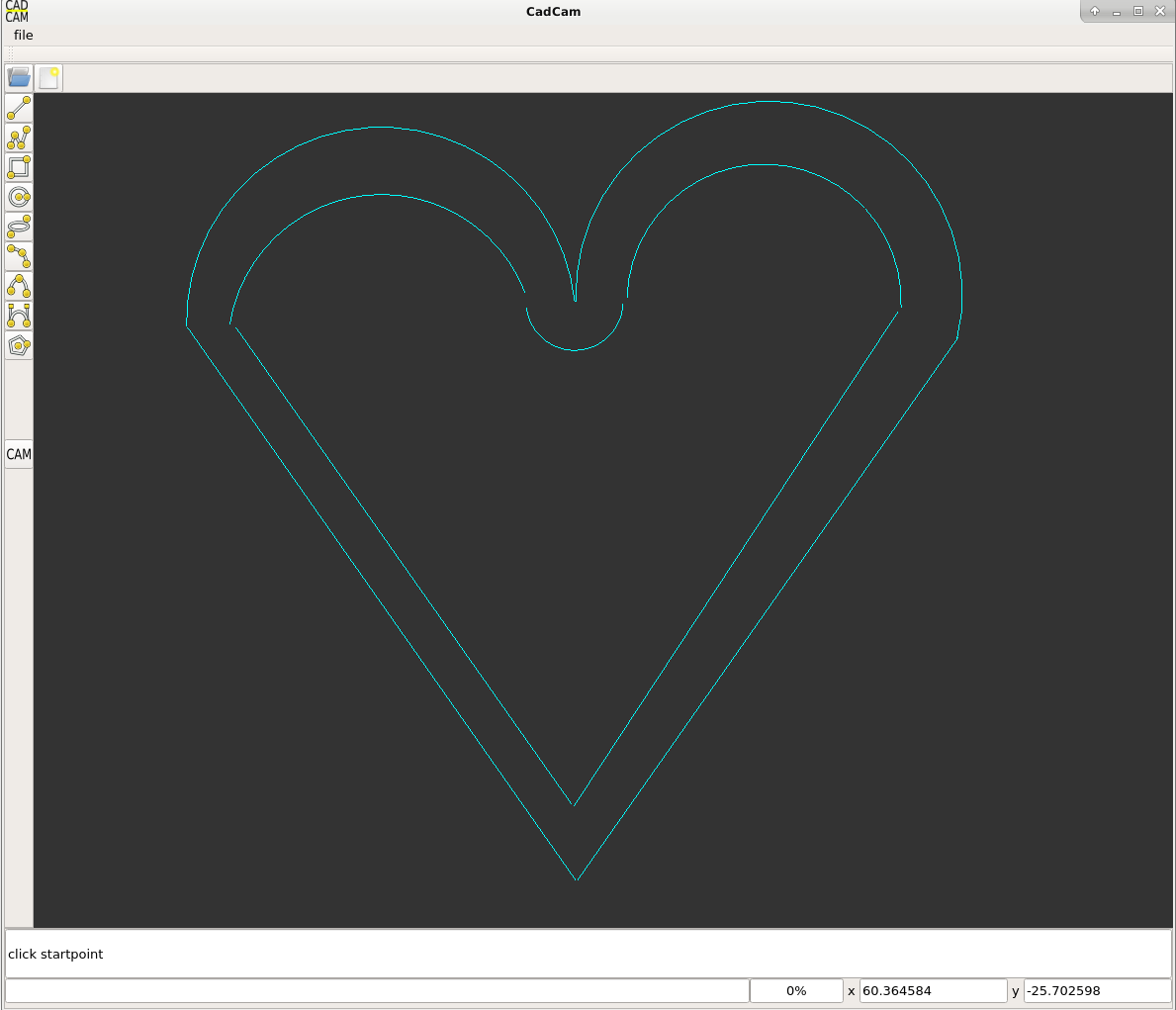
Some of the reason's why a pocket algoritme is quite difficult is because it can form islands :

Another example of pockets with inside contours :
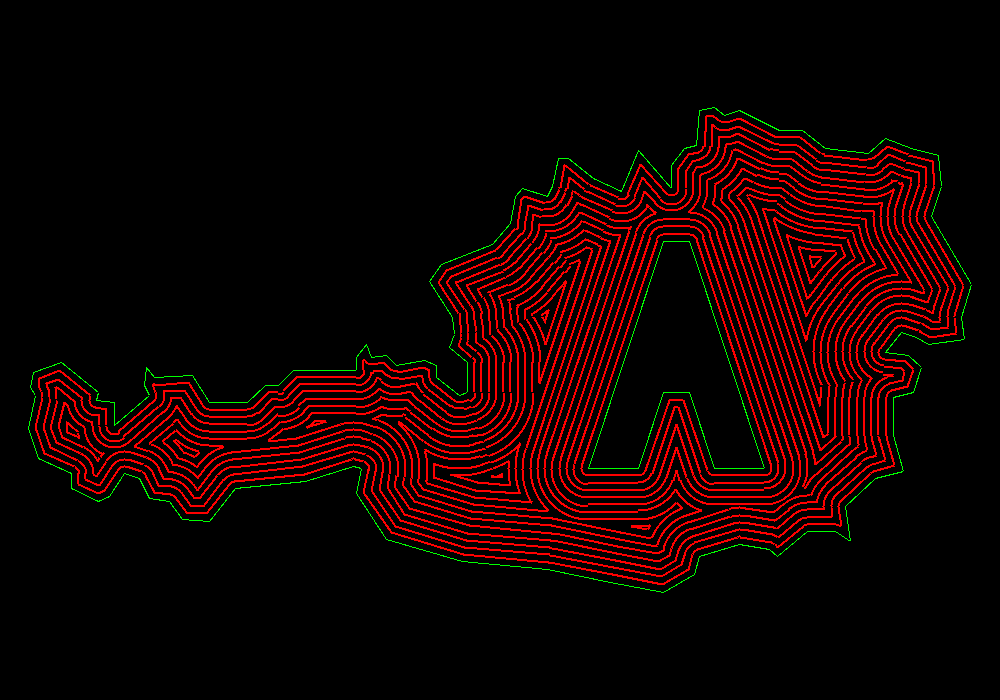
With some contour shapes, you need to place an extra arc, to reattach the contour again :
Before i start writing this procedure in c++, i write the workflow down on paper :
1. To keep it simple, we start at the yellow contours, they are up to date for a pocket operation.
2. We do a contour offset with a value of -2mm for the yellow ones.
3. We do a intersection loop trhough the contour objects.
4. We do a contour offset with a value of +2mm for eventually insides of contour 0.
5. Intersection loop again.
6. Check if offset paths are closed, if not, place arc's to close the contour.
7. Check if offset paths are closed, if yes, go on, if not, message the user to get a cup of coffee, user is trapped in a infinite while loop
6. Now we check if the offset path's are self intersecting and or intersecting with other offset paths. If yes : start at a free line (non intersecting line, arc or watherver) at the intersection point, go to the left at that point, reattach to intersected object, and select objects wich are done. (later on we delete all non selected).
7. We have to look when to stop the pocket offset loop.
This is how it would look like :
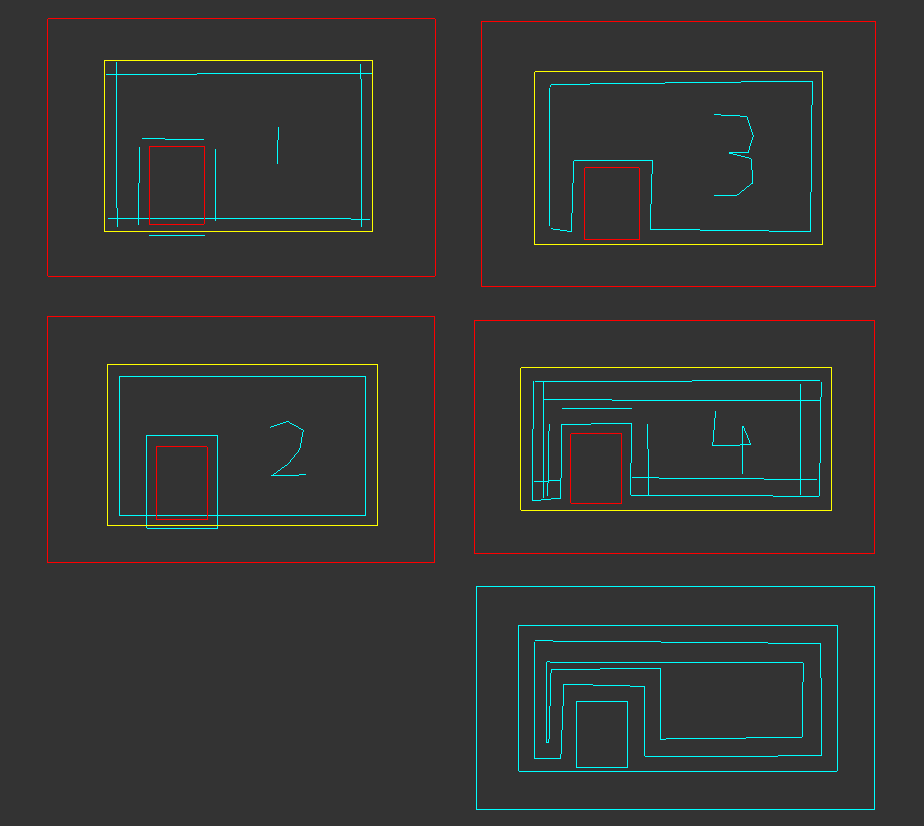
I am curious now how difficult it will be to get this right...
Last week i thought about the auto nesting algoritme for some time. I have good hope for that.
Today we are at a new level. Finally starting with the pocket algoritme.
Have made a offset.h file that can offset all types of curves.
At the moment it can offset : line, linestrip, polygon, arc, circle, ellipse, bezier curve, rectangular.
The pocket algoritme is quite a difficult algoritme to design.
Some of the reason's why a pocket algoritme is quite difficult is because it can form islands :
Another example of pockets with inside contours :
With some contour shapes, you need to place an extra arc, to reattach the contour again :
Before i start writing this procedure in c++, i write the workflow down on paper :
1. To keep it simple, we start at the yellow contours, they are up to date for a pocket operation.
2. We do a contour offset with a value of -2mm for the yellow ones.
3. We do a intersection loop trhough the contour objects.
4. We do a contour offset with a value of +2mm for eventually insides of contour 0.
5. Intersection loop again.
6. Check if offset paths are closed, if not, place arc's to close the contour.
7. Check if offset paths are closed, if yes, go on, if not, message the user to get a cup of coffee, user is trapped in a infinite while loop
6. Now we check if the offset path's are self intersecting and or intersecting with other offset paths. If yes : start at a free line (non intersecting line, arc or watherver) at the intersection point, go to the left at that point, reattach to intersected object, and select objects wich are done. (later on we delete all non selected).
7. We have to look when to stop the pocket offset loop.
This is how it would look like :
I am curious now how difficult it will be to get this right...
Last week i thought about the auto nesting algoritme for some time. I have good hope for that.
Last edit: 6 years 4 months ago by Grotius.
The following user(s) said Thank You: phillc54, Clive S, rodw
Please Log in or Create an account to join the conversation.
- Grotius
- Offline
- Platinum Member
-
Less
More
- Posts: 2419
- Thank you received: 2349
6 years 4 months ago - 6 years 4 months ago #171912
by Grotius
Replied by Grotius on topic QT C++ code samples
Hi,
A few days working on the pocket algoritme.
Changed a lot of source code of the program to work with iterators. This means when using a style like this:
for(int i=0; i<coffee.size(); i++){
for(int j=0; j<milk.size(); i++){
//do some things
}}
It will work until a certain level. The pc will miss some data at some points if you use above style.
This results in unexpected errors.
Okey a better style is using iterators.
std::vector<int>::iterator it;
for(it=coffee.begin() it<coffee.end() it++){
it->milk = 1;
}
Now the program is more fail safe. And the c++ editor warning are also gone.
Okey lets show a basic imported dxf drawing. It got lines, splines, arc's and circles.
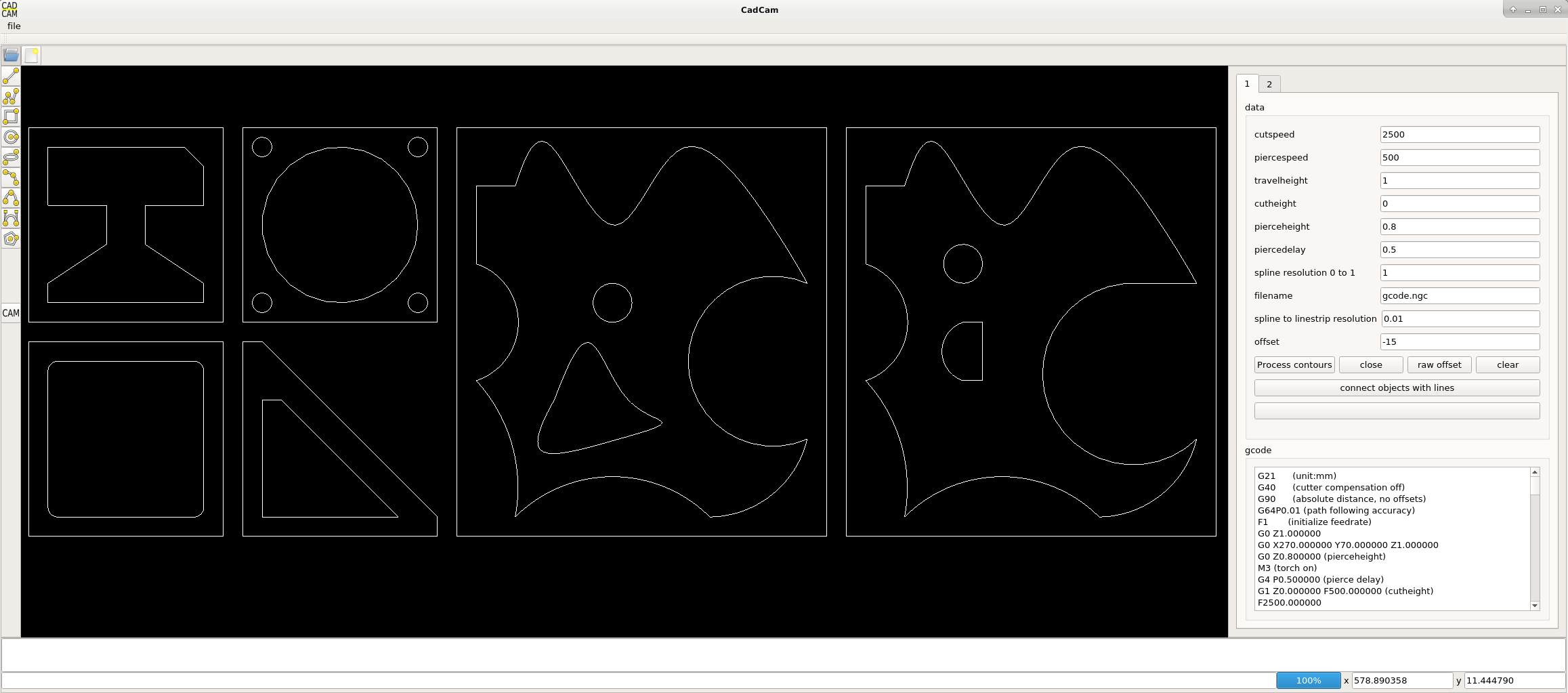
Okey the contours are calculated. This programming work was already done and checked. Later on i will change this
source code with more iterator style.
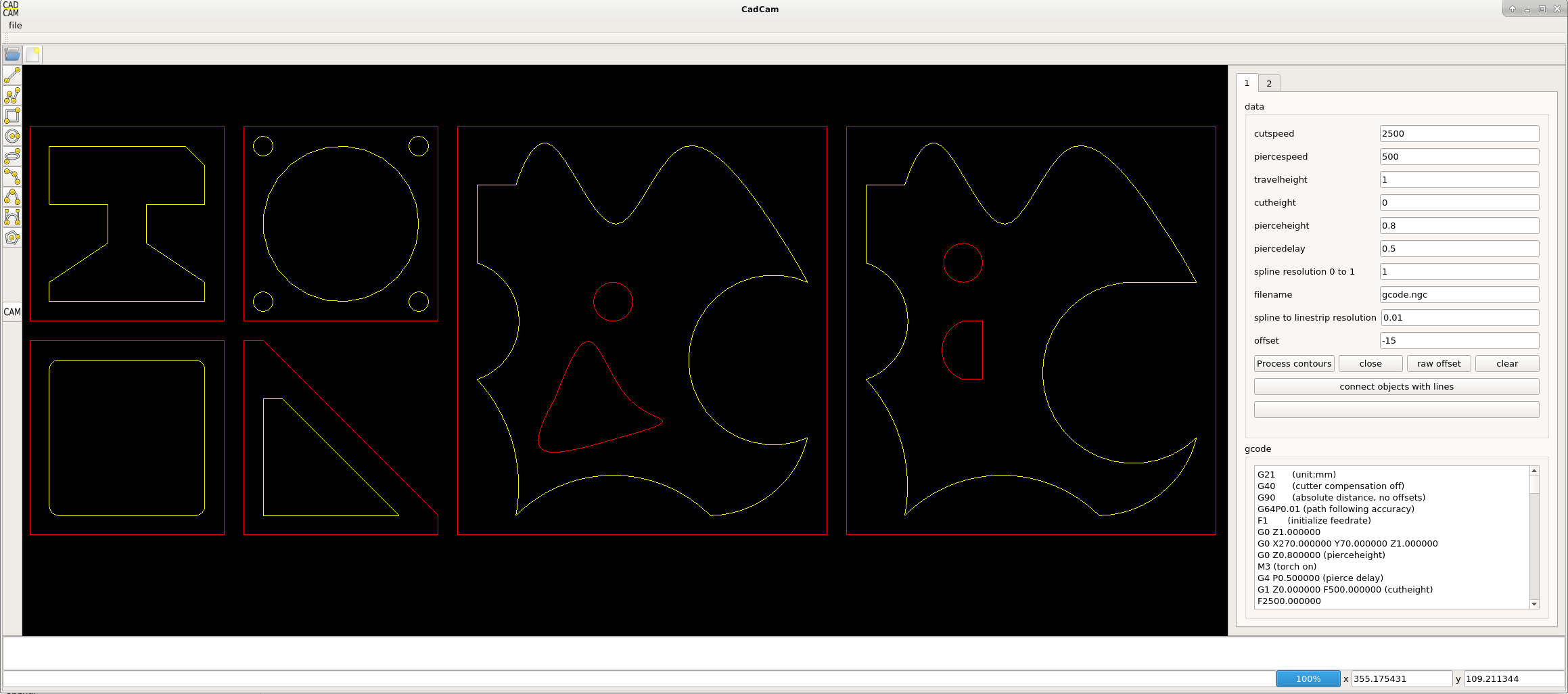
Okey now we do a raw offset to the contours. The splines are offsetted as linestrips. So the splines are still one object, with multiple
controlpoints. This is important.
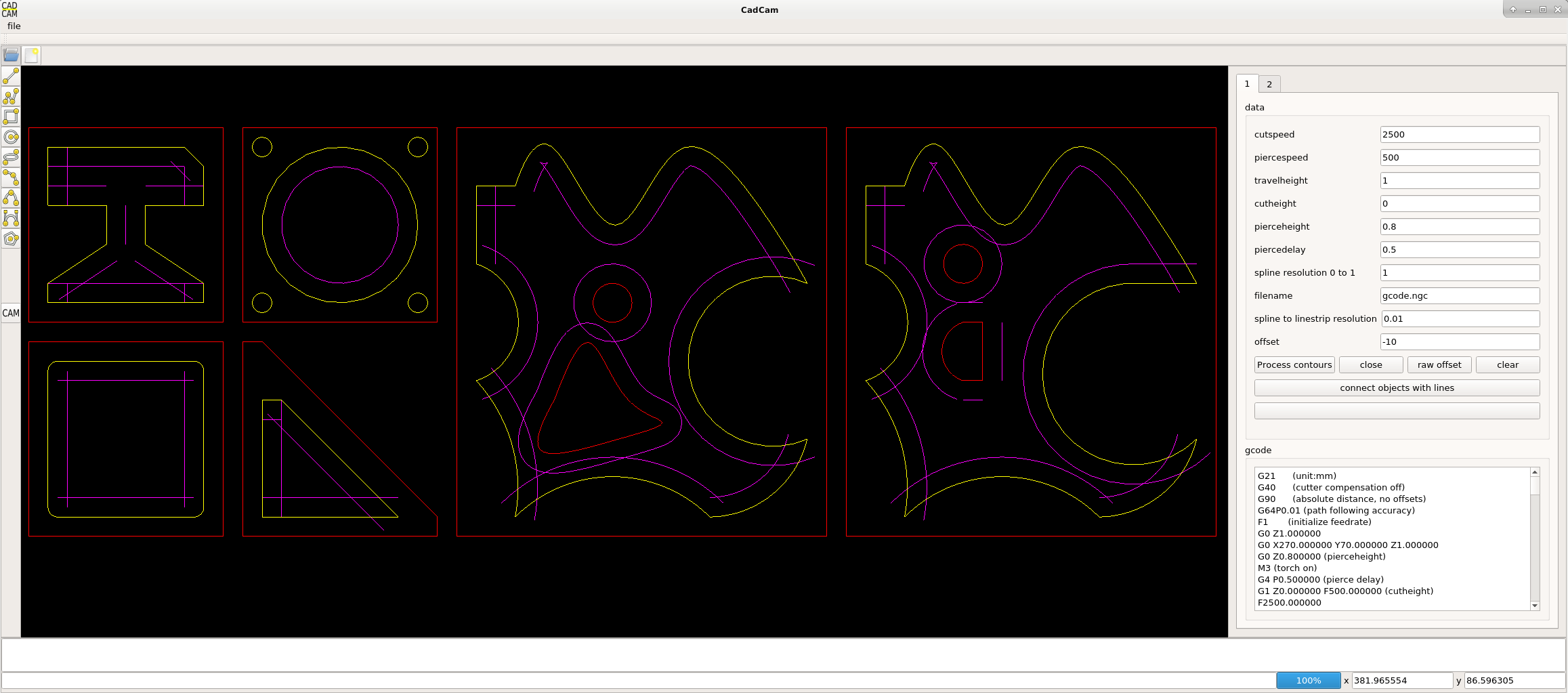
Okey now we connect the items with an arc to get a closed contour again.
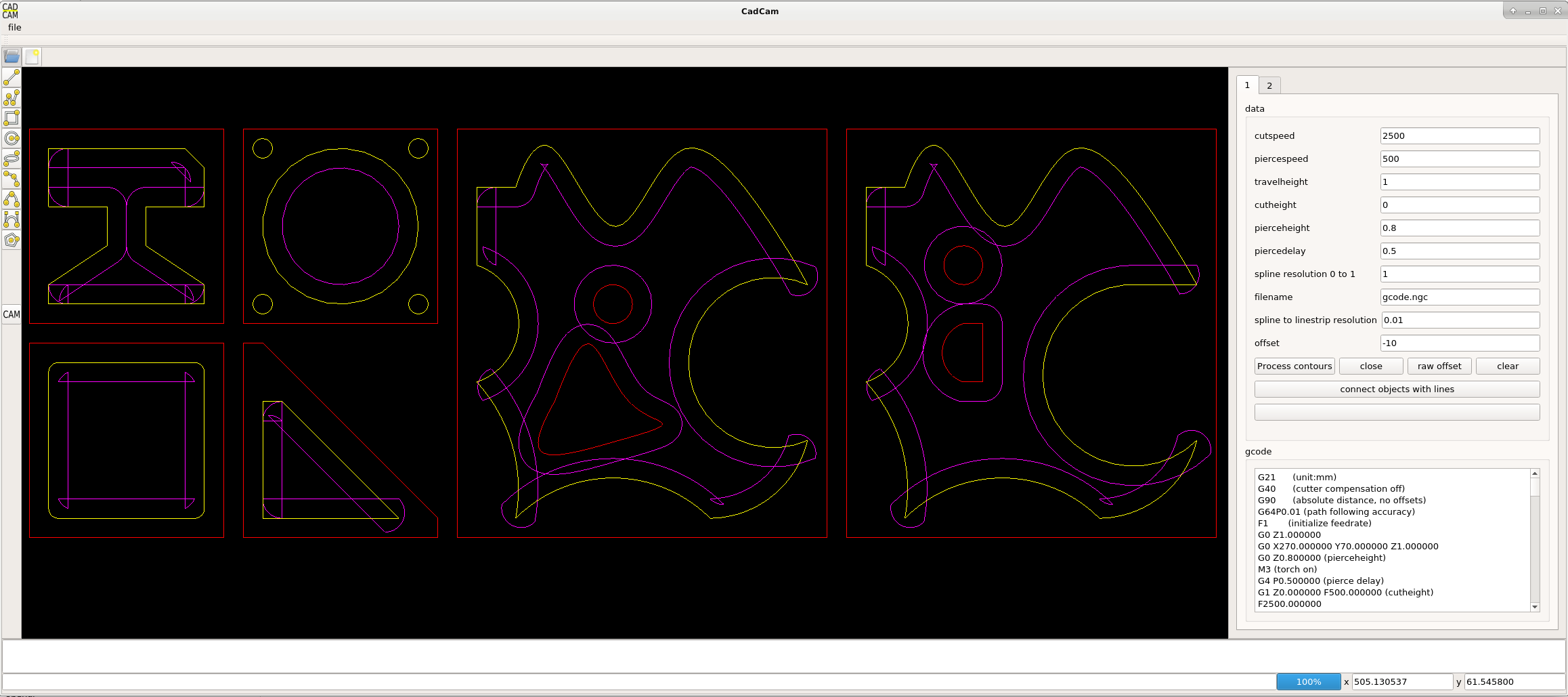
And now i have thought about a technique to find out what we need, and what we dont need anymore.
For now only for one closed contour.
1. we start somewhere at the cyan line. the direction is still ccw for a yellow offset.
2. if we spot the first intersection point, we remember this point.
3. we loop through the contour until we meet the rembered point again. Okey now the calculation starts.
4. we save the xy intersection point.
5. we follow the path, we save every point that we pass (endpoints of each invidual item) until we meet the intersection point again.
6. now we do a area calculation of the points. If area>0, all objects we have passed are not to be used.
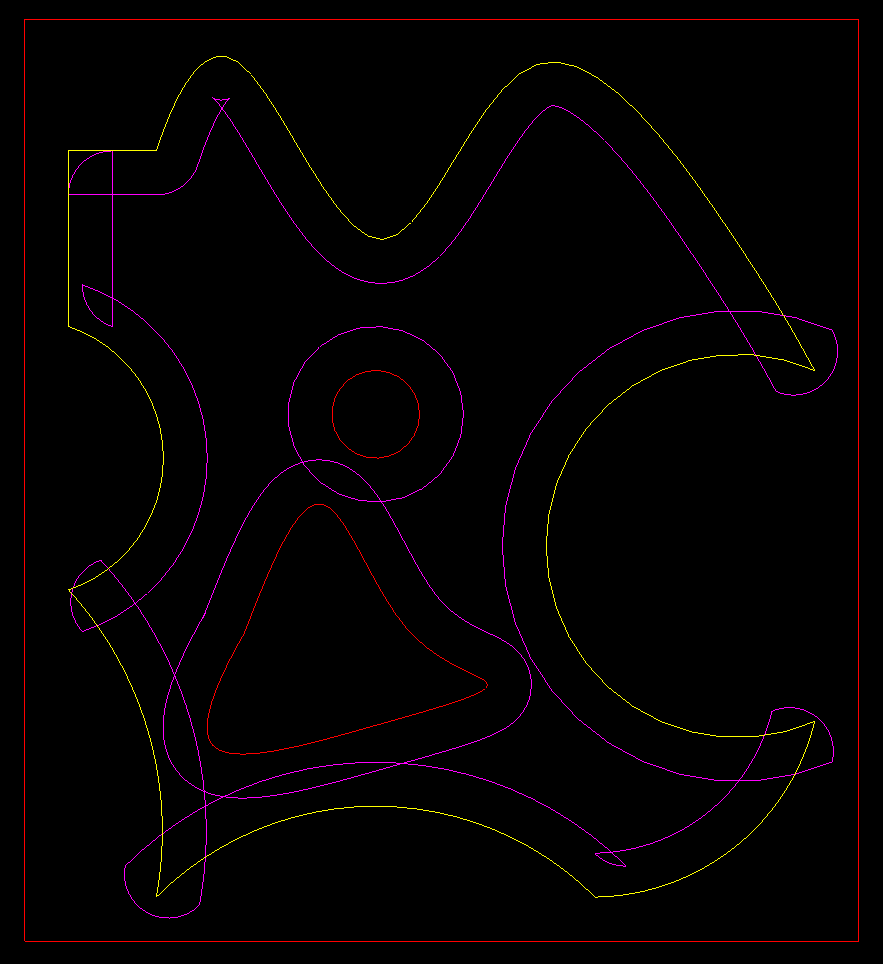
c++ source code attached.
A few days working on the pocket algoritme.
Changed a lot of source code of the program to work with iterators. This means when using a style like this:
for(int i=0; i<coffee.size(); i++){
for(int j=0; j<milk.size(); i++){
//do some things
}}
It will work until a certain level. The pc will miss some data at some points if you use above style.
This results in unexpected errors.
Okey a better style is using iterators.
std::vector<int>::iterator it;
for(it=coffee.begin() it<coffee.end() it++){
it->milk = 1;
}
Now the program is more fail safe. And the c++ editor warning are also gone.
Okey lets show a basic imported dxf drawing. It got lines, splines, arc's and circles.
Okey the contours are calculated. This programming work was already done and checked. Later on i will change this
source code with more iterator style.
Okey now we do a raw offset to the contours. The splines are offsetted as linestrips. So the splines are still one object, with multiple
controlpoints. This is important.
Okey now we connect the items with an arc to get a closed contour again.
And now i have thought about a technique to find out what we need, and what we dont need anymore.
For now only for one closed contour.
1. we start somewhere at the cyan line. the direction is still ccw for a yellow offset.
2. if we spot the first intersection point, we remember this point.
3. we loop through the contour until we meet the rembered point again. Okey now the calculation starts.
4. we save the xy intersection point.
5. we follow the path, we save every point that we pass (endpoints of each invidual item) until we meet the intersection point again.
6. now we do a area calculation of the points. If area>0, all objects we have passed are not to be used.
c++ source code attached.
Last edit: 6 years 4 months ago by Grotius.
The following user(s) said Thank You: phillc54, tommylight, Clive S
Please Log in or Create an account to join the conversation.
- Grotius
- Offline
- Platinum Member
-
Less
More
- Posts: 2419
- Thank you received: 2349
6 years 4 months ago - 6 years 4 months ago #172729
by Grotius
Replied by Grotius on topic QT C++ code samples
Hi,
Reading online papers how to do a contour pocket offsets don't really tell how to do it in detail, step by step.
And they don't tell how the algoritme looks like. One solution that passes by is the Voronoi approach.
But it's not satisfying my needs.
So i started from scratch for this. Have made a document how to solve a pocket operation,
have tested the algoritme in several ways. It looks oke to me. And the input data is quite simple.
The calculation an sich takes some experience, this can be done by practice it several times.
I Hope it can help someone in the future to save time.
Later on the C++ header file for this pocket algoritme can be downloaded from my github channel.
The pdf document :
Have a nice day!
Reading online papers how to do a contour pocket offsets don't really tell how to do it in detail, step by step.
And they don't tell how the algoritme looks like. One solution that passes by is the Voronoi approach.
But it's not satisfying my needs.
So i started from scratch for this. Have made a document how to solve a pocket operation,
have tested the algoritme in several ways. It looks oke to me. And the input data is quite simple.
The calculation an sich takes some experience, this can be done by practice it several times.
I Hope it can help someone in the future to save time.
Later on the C++ header file for this pocket algoritme can be downloaded from my github channel.
The pdf document :
Have a nice day!
Last edit: 6 years 4 months ago by Grotius.
The following user(s) said Thank You: phillc54, tommylight, Clive S
Please Log in or Create an account to join the conversation.
- Grotius
- Offline
- Platinum Member
-
Less
More
- Posts: 2419
- Thank you received: 2349
6 years 4 months ago #172752
by Grotius
Replied by Grotius on topic QT C++ code samples
Hi,
Attached the tested header file "lib_pocket.h" for solving the pocket algoritme.
The terminal output is oke :
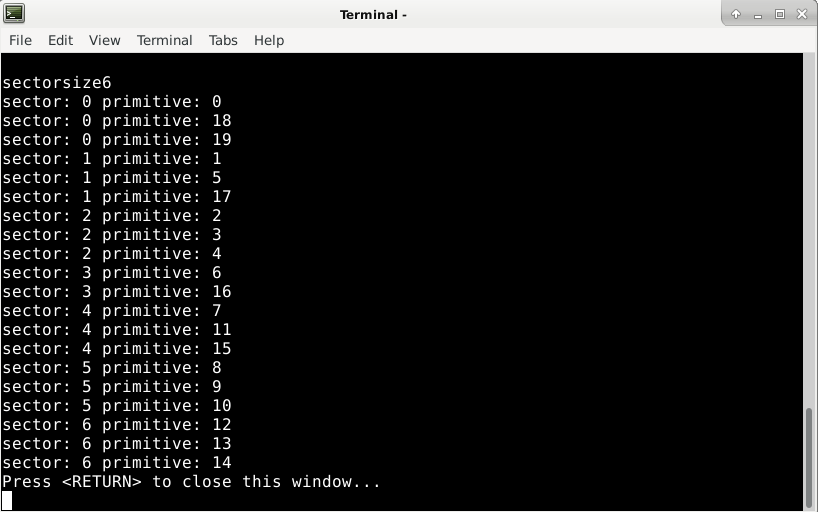
It is used for example 2 :
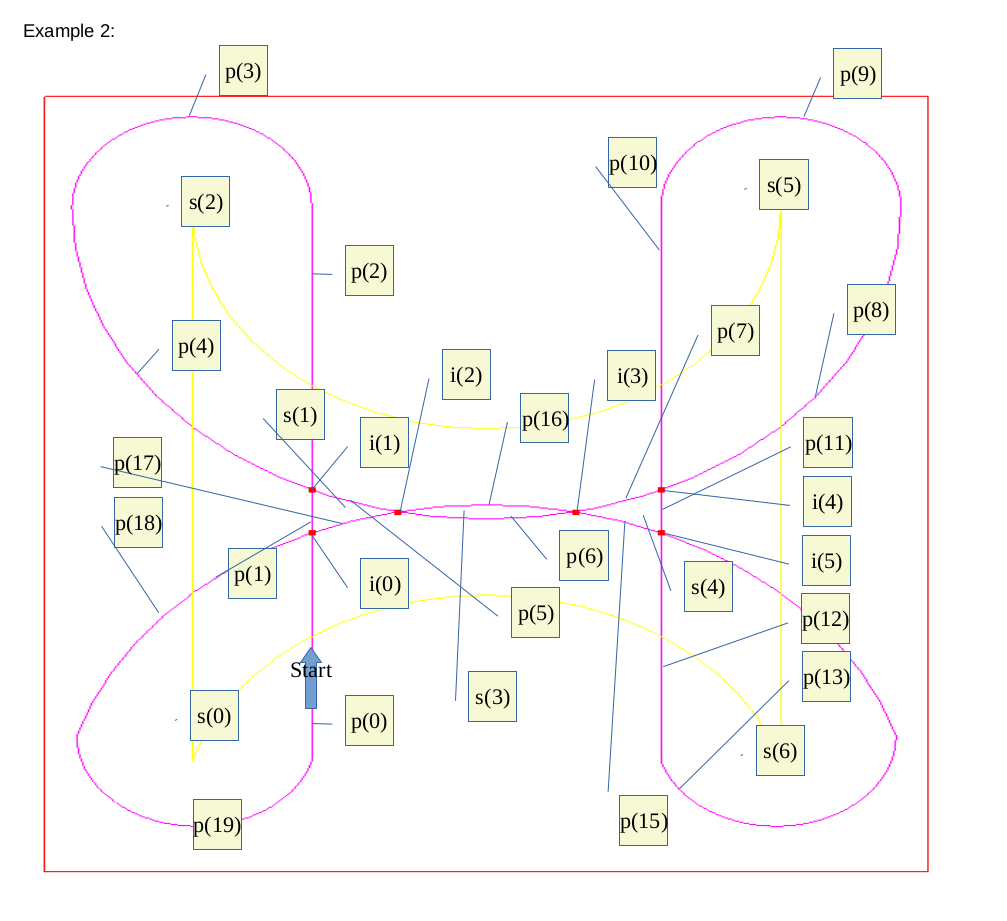
Today i did a hand calculation for example 2 :
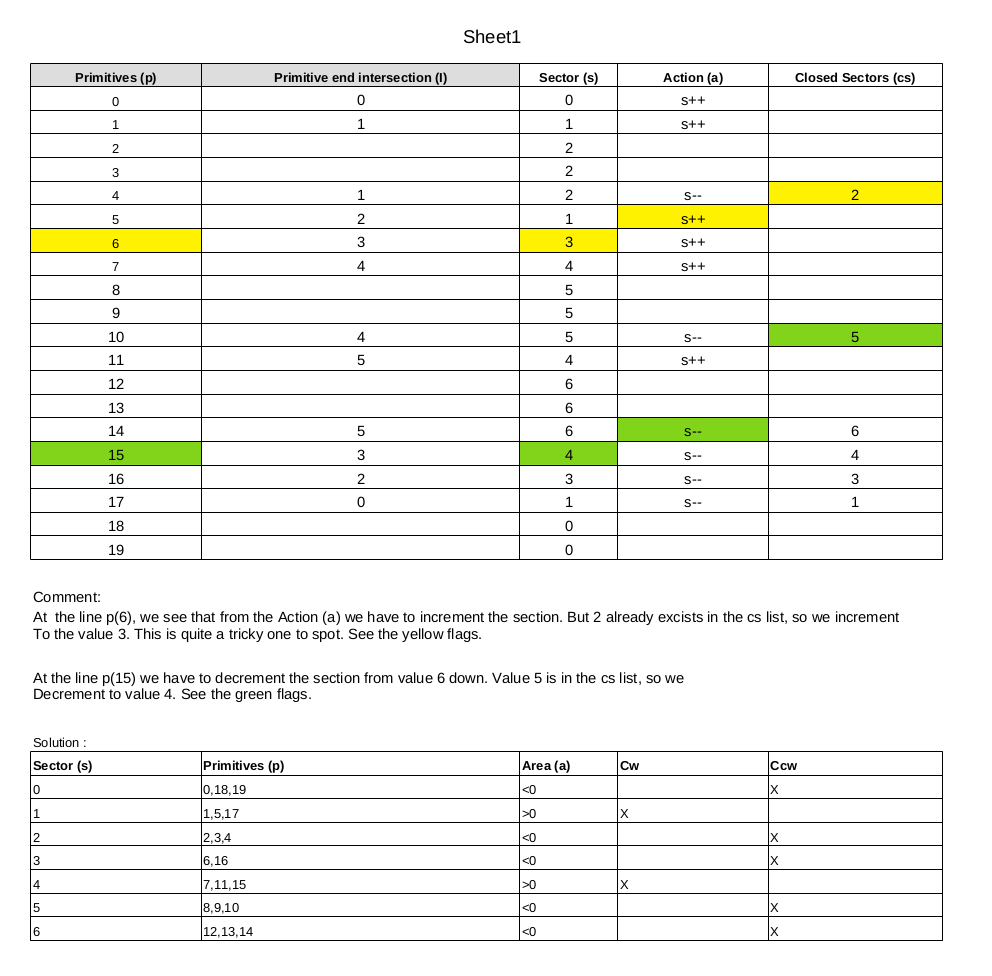
So this is quite nice. After all, it's quite complicated stuff !
Attached the tested header file "lib_pocket.h" for solving the pocket algoritme.
The terminal output is oke :
It is used for example 2 :
Today i did a hand calculation for example 2 :
So this is quite nice. After all, it's quite complicated stuff !
The following user(s) said Thank You: phillc54, tommylight
Please Log in or Create an account to join the conversation.
Time to create page: 7.121 seconds