
- Posts: 91
- Thank you received: 11
QT C++ code samples
- Patrik T
- Offline
- Premium Member
-

Less
More
6 years 4 months ago #173038
by Patrik T
You wrote:
Replied by Patrik T on topic QT C++ code samples
This is interesting for me:
Object* object (i guess a pointer) Yes, pointer.
&object_1 (I guess by reference) No, "address of" operator to get a pointer to object_1.
You wrote:
Where you dereference a pointer so I also used a pointer to show code similar to what you asked about.I use this sometime : it->type=="";
The following user(s) said Thank You: Grotius
Please Log in or Create an account to join the conversation.
- Grotius
- Offline
- Platinum Member
-

Less
More
- Posts: 2419
- Thank you received: 2349
6 years 4 months ago #173153
by Grotius
Replied by Grotius on topic QT C++ code samples
Hi,
I had an idea about a new type of spline. Tonight i did a "true spline" test for the fun !
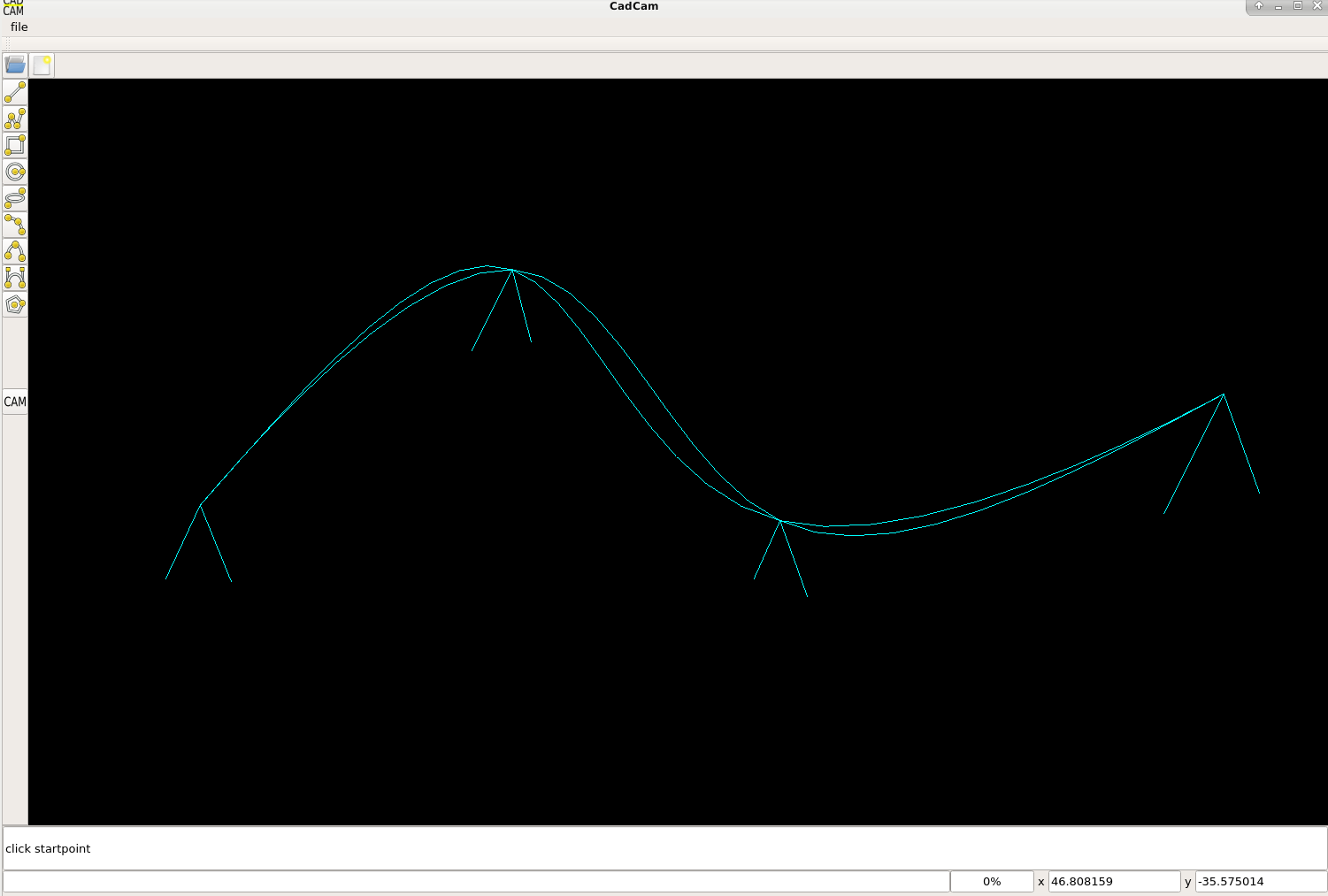
The picture is showing a normal natural cubic spline.
When you draw the spline from left to right, and then you draw it from right to left, there is a difference.
The picture is showing the difference. The algoritme that is used : mathworld.wolfram.com/CubicSpline.html
Okey for robot's it's not handy to interpolate in a different path when moving in reverse.
And in the CadCam program i spotted "this not really problem" several times during swapping a spline.
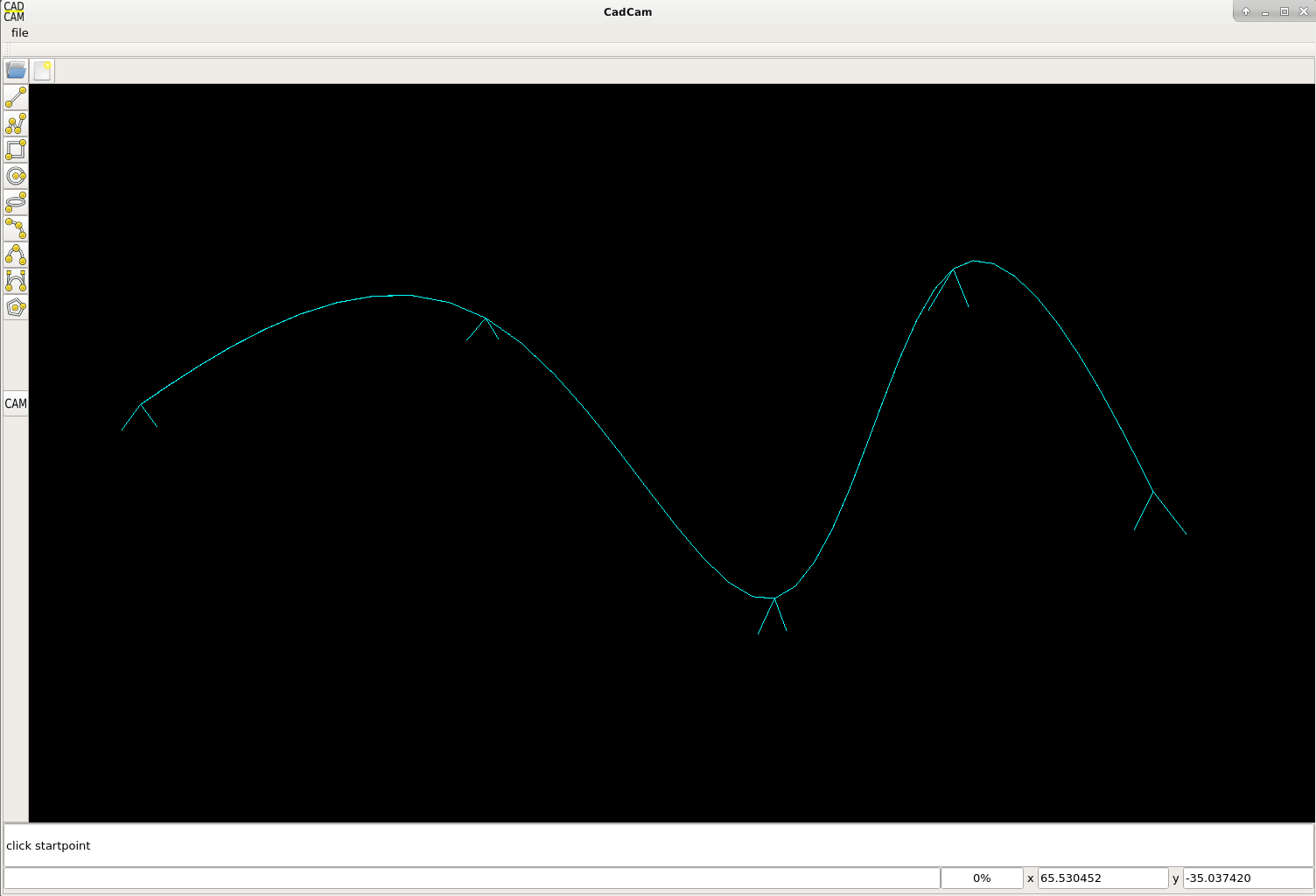
The idea is to produce a spline that is always the same in every direction. The picture below is showing a True spline.
I call it that way. Just a name.
The C++ code is attached.
If you use this for stock market. Maybe you can get rich ! :laugh:
I had an idea about a new type of spline. Tonight i did a "true spline" test for the fun !
The picture is showing a normal natural cubic spline.
When you draw the spline from left to right, and then you draw it from right to left, there is a difference.
The picture is showing the difference. The algoritme that is used : mathworld.wolfram.com/CubicSpline.html
Okey for robot's it's not handy to interpolate in a different path when moving in reverse.
And in the CadCam program i spotted "this not really problem" several times during swapping a spline.
The idea is to produce a spline that is always the same in every direction. The picture below is showing a True spline.
I call it that way. Just a name.
The C++ code is attached.
If you use this for stock market. Maybe you can get rich ! :laugh:
The following user(s) said Thank You: phillc54, tommylight
Please Log in or Create an account to join the conversation.
- Grotius
- Offline
- Platinum Member
-
Less
More
- Posts: 2419
- Thank you received: 2349
6 years 3 months ago #173553
by Grotius
Replied by Grotius on topic QT C++ code samples
Hi,
Step by step the program is going forward.
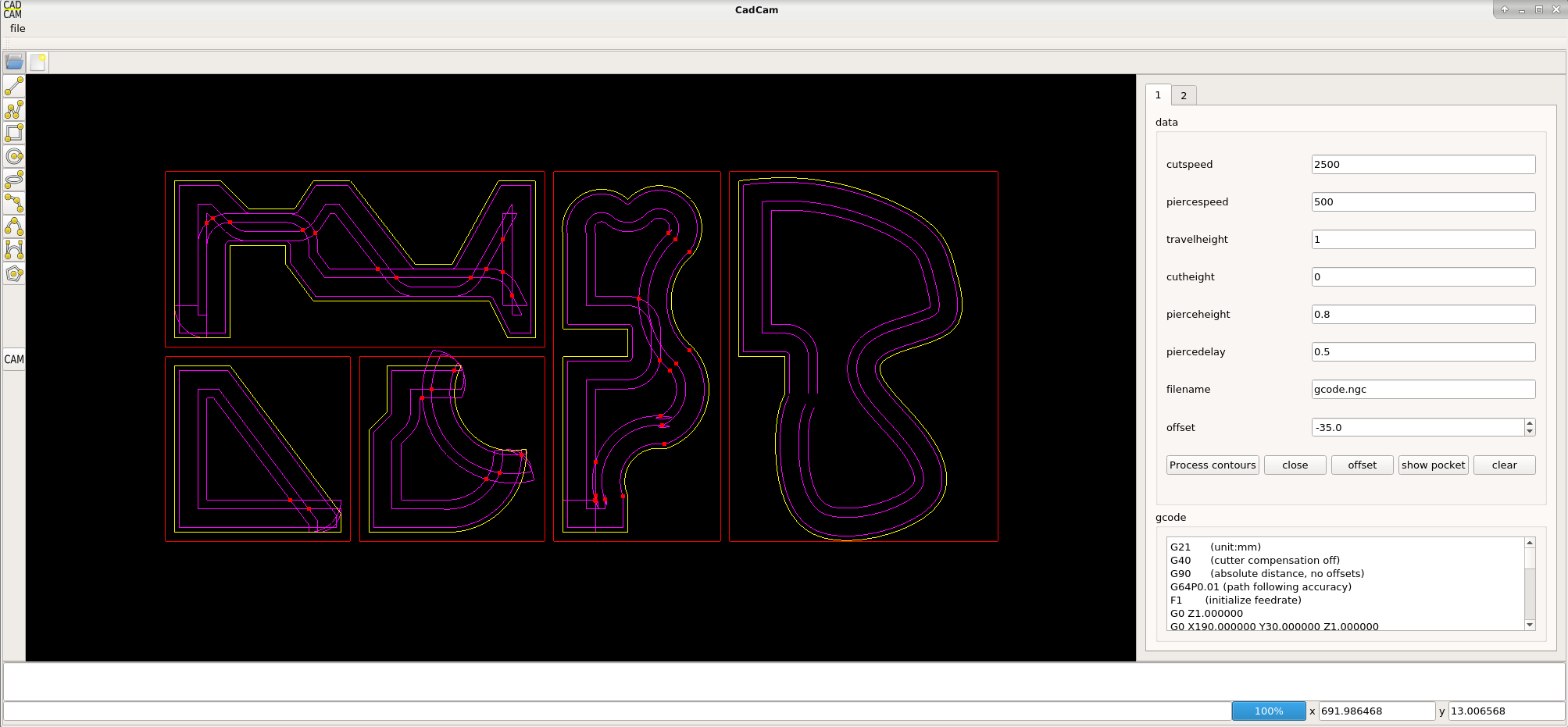
At the moment the true spline in integrated and the offset is done by a linestrip.
Have changed much of the arc code. Arcs are normally drawed with arc start and arc end angle.
Okey this is getting quite complex if we are handling g2 and g3 arc's, that have to be splitted up at intersection points in multiple arc's.
So i changed the arc code into a 3 point arc segment. So we don't have to deal with arc start and arc end angles any more.
Today i writed down my program errors, and where they came from, yesterday i was searching for hours at one bug :
1. I made a function that did not work correctly. The cause was another function that worked after the function wich was given wrong output.
2. A formula fault. like : angle_a+angle_b/2 had to be (angle_a+angle_b)/2
3. Wrong arc-arc intersections. Solution was to update the radius of the arcs.
A picture. I have much work to do. But today it's going quite good. Yesterday was not good.
I think i have a solution for inner islands, we will see.
Have a nice day !
Source code attached.
Step by step the program is going forward.
At the moment the true spline in integrated and the offset is done by a linestrip.
Have changed much of the arc code. Arcs are normally drawed with arc start and arc end angle.
Okey this is getting quite complex if we are handling g2 and g3 arc's, that have to be splitted up at intersection points in multiple arc's.
So i changed the arc code into a 3 point arc segment. So we don't have to deal with arc start and arc end angles any more.
Today i writed down my program errors, and where they came from, yesterday i was searching for hours at one bug :
1. I made a function that did not work correctly. The cause was another function that worked after the function wich was given wrong output.
2. A formula fault. like : angle_a+angle_b/2 had to be (angle_a+angle_b)/2
3. Wrong arc-arc intersections. Solution was to update the radius of the arcs.
A picture. I have much work to do. But today it's going quite good. Yesterday was not good.
I think i have a solution for inner islands, we will see.
Have a nice day !
Source code attached.
The following user(s) said Thank You: phillc54, tommylight, Clive S
Please Log in or Create an account to join the conversation.
- Grotius
- Offline
- Platinum Member
-
Less
More
- Posts: 2419
- Thank you received: 2349
6 years 3 months ago - 6 years 3 months ago #173909
by Grotius
Replied by Grotius on topic QT C++ code samples
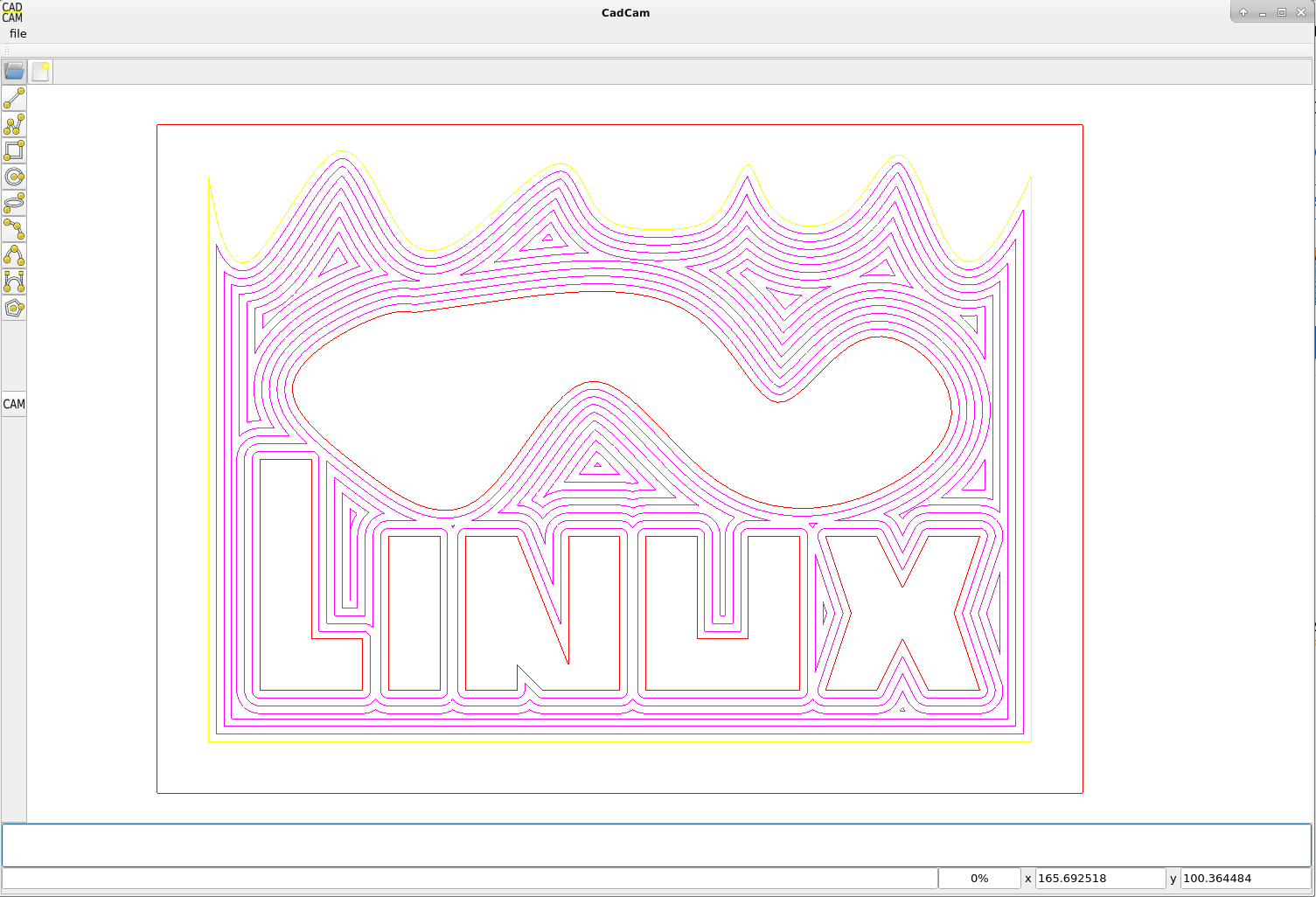
Hi, Much work to do, but with succes !We can now do a pocket offset with islands. Also is used the true spline in the example.So next step is finisch the pocket class and investegate a nesting algoritme.
Have a nice day !
Have a nice day !
Last edit: 6 years 3 months ago by Grotius.
The following user(s) said Thank You: phillc54, tommylight
Please Log in or Create an account to join the conversation.
- Grotius
- Offline
- Platinum Member
-
Less
More
- Posts: 2419
- Thank you received: 2349
6 years 3 months ago - 6 years 3 months ago #174005
by Grotius
Replied by Grotius on topic QT C++ code samples
Hi,
I tested the program to reproduce a mesa circuit board.
Did a trace bitmap and object to path in Inkscape.
Then i loaded the Inkscape dxf into the CadCam program.
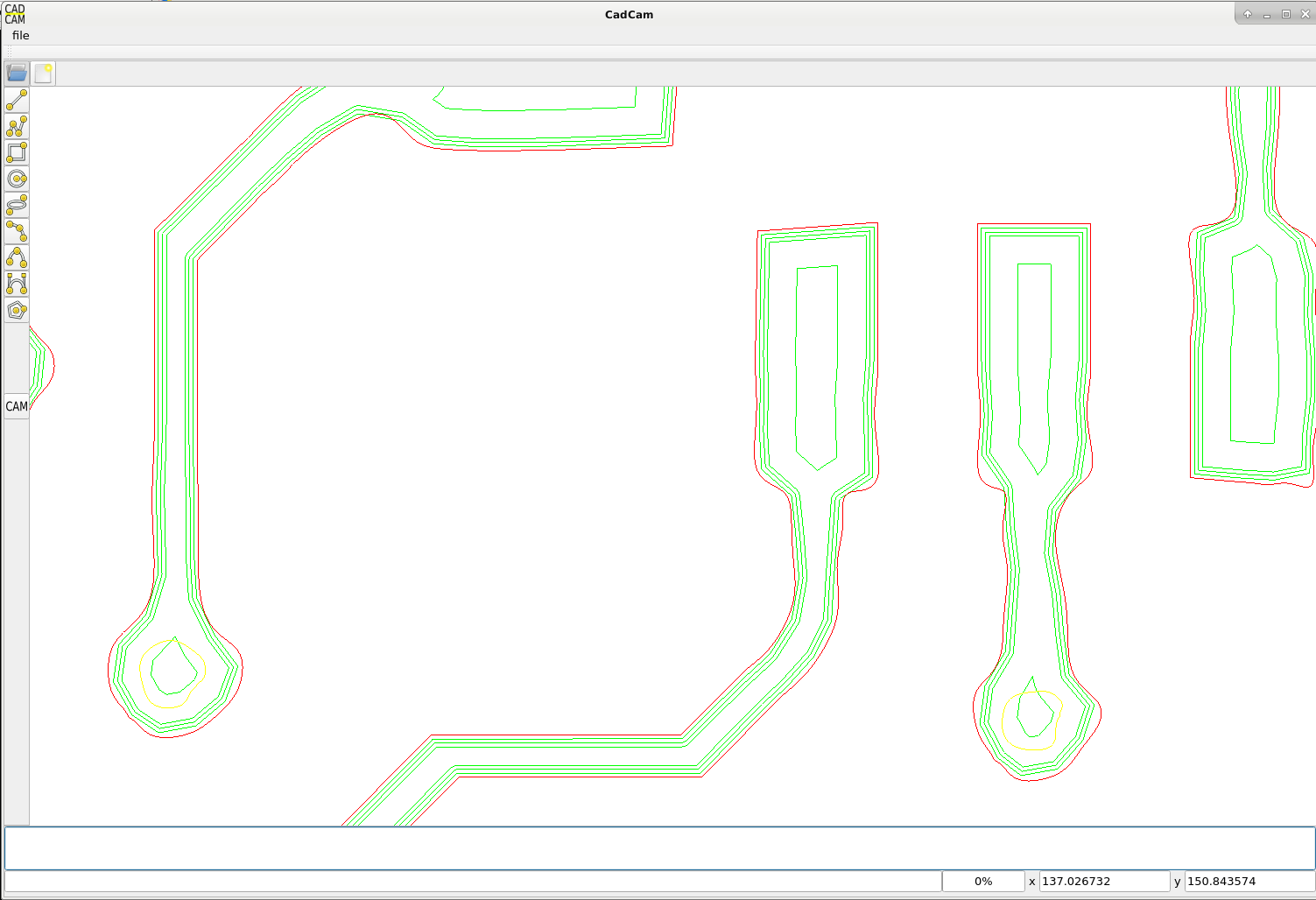
The milling offset's are started at 0.1mm and up to 8-9mm pocket offset in total.
I think this is quite a nice output.
program output:
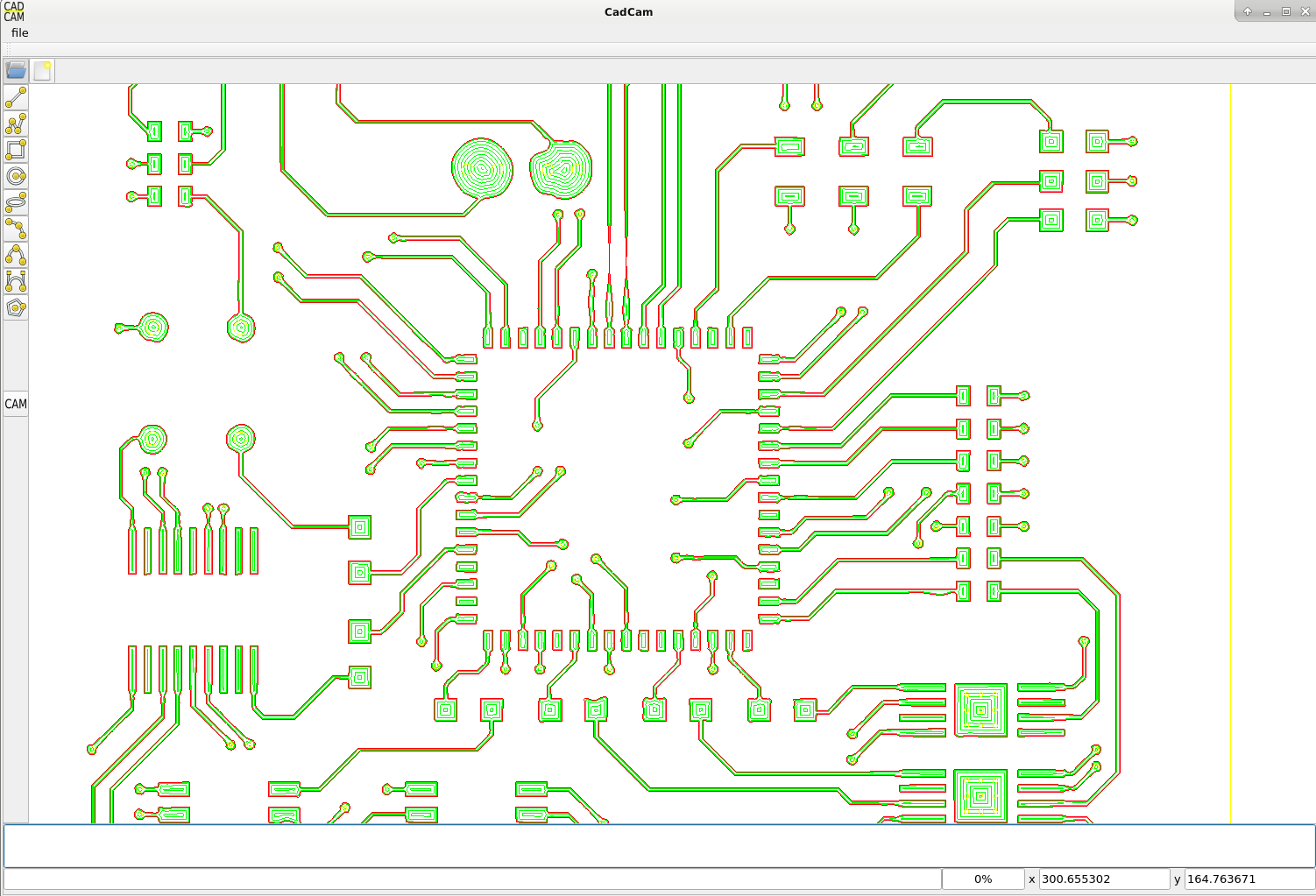
close up, here you see the 3 times 0.1mm offset path's, followed by a 1 mm offset path.
orginal picture:

I tested the program to reproduce a mesa circuit board.
Did a trace bitmap and object to path in Inkscape.
Then i loaded the Inkscape dxf into the CadCam program.
The milling offset's are started at 0.1mm and up to 8-9mm pocket offset in total.
I think this is quite a nice output.
program output:
close up, here you see the 3 times 0.1mm offset path's, followed by a 1 mm offset path.
orginal picture:
Last edit: 6 years 3 months ago by Grotius.
The following user(s) said Thank You: phillc54, tommylight
Please Log in or Create an account to join the conversation.
- Grotius
- Offline
- Platinum Member
-
Less
More
- Posts: 2419
- Thank you received: 2349
6 years 3 months ago - 6 years 3 months ago #174324
by Grotius
Replied by Grotius on topic QT C++ code samples
Hi,
Project update. Integrated a nesting algoritme.
Have to do some work at the nesting rotation, look at difficult shapes, but i am happy with the result so far.
The blue line is a reference plate with dimension 2000x1000mm
Nesting before :
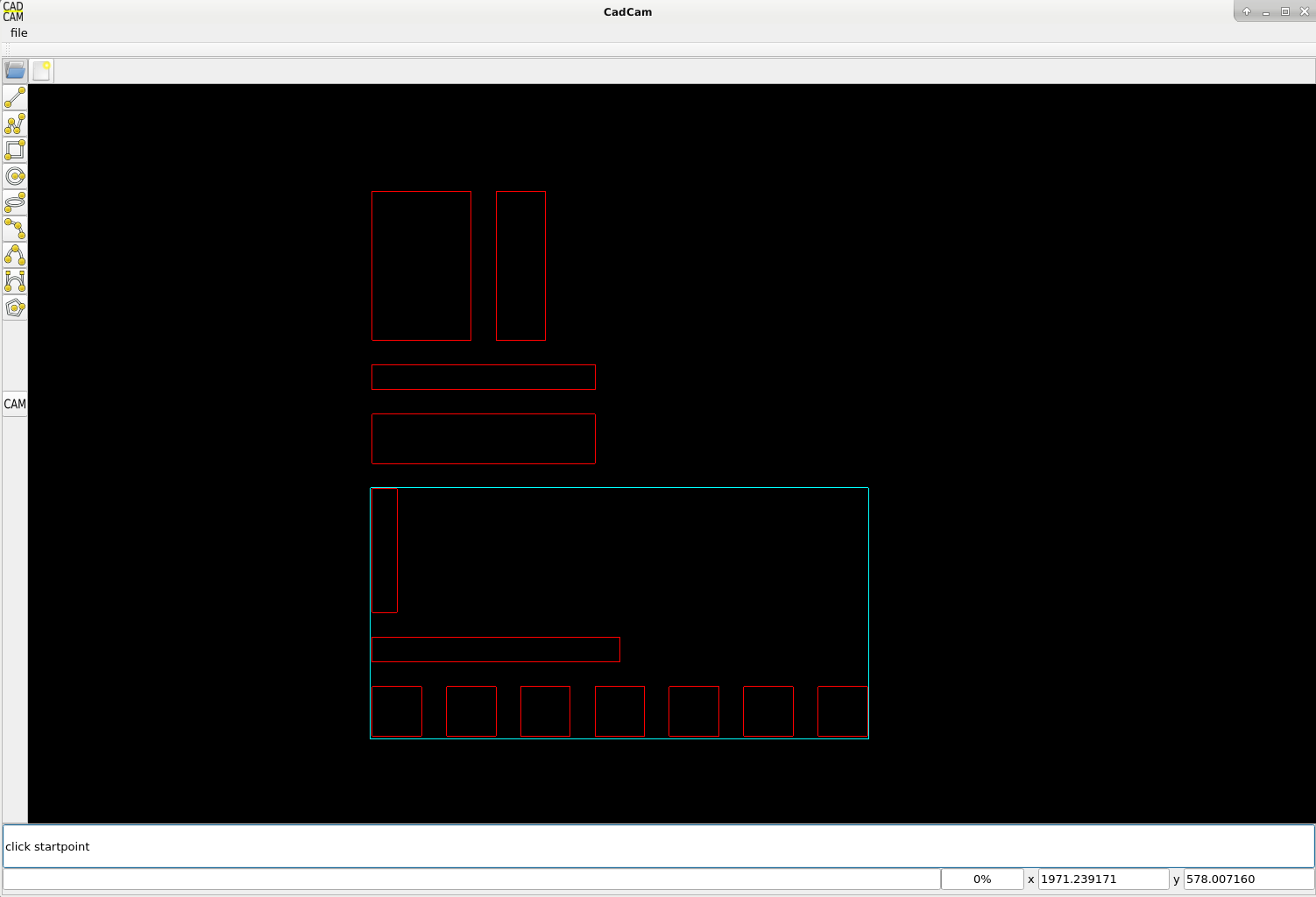
After nesting :
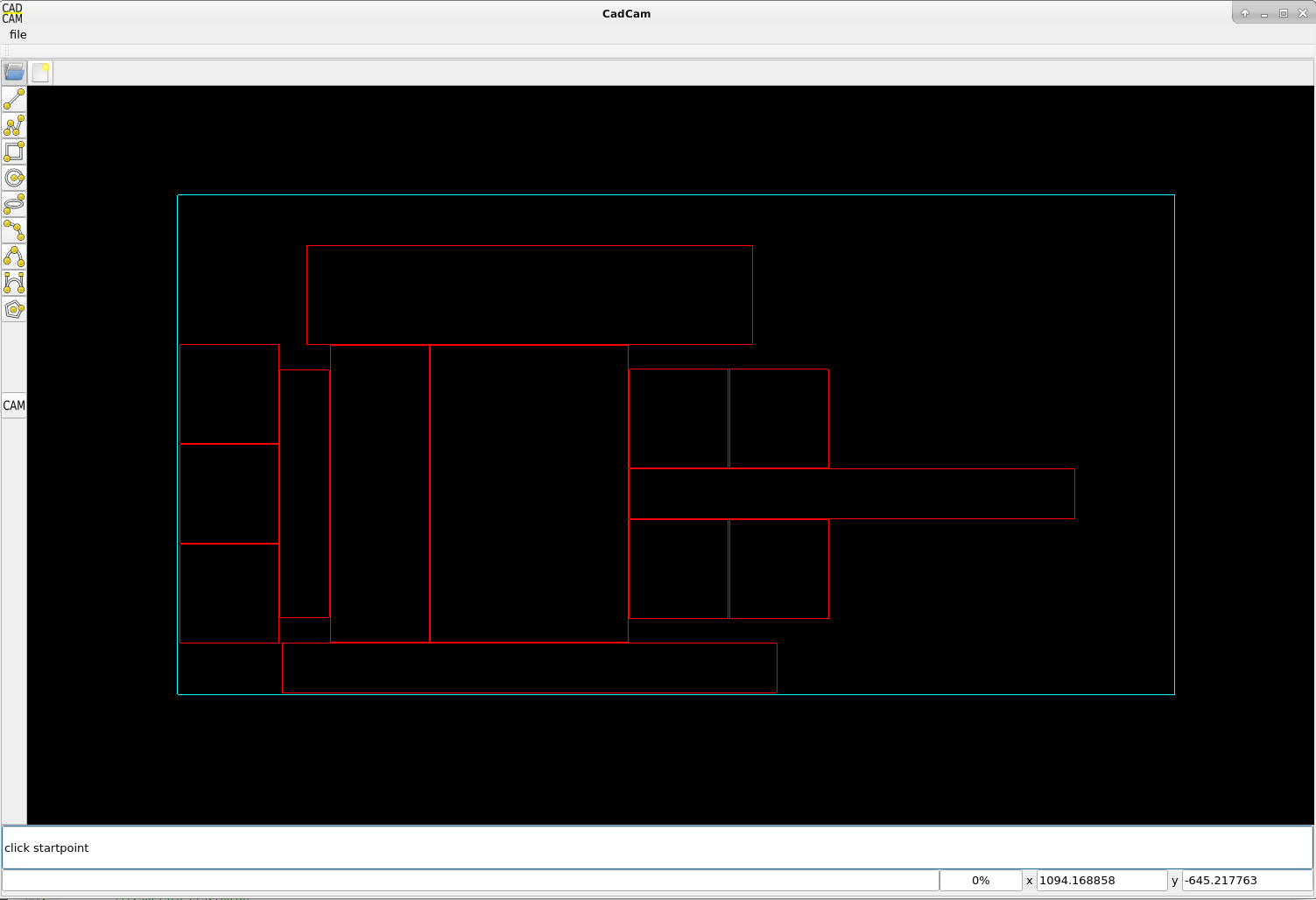
Some more bulk nesting before :

Bulk nesting after :
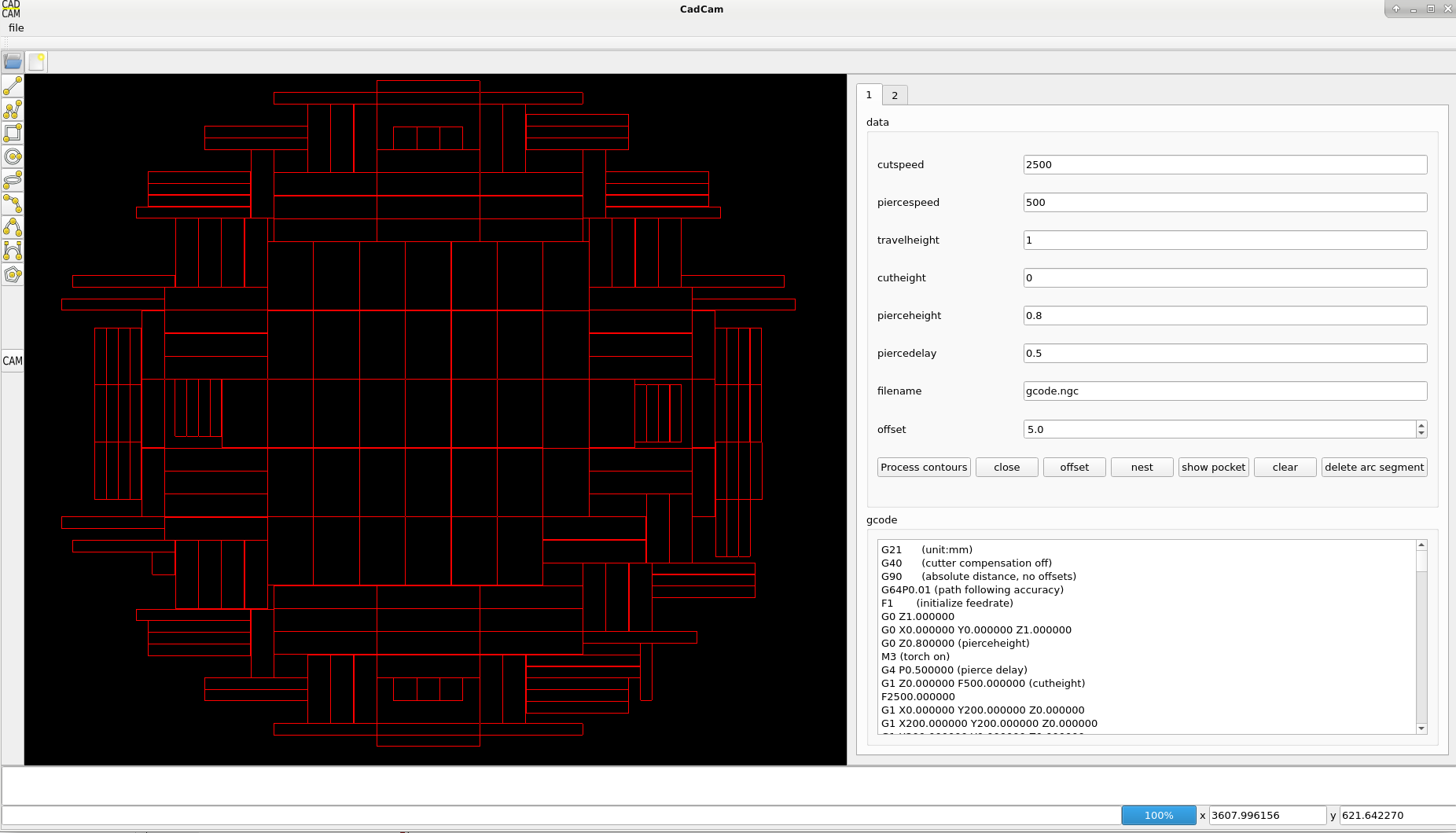
I think the result is quite nice.
Have a nice day !
Project update. Integrated a nesting algoritme.
Have to do some work at the nesting rotation, look at difficult shapes, but i am happy with the result so far.
The blue line is a reference plate with dimension 2000x1000mm
Nesting before :
After nesting :
Some more bulk nesting before :
Bulk nesting after :
I think the result is quite nice.
Have a nice day !
Last edit: 6 years 3 months ago by Grotius.
The following user(s) said Thank You: phillc54, tommylight
Please Log in or Create an account to join the conversation.
Time to create page: 4.521 seconds