
- Posts: 27
- Thank you received: 114
Getting started with Linux, LinuxCNC and CNC
- Rick G
- Offline
- Junior Member
-

Less
More
10 years 4 months ago #76337
by Rick G
Replied by Rick G on topic Getting started with Linux, LinuxCNC and CNC
Looks like you are making progress.
With ngcgui
Select the operation you want.
Fill in the fields
Then hit "create feature"
Then hit "finalize"
The operation should be created and take you back to linuxcnc where you can view and run the program.
Also note that after you hit "create feature" you can select another operation, fill in the fields, create next and then finalize and both operations will be combined one after the other for as many as you select. So you could run outside diameter, then taper and run them together.
You can add ngcgui to your configuration and select other operations to be listed in the tabs at top. You can also create your own.
If you get comfortable running ngcgui on the simulator we can help you modify your working configuration to add ngcgui.
Rick G
I just wasnt able to generate code (probably didnt see the correct interface button in there) but I will give it a try again.
With ngcgui
Select the operation you want.
Fill in the fields
Then hit "create feature"
Then hit "finalize"
The operation should be created and take you back to linuxcnc where you can view and run the program.
Also note that after you hit "create feature" you can select another operation, fill in the fields, create next and then finalize and both operations will be combined one after the other for as many as you select. So you could run outside diameter, then taper and run them together.
You can add ngcgui to your configuration and select other operations to be listed in the tabs at top. You can also create your own.
If you get comfortable running ngcgui on the simulator we can help you modify your working configuration to add ngcgui.
Rick G
The following user(s) said Thank You: sharpshooterser
Please Log in or Create an account to join the conversation.
- sharpshooterser
- Offline
- Senior Member
-

Less
More
- Posts: 63
- Thank you received: 0
10 years 4 months ago #76367
by sharpshooterser
Replied by sharpshooterser on topic Getting started with Linux, LinuxCNC and CNC
Thanks, I will give it a try for sure! And get back to you.
Please Log in or Create an account to join the conversation.
- sharpshooterser
- Offline
- Senior Member
-
Less
More
- Posts: 63
- Thank you received: 0
10 years 4 months ago #76410
by sharpshooterser
Replied by sharpshooterser on topic Getting started with Linux, LinuxCNC and CNC
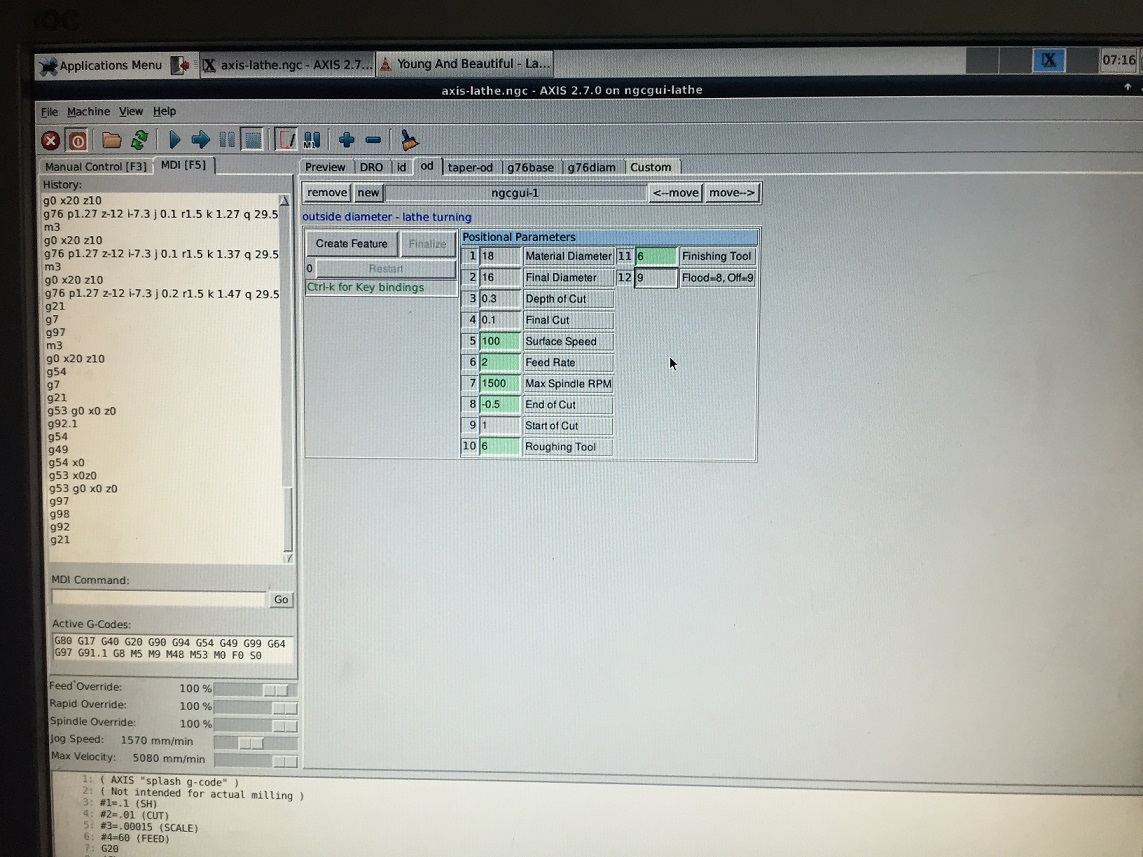
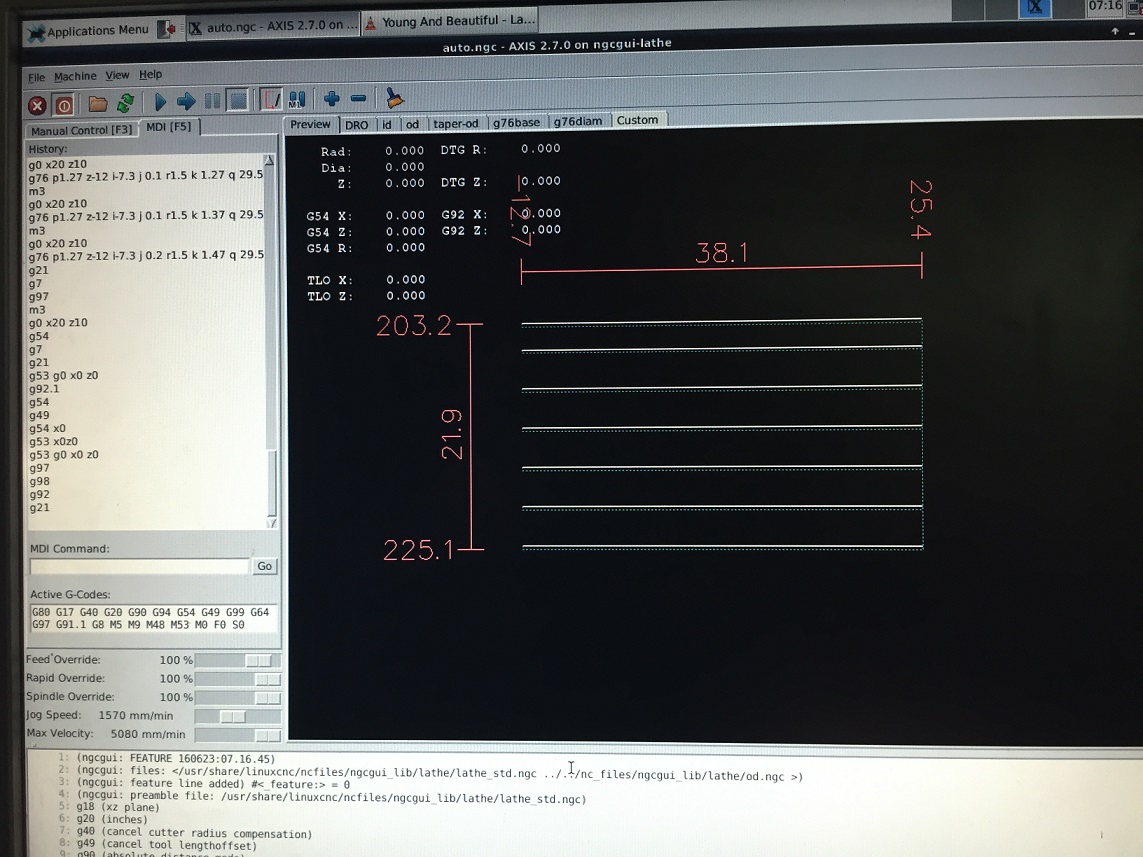
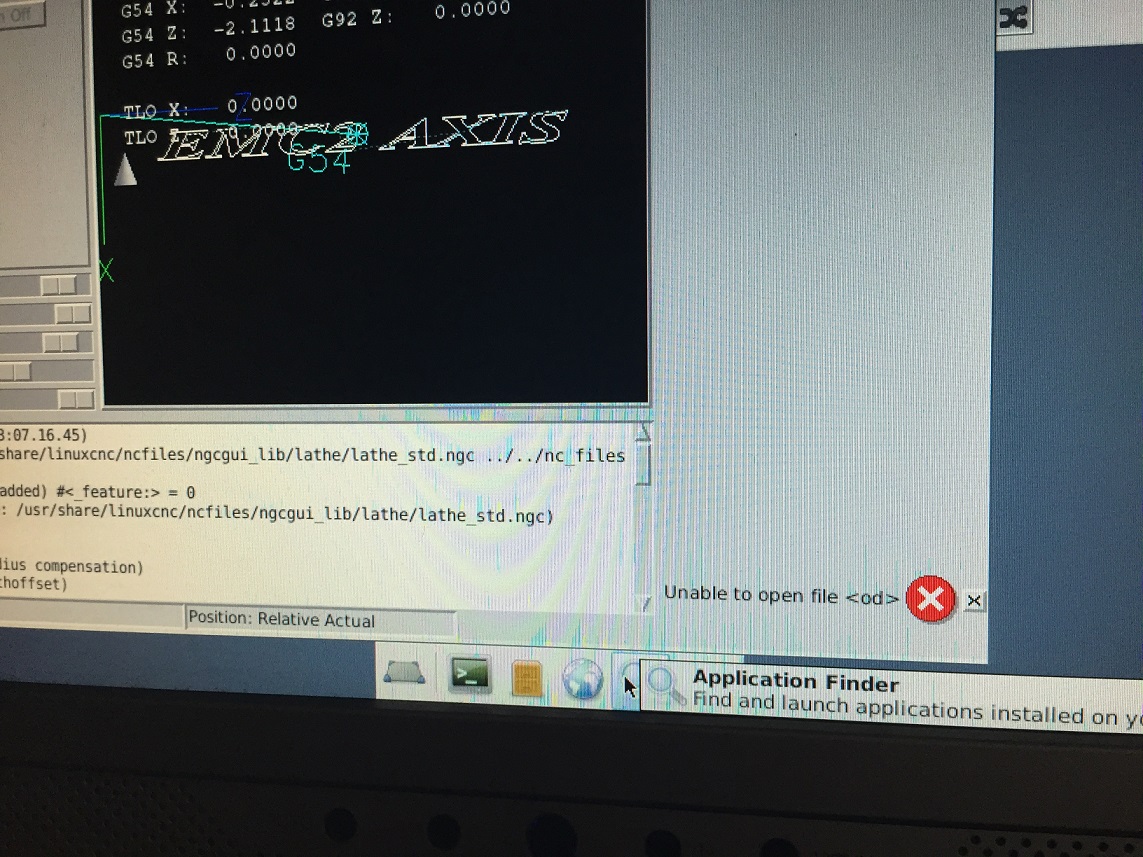
Tried it, those are some nice features. But when I try to load the file in my setup, I get the error message, for instance I tried the OD template, and I get the "unknown o..."
Also, it would be nice to change the hal and ini files of mine configuration for metric features, but I am not sure which parts should be edited?
Also, it would be nice to change the hal and ini files of mine configuration for metric features, but I am not sure which parts should be edited?
Please Log in or Create an account to join the conversation.
- Rick G
- Offline
- Junior Member
-
Less
More
- Posts: 27
- Thank you received: 114
10 years 4 months ago - 10 years 4 months ago #76475
by Rick G
Replied by Rick G on topic Getting started with Linux, LinuxCNC and CNC
Can you post the exact error message you received and what you did to get it?
You can switch between inch and millimeters with G20 / G21
The start up and or preamble may set set your machine to inch or millimeters. When using ngcgui if you look in the .ini file you should see something like...
NGCGUI_PREAMBLE = lathe_std.ngc
and lathe_std.ngc will be run when you create and run a ngcgui feature.
In the sample files lathe_std.ngc looks like...
You could edit that to use G21 instead of G20 then save it as say lathe_mm.ngc the edit your .ini file to...
Rick G
You can switch between inch and millimeters with G20 / G21
G20 - to use inches for length units.
G21 - to use millimeters for length units.
The start up and or preamble may set set your machine to inch or millimeters. When using ngcgui if you look in the .ini file you should see something like...
NGCGUI_PREAMBLE = lathe_std.ngc
and lathe_std.ngc will be run when you create and run a ngcgui feature.
In the sample files lathe_std.ngc looks like...
Code:
(not_a_subfile)
g18 (xz plane)
g20 (inches)
g40 (cancel cutter radius compensation)
g49 (cancel tool lengthoffset)
g90 (absolute distance mode)
g94 (units/min feedrate)
g54 (Coordinate system 1 default)
#<tol> = 0.001
g64 p#<tol> (path control stop)
You could edit that to use G21 instead of G20 then save it as say lathe_mm.ngc the edit your .ini file to...
Code:
NGCGUI_PREAMBLE = lathe_mm.ngc
Rick G
Last edit: 10 years 4 months ago by Rick G.
Please Log in or Create an account to join the conversation.
- sharpshooterser
- Offline
- Senior Member
-
Less
More
- Posts: 63
- Thank you received: 0
10 years 4 months ago #76500
by sharpshooterser
Replied by sharpshooterser on topic Getting started with Linux, LinuxCNC and CNC
I ll try to insert the images of whats going on when I try the OD.
Please Log in or Create an account to join the conversation.
- andypugh
- Offline
- Moderator
-

Less
More
- Posts: 19899
- Thank you received: 4655
10 years 4 months ago #76501
by andypugh
Replied by andypugh on topic Getting started with Linux, LinuxCNC and CNC
Where are you saving the file to?
Please Log in or Create an account to join the conversation.
Time to create page: 0.446 seconds