Last update of LinuxCNC Raspberry Pi4 USB does not work

More
5 years 9 months ago #196385 by elovalvo

zz912 wrote: I did not know UxTerm = shell. Internet works from wlan.

I have>
Raspberry Pi4b 4GB.

How do I find the revision number?

I have ,momitor with resolution 1600 x 1200. Your version of Raspbian set same resolution of 16:9.
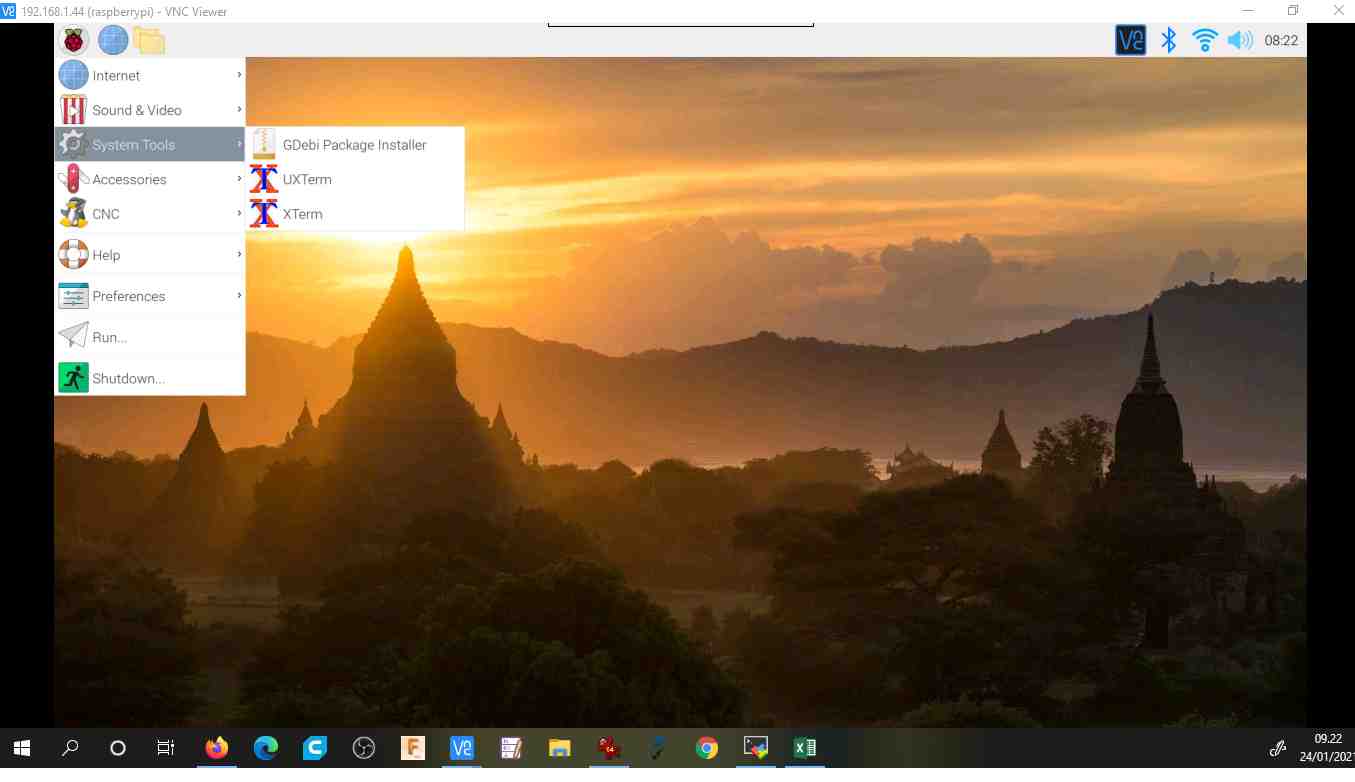

You will be able to know the revision number by typing on the terminal UXTerm
cat /proc/cpuinfo

To change resolution:
sudo raspi-config


Please Log in or Create an account to join the conversation.

More
5 years 9 months ago #196414 by kramerda
Jumping in the middle of this conversation because today I have a similar experience.
1. Early December burn image Linuxcnc 2.8-0 on 64Gb micro SD card Samsung10, using Pi Imager SW. Install in Rip4 4Gb version. No problems.
2. Today repeat process on same exact CPU with same zip file from from Linuxcnc.org on another 64Gb Samsung 10 micro SD card.
3. This time I system works until I opted to connect to my wifi (which it did) and I selected to update files. After download and install update and select reboot - desktop screen appears but keyboard and mouse not functioning. Power down and power up again - still dead keyboard and mouse. Note - using Logitec wireless key board and mouse same as before with same dongle.
????????
Thanks,
Dennis

Please Log in or Create an account to join the conversation.
More
5 years 9 months ago #196421 by kramerda
Following up on my last comment - I reburned the same image onto the same SD card - this time the plan is to not enable wi fi for any upgrades.
But
the Rpi4 no longer boots to the desktop screen at all.
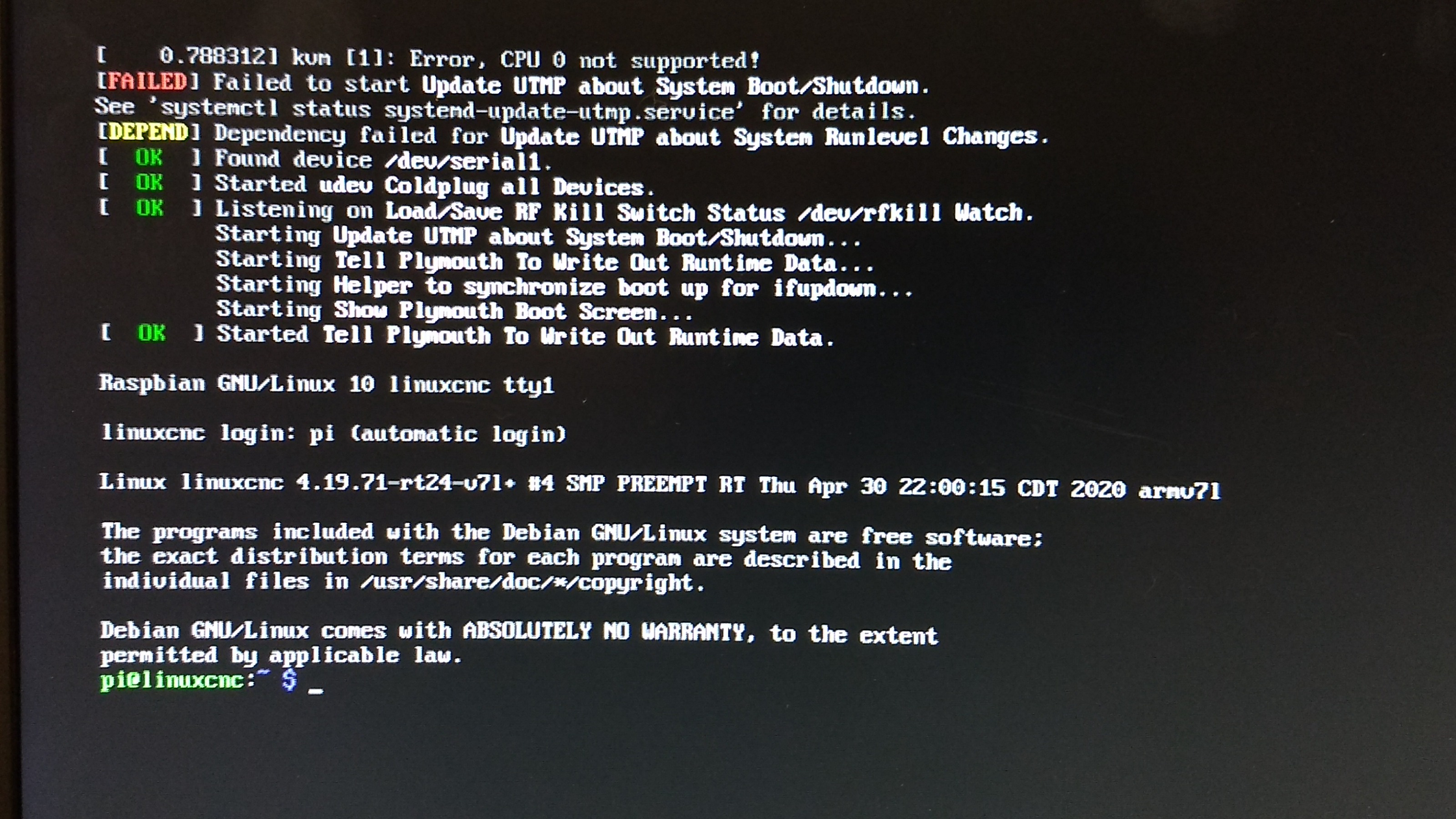
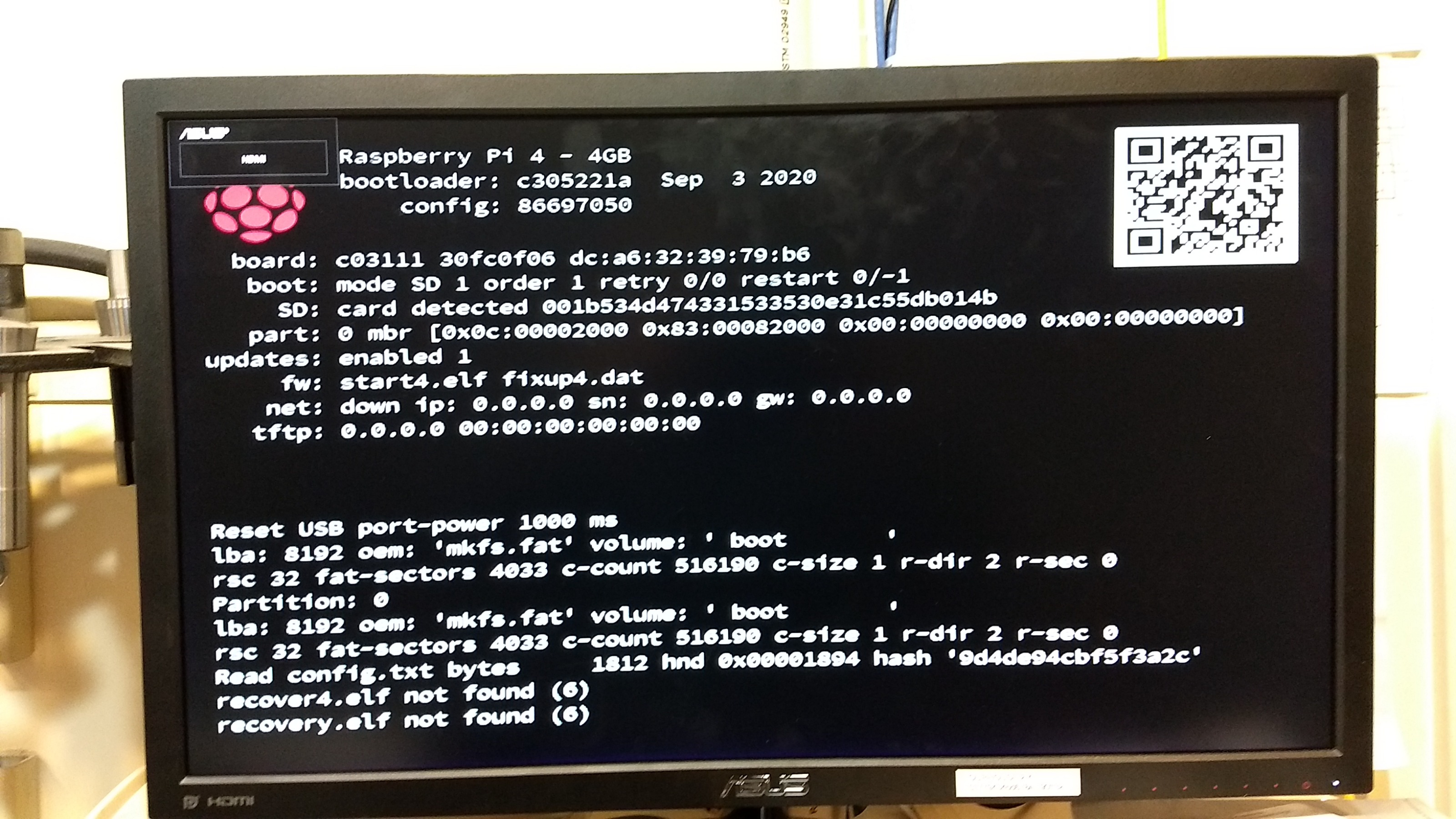
Attached are two screen shots of the monitor screen while it power up.
Sorry I don't know how to interpret the screen shots or what to try next.
Is it possible something has permanently changed in the Rpi4 -? Hope not!!!
Thanks,
Dennis

Please Log in or Create an account to join the conversation.
More
5 years 9 months ago #196424 by kramerda
Third (last update) to todays events.
Burned image as previously describe (again) from a new down load of 2.8.0.
This time when system appeared dead - no keyboard or mouse - unplugged wireless keyboard/mouse dongle and voila - desktop screen back in business.
So no permanent bad things happened to Rpi4.
For now we'll continue and try to understand a different 'update' / 'upgrade' process in the future.
Hope these comments help others that stumbled as I did.
Dennis

Please Log in or Create an account to join the conversation.

More
5 years 9 months ago #196499 by andypugh

kramerda wrote: 2. Today repeat process on same exact CPU with same zip file from from Linuxcnc.org on another 64Gb Samsung 10 micro SD card.


Can you try the one here instead?

www.linuxcnc.org/temp/image_2021-01-20-linuxcnc-pi4-3G.zip

(and report back, making it clear which image you are talking about, because I am now very confused indeed)
The following user(s) said Thank You: nion

Please Log in or Create an account to join the conversation.

More
5 years 9 months ago #196537 by nion
USB works ok on my RPI 4 4Gb RAM
Chromium does't work but it can be reinstlled
sudo apt-get reinstall chromium

www.linuxcnc.org/temp/image_2021-01-20-linuxcnc-pi4-3G.zip

Hardware : BCM2835
Revision : c03112
Serial :
Model : Raspberry Pi 4 Model B Rev 1.2

Please Log in or Create an account to join the conversation.

Time to create page: 0.688 seconds
Powered by Kunena Forum
