Advanced Search

Search Results (Searched for: )

  • cmorley
  • cmorley
11 Sep 2025 15:03
Replied by cmorley on topic gladeVCP not calling python handlers

gladeVCP not calling python handlers

Category: GladeVCP

If you use the hal_table widget, you must set some pins active, for instance:
 setp test2.button-box-active 1

 
  • PCW
  • PCW's Avatar
11 Sep 2025 14:00

Carousel don t stop when estop is pushed

Category: QtPyVCP

You likely need to condition the carousel control pins with
motion.motion-enabled or similar. 

Posting your hal file or at least the carousel portion would
allow a more specific suggestion.
 
  • amanker
  • amanker
11 Sep 2025 13:59

Remora - Rpi Software Stepping Using External Microcontroller via SPI

Category: Computers and Hardware

Update: limit switch working. As pointed out by scotta, it was defined as home switch not limit switch.

But still no sign of energy in steppers. Always joint following error.
Serial terminal don't show anything
  • hellvetica
  • hellvetica
11 Sep 2025 12:40

Recompiling the motmod modules to expose pos-cmd pins

Category: Advanced Configuration

Thank you for the quick reply!
It's good that I can build a separate version without interfering with my base installation.

I'm having a hard time following the path of the position command through the code because of all the shared memory.
Could you give me advice on which module would be the best candidate to inject the extra pins into? Ideally it would be whatever the trajectory planner outputs its cartesian coordinates to. So instead of taking values from the trajectory planner it would take values from HAL pins.
  • scsmith1451
  • scsmith1451's Avatar
11 Sep 2025 12:12
Replied by scsmith1451 on topic gladeVCP not calling python handlers

gladeVCP not calling python handlers

Category: GladeVCP

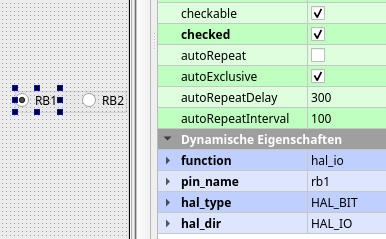
When run with gladevcp, the widgets don't become active. How do I provide the signals to activate them?
  • hitchhiker
  • hitchhiker
11 Sep 2025 11:49
Replied by hitchhiker on topic ECMO VMC100 Retrofit with Carousel/Toolchanger

ECMO VMC100 Retrofit with Carousel/Toolchanger

Category: Milling Machines

I debounce the signals... with a schmitttrigger like from the original controller.

Still issue with state 9.
  • hitchhiker
  • hitchhiker
11 Sep 2025 11:48
Replied by hitchhiker on topic Proximity sensor hardware debounce?

Proximity sensor hardware debounce?

Category: Basic Configuration

It works.
I use a second channel to re invert the signal.
Now no noise on the signal.
  • hellvetica
  • hellvetica
11 Sep 2025 11:16

Recompiling the motmod modules to expose pos-cmd pins

Category: Advanced Configuration

Hi, I'd like to control my robot arm directly using linuxcnc.
So far I've been using MDI and external offset pins to move the robot but I've had some issues with latency (mdi) and absolute positioning (external offsets). (When the robot starts, the motor's target position is not set to 0 but some other value close to 0 like 18 or -23 for some reason)

I'd like to pretty much hack the motion module so I can expose the pos-cmd pins that the trajectory planner sets so i can just connect to hal and set my cartesian position as I wish and not go in all these roundabout ways to get the robot to move.
The mini PC running the robot has a debian image with linuxcnc preinstalled.

1. What would be the easiest way to modify the source to achieve this?
2. How would I build the module and use it in my existing linuxcnc installation?

I'm not at all wary of digging into the C code, but I've never build linuxcnc myself.
Thanks for any tips :)
  • amanker
  • amanker
11 Sep 2025 07:18

Remora - Rpi Software Stepping Using External Microcontroller via SPI

Category: Computers and Hardware

I am extreamly sorry for confusion. I wrongly uploaded files.

config.txt
{
    "Board": "BIGTREETECH SKR v3",
    "Modules":[
    {
    "Thread": "Servo",
    "Type": "Reset Pin",
        "Comment":            "Reset pin",
        "Pin":                "PC_4"
    },
    {
        "Thread": "Servo",
        "Type": "Blink",
            "Pin":                      "PA_13",
            "Frequency":                2
        },
    {
    "Thread": "Base",
    "Type": "Stepgen",
        "Comment":            "X - Joint 0 step generator",
        "Joint Number":        0,
        "Step Pin":         "PD_4",
        "Direction Pin":     "PD_3",
        "Enable Pin":         "PD_6"
    },
    {
    "Thread": "Base",
    "Type": "Stepgen",
        "Comment":            "Y - Joint 1 step generator",
        "Joint Number":        1,
        "Step Pin":         "PA_15",
        "Direction Pin":     "PA_8",
        "Enable Pin":         "PD_1"
    },
    {
    "Thread": "Base",
    "Type": "Stepgen",
        "Comment":            "Z - Joint 2 step generator",
        "Joint Number":        2,
        "Step Pin":         "PE_2",
        "Direction Pin":     "PE_3",
        "Enable Pin":         "PE_0"
    },

    {
    "Thread": "Servo",
    "Type": "Digital Pin",
        "Comment":            "X min",
        "Pin":                "PC_1",
        "Mode":                "Input",
        "Data Bit":            0
    },
    {
    "Thread": "Servo",
    "Type": "Digital Pin",
        "Comment":            "X max",
        "Pin":                "PC_2",
        "Mode":                "Input",
        "Data Bit":            1
    },
    {
    "Thread": "Servo",
    "Type": "Digital Pin",
        "Comment":            "Y min",
        "Pin":                "PC_3",
        "Mode":                "Input",
        "Data Bit":            2
    },
    {
    "Thread": "Servo",
    "Type": "Digital Pin",
        "Comment":            "Y max",
        "Pin":                "PA_0",
        "Mode":                "Input",
        "Data Bit":            3
    },
    {
    "Thread": "Servo",
    "Type": "Digital Pin",
        "Comment":            "Z min",
        "Pin":                "PC_0",
        "Mode":                "Input",
        "Data Bit":            4
    },
    {
    "Thread": "Servo",
    "Type": "Digital Pin",
        "Comment":            "Z max",
        "Pin":                "PC_15",
        "Mode":                "Input",
        "Data Bit":            5

    }
    ]
}

hal file.
# load the realtime components

loadrt [KINS]KINEMATICS
loadrt [EMCMOT]EMCMOT base_period_nsec=[EMCMOT]BASE_PERIOD servo_period_nsec=[EMCMOT]SERVO_PERIOD num_joints=[KINS]JOINTS

loadrt remora-spi SPI_num=0 CS_num=0 SPI_freq=2000000
#loadrt remora_lpc chip_type=LPC SPI_clk_div=64


# estop loopback, SPI comms enable and feedback
net user-enable-out <= iocontrol.0.user-enable-out => remora.SPI-enable
net user-request-enable <= iocontrol.0.user-request-enable => remora.SPI-reset
net remora-status <= remora.SPI-status => iocontrol.0.emc-enable-in

# add the remora and motion functions to threads

addf remora.read servo-thread
addf motion-command-handler servo-thread
addf motion-controller servo-thread
addf remora.update-freq servo-thread
addf remora.write servo-thread


# Joint 0 setup

setp remora.joint.0.scale [JOINT_0]SCALE
setp remora.joint.0.maxaccel [JOINT_0]STEPGEN_MAXACCEL
setp remora.joint.0.pgain [JOINT_0]P_GAIN
setp remora.joint.0.ff1gain [JOINT_0]FF1_GAIN
setp remora.joint.0.deadband [JOINT_0]DEADBAND

net xpos-cmd <= joint.0.motor-pos-cmd => remora.joint.0.pos-cmd  
net j0pos-fb <= remora.joint.0.pos-fb => joint.0.motor-pos-fb
net j0enable <= joint.0.amp-enable-out => remora.joint.0.enable


# Joint 1 setup

setp remora.joint.1.scale [JOINT_1]SCALE
setp remora.joint.1.maxaccel [JOINT_1]STEPGEN_MAXACCEL
setp remora.joint.1.pgain [JOINT_1]P_GAIN
setp remora.joint.1.ff1gain [JOINT_1]FF1_GAIN
setp remora.joint.1.deadband [JOINT_1]DEADBAND

net j1pos-cmd <= joint.1.motor-pos-cmd => remora.joint.1.pos-cmd
net j1pos-fb <= remora.joint.1.pos-fb => joint.1.motor-pos-fb 
net j1enable <= joint.1.amp-enable-out => remora.joint.1.enable

# Joint 2 setup

setp remora.joint.2.scale [JOINT_2]SCALE
setp remora.joint.2.maxaccel [JOINT_2]STEPGEN_MAXACCEL
setp remora.joint.2.pgain [JOINT_2]P_GAIN
setp remora.joint.2.ff1gain [JOINT_2]FF1_GAIN
setp remora.joint.2.deadband [JOINT_2]DEADBAND

net j2pos-cmd <= joint.2.motor-pos-cmd => remora.joint.2.pos-cmd
net j2pos-fb <= remora.joint.2.pos-fb => joint.2.motor-pos-fb
net j2enable <= joint.2.amp-enable-out => remora.joint.2.enable


# end-stops

net X-home remora.input.00 => joint.0.home-sw-in 

net Y-home remora.input.01 => joint.1.home-sw-in 

ini file
# Basic LinuxCNC config for testing of Remora firmware

[EMC]
MACHINE = Remora-XY
DEBUG = 5
VERSION = 1.1

[DISPLAY]
DISPLAY = axis

USER_COMMAND_FILE = usercommand_regularmac_800.py


EDITOR = gedit
POSITION_OFFSET = RELATIVE
POSITION_FEEDBACK = ACTUAL
ARCDIVISION = 64
GRIDS = 10mm 20mm 50mm 100mm
MAX_FEED_OVERRIDE = 1.2
#MIN_SPINDLE_OVERRIDE = 0.5
#MAX_SPINDLE_OVERRIDE = 1.2
DEFAULT_LINEAR_VELOCITY = 5.00
MIN_LINEAR_VELOCITY = 0
MAX_LINEAR_VELOCITY = 10.00
DEFAULT_ANGULAR_VELOCITY = 36.00
MIN_ANGULAR_VELOCITY = 0
MAX_ANGULAR_VELOCITY = 45.00
INTRO_GRAPHIC = linuxcnc.gif
INTRO_TIME = 5
PROGRAM_PREFIX = ~/linuxcnc/nc_files
INCREMENTS = 50mm 10mm 5mm 1mm .5mm .1mm .05mm .01mm

[KINS]
JOINTS = 3
#KINEMATICS =trivkins coordinates=XYZ kinstype=BOTH
KINEMATICS =trivkins coordinates=XYZ

[FILTER]
PROGRAM_EXTENSION = .py Python Script
py = python

[TASK]
TASK = milltask
CYCLE_TIME = 0.010

[RS274NGC]
PARAMETER_FILE = linuxcnc.var

[EMCMOT]
EMCMOT = motmod
COMM_TIMEOUT = 1.0
COMM_WAIT = 0.010
BASE_PERIOD = 1000000
SERVO_PERIOD = 5000000

[HAL]
HALFILE = remora-xyz.hal
POSTGUI_HALFILE = postgui_call_list.hal

[TRAJ]
COORDINATES =  X Y Z
LINEAR_UNITS = mm
ANGULAR_UNITS = degree
CYCLE_TIME = 0.010
DEFAULT_LINEAR_VELOCITY = 50.00
MAX_LINEAR_VELOCITY = 200.00
NO_FORCE_HOMING = 1 

[EMCIO]
EMCIO = io
CYCLE_TIME = 0.100
TOOL_TABLE = tool.tbl

[AXIS_X]
MAX_VELOCITY = 150
MAX_ACCELERATION = 750
MIN_LIMIT = 0.0
MAX_LIMIT = 25.0

[JOINT_0]
TYPE = LINEAR
HOME = 27.5
MIN_LIMIT = 0.0
MAX_LIMIT = 28.0
MAX_VELOCITY = 250.0
MAX_ACCELERATION = 20.0
STEPGEN_MAXACCEL = 2000.0
SCALE = 800
FERROR = 2
MIN_FERROR = 2.0
HOME_OFFSET = 27.5
HOME_SEARCH_VEL = 2.0
HOME_LATCH_VEL = 2.0
HOME_SEQUENCE = 0
P_GAIN= 300
FF1_GAIN= 0.1
DEADBAND= 0.001

[AXIS_Y]
MAX_VELOCITY = 150
MAX_ACCELERATION = 750
MIN_LIMIT = 0.0
MAX_LIMIT = 26.0

[JOINT_1]
TYPE = LINEAR
HOME = 25.5
MIN_LIMIT = 0.0
MAX_LIMIT = 26.0
MAX_VELOCITY = 250.0
MAX_ACCELERATION = 20.0
STEPGEN_MAXACCEL = 2000.0
SCALE = 800.0
FERROR = 9.0
MIN_FERROR = 5.0
HOME_OFFSET = 25.5
HOME_SEARCH_VEL = 2.0
HOME_LATCH_VEL = 2.0
HOME_SEQUENCE = 1
P_GAIN= 300
FF1_GAIN= 0.1
DEADBAND= 0.001

[AXIS_Z]
OFFSET_AV_RATIO = 0.2
MAX_VELOCITY = 5.0
MAX_ACCELERATION = 20.0
MIN_LIMIT = 0
MAX_LIMIT = 28

[JOINT_2]
TYPE = LINEAR
HOME = 0.0
MIN_LIMIT = 0
MAX_LIMIT = 28
MAX_VELOCITY = 5.0
MAX_ACCELERATION = 20.0
STEPGEN_MAXACCEL = 300.0
SCALE = 400.0
FERROR = 5
MIN_FERROR = 1.0
HOME_OFFSET = 0.0
HOME_SEARCH_VEL = 0
HOME_LATCH_VEL = 0
HOME_SEQUENCE = 0
P_GAIN= 300
FF1_GAIN= 0.1
DEADBAND= 0.001
  • Retrofit
  • Retrofit
11 Sep 2025 06:36
Replied by Retrofit on topic Carousel don t stop when estop is pushed

Carousel don t stop when estop is pushed

Category: QtPyVCP

Hello langdons
What means 'does linuxcnc display ESTOP?"
I refear to the Estop button from display (Probe basic UI) , when I say even from desktop estop button , or power buton.
  • cmorley
  • cmorley
11 Sep 2025 04:33
Replied by cmorley on topic gladeVCP not calling python handlers

gladeVCP not calling python handlers

Category: GladeVCP

This seemed to work. run from a terminal to see the print statements.
  • rhscdn
  • rhscdn
11 Sep 2025 02:58
Replied by rhscdn on topic CNC router x axis homing issue

CNC router x axis homing issue

Category: General LinuxCNC Questions

I should also say that I'm using a 7i96s and originally used pncconf to generate these, In the wizzard, I specified my inputs 0,1,2 as X,Y,Z Limit Switches. Would it be better to specify these as Home Switches?
  • rhscdn
  • rhscdn
11 Sep 2025 02:12
CNC router x axis homing issue was created by rhscdn

CNC router x axis homing issue

Category: General LinuxCNC Questions

I am having a little trouble trying to understand axis homing that I am hoping someone can explain. I am trying to use my minimum x-axis limit switch for homing. It is currently working ok as a limit switch.

From the documentation , I have SEARCH_VEL negative and LATCH_VEL negative so I expected the homing sequence to follow the 2nd diagram, i.e.
  1. move in the negative x direction at SEARCH_VEL speed until the home/limit switch is activated,
  2. back off the home/limit switch at SEARCH_VEL speed in the positive x direction, 
  3. move in the negative x direction at LATCH_VEL speed until the home/limit switch is activated,
  4. move in the positive direction at HOME_FINAL_VEL to the home position.
However, in the last step (4), the tool moves opposite to what I expect (the negative x direction) and crashes into the endstop.

Relevant settings are:

machine.hal
...
# --- MIN-X ---
net min-x <= hm2_7i96s.0.inm.00.input-00
...
# https://www.linuxcnc.org/docs/html/config/ini-homing.html#_home_ignore_limits
# If you do not have a separate home switch set HOME_IGNORE_LIMITS to YES
# and connect the limit switch signal to the joint home switch input in HAL
# Original
#net x-home-sw => joint.0.neg-lim-sw-in
net min-x => joint.0.neg-lim-sw-in joint.0.home-sw-in
net x-pos-limit => joint.0.pos-lim-sw-in

machine.ini
[AXIS_X]
MAX_VELOCITY = 5.483333333333333
MAX_ACCELERATION = 4.0
MIN_LIMIT = -0.001
MAX_LIMIT = 39.0

[JOINT_0]
TYPE = LINEAR
FERROR = 0.5
MIN_FERROR = 0.05
MAX_VELOCITY = 5.483333333333333
MAX_ACCELERATION = 4.0
STEPGEN_MAXVEL = 6.85
STEPGEN_MAXACCEL = 5.00
P = 1000.0
I = 0.0
D = 0.0
FF0 = 0.0
FF1 = 1.0
FF2 = 0.0
BIAS = 0.0
DEADBAND = 0.0
MAX_OUTPUT = 0.0
# these are in nanoseconds
DIRSETUP = 6000
DIRHOLD = 6000
STEPLEN = 3000
STEPSPACE = 3000
STEP_SCALE = 2037.25
MIN_LIMIT = -0.001
MAX_LIMIT = 39.0
HOME_SEARCH_VEL = -0.2
HOME_LATCH_VEL = -0.05
HOME_FINAL_VEL = 0.1
HOME = 1.0
HOME_OFFSET = 5.0
HOME_IGNORE_LIMITS = YES
HOME_IS_SHARED = 1
HOME_SEQUENCE = 2
 
  • unknown
  • unknown
10 Sep 2025 22:46
Replied by unknown on topic Installing 2.9.5 on Raspberry Pi 5

Installing 2.9.5 on Raspberry Pi 5

Category: Installing LinuxCNC

Taking an educated guess, it could be a permission issue, using the link you provided and removing the filename gets a directory listing in a browser, 403 is there when trying to download, other files are accessible.
Hopefully Andy will become aware of this, one option might be to access either the mailing lists, I'm banned due to comments on the origins of Code of Conducts and implementor, or GitHub.
Displaying 8806 - 8820 out of 18041 results.
Time to create page: 0.842 seconds
Powered by Kunena Forum