NativeCAM is Features renamed

More
8 years 10 months ago #103223 by kjacobs
Hi Fern,
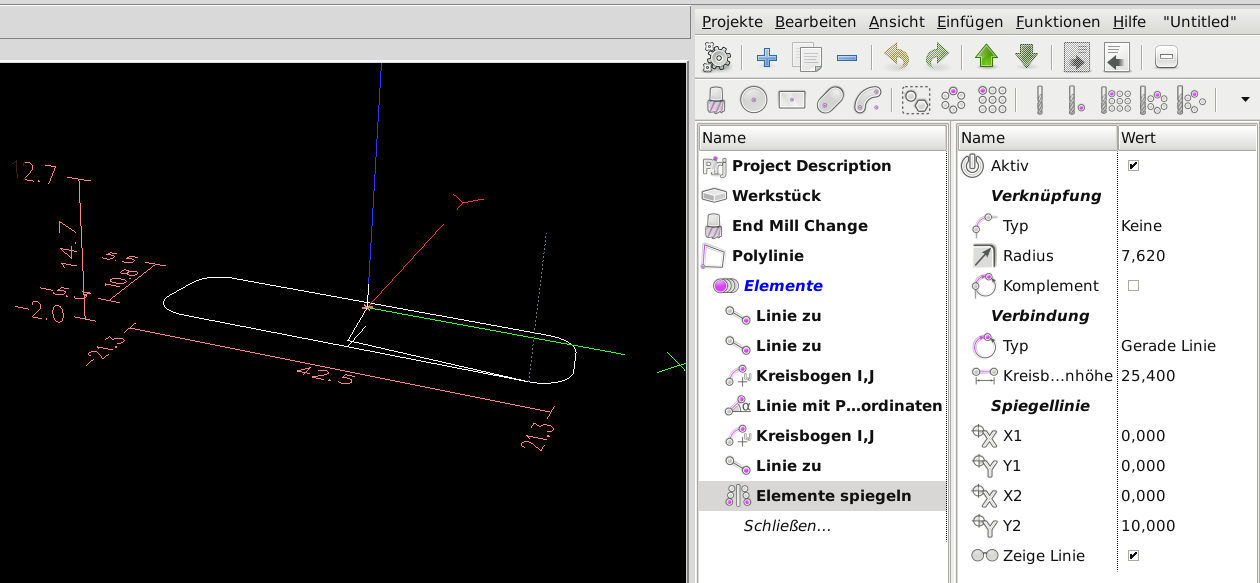
when using polylines for a feature that has an axis symmetry and is slightly more complex, the idea is of course to just draw one half and then use the mirror function with zero offset to complete the feature. When I do that, the polyline is in two parts and will also be milled in two separate milling actions, irrespective of closing or not closing the original polyline. I was expecting that the final result of the mirroring with zero offset would be a single (closed) polyline. Am I doing something wrong or is that by design? I attached an example of a cutout for a D-Sub 25 pin connector.
Apart from that, I finished a new translation to german using the 0.14b version and will send that to you after some more testing. And thanks again for your wonderful work!
Regards,
Karl

File Attachment:

File Name: D-Sub25_ha...ored.xml
File Size:42.8 KB

Please Log in or Create an account to join the conversation.

More
8 years 10 months ago #103225 by Gene1934
Curious, to see what Mr. Jacobs file looked like in a gfx rendition, (since I don't have a backplot like display in my install of ncam, I saved this file linked above, shoved it to a machine with ncam installed, loaded it, had it render to .ngc, and tried to load it in lcnc. Got failed call to o<select> sub at line 96

I don't have such a critter in my nc_files or a sub-dir thereof... Do you know where I could obtain a copy?

Thanks.

Gene83

Cheers, Gene Heskett
--
"There are four boxes to be used in defense of liberty:
soap, ballot, jury, and ammo. Please use in that order."
-Ed Howdershelt (Author)
Genes Web page < geneslinuxbox.net:6309/gene >

Please Log in or Create an account to join the conversation.

More
8 years 10 months ago #103230 by kjacobs
Hello Gene,
from what you say that it complains about not finding the o-word sub I am guessing that you try to use the ngc file on a lcnc system that does not have NativeCAM installed? Because that won't work, as it will be missing what is in SUBROUTINE_PATH = ncam/my-stuff:ncam/lib/mill:ncam/lib/utilities:macros, which has to be part of your ini-file.
Other than that, NativeCAM does exactly what you did and loads the ngc file into axis or whatever your GUI is.
Cheers,
Karl

Please Log in or Create an account to join the conversation.

More
8 years 10 months ago #103236 by Gene1934
from what you say that it complains about not finding the o-word sub I am guessing that you try to use the ngc file on a lcnc system that does not have NativeCAM installed?

Yes, it is. I generated the ngc file from that xml file using ncam on that machine.

Because that won't work, as it will be missing what is in SUBROUTINE_PATH = ncam/my-stuff:ncam/lib/mill:ncam/lib/utilities:macros, which has to be part of your ini-file.

And that is not in my ini-file's SUBROUTINE_PATH statement. If it exists, I'll add it.
Yes, and no, I did find the ~/nativecam/my-stuff directory but it only has a README in it, nothing else. I'll see if I can find the original dl. Didn't find that, but did find what looks to be the originally unpacked in directory. And a bunch of subs exist there, which I'll move to my nc_files/subs directory. The first one, angle.ngc, gave mc kittens like I didn't own it, but a separate ls -l says I do, investigating. It copied it as opposed to moving it.

That fixed that error, but now its looking for poly-add-item in line 163. I'll see if theres an install script in there someplace and re-run it. Doesn't exist! Obviously my install is AFU. locate does not find the .tgz or .xz I'll chase back up the thread and get the link again.
Cheers, Gene Heskett
--
"There are four boxes to be used in defense of liberty:
soap, ballot, jury, and ammo. Please use in that order."
-Ed Howdershelt (Author)
Genes Web page < geneslinuxbox.net:6309/gene >

Please Log in or Create an account to join the conversation.

More
8 years 10 months ago #103237 by FernV
Replied by FernV on topic NativeCAM is Features renamed

kjacobs wrote: ...when using polylines for a feature that has an axis symmetry and is slightly more complex, the idea is of course to just draw one half and then use the mirror function with zero offset to complete the feature. When I do that, the polyline is in two parts and will also be milled in two separate milling actions, irrespective of closing or not closing the original polyline. I was expecting that the final result of the mirroring with zero offset would be a single (closed) polyline. Am I doing something wrong or is that by design? I attached an example of a cutout for a D-Sub 25 pin connector.


Hi Karl,

The selected option will create a new entity and must be placed outside a Polyline like you did. In your case what you need is "Elemente spiegeln" (Mirror items) and place it after the elements you want to miror like this image.


I also include the corrected file

Apart from that, I finished a new translation to german using the 0.14b version and will send that to you after some more testing. And thanks again for your wonderful work!


Regards
Fern
The following user(s) said Thank You: kjacobs

Please Log in or Create an account to join the conversation.

More
8 years 10 months ago - 8 years 10 months ago #103239 by FernV
Replied by FernV on topic NativeCAM is Features renamed

Gene1934 wrote: from what you say that it complains about not finding the o-word sub I am guessing that you try to use the ngc file on a lcnc system that does not have NativeCAM installed?

Yes, it is. I generated the ngc file from that xml file using ncam on that machine.

Because that won't work, as it will be missing what is in SUBROUTINE_PATH = ncam/my-stuff:ncam/lib/mill:ncam/lib/utilities:macros, which has to be part of your ini-file.

And that is not in my ini-file's SUBROUTINE_PATH statement. If it exists, I'll add it.
Yes, and no, I did find the ~/nativecam/my-stuff directory but it only has a README in it, nothing else. I'll see if I can find the original dl. Didn't find that, but did find what looks to be the originally unpacked in directory. And a bunch of subs exist there, which I'll move to my nc_files/subs directory. The first one, angle.ngc, gave mc kittens like I didn't own it, but a separate ls -l says I do, investigating. It copied it as opposed to moving it.

That fixed that error, but now its looking for poly-add-item in line 163. I'll see if theres an install script in there someplace and re-run it. Doesn't exist! Obviously my install is AFU. locate does not find the .tgz or .xz I'll chase back up the thread and get the link again.


Hi Gene,

Your messages are strange, have you used the deb package or you cloned from GitHub ?

Cloning is NOT supported and if it is what you have done, delete everything related to NativeCAM and install with the script found here :
forum.linuxcnc.org/40-subroutines-and-ng...as-a-deb-package-now

After you installed, try the examples you find here


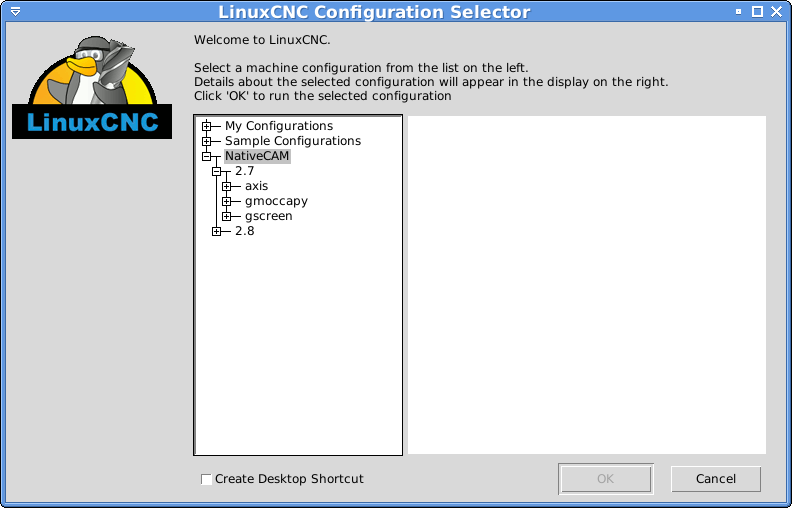
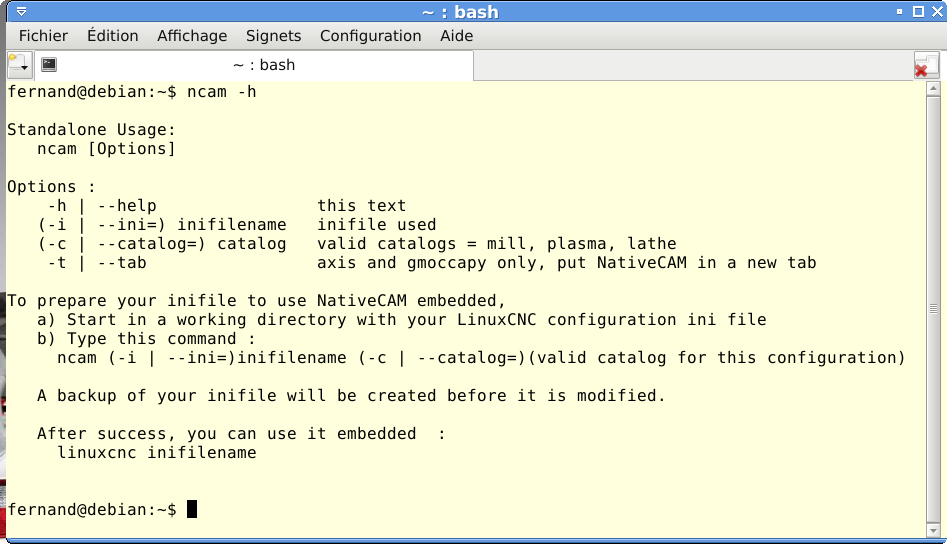
When you want to use with your setup, read the info here :


It can be embedded in axis, gmoccapy or gscreen

Regards
Fern
Last edit: 8 years 10 months ago by FernV.

Please Log in or Create an account to join the conversation.

Time to create page: 0.097 seconds
Powered by Kunena Forum
