
- Posts: 12170
- Thank you received: 4153
Another plasma component...
- rodw
- Offline
- Platinum Member
-

Less
More
7 years 6 months ago #131836
by rodw
Yes, I am away and cutting! Now I've found the G54 offsets in Gmocappy. I've just put the Z offset in there
I still don't understand how to set G54 offsets from Gcode.
Anyway, I needed a unit number to put on the building So I've got this sandblasted and am waiting for the paint to dry... I cut this once before but the torch dragged on an earlier config as I did not have Ohmic sensing.... Very cool thanks Phill!
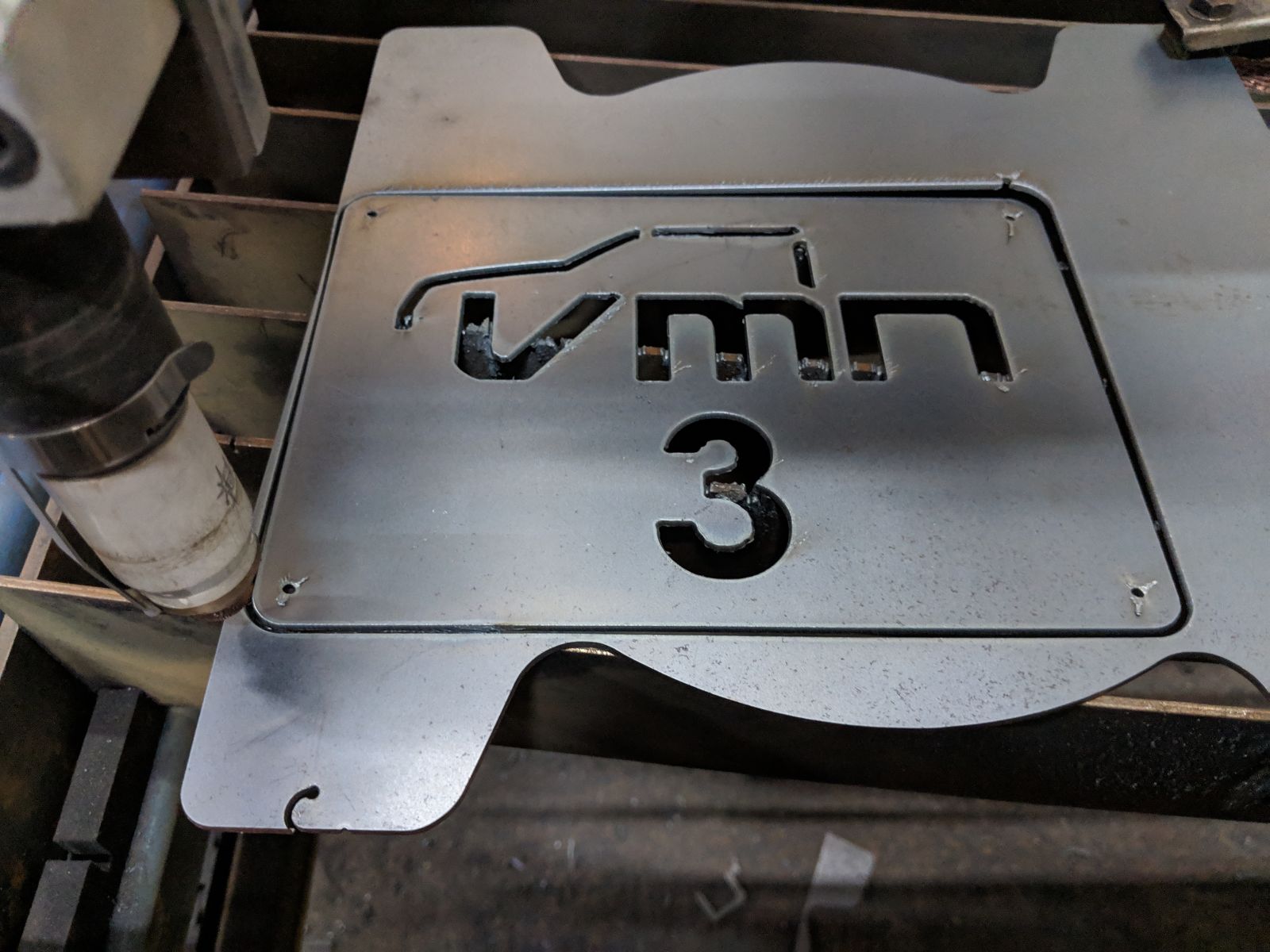
So next will be real parts.
Replied by rodw on topic Another plasma component...
phillc54 wrote: Rod,
I really don't understand why you need the G92 offset, after homing jog Z down to just above slat level and use the Z touchoff button to set Z zero then jog back up to the top and give it a try. Make sure you have reset all offsets.
Cheers, Phill
Yes, I am away and cutting! Now I've found the G54 offsets in Gmocappy. I've just put the Z offset in there
I still don't understand how to set G54 offsets from Gcode.
Anyway, I needed a unit number to put on the building So I've got this sandblasted and am waiting for the paint to dry... I cut this once before but the torch dragged on an earlier config as I did not have Ohmic sensing.... Very cool thanks Phill!
So next will be real parts.
The following user(s) said Thank You: phillc54, Grotius
Please Log in or Create an account to join the conversation.
- phillc54
- Offline
- Platinum Member
-
Less
More
- Posts: 5711
- Thank you received: 2100
7 years 6 months ago #131837
by phillc54
Replied by phillc54 on topic Another plasma component...
Rod,
Check this out, I normally use G10 L2 in Section 3.2
Cheers, Phill.
BTW you really don't need to change Z, plasmac does all the motion required.
Check this out, I normally use G10 L2 in Section 3.2
Cheers, Phill.
BTW you really don't need to change Z, plasmac does all the motion required.
Please Log in or Create an account to join the conversation.
- rodw
- Offline
- Platinum Member
-
Less
More
- Posts: 12170
- Thank you received: 4153
7 years 6 months ago #131843
by rodw
Replied by rodw on topic Another plasma component...
Phil thanks. I read that several times. Its just my lack of gcode experience showing through. I'll work it out.
I have to say you are truly the plasma wizard from Oz! Plasmac is Amazing! I'm sold!
I designed another prototype part this afternoon and came up with a very messy Sheetcam post for Plasmac so I could cut it. When I clean it up you may like to adopt it. In fact, maybe we can get Les to include a working post in his sheetcam distro once plasmac is a bit more stable.
I have to say you are truly the plasma wizard from Oz! Plasmac is Amazing! I'm sold!
I designed another prototype part this afternoon and came up with a very messy Sheetcam post for Plasmac so I could cut it. When I clean it up you may like to adopt it. In fact, maybe we can get Les to include a working post in his sheetcam distro once plasmac is a bit more stable.
The following user(s) said Thank You: phillc54
Please Log in or Create an account to join the conversation.
- docwelch
- Offline
- Senior Member
-

Less
More
- Posts: 58
- Thank you received: 25
7 years 6 months ago #131846
by docwelch
Replied by docwelch on topic Another plasma component...
Rod,
Thanks for the help with the man pages and the information. I've been playing around with the simulator and really like what I am seeing.
Steven
Thanks for the help with the man pages and the information. I've been playing around with the simulator and really like what I am seeing.
Steven
The following user(s) said Thank You: rodw
Please Log in or Create an account to join the conversation.
- islander261
- Offline
- Platinum Member
-
Less
More
- Posts: 757
- Thank you received: 216
7 years 6 months ago #131854
by islander261
Replied by islander261 on topic Another plasma component...
Rod
The only reason you will ever need to set G54 offsets from Gcode is if you start using multi work piece fixtures on your table, not the usual practice in plasma cutting.
The G54 offsets tell the machine the offsets from machine coordinates to them. If you look through the Gcodes you will see there are a number of offsets (Gcodes) available, we normally only need one for plasma cutting because we are not using fixtures or multiple vices like a milling machine. You actually could use any of the available ones if you want to. When we use the Gmoccapy touch off buttons to set the work piece zero it takes care of making the selected offsets active so you don't need to in the Gcode, if you switch offsets in mid program then you will need to switch in Gcode, no real reason unless you plan on multiple work pieces. The use of offsets to define the location of your work piece keeps your soft limits correct. Typically you want to keep your machine coordinate system unchanged after homing and define your work piece location with offsets. Your Gmoccapy DROs are set up this way with the abs value being the machine coordinates and the work piece coordinates displayed with the active offset.
Please find attached my hacked up PP for SheetCam, I left a lot of garbage behind waiting on passing control codes from Gcode. Right now all it does is allow control of THC enable if you have appropriately hacked you .hal. If using this be sure to set your GUI Cut Speed to 0 to allow feedrate from Gcode.
John
The only reason you will ever need to set G54 offsets from Gcode is if you start using multi work piece fixtures on your table, not the usual practice in plasma cutting.
The G54 offsets tell the machine the offsets from machine coordinates to them. If you look through the Gcodes you will see there are a number of offsets (Gcodes) available, we normally only need one for plasma cutting because we are not using fixtures or multiple vices like a milling machine. You actually could use any of the available ones if you want to. When we use the Gmoccapy touch off buttons to set the work piece zero it takes care of making the selected offsets active so you don't need to in the Gcode, if you switch offsets in mid program then you will need to switch in Gcode, no real reason unless you plan on multiple work pieces. The use of offsets to define the location of your work piece keeps your soft limits correct. Typically you want to keep your machine coordinate system unchanged after homing and define your work piece location with offsets. Your Gmoccapy DROs are set up this way with the abs value being the machine coordinates and the work piece coordinates displayed with the active offset.
Please find attached my hacked up PP for SheetCam, I left a lot of garbage behind waiting on passing control codes from Gcode. Right now all it does is allow control of THC enable if you have appropriately hacked you .hal. If using this be sure to set your GUI Cut Speed to 0 to allow feedrate from Gcode.
John
The following user(s) said Thank You: phillc54
Please Log in or Create an account to join the conversation.
- islander261
- Offline
- Platinum Member
-
Less
More
- Posts: 757
- Thank you received: 216
7 years 6 months ago #131870
by islander261
Replied by islander261 on topic Another plasma component...
Rod
Here is my typical work flow as it may help clear things up. Using Gmoccapy in the Plasmac branch.
1.Start terminal session.
2.Set Plasmac RIP environment
3. Start LinuxCNC
4. Pick configuration I want to run
5. Take program out of estop
6. Switch machine on with GUI button
7. Press the Homing button in bottom left corner of GUI
8. Press Home All button in bottom left corner of GUI and wait for homing to finish
9. Press Load Material button on buttons panel and wait for gantry to clear table
10. Place work piece on table and square to table motion using laser crosshairs
11. Jog to work piece origin
12. Press Touch Off button on bottom of GUI (second from left)
13. Press X Set button
14. In popup window set X offset to 0 (should be default choice)
15. Repeat 13 & 14 for Y axis
16. Press return button on bottom right of GUI to clear Touch Off Tab, you should see G54 offset label displayed in DRO
17. Check settings
18. Load program
19. Enable Torch
20. Start program
John
Here is my typical work flow as it may help clear things up. Using Gmoccapy in the Plasmac branch.
1.Start terminal session.
2.Set Plasmac RIP environment
3. Start LinuxCNC
4. Pick configuration I want to run
5. Take program out of estop
6. Switch machine on with GUI button
7. Press the Homing button in bottom left corner of GUI
8. Press Home All button in bottom left corner of GUI and wait for homing to finish
9. Press Load Material button on buttons panel and wait for gantry to clear table
10. Place work piece on table and square to table motion using laser crosshairs
11. Jog to work piece origin
12. Press Touch Off button on bottom of GUI (second from left)
13. Press X Set button
14. In popup window set X offset to 0 (should be default choice)
15. Repeat 13 & 14 for Y axis
16. Press return button on bottom right of GUI to clear Touch Off Tab, you should see G54 offset label displayed in DRO
17. Check settings
18. Load program
19. Enable Torch
20. Start program
John
The following user(s) said Thank You: phillc54
Please Log in or Create an account to join the conversation.
Moderators: snowgoer540
Time to create page: 6.237 seconds