
- Posts: 1683
- Thank you received: 784

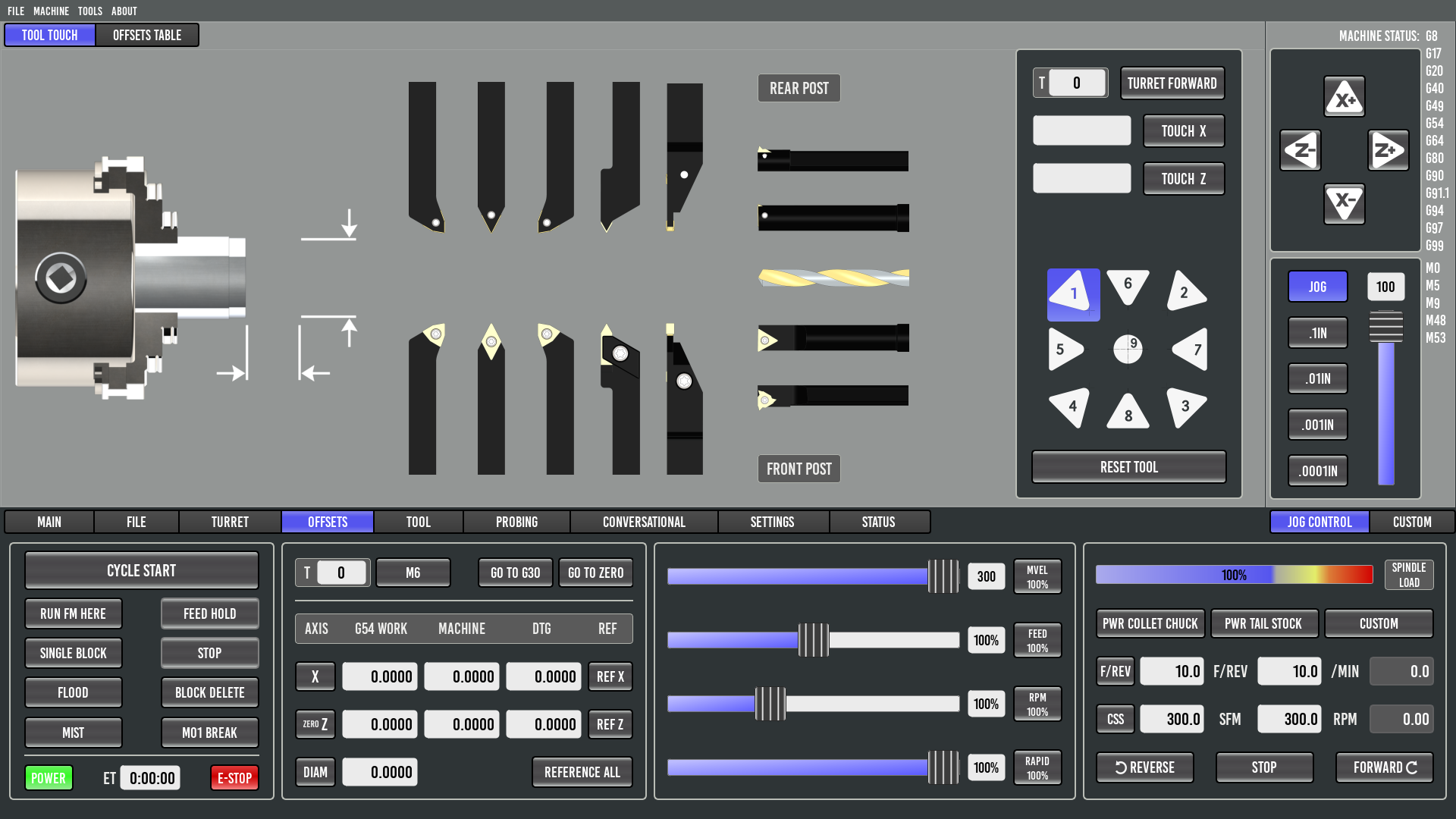
Chich2 wrote: My lathe has seperate buttons for tailstock quill in and out. A single button for the tool setter probe. Chip conveyor forwards and reverse buttons. I also have a 2 speed gear box driving my spindle that has a high and low speed buttons which are also selectable via M-codes during a program. A parts catcher button would be great also.
Is there consideration in the GUI for a screen to manually force i/o
Please Log in or Create an account to join the conversation.
Please Log in or Create an account to join the conversation.
Please Log in or Create an account to join the conversation.
mclausen wrote: Exciting to see the progress on this interface! Thank you guys for all the hard work.
I have retrofit Hardinge lathe that I would like to use this on, and plans to retrofit two Kitamura mills in the future.
I used a lot of physical buttons and dials on my retrofit because it is nice to not have to look at the screen when running a new program, and have a finger on the HOLD button, or adjust the FEED OVERRIDE.
The touchscreen on my lathe is not a wide screen. Will it be easy to change the aspect ratio with this interface?
I have never run a factory CNC lathe, but to me it made sense to have the counter-clockwise spindle start to be the forward so that is how I made my control. What is the standard way? On a mill you are looking at the spindle from above, so forward appears clockwise. On a lathe you are looking at the spindle from the end so forward appears counter-clockwise.
Please Log in or Create an account to join the conversation.
Please Log in or Create an account to join the conversation.
Please Log in or Create an account to join the conversation.

