User Install for Probe Basic Py3 (For Machine Control)

More
3 years 7 months ago #266141 by Lcvette
UPDATE:  3/8/2 2:42 pm EST

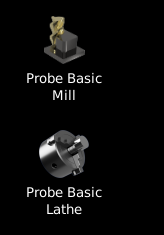
** Added Probe Basic Mill and Probe Basic Lathe icons and copy command to place the launcher icons in target directory: /Home/username/Pictures so they can be set by editing desktop launcher icons.


Please Log in or Create an account to join the conversation.

More
3 years 7 months ago - 3 years 7 months ago #267052 by aaroniscrazy
 
Thanks for this guide, it is the furthest I have gotten out of like 5 other guides. I am still having an issue when attempting to boot the default probe basic installs. The errors that the output lists are:

[qtpyvcp.app.runtime_config][[31mERROR[0m]  "" for option [DEFAULT] recentfiles is not a valid list, using default value of "[]" (runtime_config.py:91)

X Error of failed request:  BadWindow (invalid Window parameter)
  Major opcode of failed request:  12 (X_ConfigureWindow)
  Resource id in failed request:  0x5
  Serial number of failed request:  7
  Current serial number in output stream:  8

Apologies for not using the code formating, I tried a good number of times but could not get it formatted correctly. I have also attached the whole log if that is helpful. Any help would be greatly appreciated.
 
Last edit: 3 years 7 months ago by aaroniscrazy. Reason: fixing formating

Please Log in or Create an account to join the conversation.

More
3 years 7 months ago - 3 years 7 months ago #267053 by Lcvette
You need xfce, your report states you are using gnome.. I believe you can fix by doing something to the existing installed desktop,  but I have not done it as I always use xfce as described in the install instructions. 

It may be easier to just reinstall linux and when the option is presented during the graphical install,  uncheck gnome and check xfce4.
Last edit: 3 years 7 months ago by Lcvette.

Please Log in or Create an account to join the conversation.

More
3 years 7 months ago #267055 by aaroniscrazy
Thanks for the really fast reply, Ill go ahead and reinstall Linux again tomorrow, I am pretty good at it now after like 8 reinstalls :/ I also didnt know that you could just install different desktop environments. Really happy about that as gnome was not my favorite and xfce seems better.
The following user(s) said Thank You: Lcvette

Please Log in or Create an account to join the conversation.

More
3 years 7 months ago #267056 by rodw
The culprit here is not so much Gnome but wayland.
XFCE is a Xorg based desktop. Gnome uses Wayland
You can load gnome using xorg if you logout and while your cursor and click on the gear icon at the bottom right and select an alternative desktop.
But you ptobably won't have the icons on your desktop
you can install xfce using tasksel and select it per the above
you may need to install it first:
Code:
sudo apt install tasksel sudo tasksel
 

Please Log in or Create an account to join the conversation.

More
3 years 7 months ago #267057 by aaroniscrazy
Thanks for the other options. I'll start by just reinstalling the OS again, I was not very happy with the gnome interface anyway, I just didn't know that it was something that could be changed. Xfce seems to be more what I am used to and sounds like it may put me one step closer to having a working install.

Please Log in or Create an account to join the conversation.

Moderators: KCJ, Lcvette
Time to create page: 0.175 seconds
Powered by Kunena Forum