
- Posts: 574
- Thank you received: 96
Сustomization QTvcp
- hottabich
- Offline
- Platinum Member
-

Less
More
5 years 10 months ago #192435
by hottabich
Replied by hottabich on topic Сustomization QTvcp
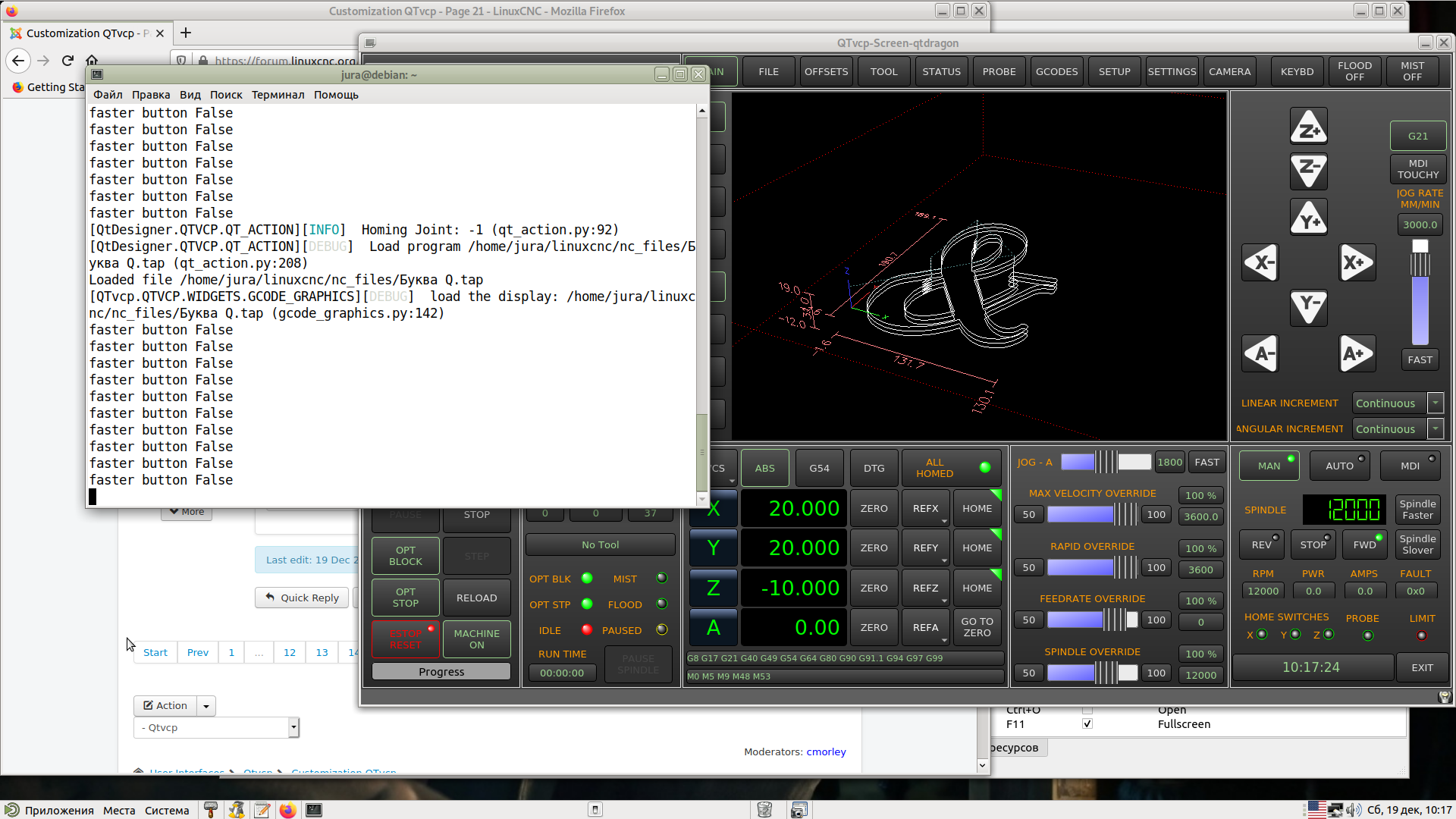
Happened faster button False.
Please Log in or Create an account to join the conversation.
- cmorley
- Offline
- Moderator
-

Less
More
- Posts: 7368
- Thank you received: 2181
5 years 10 months ago #192439
by cmorley
Replied by cmorley on topic Сustomization QTvcp
Good - ok the state is never True so the rest of the code doesn't get run.
I see now that you used 'clicked()' as the signal so that's why it's always false.
No problem, change it to this:
I see now that you used 'clicked()' as the signal so that's why it's always false.
No problem, change it to this:
Code:
def spindle_faster(self):
if STATUS.is_spindle_on(0):
ACTION.SET_SPINDLE_FASTER(0)
Please Log in or Create an account to join the conversation.
- hottabich
- Offline
- Platinum Member
-
Less
More
- Posts: 574
- Thank you received: 96
5 years 10 months ago #192440
by hottabich
Replied by hottabich on topic Сustomization QTvcp
Thank you very much! This is how it works.
Please Log in or Create an account to join the conversation.
- hottabich
- Offline
- Platinum Member
-
Less
More
- Posts: 574
- Thank you received: 96
5 years 10 months ago #193013
by hottabich
Replied by hottabich on topic Сustomization QTvcp
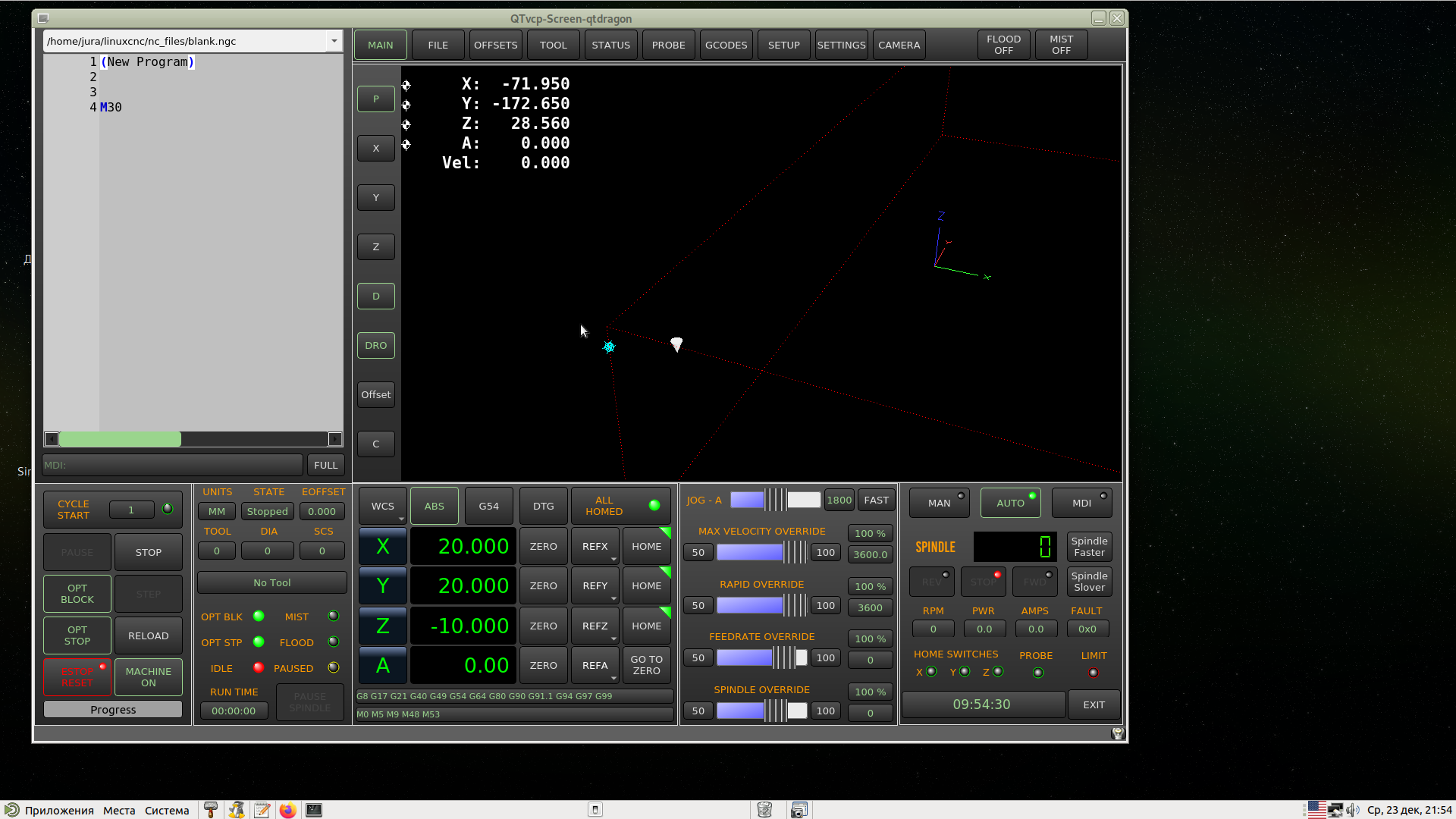
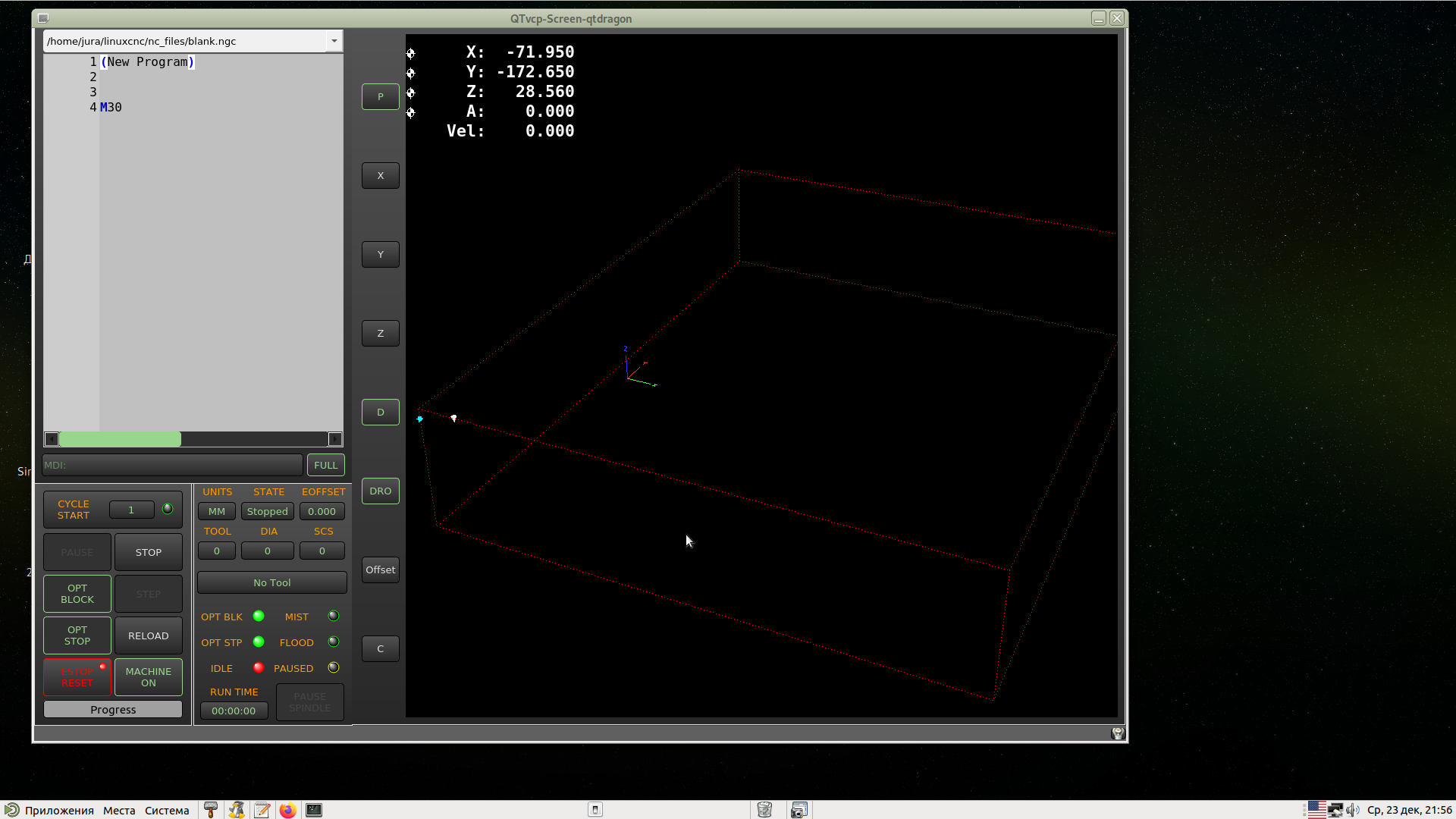
In full screen mode, I added a DRO display to the display. Everything is fine, only the A axis has one more sign and is converted. It can be fixed? But that's good enough.
Please Log in or Create an account to join the conversation.
- cmorley
- Offline
- Moderator
-
Less
More
- Posts: 7368
- Thank you received: 2181
5 years 10 months ago #193049
by cmorley
Replied by cmorley on topic Сustomization QTvcp
you want to change the DRO format of the rotary axis? 0.000 to 0.00?
I just pushed to master a way to do this:
You can change others too:
I just pushed to master a way to do this:
Code:
self.w.NAME_OF_GCODE_DISPLAY.dro_deg = "% 9.2f"
You can change others too:
Code:
.dro_in = "% 9.4f"
.dro_mm = "% 9.3f"
.dro_deg = "% 9.2f"
.dro_vel = " Vel:% 9.2F"
The following user(s) said Thank You: tommylight, hottabich
Please Log in or Create an account to join the conversation.
- tommieh
- Offline
- Junior Member
-

Less
More
- Posts: 28
- Thank you received: 0
5 years 9 months ago #196868
by tommieh
Replied by tommieh on topic Сustomization QTvcp
I have a different question related to feed rate:
How can I display the programmed feed rate in QtVCP?
I’m not referring to the actual feed rate, which is simple to display.
What I would like to have is, for example:
Programming G1F1000 should show F1000 in QtVCP.
I have tried using motion.feed-upm:
In _postgui.hal:
Net feed_cmd qtop.feed_cmd <= motion.feed-upm
In _handler:
pin = self.h.newpin(‘feed_cmd”, hal.HAL_FLOAT, hal.HAL_IN)
pin.value_changed.connect(self.feed_cmd_changed)
def feed_cmd_changed(self, data)
feed = “{:5:0f}”.format(self.h[‘feed_cmd’])
self.w.lbl_feed_cmd.setText(text)
The above kind of works and shows the feed rate but only if there’s a change in feed rate.
If F is programmed in an *.ncg program, F will be displayed with some delay after reading the block.
Programming G1F1000 in MDI will show F0.
I would like to always show the programmed Feed rate, even in MDI.
I noticed there’s a linuxcnc.stat attribute:
"settings"
(returns tuple of floats) - current interpreter settings. settings[0] = sequence number, settings[1] = feed rate, settings[2] = speed.
If "settings" is the way to go ? I don’t know how to use this in QtVCP.
Any help would be appreciated.
Thanks
How can I display the programmed feed rate in QtVCP?
I’m not referring to the actual feed rate, which is simple to display.
What I would like to have is, for example:
Programming G1F1000 should show F1000 in QtVCP.
I have tried using motion.feed-upm:
In _postgui.hal:
Net feed_cmd qtop.feed_cmd <= motion.feed-upm
In _handler:
pin = self.h.newpin(‘feed_cmd”, hal.HAL_FLOAT, hal.HAL_IN)
pin.value_changed.connect(self.feed_cmd_changed)
def feed_cmd_changed(self, data)
feed = “{:5:0f}”.format(self.h[‘feed_cmd’])
self.w.lbl_feed_cmd.setText(text)
The above kind of works and shows the feed rate but only if there’s a change in feed rate.
If F is programmed in an *.ncg program, F will be displayed with some delay after reading the block.
Programming G1F1000 in MDI will show F0.
I would like to always show the programmed Feed rate, even in MDI.
I noticed there’s a linuxcnc.stat attribute:
"settings"
(returns tuple of floats) - current interpreter settings. settings[0] = sequence number, settings[1] = feed rate, settings[2] = speed.
If "settings" is the way to go ? I don’t know how to use this in QtVCP.
Any help would be appreciated.
Thanks
Please Log in or Create an account to join the conversation.
Moderators: cmorley
Time to create page: 0.849 seconds