
- Posts: 7368
- Thank you received: 2181
Error in tool_offsetview.py
- cmorley
- Offline
- Moderator
-

Less
More
2 years 2 months ago - 2 years 2 months ago #306922
by cmorley
Replied by cmorley on topic Error in tool_offsetview.py
Here are the stylesheet properties, you can turn them on and off as you please.
They will change immediately.
They will change immediately.
Code:
DROLabel{
qproperty-showLast: true;
qproperty-showDivide : true;
qproperty-showGotoOrigin: true;
qproperty-showZeroOrigin: true;
qproperty-showSetOrigin: true;
}
AxisToolButton{
qproperty-showLast: false;
qproperty-showDivide : false;
qproperty-showGotoOrigin: false;
qproperty-showZeroOrigin: false;
qproperty-showSetOrigin: false;
}
Last edit: 2 years 2 months ago by cmorley.
Please Log in or Create an account to join the conversation.
- MarkoPolo
- Offline
- Elite Member
-

Less
More
- Posts: 319
- Thank you received: 90
2 years 2 months ago #306925
by MarkoPolo
Replied by MarkoPolo on topic Error in tool_offsetview.py
Great.
That all works.
You could also add "dro_axis_*" to the "button_response_list"
in the handler file so that these functions are not available during operation.
That all works.
You could also add "dro_axis_*" to the "button_response_list"
in the handler file so that these functions are not available during operation.
Please Log in or Create an account to join the conversation.
- cmorley
- Offline
- Moderator
-
Less
More
- Posts: 7368
- Thank you received: 2181
2 years 2 months ago #307394
by cmorley
Replied by cmorley on topic Error in tool_offsetview.py
I did push some work that might have improved this. If you are using _hd maybe more work needs to be done the code base is a little different.
The following user(s) said Thank You: tommylight
Please Log in or Create an account to join the conversation.
- MarkoPolo
- Offline
- Elite Member
-
Less
More
- Posts: 319
- Thank you received: 90
2 years 2 months ago #308064
by MarkoPolo
Replied by MarkoPolo on topic Error in tool_offsetview.py
Hi Chris
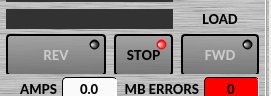
I don't know if anyone uses qtdragon_lathe , but I've made a few fixes for bad button sizes.
I've also made a few minor fixes for the brushed_metal_color theme.
I want to make the icons a bit bigger in the gcode editor, but it doesn't work well from the theme file. It can be done directly in the gcode_editor.py file, but that requires editing that file.
Do you have a way to do this in the theme file?
I don't know if anyone uses qtdragon_lathe , but I've made a few fixes for bad button sizes.
I've also made a few minor fixes for the brushed_metal_color theme.
I want to make the icons a bit bigger in the gcode editor, but it doesn't work well from the theme file. It can be done directly in the gcode_editor.py file, but that requires editing that file.
Do you have a way to do this in the theme file?

The following user(s) said Thank You: tommylight
Please Log in or Create an account to join the conversation.
- cmorley
- Offline
- Moderator
-
Less
More
- Posts: 7368
- Thank you received: 2181
2 years 2 months ago #308095
by cmorley
Replied by cmorley on topic Error in tool_offsetview.py
GcodeEditor QToolButton {
width: 50;
height: 50;}
makes the button bigger - can't make anything related to icon work.
width: 50;
height: 50;}
makes the button bigger - can't make anything related to icon work.
Please Log in or Create an account to join the conversation.
- MarkoPolo
- Offline
- Elite Member
-
Less
More
- Posts: 319
- Thank you received: 90
2 years 2 months ago #308109
by MarkoPolo
Replied by MarkoPolo on topic Error in tool_offsetview.py
Yes, that's how it works. Just make the buttons bigger. I improwed the file.
Please Log in or Create an account to join the conversation.
Moderators: cmorley
Time to create page: 0.600 seconds