
- Posts: 4819
- Thank you received: 2177
Axis Position Logger
- Aciera
- Online
- Administrator
-

Less
More
1 year 5 months ago #327992
by Aciera
Replied by Aciera on topic Axis Position Logger
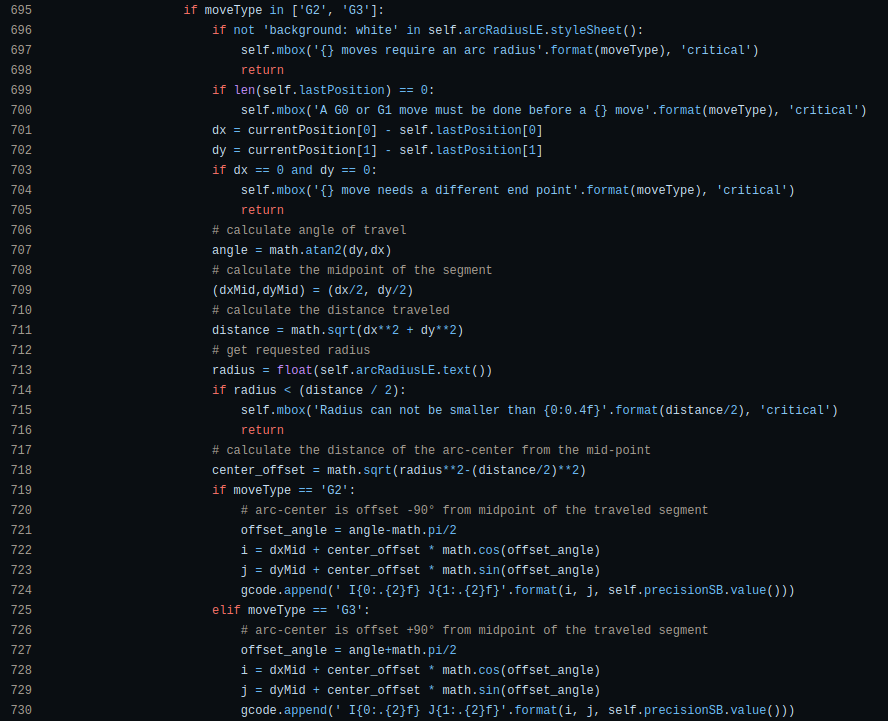
Not as it is. It would have to be added to this part of the code (unfortunately I'm rather busy with other things right now):
Please Log in or Create an account to join the conversation.
- fery15sty
- Offline
- Premium Member
-

Less
More
- Posts: 88
- Thank you received: 12
1 year 5 months ago #327996
by fery15sty
Replied by fery15sty on topic Axis Position Logger
ok, i have tried editing the code to change it to R. after many errors finally it worked..
Thanks
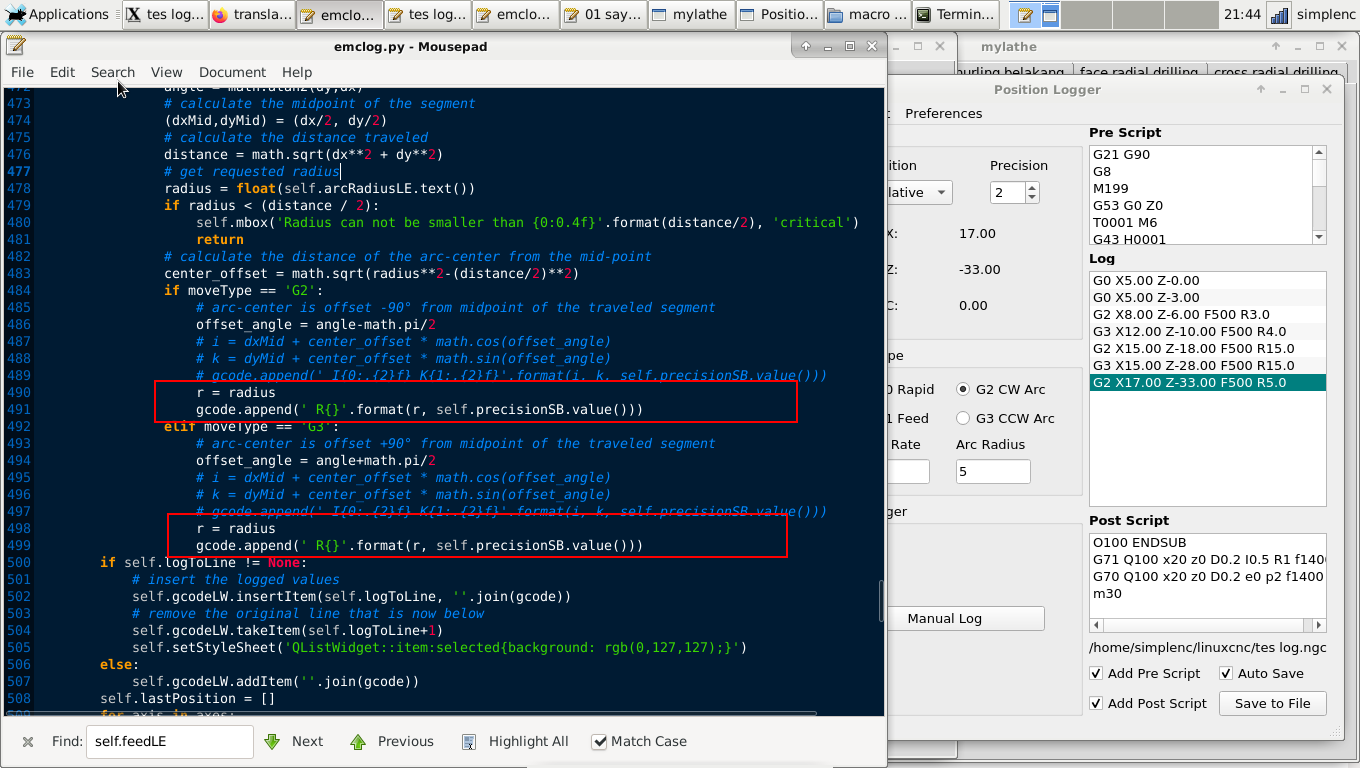
and the results
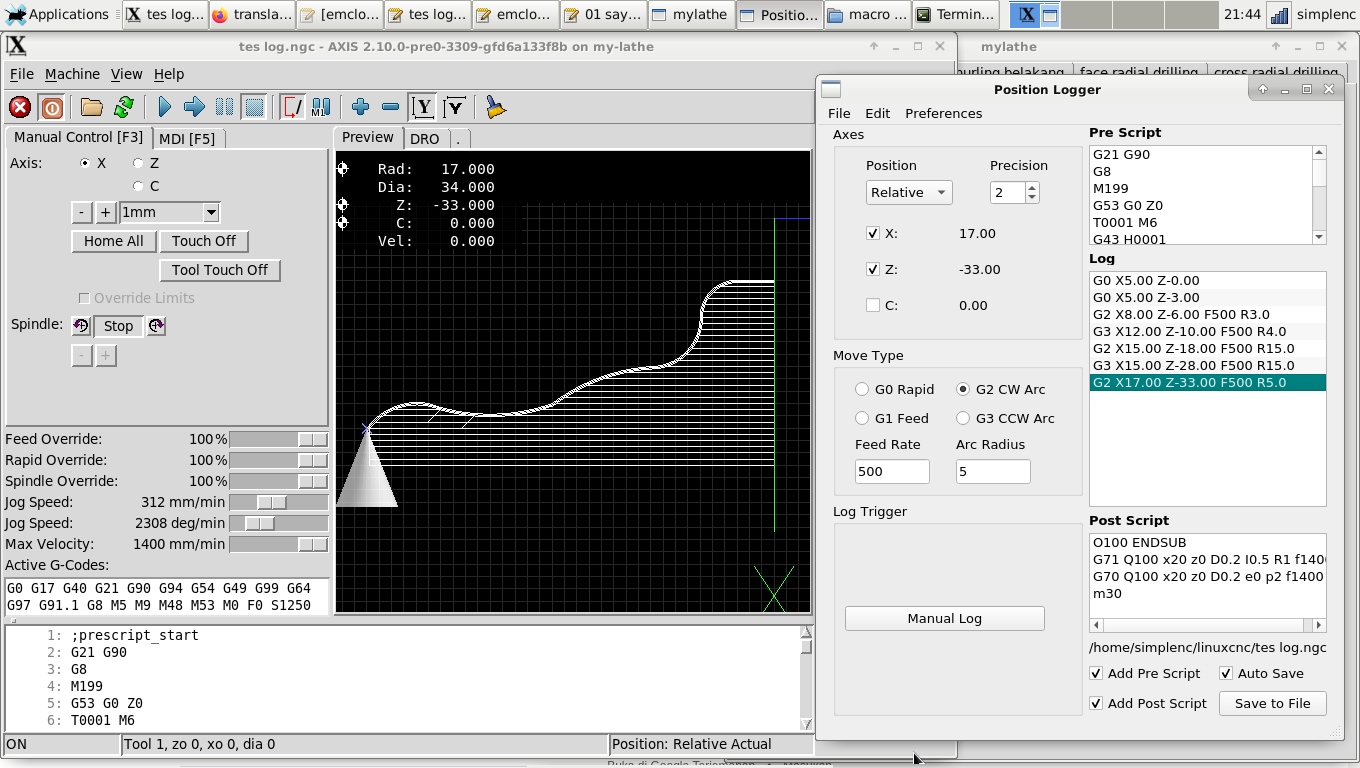
Thanks
and the results
The following user(s) said Thank You: Aciera
Please Log in or Create an account to join the conversation.
- Aciera
- Online
- Administrator
-
Less
More
- Posts: 4819
- Thank you received: 2177
1 year 5 months ago #328020
by Aciera
Replied by Aciera on topic Axis Position Logger
Well, that was easy.
Please Log in or Create an account to join the conversation.
- fery15sty
- Offline
- Premium Member
-
Less
More
- Posts: 88
- Thank you received: 12
1 year 5 months ago - 1 year 5 months ago #328053
by fery15sty
Replied by fery15sty on topic Axis Position Logger
can i connect the menu options on the position-logger application with the halpin on the AXIS controller so that i can record the position with an external button (parport input)?
some menus as in the picture
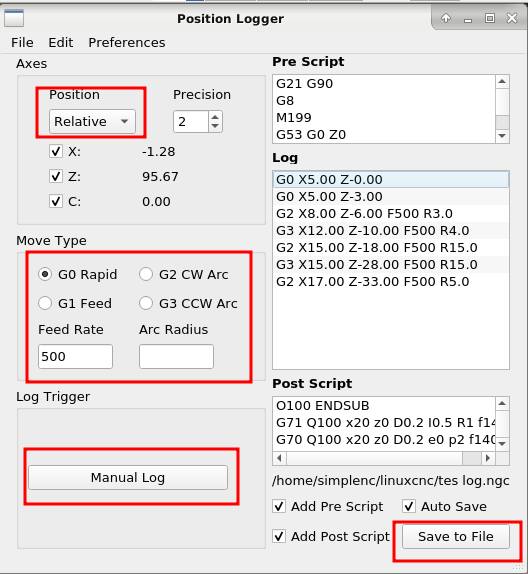
some menus as in the picture
Last edit: 1 year 5 months ago by fery15sty.
The following user(s) said Thank You: partec
Please Log in or Create an account to join the conversation.
- Aciera
- Online
- Administrator
-
Less
More
- Posts: 4819
- Thank you received: 2177
1 year 5 months ago #328130
by Aciera
Replied by Aciera on topic Axis Position Logger
You could import the 'hal' library and create hal pins like this (example here is a digital input pin 'log-trigger'):
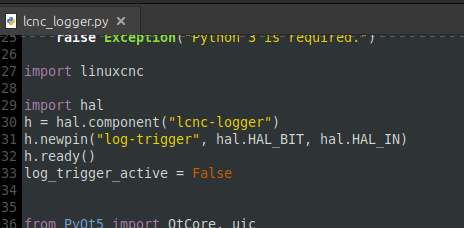
after launching linuxcnc and the logger this should show up as a hal pin:

You can add the actions for these pin to the 'update' function (example triggers a log on pin 'log-trigger' changing from 0->1)
:
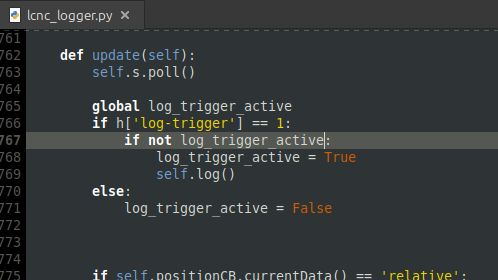
after launching linuxcnc and the logger this should show up as a hal pin:
You can add the actions for these pin to the 'update' function (example triggers a log on pin 'log-trigger' changing from 0->1)
:
The following user(s) said Thank You: partec, fery15sty
Please Log in or Create an account to join the conversation.
Time to create page: 0.525 seconds