Can't install camview in buster

More
3 years 11 months ago #256078 by seuchato
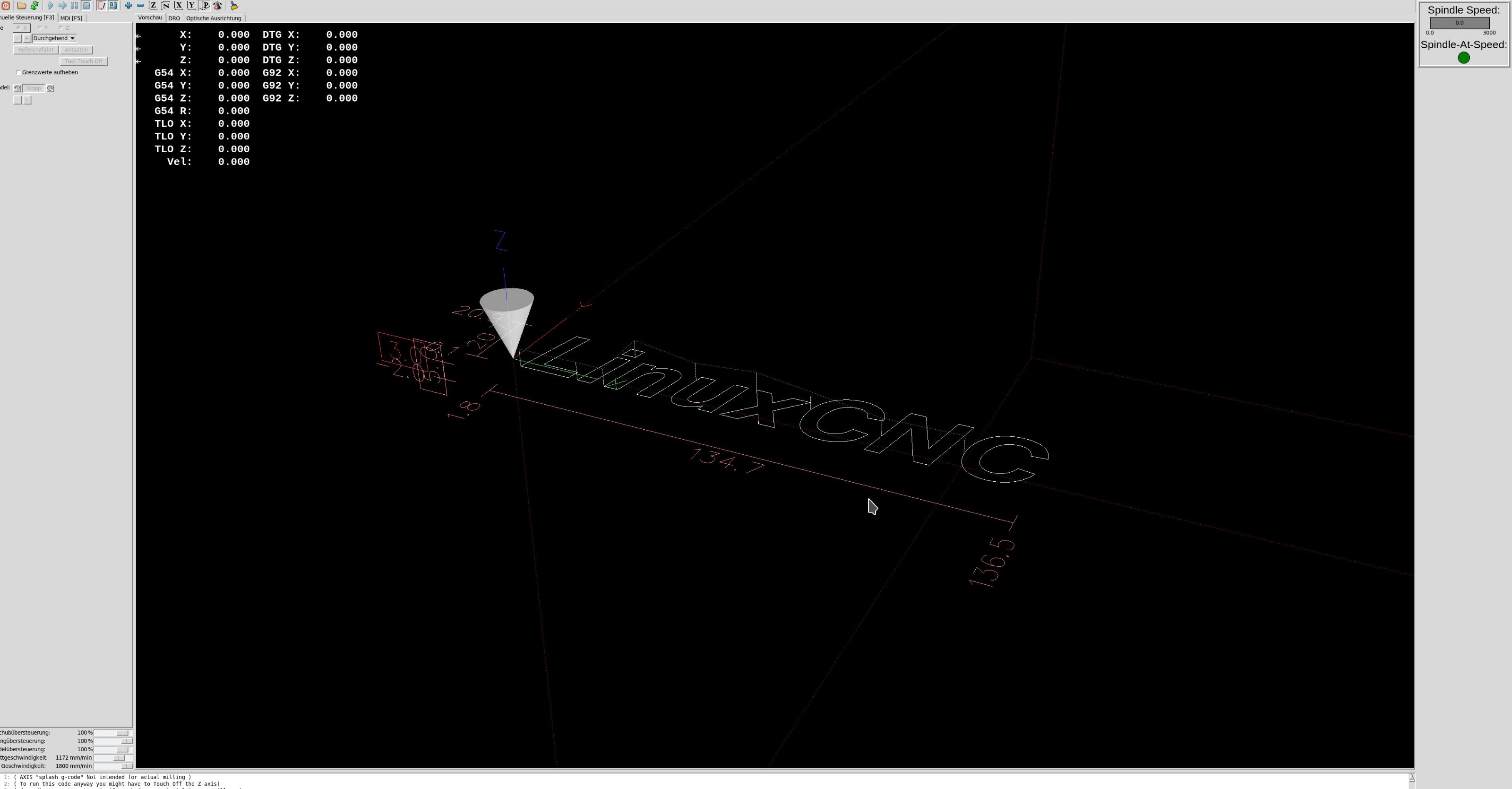
Hi allIgot the delay down to a few seconds. While this is acceptable to me, I don't know why it decreased. That leaves a bit a bad taste and a kind of uncertanty: will it stay like that or come back to a higher delay later?For the time being, I consider this issue solved.I do have another issue though: While axis and DRO preview tabs scale nicely to the the space available, the cam_align tab does not:axis preview: 
 
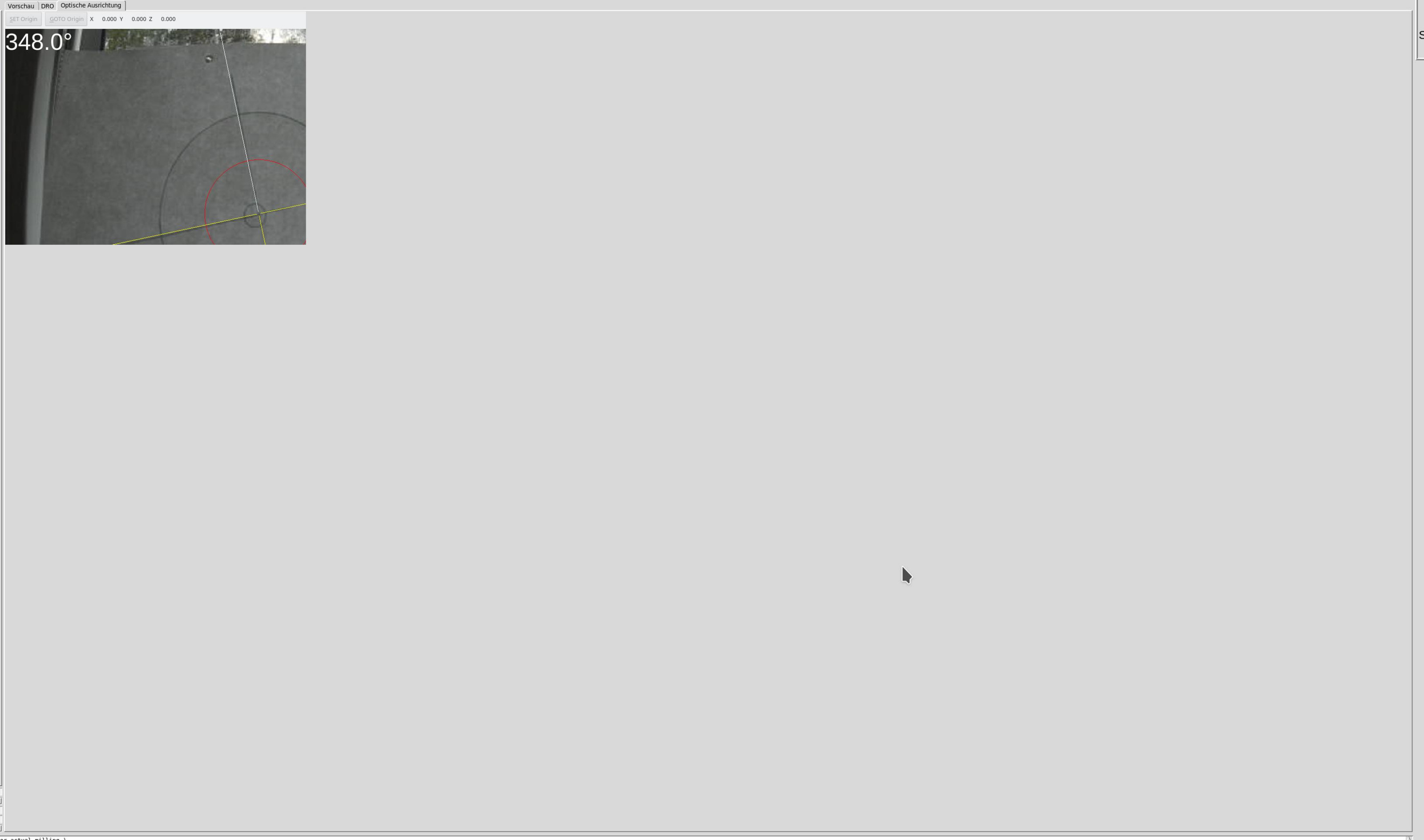
cam_align tab after resizing:
 
You can see, the cam_align picture is a) not expanded to the available tab camvas size b) after trying to resize with the mouse, the picture istelf is cut off.

I looked at the source code ( github.com/LinuxCNC/linuxcnc/blob/master...mview_widget.py#L281 ), and indeed, the window size is hard coded:  
I guess, that could be changed. I will try to change the fixed size to another value. I do write apps in C++ though and a few java thingis. As I am not familiar with python, I guess, I cannot suggest an appropriate modification. Maybe Chris Morley could?
It would be the dot an a perfect thing :-)
greez
chris


Please Log in or Create an account to join the conversation.

More
3 years 11 months ago #256115 by cmorley
Ideally the tab would resize automatically.
In pyqt4 it worked pretty well. pyqt5 not so much.

I could make the default size settable from the INI when loading I think, if that would help.
The following user(s) said Thank You: seuchato, tommylight

Please Log in or Create an account to join the conversation.
More
3 years 11 months ago #256135 by seuchato
chris
That would be nice. Off course automagical resizing would be best.
Will you notify, when it is ready?
Tia
chris

Please Log in or Create an account to join the conversation.

More
3 years 11 months ago #256188 by cmorley
ok I pushed to 2.8 and master.

EMBED_TAB_COMMAND= halcmd loadusr -Wn qtvcp_embed qtvcp -d -c qtvcp_embed -x {XID} -o size=800,600 cam_align

Note the '-o size=800,600'
that is the width and height

In 2.8 you must use -U instead of -o

Chris
The following user(s) said Thank You: seuchato

Please Log in or Create an account to join the conversation.

More
3 years 11 months ago #256275 by seuchato
with apt-get -update && apt-get upgrade I am not getting an update related to cam_align. The file at " github.com/LinuxCNC/linuxcnc/blob/master...ts/camview_widget.py " is still as before (last edited 3 months ago)

Do I have to copy the files manually, if which, from where to where?

Greez
chris

Please Log in or Create an account to join the conversation.

More
3 years 11 months ago #256285 by seuchato
Chris
Found the file with your patch here: " github.com/LinuxCNC/linuxcnc/tree/master...vcp/panels/cam_align "
I renamed the existing .ui and .py to .ui/py.sav copied the ui and py file from above reference, chown them to cncn user and group.

my cam_align.inc:
Code:
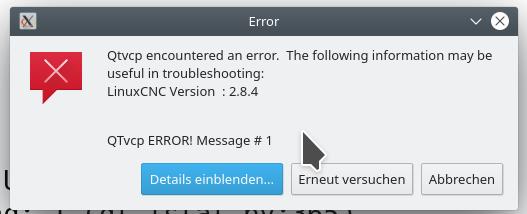
cat cam_align.inc #[DISPLAY] # camview based on cam_align with simple crosshair and circle EMBED_TAB_NAME = Optische Ausrichtung # works, but window size small # EMBED_TAB_COMMAND= halcmd loadusr -Wn qtvcp_embed qtvcp -d -c qtvcp_embed  -x {XID} cam_align # Does not work, linuxcnc crashes immediately after logoshows => -U-crash.txt EMBED_TAB_COMMAND= halcmd loadusr -Wn qtvcp_embed qtvcp -d -c qtvcp_embed -x {XID} -U size=800,600 cam_align # Does not work, linuxcnc starts, shows manual toolchanger message and then an errormessage, waits seemingly for ever to # invoke cam_align panel, see -o-errormessage.jpg & .txt plus -owait-for-panel.txt #EMBED_TAB_COMMAND= halcmd loadusr -Wn qtvcp_embed qtvcp -d -c qtvcp_embed -x {XID} -o size=800,600 cam_align

The comments hopefully help to trace it down.
Greez
chris

Please Log in or Create an account to join the conversation.

Time to create page: 0.160 seconds
Powered by Kunena Forum