
- Posts: 97
- Thank you received: 9
Kinematics... again:/
- Boogie
- Offline
- Premium Member
-

Less
More
9 years 5 months ago #93825
by Boogie
Replied by Boogie on topic Kinematics... again:/
Thank you guys. I tried to copy/paste as you said and it worked. There is another thing.
I loaded simulation vismach_scara configuration example yesterday. Linuxcnc loaded with no errors. AXIS and vismach windows appeared on the screen. I was able to move each individual joint in jog mode. Then hit 'home all' and all joints positions changed to their corresponding home positions according to INI file. So far so good.
Then i tried to switch do WORLD mode and joint0, joint1, etc... on the DRO changed to X, Y, Z, A, B or so. It all looked fine but i couldn't make any coordinated move in TELEOP mode using MDI without some error messages like: joint xxx would exceed positive limit, and similar. I tried to move in the same XYZ space using joint mode and there were no errors.
Then i picked puma sim configuration. The same problems.
Then i picked robokins configuration and... AXIS loaded with no errors! Why? I was able to home joints, move each joint in JOINT mode.
And here is tricky thing: in JOINT mode, after HOME_ALL command i could move each joint within soft limits set in INI file. That's ok. But when I switched to the WORLD mode and tried to move the machine in XYZ space I was able to move, say X axis (which is LINEAR type), beyond its soft limits! Why is that? Samo thing on ANGULAR joints. It looked like soft limits were not loaded but if I tried to use MDI to execute, say G10 X0Y10Z5, errors came on that some joints limits would be exceeded...?
Still much confused though some progress is visible.
I'll try to make a video - do you guys know some suitable software (not demanding as my PC is old) to capture my screen?
Now i have to play with VISMACH module and make model to visualize robokins arm. Here is another question: does vismach take into account HAL pins used to define robot arm lenghts (robokins.D1, robokins.D2 and robokins.D3) to update model diemensions in animation window?
I loaded simulation vismach_scara configuration example yesterday. Linuxcnc loaded with no errors. AXIS and vismach windows appeared on the screen. I was able to move each individual joint in jog mode. Then hit 'home all' and all joints positions changed to their corresponding home positions according to INI file. So far so good.
Then i tried to switch do WORLD mode and joint0, joint1, etc... on the DRO changed to X, Y, Z, A, B or so. It all looked fine but i couldn't make any coordinated move in TELEOP mode using MDI without some error messages like: joint xxx would exceed positive limit, and similar. I tried to move in the same XYZ space using joint mode and there were no errors.
Then i picked puma sim configuration. The same problems.
Then i picked robokins configuration and... AXIS loaded with no errors! Why? I was able to home joints, move each joint in JOINT mode.
And here is tricky thing: in JOINT mode, after HOME_ALL command i could move each joint within soft limits set in INI file. That's ok. But when I switched to the WORLD mode and tried to move the machine in XYZ space I was able to move, say X axis (which is LINEAR type), beyond its soft limits! Why is that? Samo thing on ANGULAR joints. It looked like soft limits were not loaded but if I tried to use MDI to execute, say G10 X0Y10Z5, errors came on that some joints limits would be exceeded...?
Still much confused though some progress is visible.
I'll try to make a video - do you guys know some suitable software (not demanding as my PC is old) to capture my screen?
Now i have to play with VISMACH module and make model to visualize robokins arm. Here is another question: does vismach take into account HAL pins used to define robot arm lenghts (robokins.D1, robokins.D2 and robokins.D3) to update model diemensions in animation window?
Please Log in or Create an account to join the conversation.
- andypugh
- Offline
- Moderator
-

Less
More
- Posts: 19899
- Thank you received: 4655
9 years 5 months ago #93840
by andypugh
No. Just like a real robot doesn't change its dimensions to suit the HAL file
This is probably good, it means that you can experiment with the wrong DH parameters to see the effects.
Vismach docs: linuxcnc.org/docs/2.7/html/gui/vismach.html
Replied by andypugh on topic Kinematics... again:/
Boogie wrote: Here is another question: does vismach take into account HAL pins used to define robot arm lenghts (robokins.D1, robokins.D2 and robokins.D3) to update model diemensions in animation window?
No. Just like a real robot doesn't change its dimensions to suit the HAL file
This is probably good, it means that you can experiment with the wrong DH parameters to see the effects.
Vismach docs: linuxcnc.org/docs/2.7/html/gui/vismach.html
Please Log in or Create an account to join the conversation.
- chimeno
- Offline
- Elite Member
-

Less
More
- Posts: 295
- Thank you received: 125
7 years 11 months ago #120408
by chimeno
Replied by chimeno on topic Kinematics... again:/
hello boogie,
I found this post and I'm thinking about doing your project and I would like to know how everything was and if you can share some information, it would be very helpful, thank you
Chimeno
I found this post and I'm thinking about doing your project and I would like to know how everything was and if you can share some information, it would be very helpful, thank you
Chimeno
Please Log in or Create an account to join the conversation.
- chimeno
- Offline
- Elite Member
-
Less
More
- Posts: 295
- Thank you received: 125
7 years 11 months ago #121082
by chimeno
Replied by chimeno on topic Kinematics... again:/
Hi guys,
I have a problem with the vismash simulator, I am not able to understand how I can change the center "arm-1" link3 to rotate on the cylinder, thanks Chimeno.
I have a problem with the vismash simulator, I am not able to understand how I can change the center "arm-1" link3 to rotate on the cylinder, thanks Chimeno.
Please Log in or Create an account to join the conversation.
- andypugh
- Offline
- Moderator
-
Less
More
- Posts: 19899
- Thank you received: 4655
7 years 11 months ago #121137
by andypugh
Replied by andypugh on topic Kinematics... again:/
do you mean that it articulates on the wrong pivot point, or that you can't make it move at all?
I wrote the Vismach docs, but only after working out a lot of stuff by trial and error that I have since forgotten.
I can only suggest the same for you, look at examples and experiment.
I wrote the Vismach docs, but only after working out a lot of stuff by trial and error that I have since forgotten.
I can only suggest the same for you, look at examples and experiment.
The following user(s) said Thank You: chimeno
Please Log in or Create an account to join the conversation.
- chimeno
- Offline
- Elite Member
-
Less
More
- Posts: 295
- Thank you received: 125
7 years 11 months ago #121160
by chimeno
Replied by chimeno on topic Kinematics... again:/
Hello Andy,
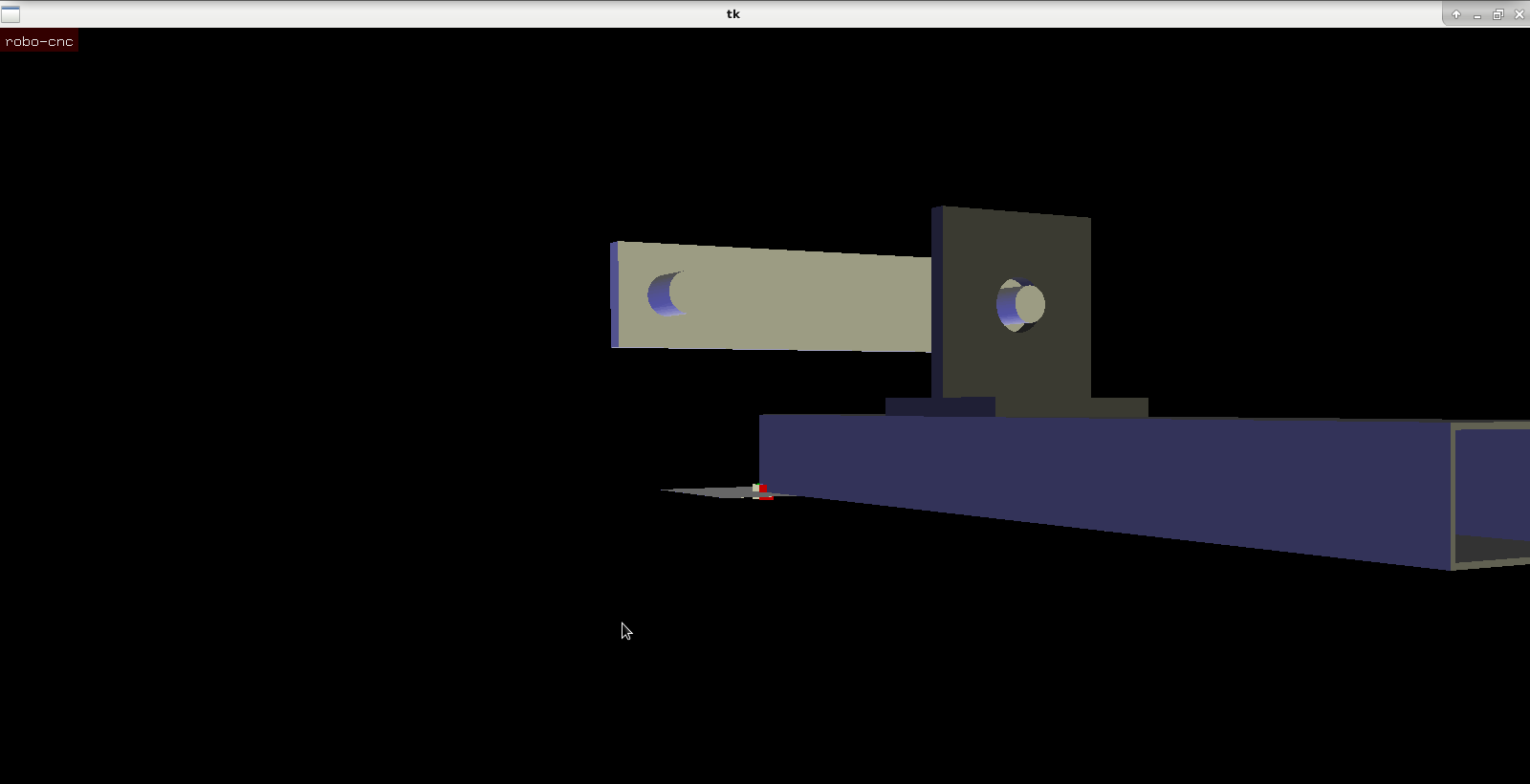
thank you for answering, I mean that the pivot point is wrong, I tried to change it, I think there is some step that I do not do well, I am looking at all the examples in / usr / bin, I attach some screenshots to see if I am better, I'll keep doing tests, thanks Chimeno
thank you for answering, I mean that the pivot point is wrong, I tried to change it, I think there is some step that I do not do well, I am looking at all the examples in / usr / bin, I attach some screenshots to see if I am better, I'll keep doing tests, thanks Chimeno

Please Log in or Create an account to join the conversation.
Time to create page: 0.378 seconds