
- Posts: 42
- Thank you received: 0
ColorCNC Colorlight 5A-75E/5A-75B as FPGA controller board
- wuyatom
- Offline
- Senior Member
-

Less
More
3 years 9 months ago #260992
by wuyatom
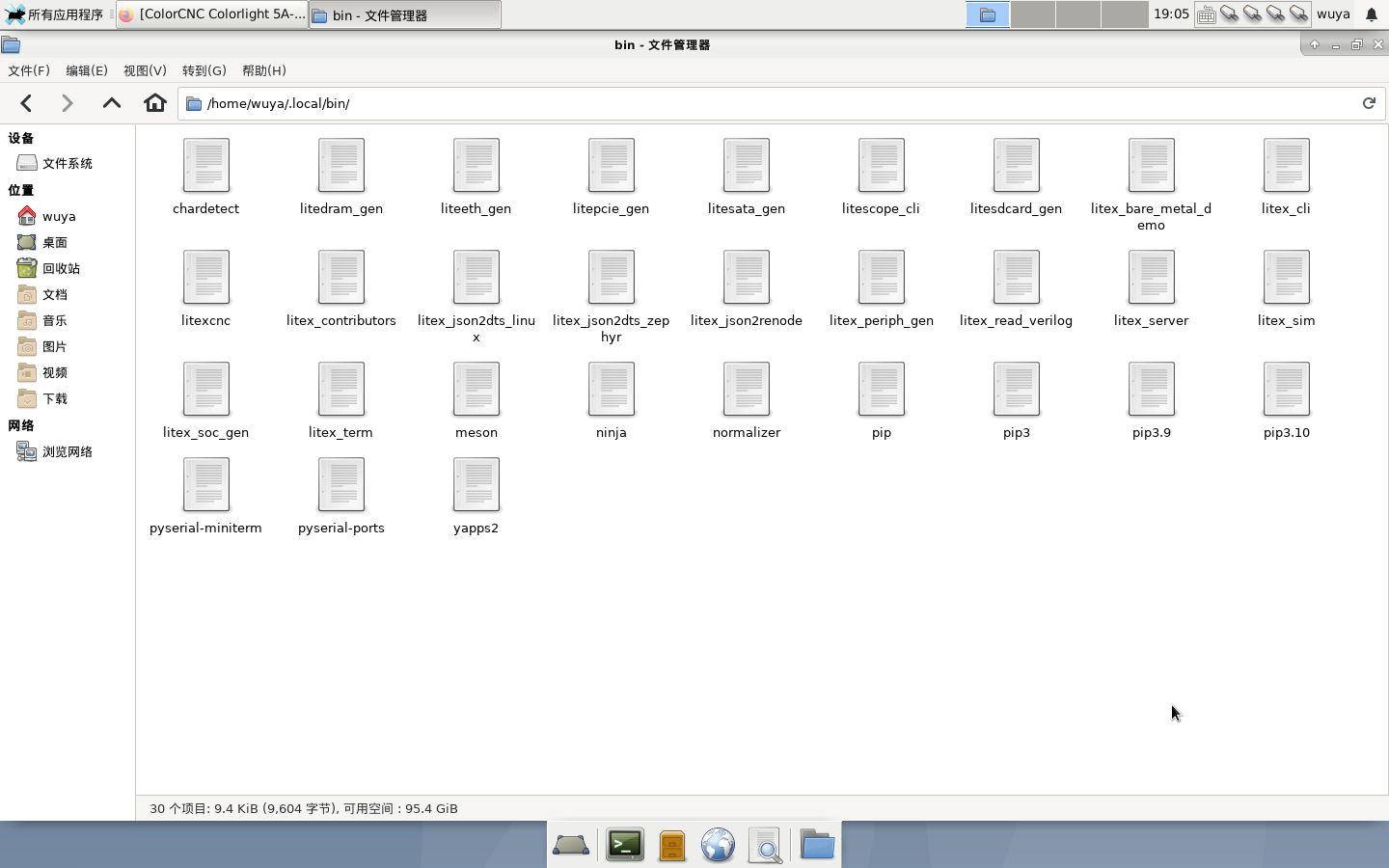
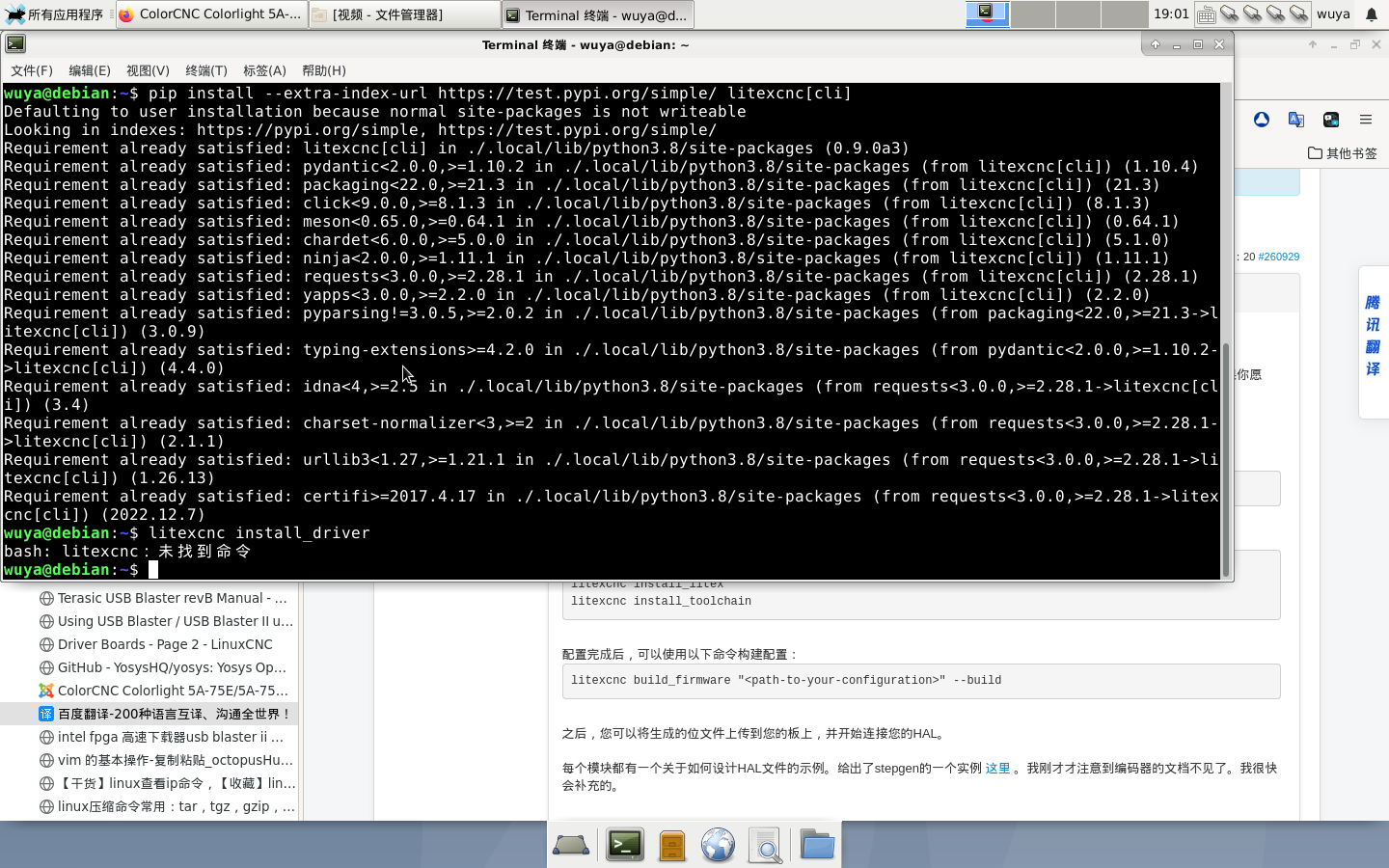
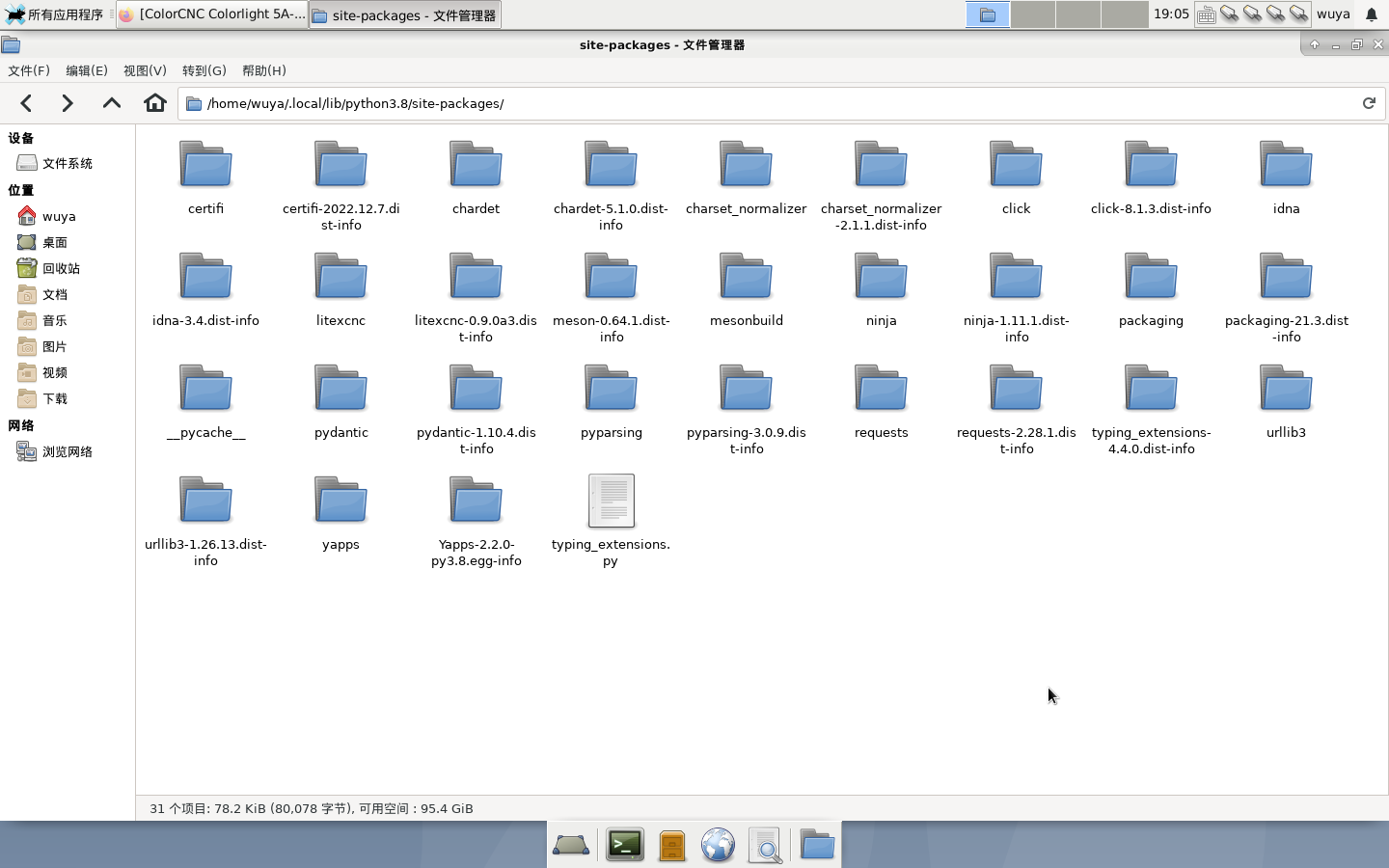
The command cannot be recognized. Is there a problem with my python 3.8 environment
Replied by wuyatom on topic ColorCNC Colorlight 5A-75E/5A-75B as FPGA controller board
The command cannot be recognized. Is there a problem with my python 3.8 environment
Please Log in or Create an account to join the conversation.
- juergenmoser
- Offline
- Junior Member
-

Less
More
- Posts: 26
- Thank you received: 10
3 years 9 months ago #260998
by juergenmoser
Replied by juergenmoser on topic ColorCNC Colorlight 5A-75E/5A-75B as FPGA controller board
Hi Muvideo!
Thank you for your excellent discription and explanations! Now I am understanding it a little bit more. Also now I Understand why my Steppers are not working - I count at the Pin Header the Wrong Pins
 So I typed in the HUB75 Pinout at google and now I see what I have doing wrong!

Thank you all for your helping. @ TOLP I will also try at night your new file from pypi.org and will test it.
Thank you for your excellent discription and explanations! Now I am understanding it a little bit more. Also now I Understand why my Steppers are not working - I count at the Pin Header the Wrong Pins
Thank you all for your helping. @ TOLP I will also try at night your new file from pypi.org and will test it.
Please Log in or Create an account to join the conversation.
- TOLP2
- Offline
- Elite Member
-

Less
More
- Posts: 225
- Thank you received: 178
3 years 9 months ago - 3 years 9 months ago #261001
by TOLP2
Replied by TOLP2 on topic ColorCNC Colorlight 5A-75E/5A-75B as FPGA controller board
@wuyatom: Unverified, but I think you can also try to call:
I'm typing on a smartphone, so cannot verify at this moment.
Edit:
Just verified that indeed you can use the command above. Make sure that when you call python it starts the correct version where litexcnc is installed. In some cases you must use python3 or python38.
Code:
python -m litexcnc install_driver
I'm typing on a smartphone, so cannot verify at this moment.
Edit:
Just verified that indeed you can use the command above. Make sure that when you call python it starts the correct version where litexcnc is installed. In some cases you must use python3 or python38.
Last edit: 3 years 9 months ago by TOLP2. Reason: Verified solution
Please Log in or Create an account to join the conversation.
- deroj
- Offline
- Senior Member
-
Less
More
- Posts: 63
- Thank you received: 21
3 years 9 months ago - 3 years 9 months ago #261010
by deroj
Replied by deroj on topic ColorCNC Colorlight 5A-75E/5A-75B as FPGA controller board
Hi.
I am following this with big interesst.
But one, maybe stupid, question.
How do i get the bit file into the fpga?
I tried a raspberry pi 4 with openocd and bcm2835gpio. didn
t work.
altera usb-blaster from amazon and openfpgaloader, didn`t work...
do you have a setup for me that work?
thank you
OKay...my fault. forgot to install the FTDI driver with openocd...no it works.
But when I try to install the driver it gives me permission errors.
litexcnc install_driver :
.....
I am following this with big interesst.
But one, maybe stupid, question.
How do i get the bit file into the fpga?
I tried a raspberry pi 4 with openocd and bcm2835gpio. didn
t work.
altera usb-blaster from amazon and openfpgaloader, didn`t work...
do you have a setup for me that work?
thank you
OKay...my fault. forgot to install the FTDI driver with openocd...no it works.
But when I try to install the driver it gives me permission errors.
litexcnc install_driver :
.....
Code:
Linking litexcnc.so
cp litexcnc.so /usr/lib/linuxcnc/modules/
cp: reguläre Datei '/usr/lib/linuxcnc/modules/litexcnc.so' kann nicht angelegt werden: Keine Berechtigung
make: *** [/usr/share/linuxcnc/Makefile.modinc:105: install] Fehler 1
Last edit: 3 years 9 months ago by deroj.
Please Log in or Create an account to join the conversation.
- deroj
- Offline
- Senior Member
-
Less
More
- Posts: 63
- Thank you received: 21
3 years 9 months ago #261024
by deroj
Replied by deroj on topic ColorCNC Colorlight 5A-75E/5A-75B as FPGA controller board
I gave it another try.
I tried
"sudo python3 halcompile.py --install litexcnc.c litexcnc_eth.c litexcnc_debug.c stepgen/pos2vel.c"
it run and copied both files.
then i run halrun to test it.
I tried
"sudo python3 halcompile.py --install litexcnc.c litexcnc_eth.c litexcnc_debug.c stepgen/pos2vel.c"
it run and copied both files.
then i run halrun to test it.
Code:
oj@oj-turner:~/LiteX-CNC$ halrun
halcmd: loadrt litexcnc
Note: Using POSIX realtime
litexcnc: dlopen: /usr/lib/linuxcnc/modules/litexcnc.so: undefined symbol: json_object_array_length
<stdin>:1: waitpid failed /usr/bin/rtapi_app litexcnc
<stdin>:1: /usr/bin/rtapi_app exited without becoming ready
<stdin>:1: insmod for litexcnc failed, returned -1
Please Log in or Create an account to join the conversation.
- TOLP2
- Offline
- Elite Member
-
Less
More
- Posts: 225
- Thank you received: 178
3 years 9 months ago - 3 years 9 months ago #261026
by TOLP2
Replied by TOLP2 on topic ColorCNC Colorlight 5A-75E/5A-75B as FPGA controller board
Can you try to use:
If you have installed litexcnc in the user directory (either with the --user tag or it defaulted to it and a warning was given), you might have to reinstall the package. But give it a try first, if it says that litexcnc is not installed, then you need to reinstall. Reinstallation is easy with these commands:
Edit:
I just missed your message and now see that you are compiling by hand. That won't work, as it is required to link the library with lib_json. Please use the commands above, as this will download the required libraries and link them correctly.
Code:
sudo litexcnc install_driver
If you have installed litexcnc in the user directory (either with the --user tag or it defaulted to it and a warning was given), you might have to reinstall the package. But give it a try first, if it says that litexcnc is not installed, then you need to reinstall. Reinstallation is easy with these commands:
Code:
pip uninstall litexcnc
sudo pip install --extra-index-url https://test.pypi.org/simple/ litexcnc
Edit:
I just missed your message and now see that you are compiling by hand. That won't work, as it is required to link the library with lib_json. Please use the commands above, as this will download the required libraries and link them correctly.
Last edit: 3 years 9 months ago by TOLP2.
Please Log in or Create an account to join the conversation.
Moderators: PCW, jmelson
Time to create page: 1.427 seconds