Mesa hm2/hm2_7i96s.0: error finishing read

More
3 years 10 months ago #259341 by rodw
Sorry, I did not explain how to install the debs. The last 2 lines of the journey covers it but
hitting tab after each of these lines does it
Code:
sudo dpkg -i linux-headers sudo dpkg -i linux-image

Please Log in or Create an account to join the conversation.
More
3 years 10 months ago - 3 years 10 months ago #259587 by rodw
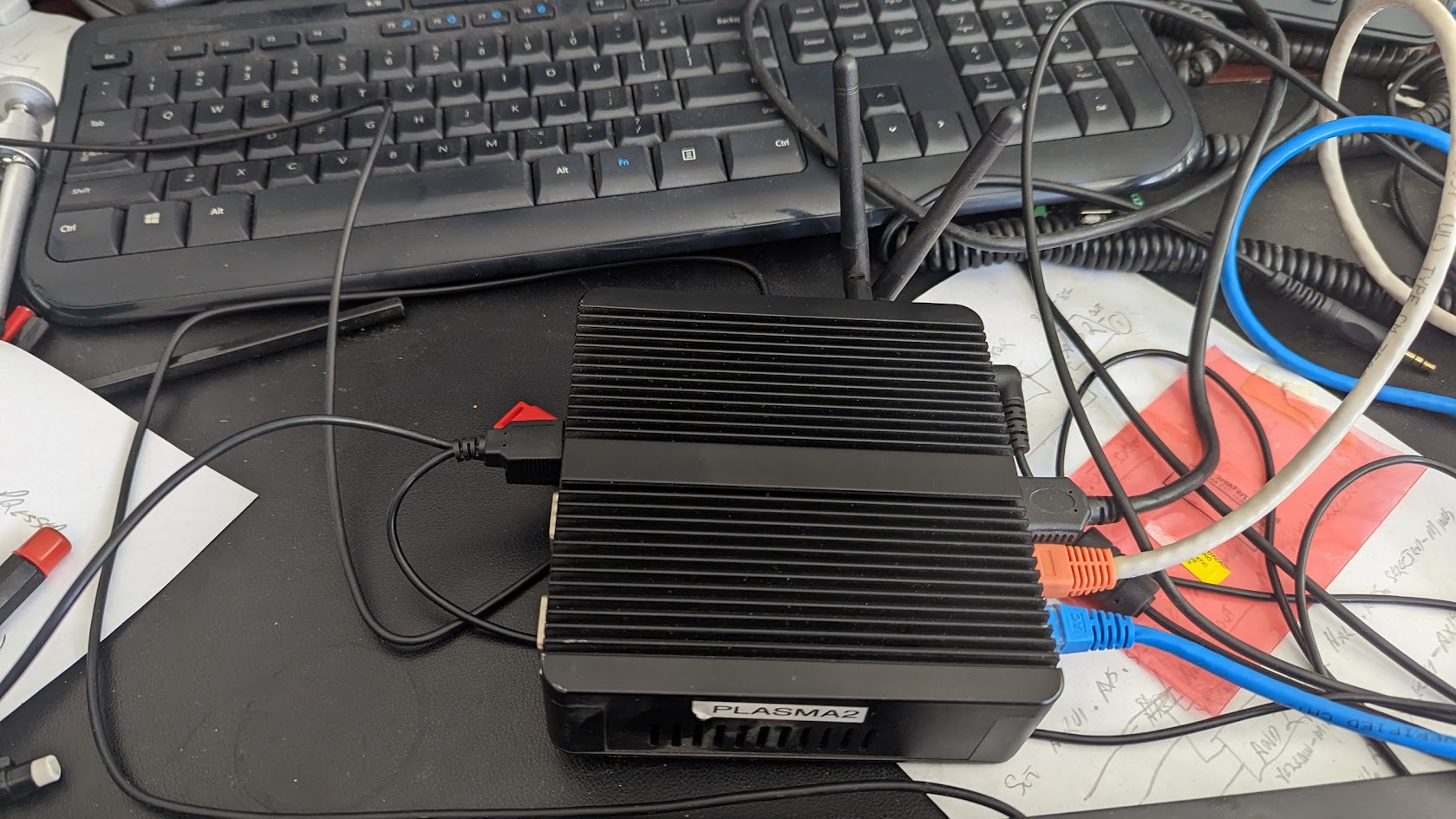
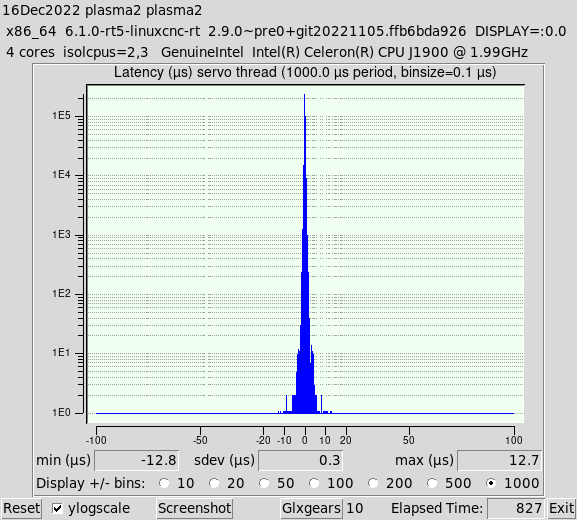
Hmm, this J1900 PC
 
has the best latency I've seen in a Celeron
 

Attachment not found


Custom kernel from above, isolcpus=2,3, R8168-dkms network driver, 7i76e
and the tmax values are not too bad either.

Code:
plasma2@plasma2:~$ halcmd show param hm2*tmax* Parameters: Owner   Type  Dir         Value  Name     93  s32   RW              0  hm2_7i76e.0.read-request.tmax     93  bit   RO          FALSE  hm2_7i76e.0.read-request.tmax-increased     93  s32   RW         649800  hm2_7i76e.0.read.tmax     93  bit   RO          FALSE  hm2_7i76e.0.read.tmax-increased     93  s32   RW         310776  hm2_7i76e.0.write.tmax     93  bit   RO          FALSE  hm2_7i76e.0.write.tmax-increased

Ping times
Code:
plasma2@plasma2:~$ ping 10.10.10.10 PING 10.10.10.10 (10.10.10.10) 56(84) bytes of data. 64 bytes from 10.10.10.10: icmp_seq=1 ttl=64 time=0.664 ms 64 bytes from 10.10.10.10: icmp_seq=2 ttl=64 time=0.244 ms 64 bytes from 10.10.10.10: icmp_seq=3 ttl=64 time=0.229 ms 64 bytes from 10.10.10.10: icmp_seq=4 ttl=64 time=0.227 ms 64 bytes from 10.10.10.10: icmp_seq=5 ttl=64 time=0.229 ms 64 bytes from 10.10.10.10: icmp_seq=6 ttl=64 time=0.229 ms 64 bytes from 10.10.10.10: icmp_seq=7 ttl=64 time=0.232 ms 64 bytes from 10.10.10.10: icmp_seq=8 ttl=64 time=0.238 ms 64 bytes from 10.10.10.10: icmp_seq=9 ttl=64 time=0.230 ms 64 bytes from 10.10.10.10: icmp_seq=10 ttl=64 time=0.267 ms 64 bytes from 10.10.10.10: icmp_seq=11 ttl=64 time=0.241 ms 64 bytes from 10.10.10.10: icmp_seq=12 ttl=64 time=0.231 ms 64 bytes from 10.10.10.10: icmp_seq=13 ttl=64 time=0.235 ms 64 bytes from 10.10.10.10: icmp_seq=14 ttl=64 time=0.226 ms 64 bytes from 10.10.10.10: icmp_seq=15 ttl=64 time=0.231 ms ^C --- 10.10.10.10 ping statistics --- 15 packets transmitted, 15 received, 0% packet loss, time 14333ms rtt min/avg/max/mdev = 0.226/0.263/0.664/0.107 ms


Time to get it back on my machine!

The only thing wrong I can see is that if I set it up as an autostart, most of the time QTPlasmac fails to load due to a hm2 50 ms timeout. Can that be increased?
Last edit: 3 years 10 months ago by rodw.

Please Log in or Create an account to join the conversation.
More
3 years 10 months ago #259588 by rodw
Argh I give up with this editor
LAtency watching youtube and 10 glxgears
 
 
The following user(s) said Thank You: IlyaKw

Please Log in or Create an account to join the conversation.
More
3 years 10 months ago - 3 years 10 months ago #259616 by rodw
So this custom kernel and using the correct realtek driver solves all issues!
I installed on a problematic i5 All in one and it seems to be running perfect now.


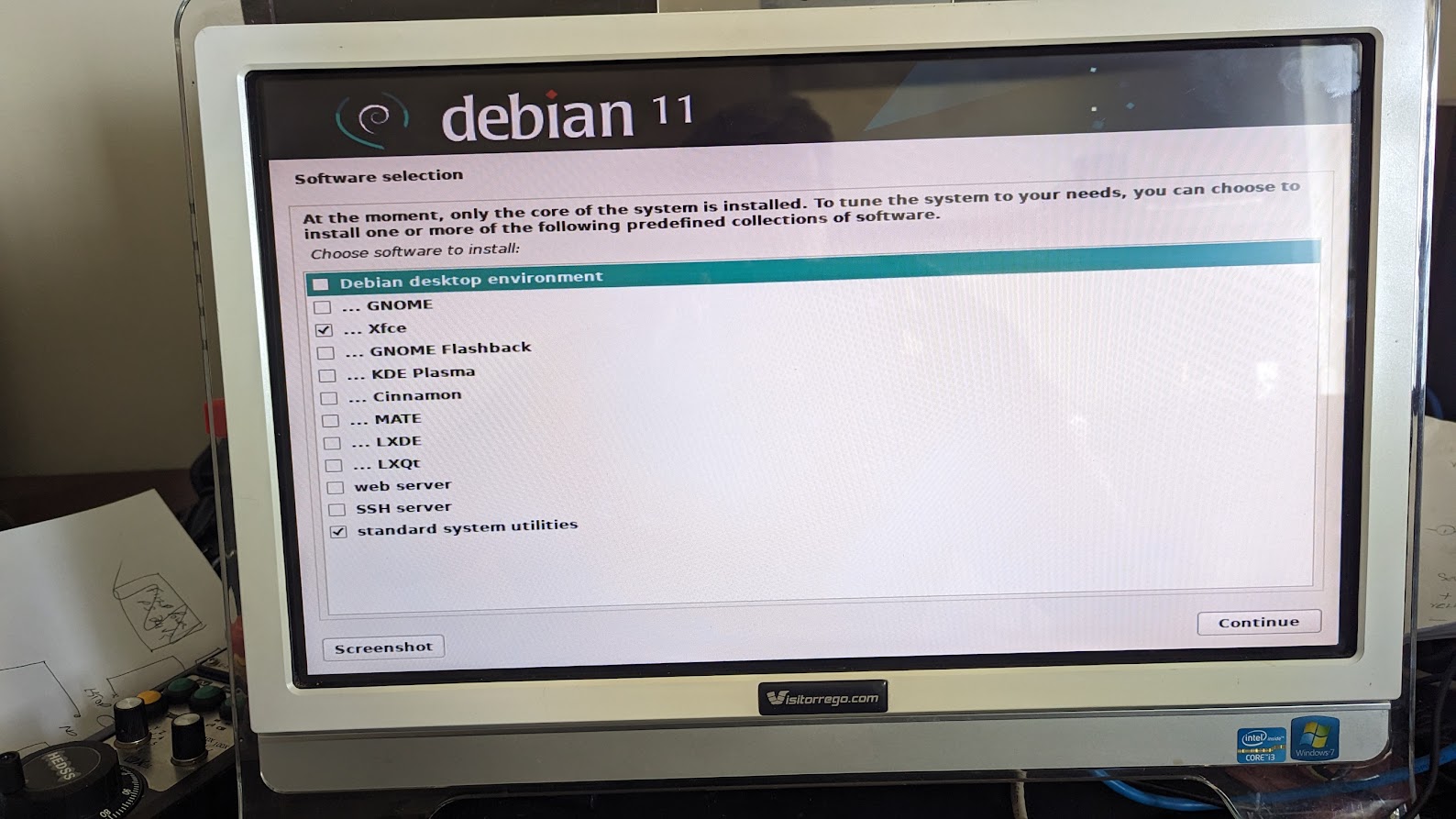
Be sure to use the XFCE graphical environment or issues will bite as the default gnome dektop uses wayland not Xorg so some things linuxcnc expects to find are missing.
Also Gmocappy will not run on Bookworm or Bulseye at present so that needs escalation to the developer. Don't blame me!

I've been through a complete rebuild from scratch so I will post up a seperate how to.

EDIT: I also lost the ethernet card like JT did too but I was able to resolve it.
Boot into the earlier kernel
sudo apt purge r8168-dkms
Reboot back into our custom kernel and the interface should be restored.
Then reinstall 
sudo apt-get install r8168-dkms
Reboot to make it stick.
 
Last edit: 3 years 10 months ago by rodw.
The following user(s) said Thank You: tommylight, JT

Please Log in or Create an account to join the conversation.

More
3 years 10 months ago #259726 by JT
I just installed the 6.1 headers and kernels on this PC.
Code:
Manufacturer: ASUSTeK COMPUTER INC. Product Name: TUF GAMING B550-PRO Version: Rev X.0x
Code:
john@cave:~$ uname -a Linux cave 6.1.0-rt5-linuxcnc-rt #4 SMP PREEMPT_RT

Running Linuxcnc with my 7i92T I get this for tmax:
Code:
john@cave:~$ halcmd show param hm2*tmax* Parameters: Owner Type Dir Value Name 33 s32 RW 0 hm2_7i92.0.read-request.tmax 33 bit RO FALSE hm2_7i92.0.read-request.tmax-increased 33 s32 RW 3029671 hm2_7i92.0.read.tmax 33 bit RO FALSE hm2_7i92.0.read.tmax-increased 33 s32 RW 103156 hm2_7i92.0.write.tmax 33 bit RO FALSE hm2_7i92.0.write.tmax-increased

I didn't do anything else to this PC and I just got the error finishing read...

JT

Please Log in or Create an account to join the conversation.

More
3 years 10 months ago #259727 by JT
Oh I'm running the Mate desktop.

JT

Please Log in or Create an account to join the conversation.

Moderators: PCW, jmelson
Time to create page: 0.267 seconds
Powered by Kunena Forum
