Pressbrake CNC Control Setup Questions

More
5 years 6 months ago #204618 by andypugh
The backstop and the tweak were a bit of a punt, but I wanted to show how to handle a bit more complexity.

It's prpbably best to define your "wish list" early in the process, and maybe sketch out some GUI designs as you would like them, rather than how you know how to make them in Glade.

Should the bar go down to depth and stay there, or auto-retract a little once at-depth?
Pause at depth?
The state machine should probably have some timeouts and/or overload "escapes"

Please Log in or Create an account to join the conversation.
More
5 years 6 months ago - 5 years 6 months ago #204844 by andypugh
I got strangely interested in this. I have made a fairly complete press-brake config based on my old gui.


Unzip the archive somewhere on your HD. Probably linuxcnc/configs/Bender
You will need to install the press.comp
Code:
cd ~/linuxcnc/configs/Bender sudo halcompile --install press.comp
You probably have to make "bender" and "pressgui" executable:
Code:
chmod x pressguichmod x bender
You can then start the demo with
Code:
./bender
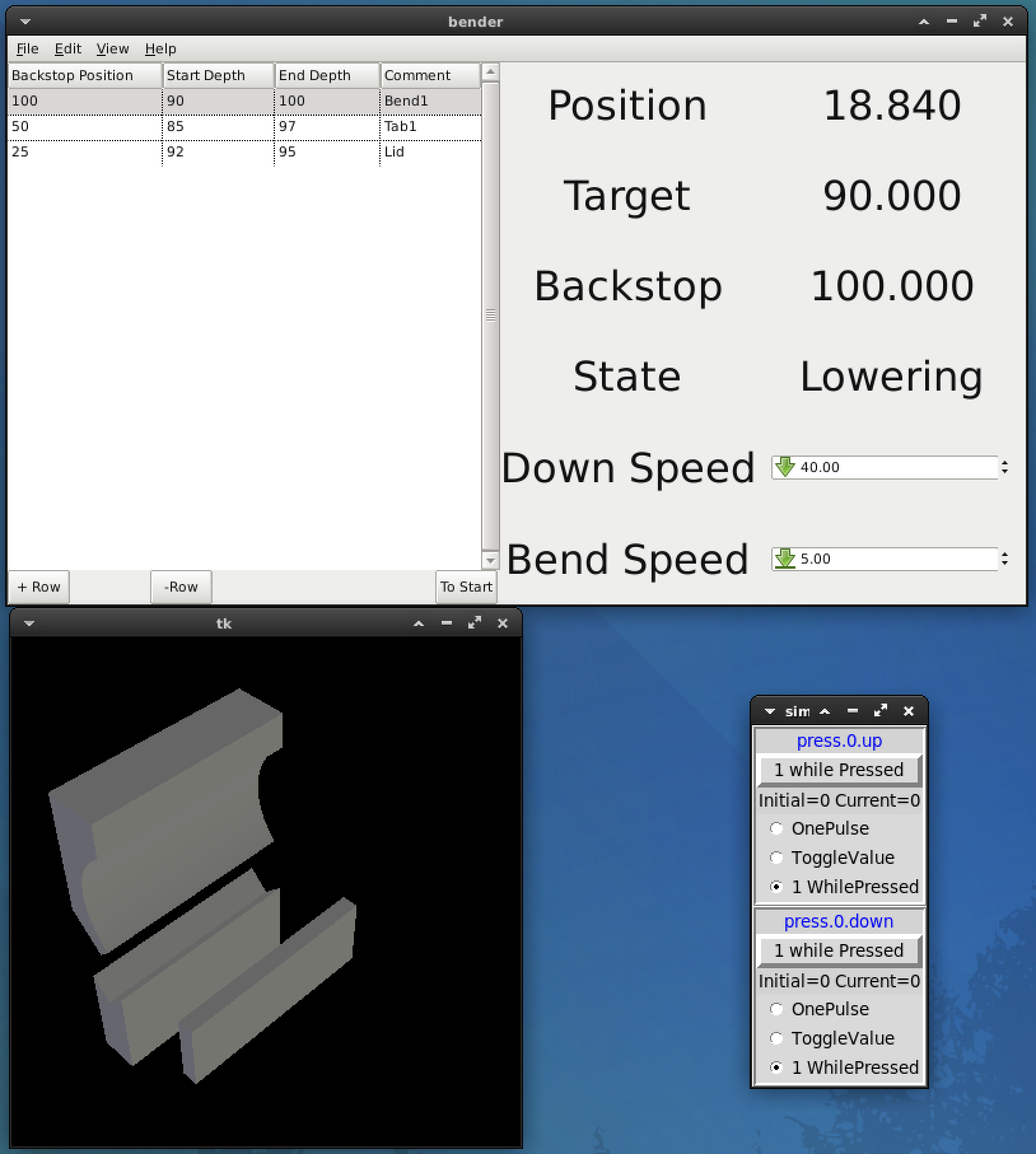
The idea is that the system runs through the bend sequence in the table. If you press the "down" button in the sim-pin then the Vismach bender will run down to the start position, then slow down, then to the finish position. If you then release the down-button you have the choice of going down 0.1mm further, or pressing the up button. Once the brake is back at the top and idle the system moves on to the next row.
Things that I gave up on for the moment
1) File save / open etc.
It's mainly intended as a basic skeleton for your real machine.
Last edit: 5 years 6 months ago by andypugh.
The following user(s) said Thank You: Diederik, aluplastvz, Clive S, EW_CNC, anfänger

Please Log in or Create an account to join the conversation.

More
5 years 6 months ago #204845 by andypugh
As set up here, the ./bender command leaves an interactive hal session open in the terminal. "exit" will close that, and close the GUI, Vismach and button panel.
But I left it in so that it is easy to open a halmeter and watch things / explore the HAL pins, etc.

Please Log in or Create an account to join the conversation.

More
5 years 6 months ago - 5 years 6 months ago #204915 by andypugh
I fiddled some more. I have added a backstop and addressed the issue with there being no feedback of the active row.

I have also re-arranged the UI layout.

Re-download the ZIP file for the new version. There are also changes to the press.comp, that will need to be re-installed.

Still no file save / load though. But I am looking at it.
Last edit: 5 years 6 months ago by andypugh.
The following user(s) said Thank You: Diederik, Clive S, EW_CNC

Please Log in or Create an account to join the conversation.

More
5 years 6 months ago #204939 by andypugh
OK, and now load / save / saveas / quit work.

(re-uploaded the zip file)

I will stop now, awaiting feedback from someone who has at least used a press brake.

What would be useful? "dublicate bend" button?

Once you are going up, you can't go down again. Is that OK?

Please play with the simulator and see how it feels.

I think that there is plenty of scope for cosmetic improvement too.

Please Log in or Create an account to join the conversation.

More
5 years 6 months ago #205106 by EW_CNC
OK, I got your simulator installed and working. Looks Great!

Now my next step is to get it to work with my machine. I've been trying to get the press.comp to work in axis gui, but just can't get it going. Might be with my encoder, pwm, pid settings. I'll attach my hal file. I had the ram jogging before with keyboard y jog.

How do I merge my settings with your program?
Do I use an ini file?
Where do I keep the pid settings?

File Attachment:

File Name: accurpress.hal
File Size:14.24 KB

File Attachment:

File Name: accurpress.ini
File Size:3.81 KB

Please Log in or Create an account to join the conversation.

Time to create page: 0.104 seconds
Powered by Kunena Forum
