
- Posts: 19899
- Thank you received: 4655
Work with probe
- andypugh
- Offline
- Moderator
-

Less
More
10 years 7 months ago #71774
by andypugh
Replied by andypugh on topic Installing Work with probe
You have moved a number of INI entries from one section to another.
The actual error message is because the system isn't finding any entry at all called "MAX_FEED_OVERRIDE" in the [DISPLAY] section because you have moved it into the [TOOLSENSOR] section.
The actual error message is because the system isn't finding any entry at all called "MAX_FEED_OVERRIDE" in the [DISPLAY] section because you have moved it into the [TOOLSENSOR] section.
Please Log in or Create an account to join the conversation.
- gizmo6023
- Offline
- Senior Member
-

Less
More
- Posts: 55
- Thank you received: 2
10 years 7 months ago #71777
by gizmo6023
Thank you for having a look at broken my file.
Replied by gizmo6023 on topic Installing Work with probe
verser wrote: There is a syntax error.
To repair attach here your broken ini.
Thank you for having a look at broken my file.
Please Log in or Create an account to join the conversation.
- verser
- Offline
- Senior Member
-
Less
More
- Posts: 78
- Thank you received: 69
10 years 7 months ago #71783
by verser
2. Text from the .axisrc file do not need to put in the .ini file.
Replied by verser on topic Installing Work with probe
1. Error: .ini file sections are confused. INI Configuration .gizmo6023 wrote: Thank you for having a look at broken my file.
2. Text from the .axisrc file do not need to put in the .ini file.
The following user(s) said Thank You: gizmo6023
Please Log in or Create an account to join the conversation.
- gizmo6023
- Offline
- Senior Member
-
Less
More
- Posts: 55
- Thank you received: 2
10 years 7 months ago #71824
by gizmo6023
Replied by gizmo6023 on topic Installing Work with probe
Thank you for the assistance and the link.
I will read the whole Ini configuration instructions when I get home. Now that I can see the correct configuration it makes sense that LinuxCNC is having issues with my broken ini.
I will read the whole Ini configuration instructions when I get home. Now that I can see the correct configuration it makes sense that LinuxCNC is having issues with my broken ini.
Please Log in or Create an account to join the conversation.
- gizmo6023
- Offline
- Senior Member
-
Less
More
- Posts: 55
- Thank you received: 2
10 years 7 months ago - 10 years 7 months ago #71846
by gizmo6023
Replied by gizmo6023 on topic Installing Work with probe
Thank you for the help Verser.
I now get the probe screen but also get an error 'NoneType' object has no attribute 'rfind'
I canceled the error and attempted to run the probing routine ( no probe installed to be safe) and get numerous "Unable to open file" errors . Pressing probe down generates no move and Error: Unable to open file <down>, pressing X- moves the spindle down and generates Error: Unable to open file <xminus>, pressing X-Y- out moves the table - and spindle down and generates Error: Unable to open file <xminus>
Seems the program gets lost before the last rapid move is called, just before the measurement routine should start.
I have attached my .ini .hal and output from dmesg and a couple of screen shots, perhaps this information will help diagnose the reason for this behavior.
I now get the probe screen but also get an error 'NoneType' object has no attribute 'rfind'
I canceled the error and attempted to run the probing routine ( no probe installed to be safe) and get numerous "Unable to open file" errors . Pressing probe down generates no move and Error: Unable to open file <down>, pressing X- moves the spindle down and generates Error: Unable to open file <xminus>, pressing X-Y- out moves the table - and spindle down and generates Error: Unable to open file <xminus>
Seems the program gets lost before the last rapid move is called, just before the measurement routine should start.
I have attached my .ini .hal and output from dmesg and a couple of screen shots, perhaps this information will help diagnose the reason for this behavior.
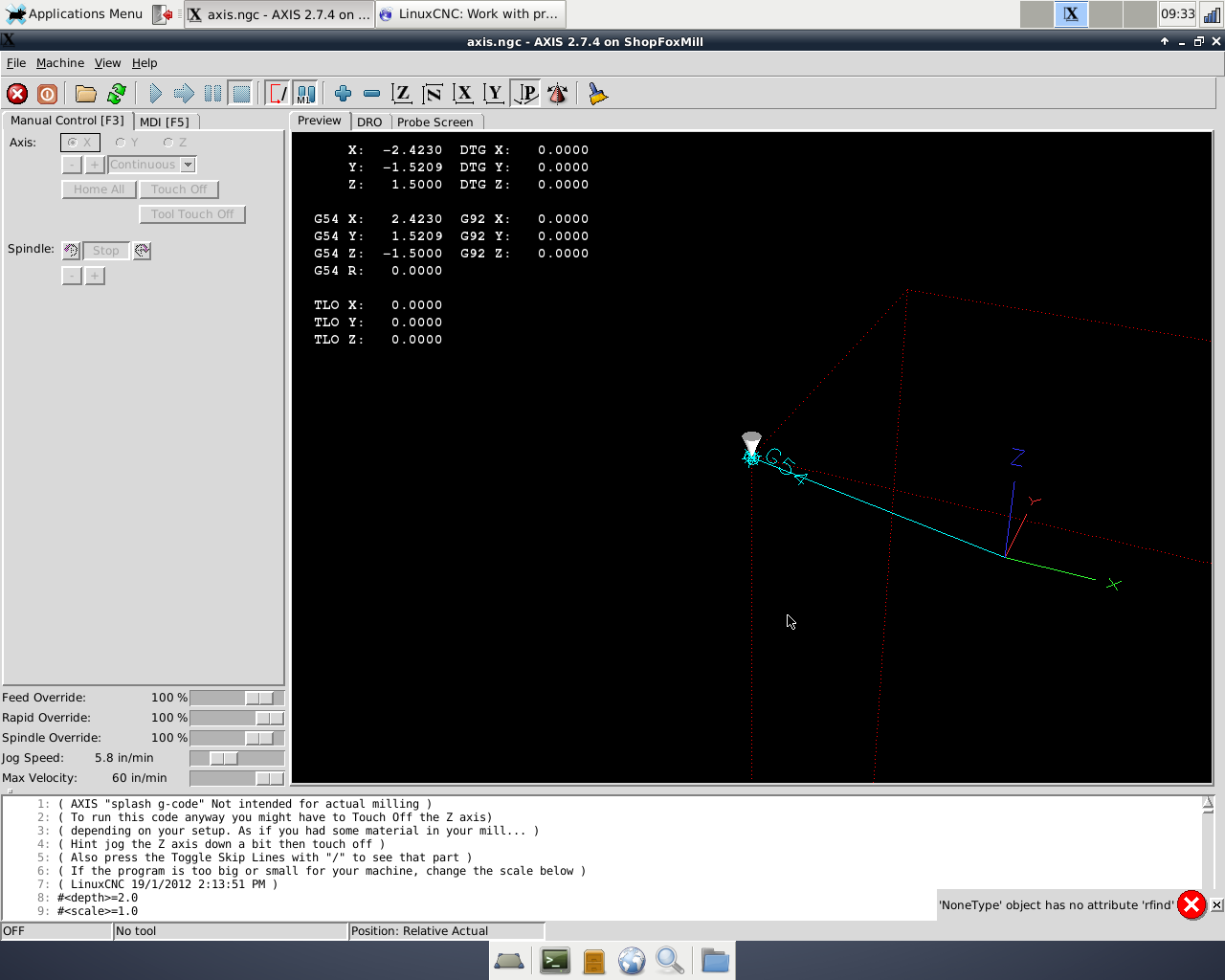
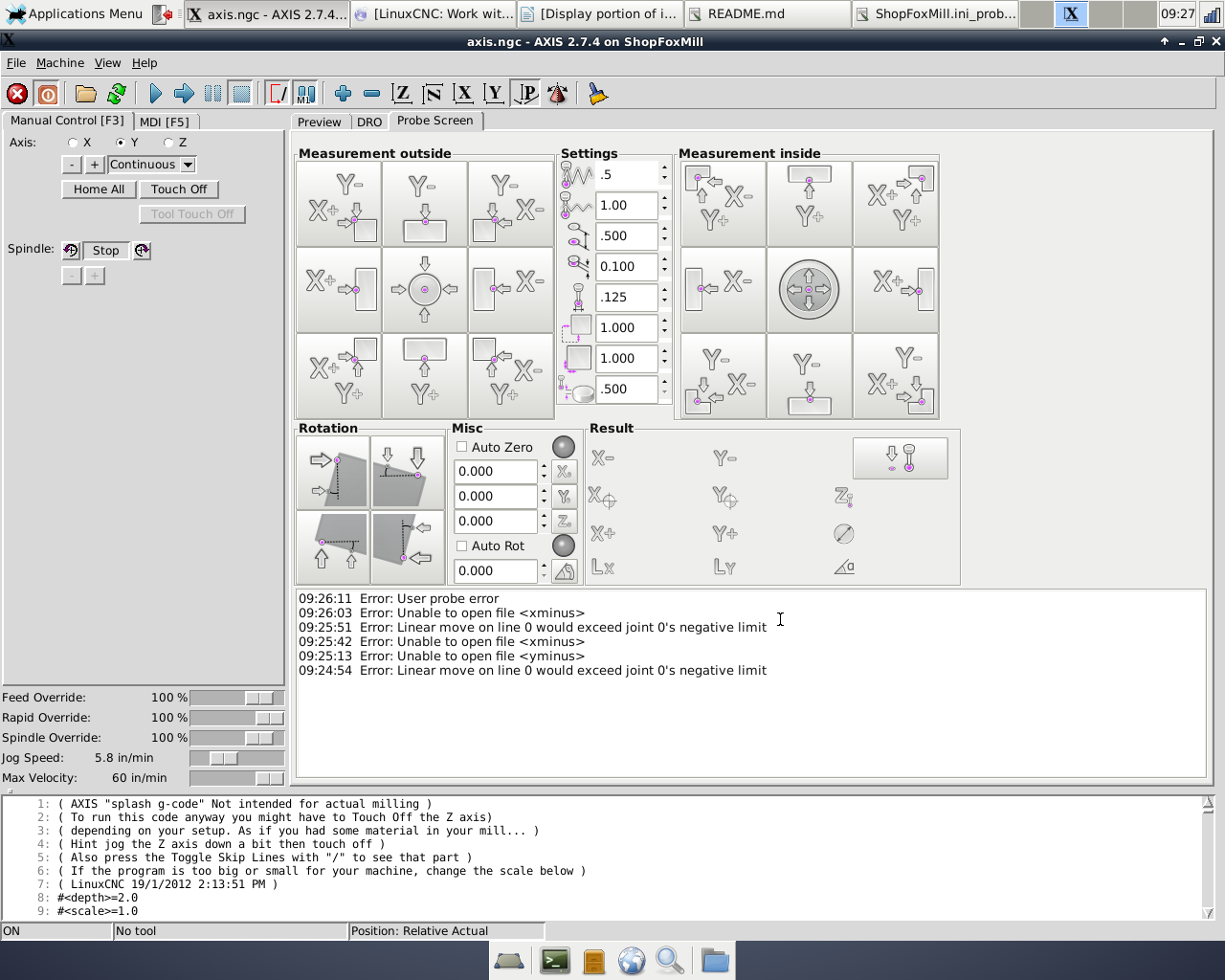
Last edit: 10 years 7 months ago by gizmo6023.
Please Log in or Create an account to join the conversation.
- verser
- Offline
- Senior Member
-
Less
More
- Posts: 78
- Thank you received: 69
10 years 7 months ago #71983
by verser
Replied by verser on topic Installing Work with probe
Please show me the look of a full path to the down.ngc on your computer.gizmo6023 wrote: Pressing probe down generates no move and Error: Unable to open file <down>
Please Log in or Create an account to join the conversation.
Time to create page: 0.180 seconds