Work with probe

More
7 years 5 months ago #133532 by tecno
Replied by tecno on topic Work with probe

pl7i92 wrote: you need toolsensor

Code:
[TOOLSENSOR] # Control probe rapid speed RAPID_SPEED = 60
is the ((.axisrc)) as folow set
Code:
def my_error_task(self): error = e.poll() while error: kind, text = error if kind in (linuxcnc.NML_ERROR, linuxcnc.OPERATOR_ERROR): icon = "error" else: icon = "info" notifications.add(icon, text) ucomp["error"]=True error = e.poll() self.error_after = self.win.after(200, self.error_task) def my_remove(self, widgets): self.widgets.remove(widgets) if len(self.cache) < 10: widgets[0].pack_forget() self.cache.append(widgets) else: widgets[0].destroy() if len(self.widgets) == 0: ucomp["error"]=False self.place_forget() LivePlotter.error_task = my_error_task Notification.remove = my_remove if hal_present == 1 : ucomp = hal.component("probe.user") ucomp.newpin("error",hal.HAL_BIT,hal.HAL_IN) ucomp.ready()

Code:
[TOOLSENSOR] # Absolute coordinates of the toolsetter pad X = 419 Y = -95 # Absolute Z start search coordinates Z = 0 # Maximum search distance and direction (sign) MAXPROBE = -120 # Speed of movements during working in Probe Screen RAPID_SPEED = 600 # Diameter of toolsetter pad TS_DIAMETER = 12.7 # The speed of the reverse rotation of the spindle when measuring the tool diameter REV_ROTATION_SPEED = 300 [CHANGE_POSITION] # Abs coordinates tool change point X = 10 Y = -200 Z = 0

Obviously I have missed to copy axcisrc to my home directory.
This is the file contents from install
Code:
#root_window.tk.call("wm","geometry",".","1024x768") root_window.attributes("-fullscreen",1) def my_error_task(self): error = e.poll() while error: kind, text = error if kind in (linuxcnc.NML_ERROR, linuxcnc.OPERATOR_ERROR): icon = "error" else: icon = "info" notifications.add(icon, text) ucomp["error"]=True error = e.poll() self.error_after = self.win.after(200, self.error_task) def my_remove(self, widgets): self.widgets.remove(widgets) if len(self.cache) < 10: widgets[0].pack_forget() self.cache.append(widgets) else: widgets[0].destroy() if len(self.widgets) == 0: ucomp["error"]=False self.place_forget() LivePlotter.error_task = my_error_task Notification.remove = my_remove if hal_present == 1 : ucomp = hal.component("probe.user") ucomp.newpin("error",hal.HAL_BIT,hal.HAL_IN) ucomp.ready()


So I will copy the file and see the outcome.

Please Log in or Create an account to join the conversation.
More
7 years 5 months ago #133542 by tecno
Replied by tecno on topic Work with probe
Code:
**** probe_screen GETINIINFO **** Preference file path: gmoccapy_preferences **** PROBE SCREEN INFO **** **** To many increments given in INI File for this screen **** **** Only the first 5 will be reachable through this screen **** **** PROBE SCREEN INFO **** **** no valid probe config in INI File **** **** disabled auto tool measurement **** toolnumber = 0 False **** GMOCCAPY INFO **** **** replaced btn_zero_g92 to btn_block_height **** **** GMOCCAPY INFO: Gcode.lang found ****

Still the same problem after copying axisrc to config directory.

Please Log in or Create an account to join the conversation.

More
7 years 5 months ago #133566 by tecno
Replied by tecno on topic Work with probe
I have som minor issues with probing the tool length.

Z axis kind of overshoots a bit and the probing cycle is too fast so following error is there.


Can I get som help here how to make this change from first trip of probe to let Z axis return a bit before trigger is on for the return.
I assume that some changes in manual_change.ngc has to be done.
Code:
; manual toolchange with automatic tool length probe o<manual_change> sub ;(debug, in change tool_in_spindle=#<tool_in_spindle> current_pocket=#<current_pocket>) ;(debug, selected_tool=#<selected_tool> selected_pocket=#<selected_pocket>) ;otherwise after the M6 this information is gone! #<tool> = #<selected_tool> #<pocket> = #<selected_pocket> ; we must execute this only in the milltask interpreter ; or preview will break, so test for '#<_task>' which is 1 for ; the milltask interpreter and 0 in the UI's O100 if [#<_task> EQ 0] (debug, Task ist Null) O100 return [999] O100 endif ;first go up G53 G0 Z[#<_ini[AXIS_2]MAX_LIMIT>-0.1] ; then move to change position G53 G0 X[#<_ini[CHANGE_POSITION]X>] Y[#<_ini[CHANGE_POSITION]Y>] G53 G0 Z[#<_ini[CHANGE_POSITION]Z>] ; cancel tool offset G49 ; using the code being remapped here means 'use builtin behaviour' M6 O200 if [#<_hal[probe.use_toolmeasurement]> EQ 0] O200 return [3] ; indicate no tool measurement O200 endif G53 G0 X[#<_ini[TOOLSENSOR]X>] Y[#<_ini[TOOLSENSOR]Y>] G53 G0 Z[#<_ini[TOOLSENSOR]Z>] O300 if [#<_hal[probe.ps_searchvel]> LE 0] O300 return [-1] ; indicate searchvel <= 0 O300 endif O400 if [#<_hal[probe.ps_probevel]> LE 0] O400 return [-2] ; indicate probevel <= 0 O400 endif F #<_hal[probe.ps_searchvel]> G91 G38.2 Z #<_ini[TOOLSENSOR]MAXPROBE> G0 Z0.26 ; This is commented out only for sim. F #<_hal[probe.ps_probevel]> G38.2 Z-0.5 O500 if [#5070 EQ 0] G90 O500 return [-3] ; indicate probe contact failure to epilog O500 endif G90 G53 G0 Z[#<_ini[CHANGE_POSITION]Z>] G53 G0 X[#<_ini[CHANGE_POSITION]X>] Y[#<_ini[CHANGE_POSITION]Y>] #<touch_result> = #5063 #<probeheight> = #<_hal[probe.probeheight]> #<blockheight> = #<_hal[probe.blockheight]> ;(DEBUG, #<touch_result> #<probeheight> #<blockheight>) G10 L1 P#<tool> Z[#<touch_result> - #<_hal[probe.probeheight]> + #<_hal[probe.blockheight]>] G43 ;G10 L1 P#<tool> Z#<touch_result> ;G10 L2 P0 Z[#<workpieceheight> + #<probeheight> + #<touch_result>] ; signal success be returning a value > 0: o<manual_change> endsub [1] m2

File Attachment:

File Name: manual_cha...5-12.ngc
File Size:2.04 KB

Please Log in or Create an account to join the conversation.

More
7 years 5 months ago #133575 by pl7i92
Replied by pl7i92 on topic Work with probe
Did you check the state of motion.probe_input in the HALmeter or HALshow
mashine Menue
when MDI triggering the NGC

Please Log in or Create an account to join the conversation.

More
7 years 5 months ago - 7 years 5 months ago #133577 by tecno
Replied by tecno on topic Work with probe
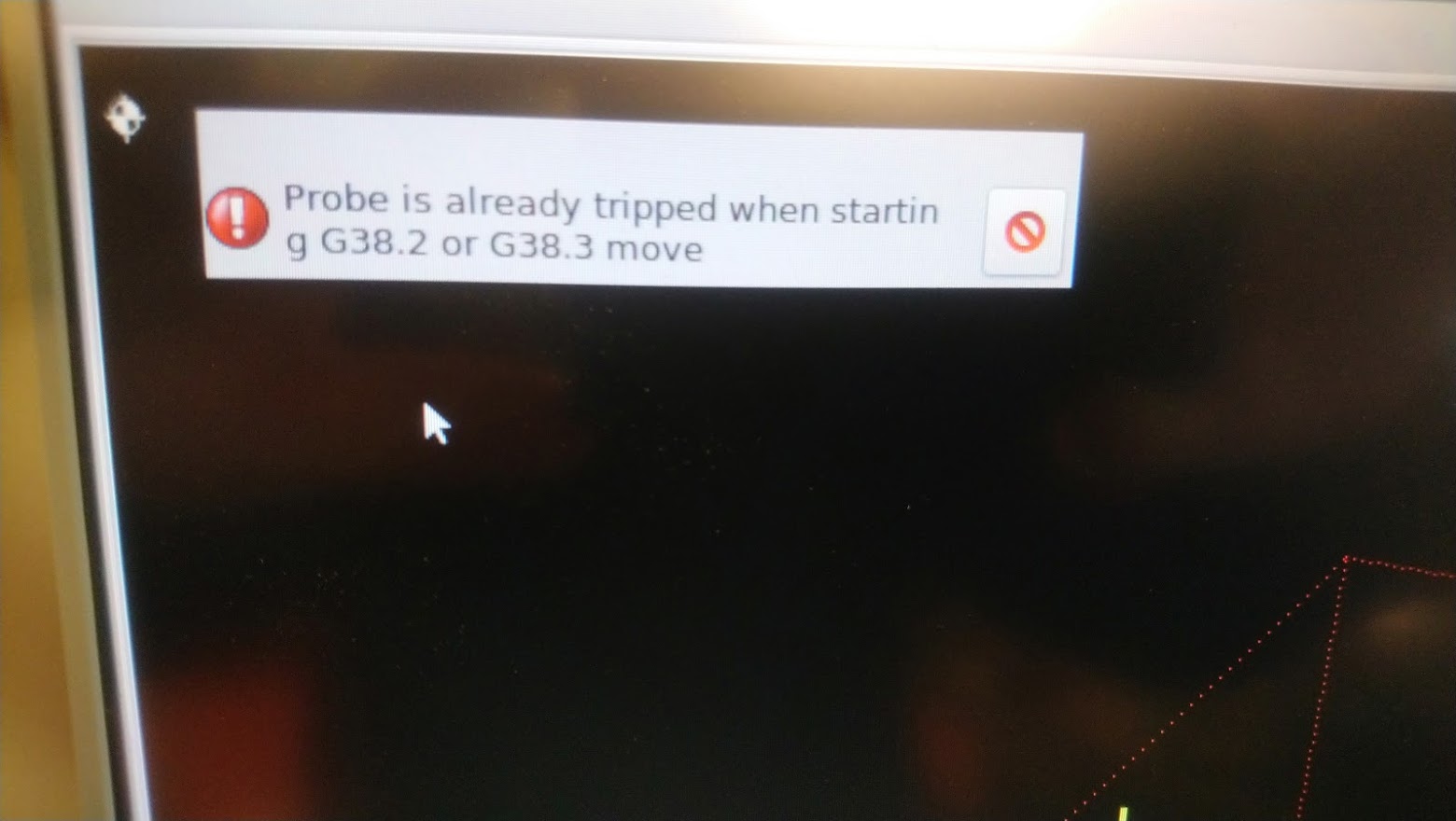
No, just physical observation that probe was still triggered when G38.x went active. Only way out of this triggered position was to jog with MPG in + direction.

I can run probe_down.ngc without any problems. Will have to compare gcode and see if I can find a way to solve this behavior.
Last edit: 7 years 5 months ago by tecno. Reason: edit text

Please Log in or Create an account to join the conversation.

More
7 years 5 months ago #133579 by pl7i92
Replied by pl7i92 on topic Work with probe
after trigger use G1 not G0

G0 Z0.26

Please Log in or Create an account to join the conversation.

Time to create page: 0.092 seconds
Powered by Kunena Forum
