Work with probe

More
7 years 7 months ago - 7 years 7 months ago #128245 by franstrein
Replied by franstrein on topic Work with probe
I run both gmoccapy and Probe v2.
This works ok, except for my issue/question on the Remap command. See my posts above,
Apparently that is being worked upon.

Frans
Last edit: 7 years 7 months ago by franstrein.
The following user(s) said Thank You: ikkuh

Please Log in or Create an account to join the conversation.

More
7 years 7 months ago #128267 by Ferdl
Replied by Ferdl on topic Work with probe
Thank you great, It solved the problem.
Now I can see tool path

Please Log in or Create an account to join the conversation.

More
7 years 7 months ago - 7 years 7 months ago #128270 by Ferdl
Replied by Ferdl on topic Work with probe
Hi, on problem solved another apears :)

with the probe screen I can touch off the workpiece, set the zero by auto measurement. The Touch sensor height measurment seams ok.

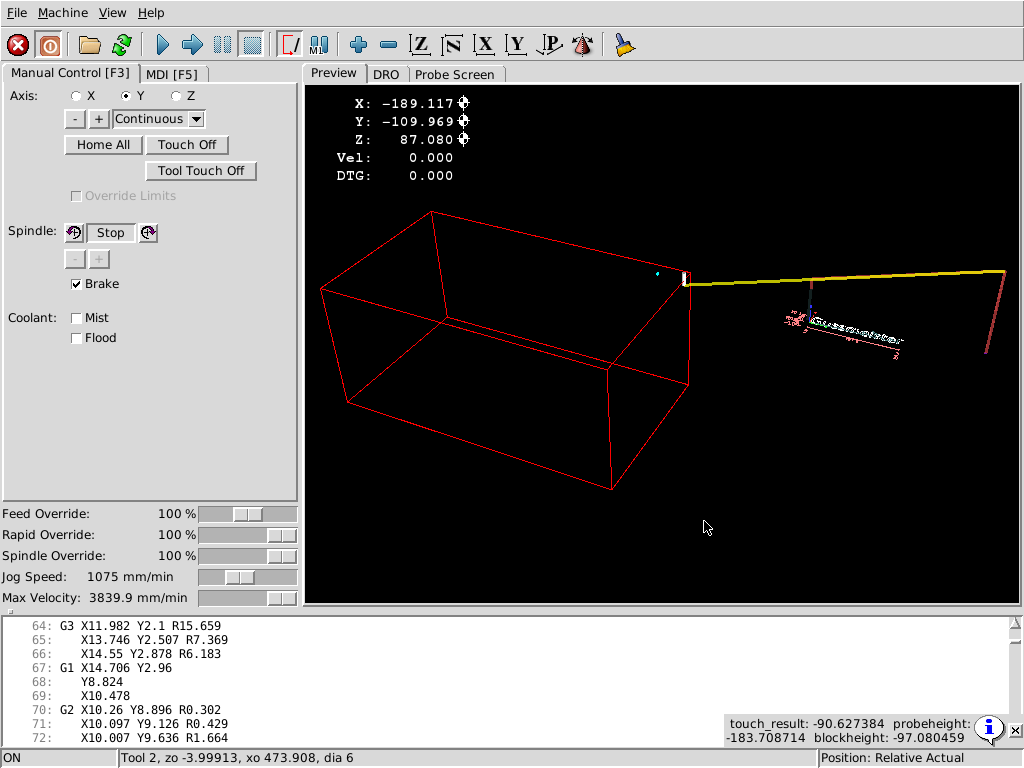
Then I start my gcode and the M6 manual tool change starts, the tool height measurement works but after the measurement the G54 origin is automatically moved outside my maschine coordinate ? See the picture.

I used a simpler manual tool change height measurement on my old linuxcnc machine. But i did not work with the G10 L20/L2 offset like the Probe Screen V2. I only used the G43.1 to compensate the different tool heights.

Any idea?

Maybe the reason is related to my g-code creator:

%
( MCV-OP ) (02-MAR-2019)
(SUBROUTINES: O2 .. O0)
G90 G17
G80 G49 G40
G54
G53 G0 Z-20
G90
M9
M01
M6 T1
(TOOL -1- MILL DIA 7.98 R0. MM )
G90 G00 G40 G54
G0 X-8.788 Y38.655 Z100. S16000 M3
M7
(FM-FACEMILL - FACE-MILLING)
X-8.788 Y38.655 Z10.
Z2.
......

Thanks
Last edit: 7 years 7 months ago by Ferdl.

Please Log in or Create an account to join the conversation.
More
7 years 7 months ago #128351 by vmihalca
Replied by vmihalca on topic Work with probe
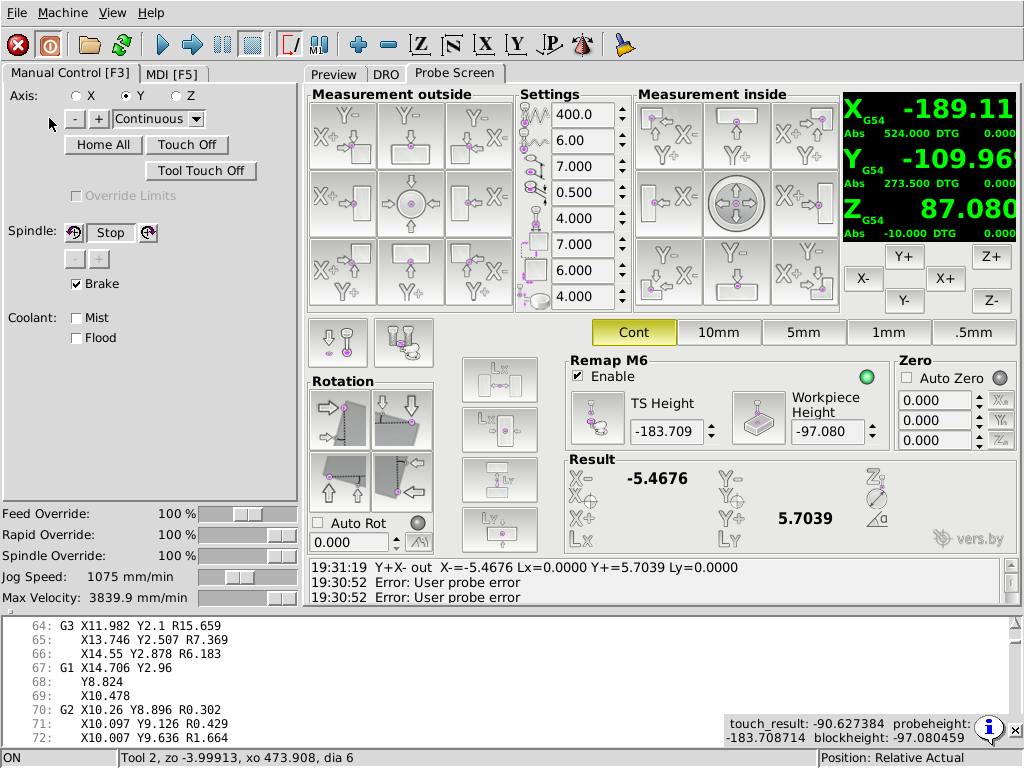
There is another issue that I think its a bug of the probe screen.
I had the same behavior randomly when probing the X+ --> |
If I restart linuxcnc and I try again, it works for a while..but it very inconveninent to restart linuxcnc & rehome each time I need to probe.
Also I've noticed that workpiece height is not saved into that .pref file, each time I restart linuxcnc it gets set to zero.

Please let me know if I'm missing something here.

Please Log in or Create an account to join the conversation.
More
7 years 7 months ago #128425 by pl7i92
Replied by pl7i92 on topic Work with probe
probe screen V2 is not that finished at this time still workaround to do

the inconvenience comes if G92 jumps in and does a side calculation
TRY if this happens G92.1 in MDI
and probe again

also you may be in G91 mode already
use G90 MDI to test behavior

Please Log in or Create an account to join the conversation.

More
7 years 7 months ago #128566 by vmihalca
Replied by vmihalca on topic Work with probe
I have noticed that it seems to work if I lower the feedrate at 50%.
Don't know yet if it's a coincidence or not, still have to figure it out.
What I have noticed is that the inside diameter measurement is not accurate or repeatable.
I have measured a ballbearing with inside diameter of 15mm.
The values I got for diameter were 15,21
I have measured the stylus ruby ball and its 1.99mm
and also in the video above, I was measuring a 10mm bore and I got 10.2114.
Any idea where can this come from?
I have made jog tests with a plunge test indicator, and the movements are correct and the backlash is around 0.01.
Also I've multiple X+ and X- measurements and the values are repeatable within 0,01 range.
Any idea where can the 0.2 error come from?

Please Log in or Create an account to join the conversation.

Time to create page: 0.747 seconds
Powered by Kunena Forum
