Raspberry Pi 4 Tutorial - fatal error

More
6 years 2 months ago #179422 by BlueChicago
Thanks Andy. I may play with it, as I work toward understanding how it all works.

Thanks,

-Loren

Please Log in or Create an account to join the conversation.

More
6 years 2 months ago #179461 by DavidHorvat
Hi Andy / John,

Three attempts now, and still failure. (please help)
I am trying to install on a Raspberry Pi 4B 8GB. Everything looks successful until the reboot after the OpenBox install.
when booting up the Raspberry pi will not see the keyboard and mouse, (I think the USB ports are not loading)
the error is
[ 22.407948] xhci_hcd 0000:01:00.0 can't setup: -110
[ 22.408117] xhci_hcd 0000:01:00.0 init 0000:01:00.0 fail, -110

strangely enough I let it continue, and get the debian splash screen and logging in from ssh I can still remote into the pi. I just cant get the keyboard or mouse back. (They work fine with standard installs/tests after this)

some of the differences I get which may be a clue:
when building the preempt rt kernel, what reports back is: DEPMOD 4.19.71-rt24-v7l+
which is not exactly as in the documentation (# should report back DEPMOD 4.19.59-rt23-v7l+) but I just assumed that this might be the latest version - so I didn't think it was significant.

The other thing I am doing different is that I am using a windows machine to do the ssh remote copy/paste of the instructions. Is this wrong? it seems to work well.


I did read the whole thread looking for users with similar issues and didn't see any but sorry if this is a repeat question. I looked for other ways to install linuxcnc on a raspberry pi. but your instructions look the best so far for a novice like me and I'd like to follow through.

I have tried the sd card beta image that Andy mentions but it also locks up my keyboard and mouse as well, but loads all the way though to the desktop environment.

(keyboard and mouse work fine after all this with standard installs of Raspian)

Thanks for your help in advance.
david

Please Log in or Create an account to join the conversation.

More
6 years 2 months ago #179517 by tommylight
Just a stab in the dark, but you should really check the power supply and overheating.
All RT kernels will cause any PC to use more power and more heat as the power saving stuff is disabled.

Please Log in or Create an account to join the conversation.
More
6 years 2 months ago #179553 by DavidHorvat
Thanks!
I was suspecting it was missing steps and I did see the raspberry pi thermometer lite up during the attempts - so I think you might be on to something.

I tried to run the instruction set without the -j4 parameter in the make commands
make -j4 zImage
make -j4 modules
make -j4 dtbs

It ran a lot slower, (I was hoping cooler and no missing steps) but this did not resolve the issue.
After reboot It repeated the same error (can't setup -110)

Thanks for your input

Please Log in or Create an account to join the conversation.
More
6 years 1 month ago - 6 years 1 month ago #182809 by wiremonkey
Hey folks,
I'm just starting down the Rpi4 linuxcnc with mesa 7i96E path and so far I'm flopping.
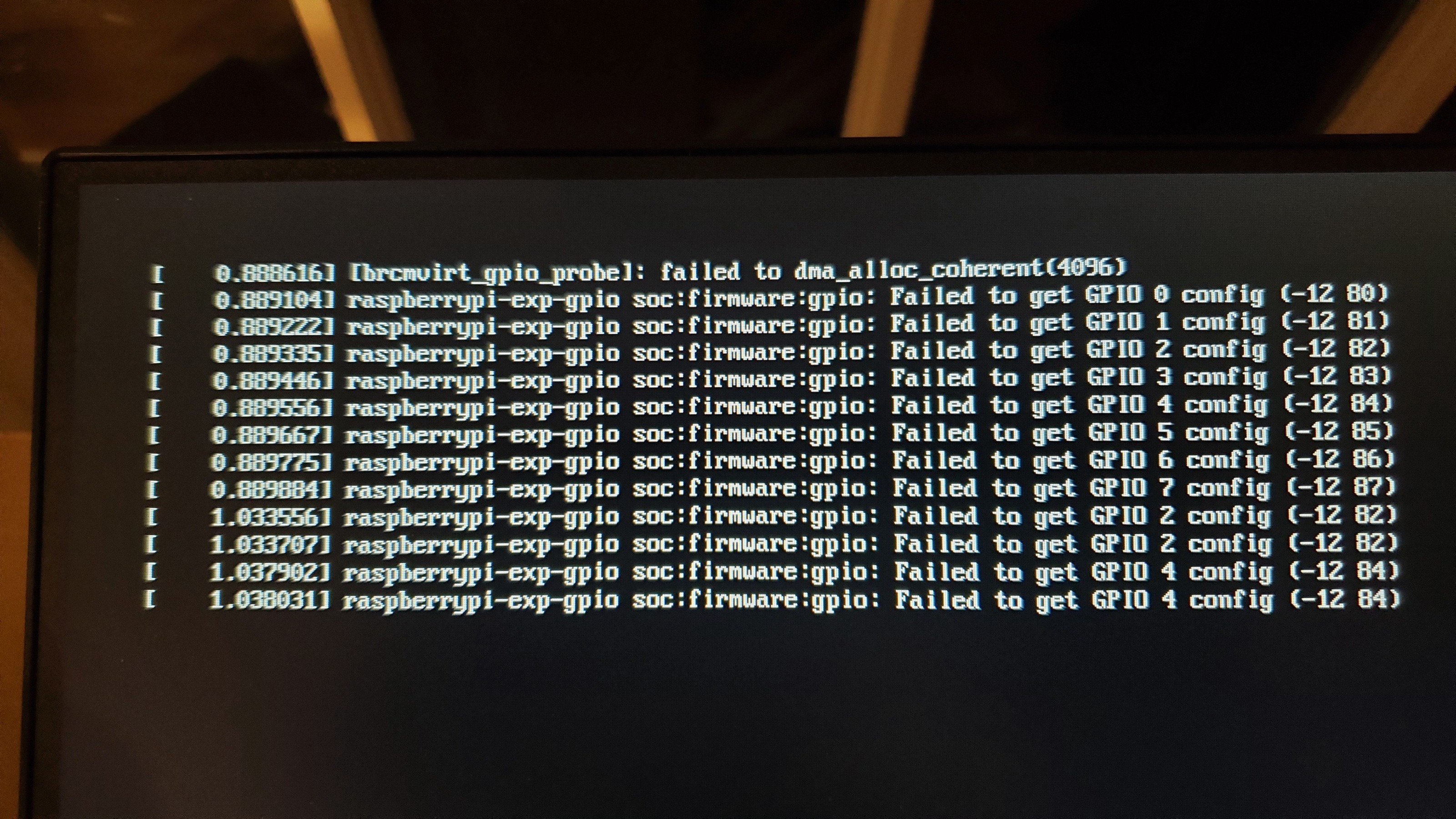
All looked good with John's instructions, except the very last part on the Preempt RT Kernel page. When I rebooted, I got many errors and pi lockup, no SSH.
I've attached an image of what happened when I rebooted after altering the /boot/cmdline.txt

The only thing I can think that I may not have done is added the "-n" to the reboot.
Any thoughts?
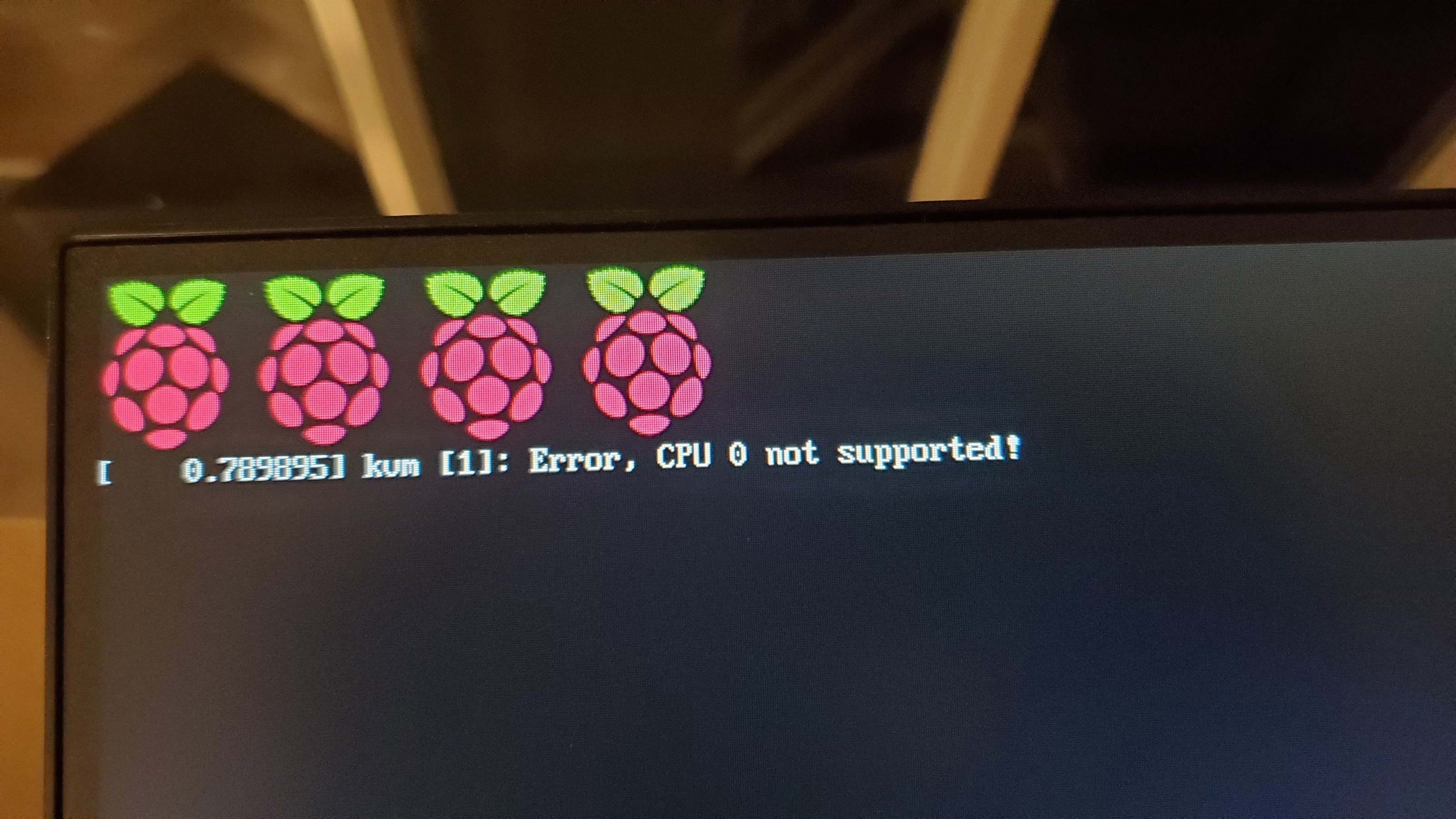
I'll add that I also tried the latest .img file on the linuxcnc repository, but I get wrong CPU 0 not supported error. I flashed the micro SD with the latest .img from 9-14.

If anyone has other suggestions, I'm all ears. I'd really love to use the pi4 for this next LinuxCNC build, but I may be suffering an early defeat.
Thanks,
Tyler
Last edit: 6 years 1 month ago by wiremonkey.

Please Log in or Create an account to join the conversation.

More
6 years 1 month ago #182810 by phillc54

Please Log in or Create an account to join the conversation.

Time to create page: 0.359 seconds
Powered by Kunena Forum
