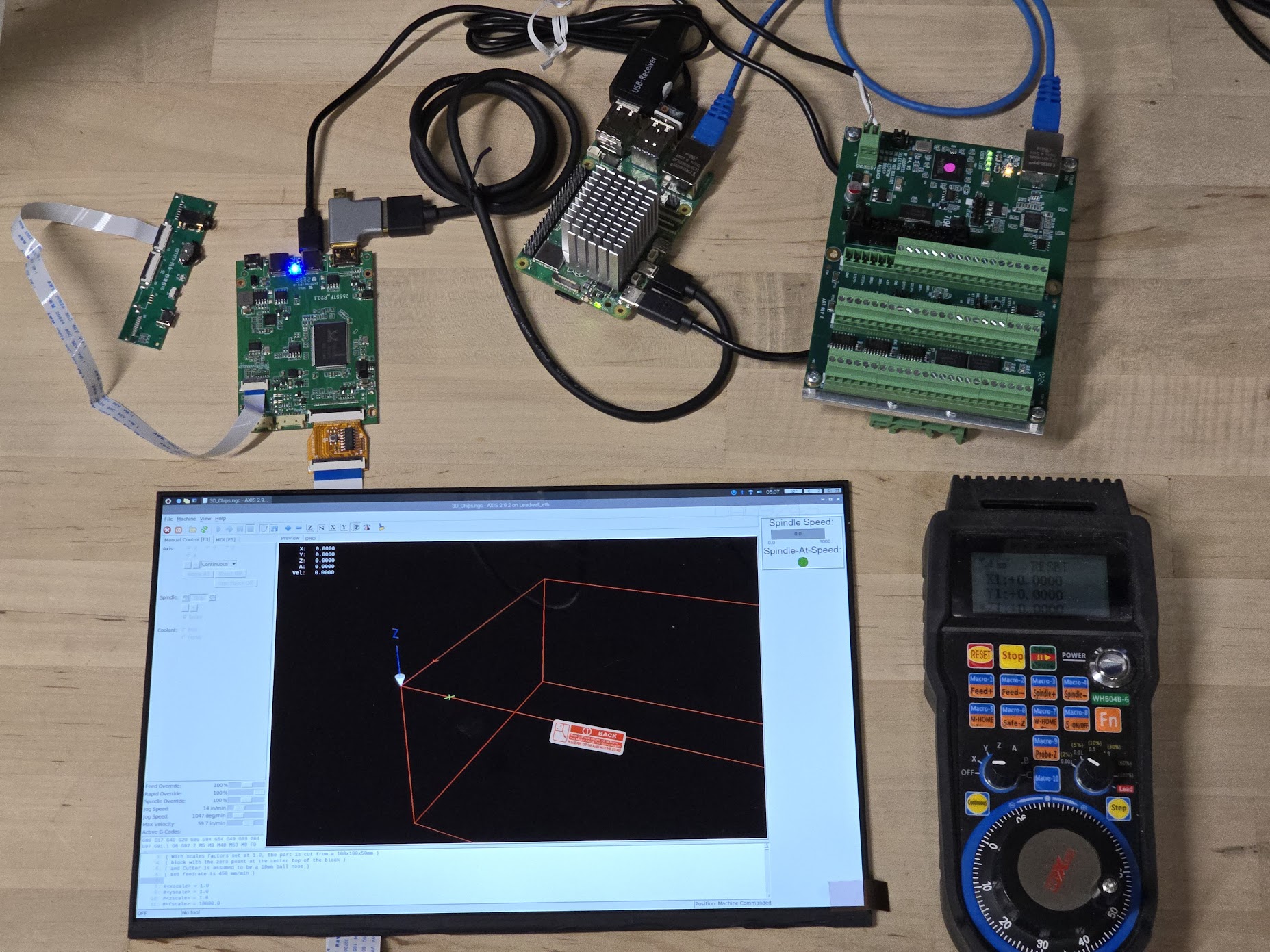
Problem with indexpuls on spindle ,The reading on the imput 10 GPIO 22 for the indexpuls is 0.5 volt ac and the reading on input 11 GPIO 24 is 0.2 v ac , I dont know
the settings in HAL file for this and I need help to find the right values for correkt reading in the Hal file ,i dont know the right place to play with these numers , I can read the signal on the input at the chinese breakout bord and after that the signal disepere nothing in the Halmeter or Halscope. My set up is Raspberry pi 5 and this
byte2bot.com/blogs/instructions/setting-...-the-pi-parallel-hat
and this
byte2bot.com/products/5-axis-cnc-interfa...tepper-motor-drivers
the HAL file
# Generated by stepconf 1.1 at Mon Mar 18 18:19:52 2024
# If you make changes to this file, they will be
# overwritten when you run stepconf again
loadrt [KINS]KINEMATICS
loadrt [EMCMOT]EMCMOT base_period_nsec=[EMCMOT]BASE_PERIOD servo_period_nsec=[EMCMOT]SERVO_PERIOD num_joints=[KINS]JOINTS
#loadrt hal_parport cfg="0 out"
#setp parport.0.reset-time 5000
loadrt stepgen step_type=0,0
loadrt encoder num_chan=4
loadrt abs count=1
loadrt scale count=1
loadrt lowpass count=1
loadrt near
loadrt pwmgen output_type=1
loadrt classicladder_rt numPhysInputs=15 numPhysOutputs=15 numS32in=10 numS32out=10 numFloatIn=10 numFloatOut=10
#loadrt charge_pump
#loadrt hal_pi_gpio dir=0x13407 exclude=0x1F64BF8
loadrt hal_gpio inputs=PIN22,PIN32,PIN33,PIN24,PIN26 outputs=PIN12,PIN37,PIN21,PIN19,PIN23,PIN29,PIN31,PIN35,PIN11,PIN16,PIN13,PIN18
#addf parport.0.read base-thread
addf stepgen.make-pulses base-thread
#loadrt sum2 count=1
#loadrt not count=1
addf encoder.update-counters base-thread
addf pwmgen.make-pulses base-thread
#addf parport.0.write base-thread
#addf parport.0.reset base-thread
addf stepgen.capture-position servo-thread
addf encoder.capture-position servo-thread
addf motion-command-handler servo-thread
addf motion-controller servo-thread
addf classicladder.0.refresh servo-thread
addf stepgen.update-freq servo-thread
addf pwmgen.update servo-thread
addf abs.0 servo-thread
addf scale.0 servo-thread
addf lowpass.0 servo-thread
addf hal_gpio.read base-thread
addf hal_gpio.write base-thread
addf near.0 servo-thread
net spindle-cmd-rpm => pwmgen.0.value
net spindle-on <= spindle.0.on => pwmgen.0.enable
net spindle-pwm <= pwmgen.0.pwm
setp pwmgen.0.pwm-freq 100.0
setp pwmgen.0.scale 1166.6666666666665
setp pwmgen.0.offset 0.11428571428571428
setp pwmgen.0.dither-pwm true
net spindle-cmd-rpm <= spindle.0.speed-out
net spindle-cmd-rpm-abs <= spindle.0.speed-out-abs
net spindle-cmd-rps <= spindle.0.speed-out-rps
net spindle-cmd-rps-abs <= spindle.0.speed-out-rps-abs
net spindle-at-speed => spindle.0.at-speed
net spindle-cw <= spindle.0.forward
################ Spindle index #########################
# Add the encoder to HAL and attach it to threads.
#loadrt encoder num_chan=4
#addf encoder.update-counters base-thread
#addf encoder.capture-position servo-thread
# Set the HAL encoder to 20 pulses per revolution.
setp encoder.3.position-scale 20
# Set the HAL encoder to non-quadrature simple counting using A only.
setp encoder.3.counter-mode true
# Connect the HAL encoder outputs to LinuxCNC.
net spindle-position encoder.3.position => spindle.0.revs
net spindle-velocity encoder.3.velocity => spindle.0.speed-in
net spindle-index-enable encoder.3.index-enable <=> spindle.0.index-enable
# Connect the HAL encoder inputs to the real encoder.
net spindle-phase-a encoder.3.phase-A # <= hal_gpio.PIN24-in
net spindle-phase-b encoder.3.phase-B
net spindle-index encoder.3.phase-Z # <= hal_gpio.PIN22-in-not
setp encoder.3.position-scale 20.000000 #
setp encoder.3.counter-mode 1 #
setp lowpass.0.gain 0.05
net spindle-position encoder.3.position => spindle.0.revs
#net spindle-velocity-feedback-rps encoder.3.velocity => spindle.0.speed-in
net spindle-index-enable encoder.3.index-enable <=> spindle.0.index-enable
net spindle-phase-a encoder.3.phase-A
net spindle-phase-b encoder.3.phase-B
net spindle-index encoder.3.phase-Z
#net estop-out => parport.0.pin-01-out
net xstep => hal_gpio.PIN21-out
#setp parport.0.pin-02-out-reset 1
net xdir => hal_gpio.PIN19-out
net ystep => hal_gpio.PIN23-out
#setp parport.0.pin-04-out-reset 1
net ydir => hal_gpio.PIN29-out
net zstep => hal_gpio.PIN31-out
#setp parport.0.pin-06-out-reset 1
net zdir => hal_gpio.PIN35-out
#net astep => hal_gpio.PIN11-out
#setp parport.0.pin-08-out-reset 1
#net adir => hal_gpio.PIN16-out
net spindle-cw => hal_gpio.PIN11-out
net spindle-pwm => hal_gpio.PIN16-out
net xenable => hal_gpio.PIN37-out
net spindle-index <= hal_gpio.PIN22-in
net spindle-phase-a <= hal_gpio.PIN24-in
net min-home-x <= hal_gpio.PIN26-in
net min-home-z <= hal_gpio.PIN33-in
#############################################################
setp stepgen.0.position-scale [JOINT_0]SCALE
setp stepgen.0.steplen 1
setp stepgen.0.stepspace 0
setp stepgen.0.dirhold 35000
setp stepgen.0.dirsetup 35000
setp stepgen.0.maxaccel [JOINT_0]STEPGEN_MAXACCEL
net xpos-cmd joint.0.motor-pos-cmd => stepgen.0.position-cmd
net xpos-fb stepgen.0.position-fb => joint.0.motor-pos-fb
net xstep <= stepgen.0.step
net xdir <= stepgen.0.dir
net xenable joint.0.amp-enable-out => stepgen.0.enable
net min-home-x => joint.0.home-sw-in
net min-home-x => joint.0.neg-lim-sw-in
net min-home-x => joint.0.pos-lim-sw-in
setp stepgen.1.position-scale [JOINT_1]SCALE
setp stepgen.1.steplen 1
setp stepgen.1.stepspace 0
setp stepgen.1.dirhold 35000
setp stepgen.1.dirsetup 35000
setp stepgen.1.maxaccel [JOINT_1]STEPGEN_MAXACCEL
net zpos-cmd joint.1.motor-pos-cmd => stepgen.1.position-cmd
net zpos-fb stepgen.1.position-fb => joint.1.motor-pos-fb
net zstep <= stepgen.1.step
net zdir <= stepgen.1.dir
net zenable joint.1.amp-enable-out => stepgen.1.enable
net min-home-z => joint.1.home-sw-in
net min-home-z => joint.1.neg-lim-sw-in
net min-home-z => joint.1.pos-lim-sw-in
net estop-out <= iocontrol.0.user-enable-out
net estop-out => iocontrol.0.emc-enable-in
loadusr -W hal_manualtoolchange
net tool-change iocontrol.0.tool-change => hal_manualtoolchange.change
net tool-changed iocontrol.0.tool-changed <= hal_manualtoolchange.changed
net tool-number iocontrol.0.tool-prep-number => hal_manualtoolchange.number
net tool-prepare-loopback iocontrol.0.tool-prepare => iocontrol.0.tool-prepared
# Load Classicladder without GUI (can reload LADDER GUI in AXIS GUI
loadusr classicladder --nogui custom.clp


 )...
)...