Advanced Search

Search Results (Searched for: )

  • notJamesLee
  • notJamesLee
07 Feb 2025 05:02

Installing NoMachine Remote Desktop - Package installer issues

Category: Computers and Hardware

For what its worth i have been just using ssh and its been fine for most of what I have needed.

maybe ill revisit this at some point but for right now its not a priority.

Thank you all for your help, we can close this one out, not sure what to do for that.
  • notJamesLee
  • notJamesLee
07 Feb 2025 04:59
Replied by notJamesLee on topic Tandem Motor Free to Turn - Mesa 7i96s

Tandem Motor Free to Turn - Mesa 7i96s

Category: Basic Configuration

Can i check if its, "controlling the step motor drive enable(s)"? in Halshow?

I agree that it seems like it would be a wiring issue especially considering that the driver works independently. The only evidence i have to the contrary is that i run a continuity check on the two A leads and the two B leads (at the driver on the wires coming from the motor) and I get expected behavior - > beeps when i touch the first two and the last two together nothing more. Should i just replace that wire anyway?
  • Mr. Mass
  • Mr. Mass's Avatar
07 Feb 2025 04:39
Replied by Mr. Mass on topic qtdragon additonal buttons

qtdragon additonal buttons

Category: Qtvcp

I was unclear, I meant how to increase the font size in those menus.
  • notJamesLee
  • notJamesLee
07 Feb 2025 04:00
Z Homing was created by notJamesLee

Z Homing

Category: Basic Configuration

Hi Friends,

 I am pulling my hair out with the Z portion of the homing sequence and could use some help. Currently i have my limit switch as the 'max-limit' for the Z axis. Prior to pressing Home All i am able to Jog the z axis and it works as expected (- is down, is up). 0 is max and -4 is min (this might be the root of my headache)When i press home all, it searches up and makes contact, backs off, and seems to continue through the switch in the positive direction. Per the homing configuration (linuxcnc.org/docs/2.7/html/config/ini-homing.html ) this shouldn't be happening because my search and latch vel are the same sign.

I should expect it to:
1- search up in the positive direction
2- make contact with the switch
3- back off in the negative direction
4- do the final touch of the switch at latch vel in the positive direction
5- the proceed down in the negative direction to the home location.

Instead what is happening is:
1- search up in the positive direction
2- make contact with the switch
3- unsure if its even backing off
4- goes in the positive direction past the limit switch and would crash the axis 

note in these ini/hal the home offset is set to 0 but it had been at -0.5 with the same behavior.   

File Attachment:

File Name: Cutter1_20...2-06.hal
File Size:14 KB
 

File Attachment:

File Name: Cutter1_20...2-06.ini
File Size:6 KB
  • PCW
  • PCW's Avatar
07 Feb 2025 03:55 - 07 Feb 2025 04:16
Replied by PCW on topic Tandem Motor Free to Turn - Mesa 7i96s

Tandem Motor Free to Turn - Mesa 7i96s

Category: Basic Configuration

Unless LinuxCNC is controlling the step motor drive enable(s)
(and there is no evidence of this in the hal file),
all motors should all have holding torque when the drives
are powered. Seems more like a drive fault or wiring issue.
 
  • notJamesLee
  • notJamesLee
07 Feb 2025 03:46
Tandem Motor Free to Turn - Mesa 7i96s was created by notJamesLee

Tandem Motor Free to Turn - Mesa 7i96s

Category: Basic Configuration

Hi Friends, 

While working on my homing sequence I encountered some strange behaior and didnt find any other posts with similar issues and i figured its a simple fix i just don't know where to start. 

In general, when plug in the power supply that powers the CNC all the motors are not able to be turned by hand as expected (i think) because theirs current to them. However, when i open LinuxCNC all the motors remain not being able turn other than the tandem Y motor. I am currently having issues with the z sequence (separate topic posted) but with the motor unplugged it seems to switch to the Y axis and only one motor turns. So it seems to me like something is turned off in my .hal or .ini.

I've checked the driver and it works and I've also double check all wires are connected. The second Y motor is connected to '4' on the mesa. 


Any advice is appreciated. 

File Attachment:

File Name: Cutter1.ini
File Size:6 KB

File Attachment:

File Name: Cutter1.hal
File Size:14 KB
  • GeckoWorks
  • GeckoWorks
07 Feb 2025 03:41 - 07 Feb 2025 03:58
Replied by GeckoWorks on topic Lathe Macros

Lathe Macros

Category: Other User Interfaces

I had the link for that one. Perhaps I wandered off this thread when I found it. It was a compilation of I think all of the macros showing the actual operation on a lathe much like the video you referenced, just for all the different operations quite a good video, no idea where I found it and can't seem to find it.

Thanks
I think this video does a good job of going through the macros but I don't know if it's the one you had in mind:


That is a different video, however somewhat similar. For a small lathe he sure is getting good results.

I'm a bit clueless regarding the available lathe type GUI's (I'm starting with axis), what version is this fellow using?

Are those the "lathe macros" he is using?


I could be wrong as I am very new - only ever got my first Mesa cards the other day - for my little mill. Cnc lathe is still in planning stages. 
So, someone will correct me if I am wrong, but I think the UI used is Cmoccappy indeed with Andy's Lathemacros. 

But also, I feel like I saw and bookmarked posts about succesfully getting Andy's lathe macros into Probe Basic, which is a really swank looking UI. But I can't find that info now or perhaps it was a dream;). Anyone...?
  • unknown
  • unknown
07 Feb 2025 02:27
Replied by unknown on topic LinuxCNC on Raspberry Pi 5

LinuxCNC on Raspberry Pi 5

Category: Installing LinuxCNC

There's been official images for the RPi5 from about Dec 2023.
  • phillc54
  • phillc54's Avatar
07 Feb 2025 02:11
Replied by phillc54 on topic Errors with G code for Qtpalmac

Errors with G code for Qtpalmac

Category: Fusion 360
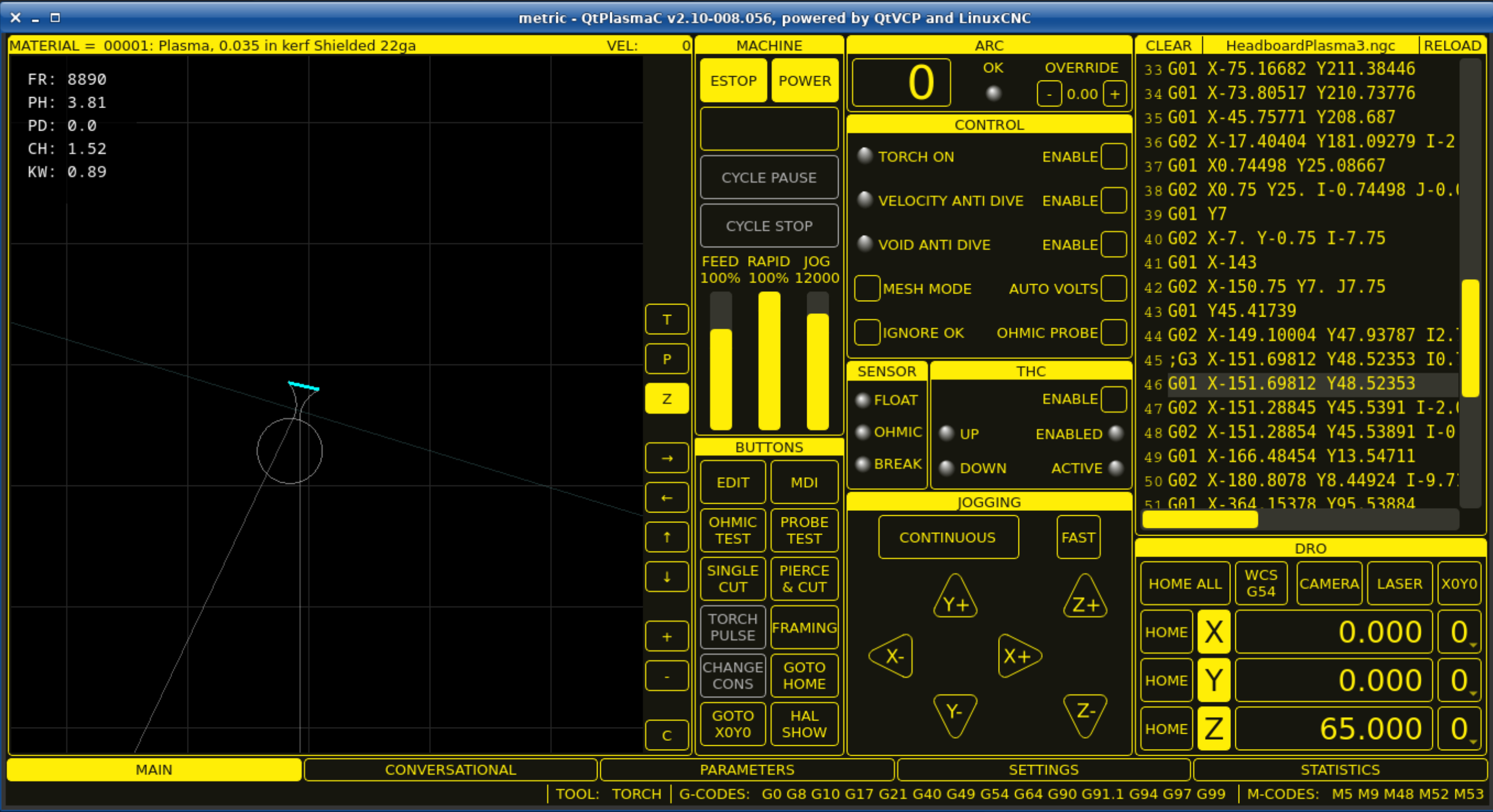
It seems the error is this line:
N170 G3 X-151.69812 Y48.52353 I0.74976 J4.58266

If I change it to a straight line like:
N170 G1 X-151.69812 Y48.52353
then it loads correctly.

Looking at the result it seems there are some oddities in the code around that line. The blue line in the graphic frame is the line changed above as shown in the code frame and the cut line does seem odd to me.
Warning: Spoiler!
  • Lisov_R
  • Lisov_R
07 Feb 2025 01:48

ColorCNC Colorlight 5A-75E/5A-75B as FPGA controller board

Category: Driver Boards
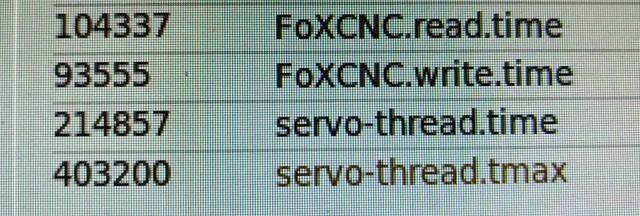
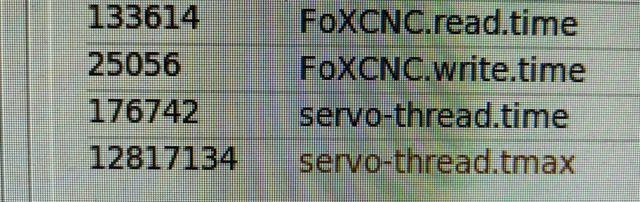
For fun, I did a test, I knew the result in advance.
LinuxCNC 2.9.4
Litex-CNC 1.3.4
The same file was used for the machine operation.

Debian 10 (Buster)
 

Debian 12 (Bookworm)
 

In Debian 12, the jitter is several times higher and this is very noticeable in the operation of the engines in ClosedLoop mode

 
  • Lisov_R
  • Lisov_R
07 Feb 2025 01:44

ColorCNC Colorlight 5A-75E/5A-75B as FPGA controller board

Category: Driver Boards
I am attaching all the files of my 5-axis machine with the ability to work only with stepper motors, motors and an ecoder and in ClosedLoop mode. Spindle control via RS485 with a frequency converter. Additionally, the xhc-hb04 remote control is connected.
 

File Attachment:

File Name: FoXCNC.zip
File Size:13 KB
  • Lisov_R
  • Lisov_R
07 Feb 2025 01:37 - 07 Feb 2025 01:42

ColorCNC Colorlight 5A-75E/5A-75B as FPGA controller board

Category: Driver Boards
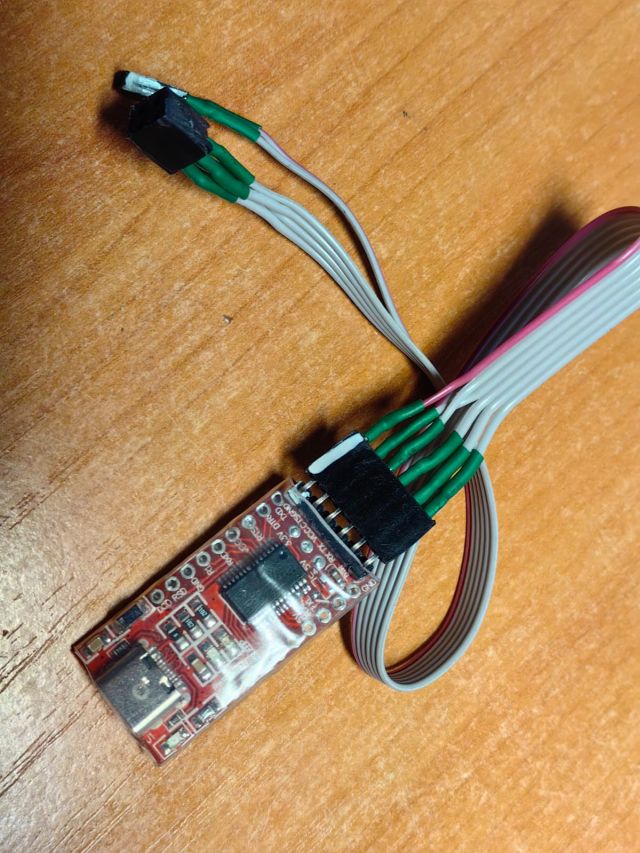
I used FT232RL firmware interface converter
 

The jumper for selecting the output supply voltage has been removed, they are powered from contact J33,34
The firmware method is taken from here
openFPGALoader [options] -cft23XXX --pins=TDI:TDO:TCK:TMS /path/to/bitstream.ext

value        |    ID    |    JTAG
TXD        |    0    |    J27 TCK
RXD        |    1    |    J32 TDI 
RTS        |    2    |    
CTS        |    3    |    J31 TMS
DTR        |    4    |    J30 TDO
DSR        |    5    |
DCD        |    6    |
RI        |    7    |
Vcc        |        |    J33 (3.3в)
GND        |        |    J34 (GND)

We use the command
openFPGALoader --unprotect-flash --cable ft232RL --pins=RXD:DTR:TXD:CTS -f FoXCNC_5a-75e_v8.2_v1.3/gateware/colorlight_5a_75e.bit

To compile the firmware, it is better to use the command with the -a parameter
litexcnc build_firmware FoXCNC_5a-75e_v8.2_v1.3.json --build -a

We will additionally receive the alias.hal file which, when used in LinuxCNC, will give us aliases for the module elements and when changing the firmware, there will be no need to change the hal files.
To use aliases in the ini file, you must first specify the hal file with the litexcnc driver connection, then alias.hal and then the hal file with module processing. Only in this case will everything work!!!
  • Lisov_R
  • Lisov_R
07 Feb 2025 01:31

ColorCNC Colorlight 5A-75E/5A-75B as FPGA controller board

Category: Driver Boards
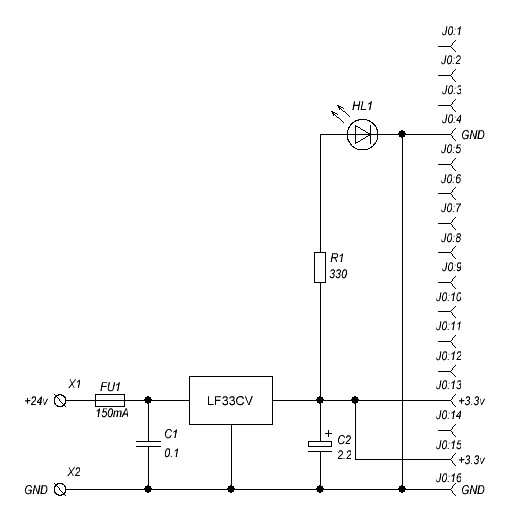
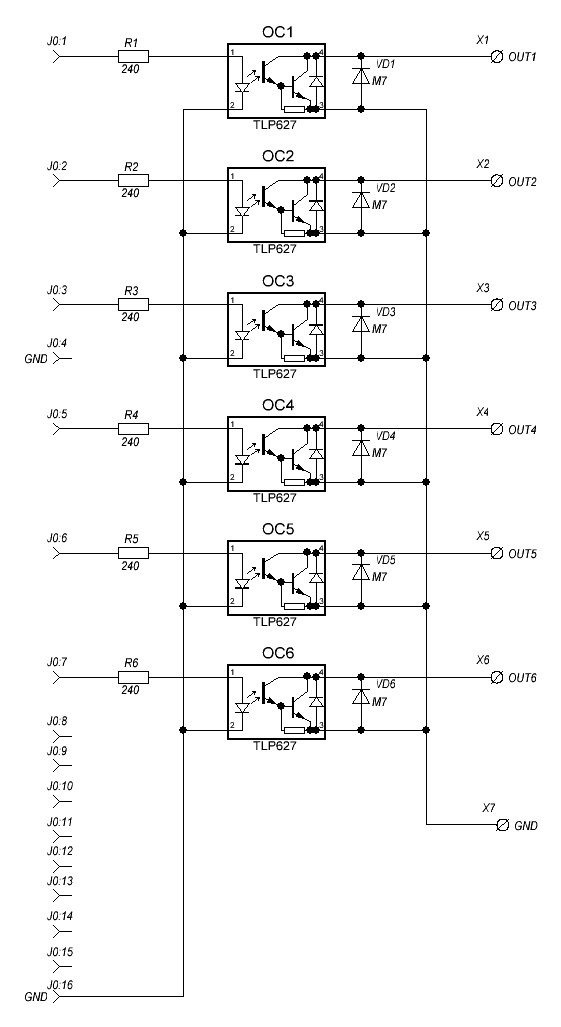
Circuit board diagrams
Warning: Spoiler!
  • Lisov_R
  • Lisov_R
07 Feb 2025 01:26 - 07 Feb 2025 01:27

ColorCNC Colorlight 5A-75E/5A-75B as FPGA controller board

Category: Driver Boards
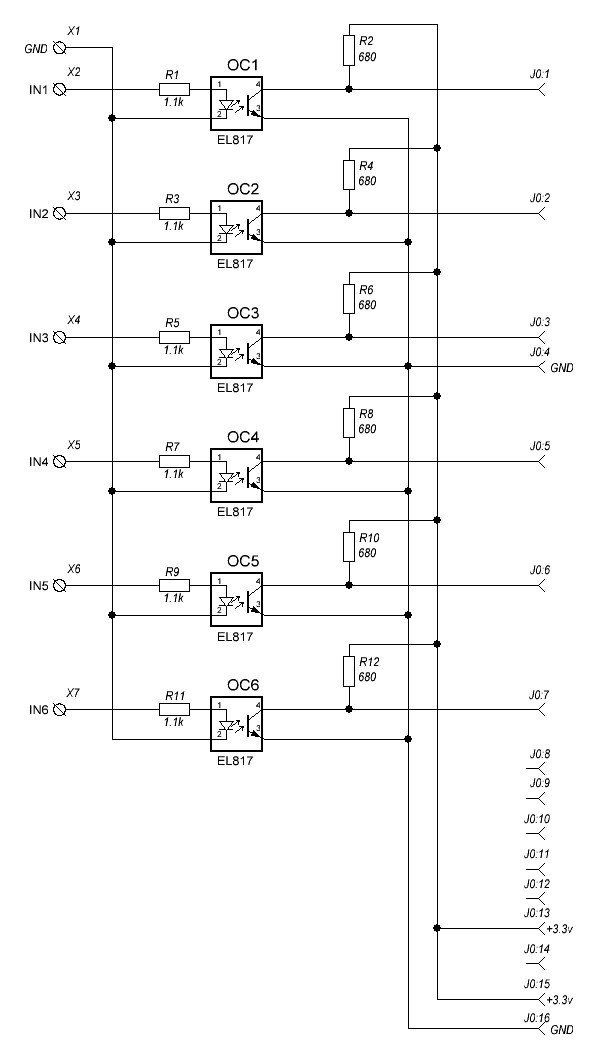
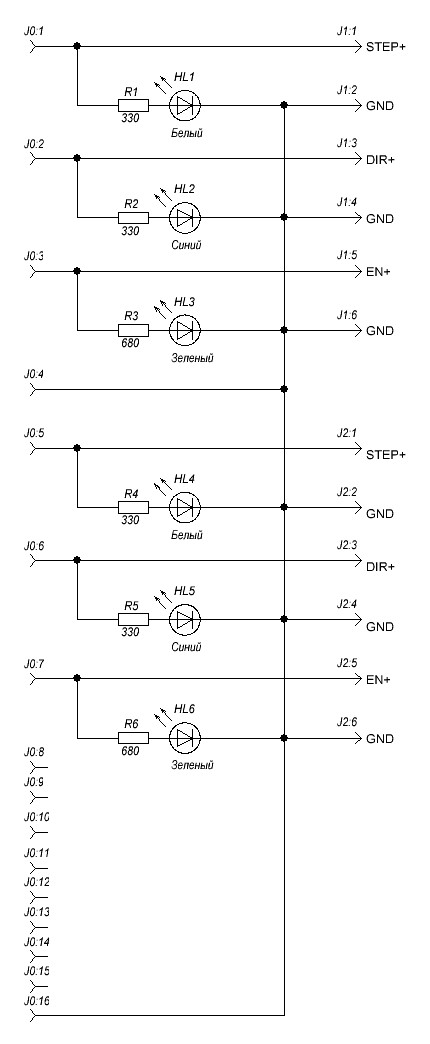
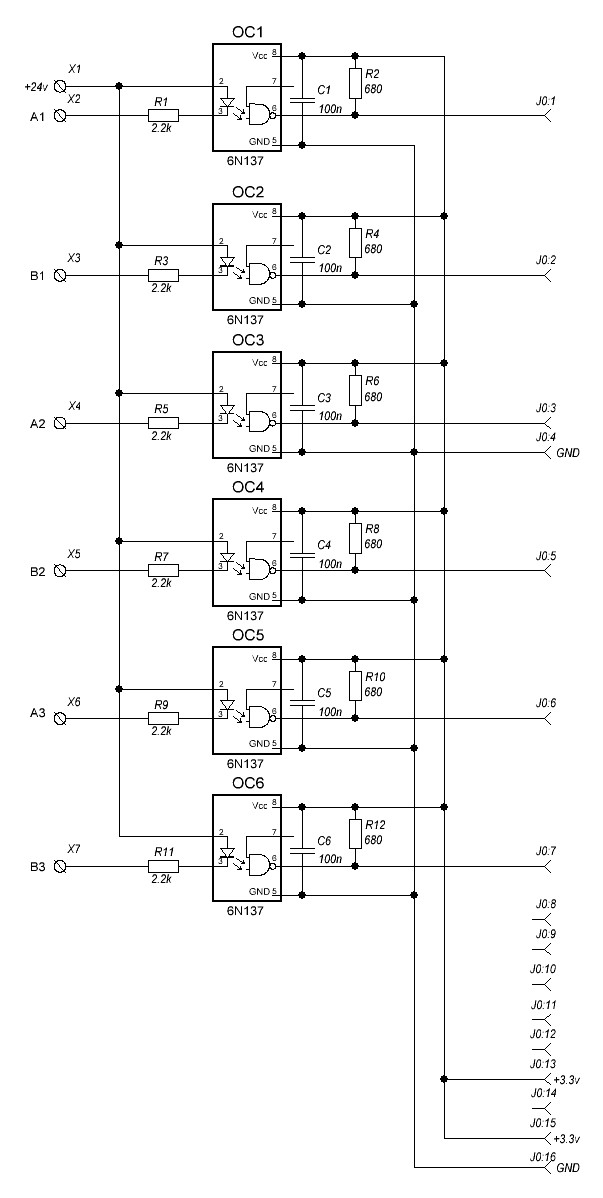
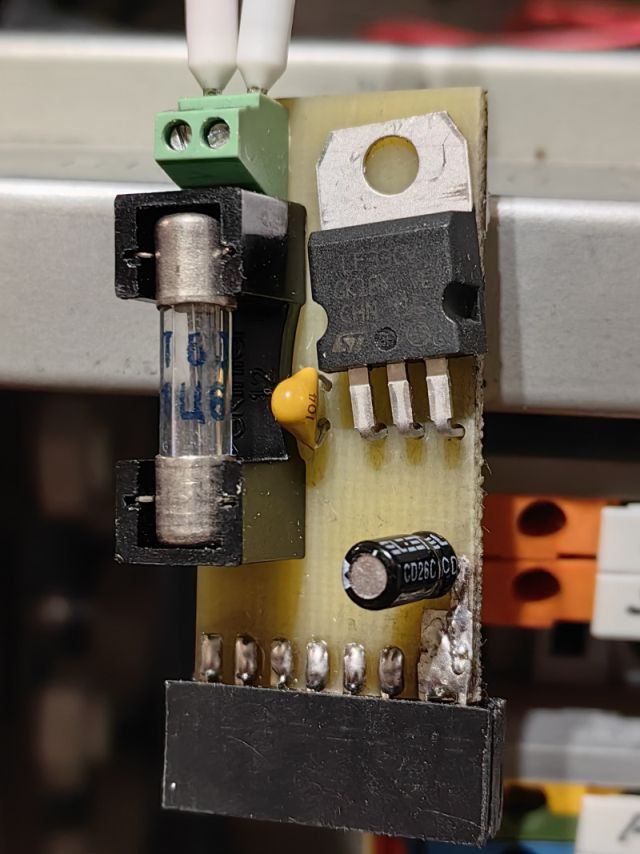
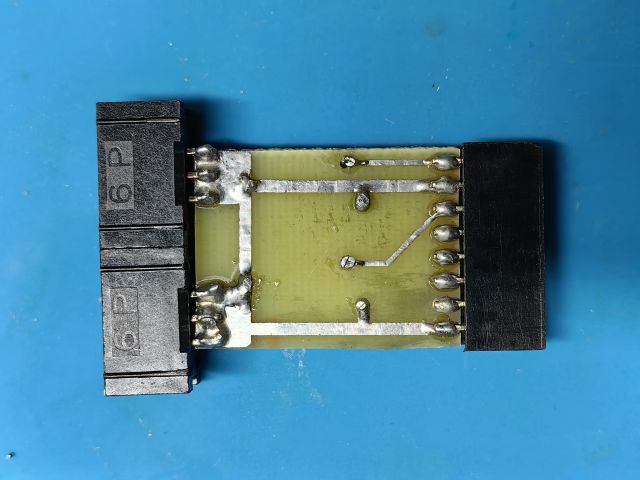
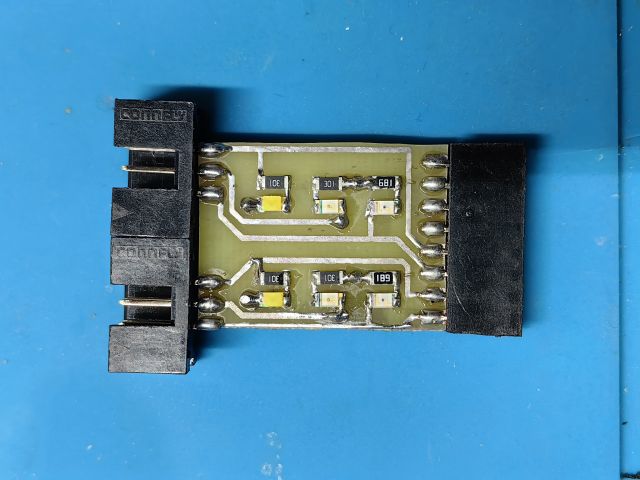
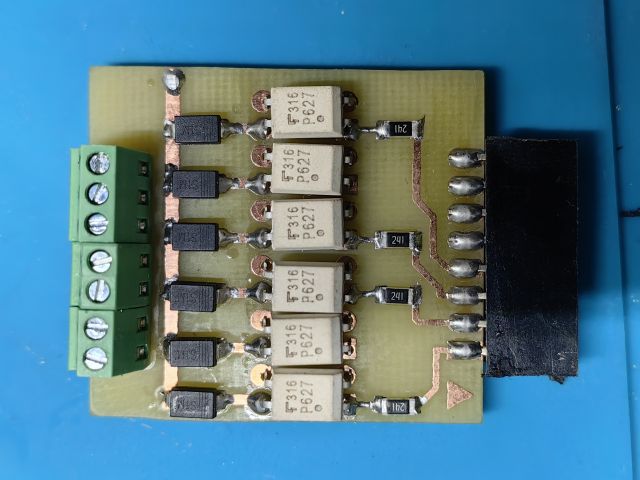
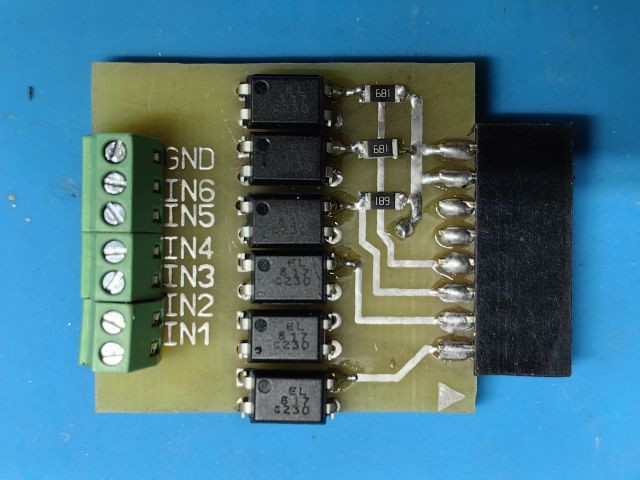
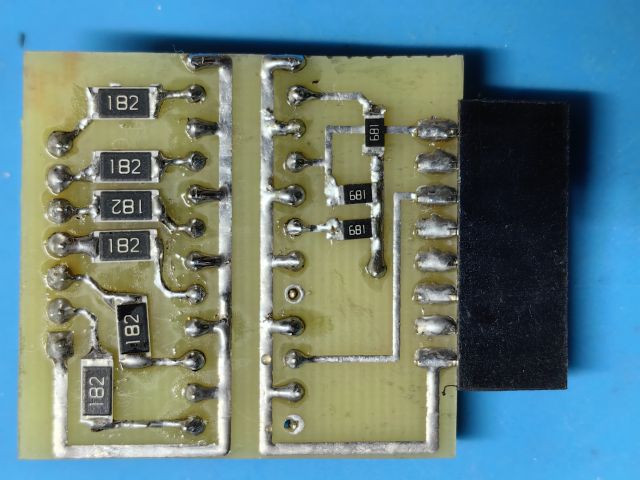
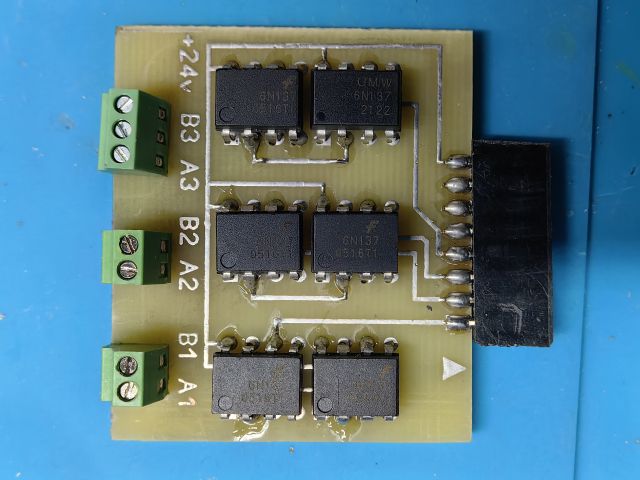
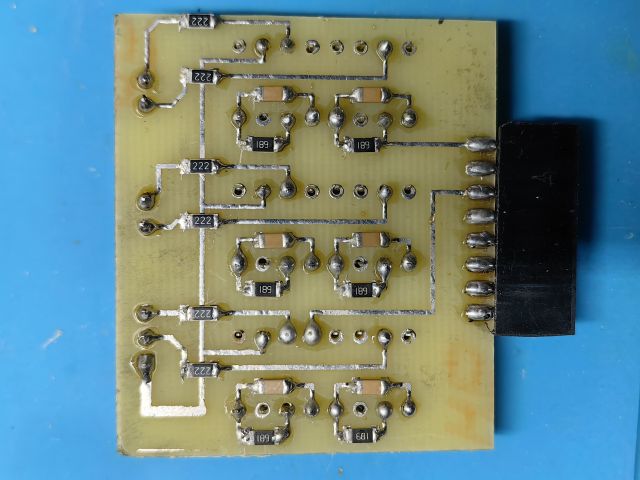
Bord 3.3v
Warning: Spoiler!


Stepper motor output board
Warning: Spoiler!


Relay and other consumer output board up to 150mA and 30v.
Warning: Spoiler!


PNP sensor input board 24VDC (I had these)
Warning: Spoiler!


NPN encoder input board 24VDC

Warning: Spoiler!
  • Lisov_R
  • Lisov_R
07 Feb 2025 01:21

ColorCNC Colorlight 5A-75E/5A-75B as FPGA controller board

Category: Driver Boards
I apologize in advance, English is not my native language and I use an online translator.

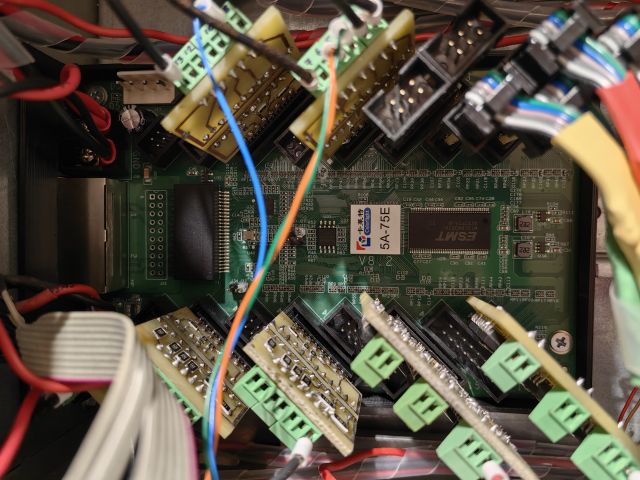
I want to share my work with Colorlight 5A-75E board and Litex-CNC firmware
Many thanks to the great specialist @Peter-van-Tol !!!

I used the 5A-75E board. It requires a gigabit connection, there will be no connection on a 100MB network card! I bought an additional PCI network card, and disabled the built-in one in the Bios.
The developer is currently expanding the range of supported boards.
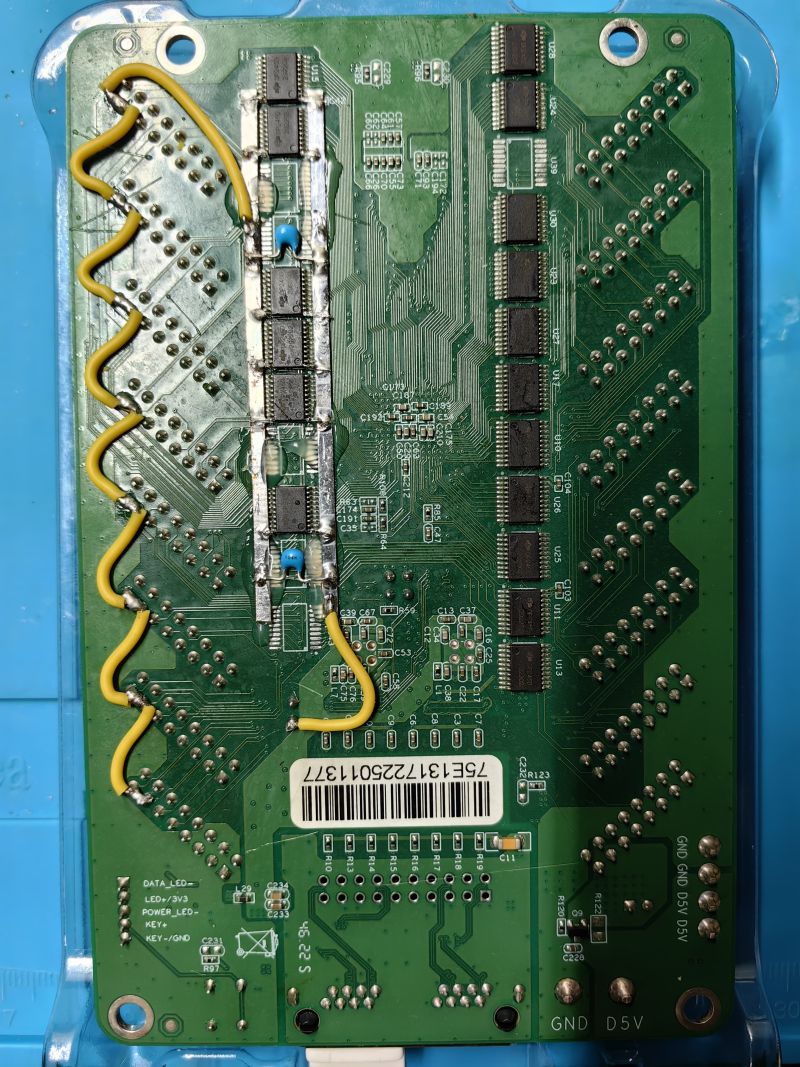
Removed the U19, 20, 21, 22, 38, 39 chips that had an output on Pin 8-15 of the J9-16 connectors. Initially, I powered the input chips from the J33 contact. But when the connection was broken during the firmware, apparently the FPGA inputs began to work as an output and shorted out with the buffer chips. The FPGA burned out.
A 3.3V additional power supply board was made. It is connected to any J9-16 connector and supplies power to Pin 13,15 and to the buffer chips. The input optocoupler is connected to Pin 13,15.
The electronic part of the machine is powered by two 5VDC power supplies: a 5A-75E board and 24VDC (reduced to 20V) sensors and encoders.
 
 
Displaying 19276 - 19290 out of 19548 results.
Time to create page: 0.745 seconds
Powered by Kunena Forum