Advanced Search

Search Results (Searched for: )

  • PCW
  • PCW's Avatar
08 Jan 2025 16:06
Replied by PCW on topic 7i96s Questions

7i96s Questions

Category: Driver Boards

If in question about hardware pin, parameter names, type this
at a terminal when LinuxCNC is running:

halcmd show all hm2

or to save all the names in a file (as a copy_paste source) :

halcmd show all hm2 > hm2names.txt

5:

For faster normal encoders, here is firmware that adds 6 encoders on P1:


File Attachment:

File Name: 7i96s_p1encd.zip
File Size:271 KB


  • PCW
  • PCW's Avatar
08 Jan 2025 15:58
Replied by PCW on topic 7i96s Arc Voltage + Encoder Fault

7i96s Arc Voltage + Encoder Fault

Category: Plasma & Laser

I would expect the THCAD300 to connect to the 7I96S TB2 pins:

7  A+
8  A-
9 GND
12 +5V
A+ and A- should be a twisted pair

Its also very important that none of those pins connect to _anything_
inside the plasma source.
  • sharp_reaper
  • sharp_reaper
08 Jan 2025 15:34 - 08 Jan 2025 15:42
7i96s Arc Voltage + Encoder Fault was created by sharp_reaper

7i96s Arc Voltage + Encoder Fault

Category: Plasma & Laser

Hello everyone.
I have an error with the reading of arc voltage (-45 V) after one piercing.
Before piercing I was reading 0 V.

My plasma source is AutoCut 200XT from Thermal Dynamics.
I am using a 7i96s mesa card with THCAD-300 also from mesa.
The interface I am using is QTPlasmaC.

The THCAD-300 is mounted inside of the plasma source connected directly to raw Arc Voltage.
The output from THCAD-300 is connected to the encoder from 7i96s (TB2.7 and TB2.8).

Already switch the THCAD-300 and 7i96s to brand new ones and at start the readings of arc voltage seems to be ok.
But when I put Torch On the Arc Voltage goes to -45 V, after that the value doesn't change. No matter if plasma is on or off.
If I look to halshow I get no readings at all in encoder counts signal.

Looks like for some reason that I cannot understand I am damaging the encoder input on the 7i96s board.
I've made the exactly same connections on Hypertherm Plasma Systems and works fine.


File Attachment:

File Name: pronum_2025-01-08.hal
File Size:9 KB
 

File Attachment:

File Name: pronum_2025-01-08.ini
File Size:4 KB
  • JT
  • JT's Avatar
08 Jan 2025 15:18 - 08 Jan 2025 15:20
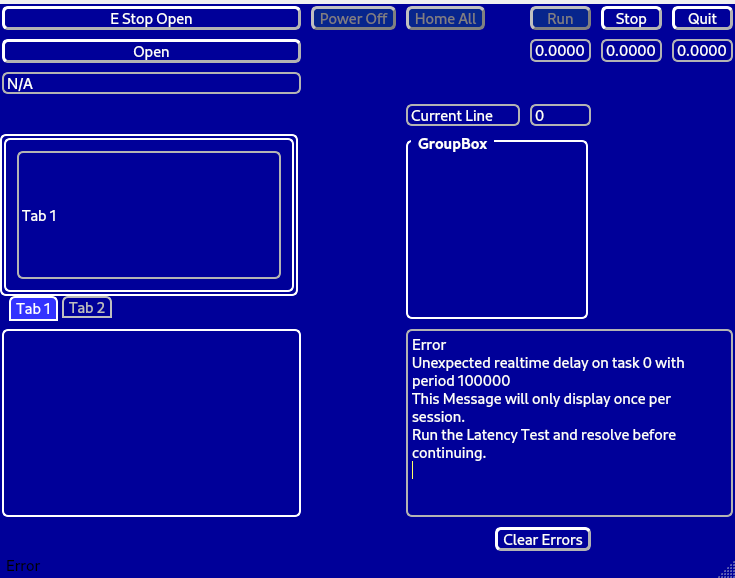
Replied by JT on topic Flex GUI Themes

Flex GUI Themes

Category: Flex GUI

Did a little tweaking on the themes


JT
  • Yaroslav
  • Yaroslav
08 Jan 2025 15:07
M6 Remap Lathe (Remap T & ignore M6) was created by Yaroslav

M6 Remap Lathe (Remap T & ignore M6)

Category: General LinuxCNC Questions

 Hello everyone. This is my first time posting here.
 I have a question about M6 Remap and Carousel on Lathe. System work Ok. In .ini file i have REMAP= M6  modalgroup=6  prolog=change_prolog ngc=toolchange epilog=change_epilog.
  If i want add ignore m6 (Remap=M6 python=ignore M6), i get an error that it Remap=M6 is already in use.
  If I want Remap=T (REMAP=T python=index_lathe_tool_with_wear), I have error "M6: no tool prepared" (message from stdglue.py file)
I can use these functions if the tool change is work on the ladder. But the carousel is a more convenient tool.
 Maybe someone knows how this works?
  • JimS
  • JimS
08 Jan 2025 15:04

Strange error after stopping file and adjusting part zero

Category: General LinuxCNC Questions

Using Fusion to generate the g code. LinuxCNC post processor.
  • tommylight
  • tommylight's Avatar
08 Jan 2025 15:03
Replied by tommylight on topic 7i96s Questions

7i96s Questions

Category: Driver Boards

1. yes, older Mesa cards
2. No
3. 7i96S does not need flashing, except when other non standard features are required, and does not need to load firmware from HDD, it has it's own memory for it, twice i think as there is a fallback in case of mishaps on almost all new-ish Mesa boards.
4. and 5. i am not sure, so i'll shut up! :)
  • JimS
  • JimS
08 Jan 2025 14:59

Strange error after stopping file and adjusting part zero

Category: General LinuxCNC Questions

Left everything on overnight and came back to it this morning. Thought maybe I did a pause rather than stop so fiddled a bit with the step, run, and stop buttons thinking stop might clear out things when pause would not. Not sure exactly what happened but it now doesn't give the error. Would be good to know why it happened and what to do to avoid the error or reset things if it happens again.
  • MacKaye
  • MacKaye
08 Jan 2025 14:50
Replied by MacKaye on topic Weiler DZ26 Millturn Conversion

Weiler DZ26 Millturn Conversion

Category: Turning

Hi,
i have answered your email. Checked both things listed above and had no success flashing new firmware
  • Aciera
  • Aciera's Avatar
08 Jan 2025 14:39
Replied by Aciera on topic 5 axis rtcp

5 axis rtcp

Category: Advanced Configuration

You can also try your luck with the somewhat dated 'bridgemill'
configs/sim/axis/vismach/5axis/bridgemill
  • Aciera
  • Aciera's Avatar
08 Jan 2025 14:35 - 08 Jan 2025 14:36
Replied by Aciera on topic 5 axis rtcp

5 axis rtcp

Category: Advanced Configuration

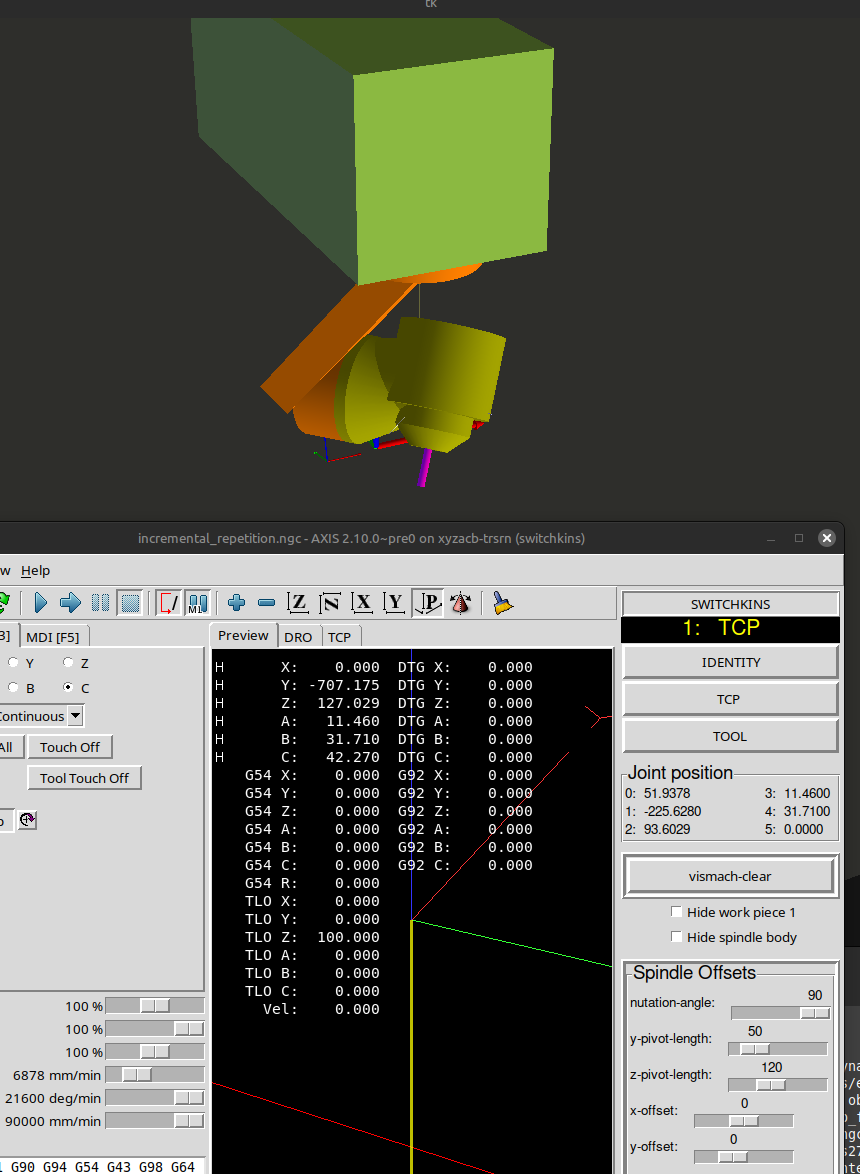
Have a look at
configs/sim/axis/vismach/5axis/table-rotary_spindle-rotary-nutating

Set the nutation angle to 90° and ignore the table rotary.

 
  • Moutomation
  • Moutomation
08 Jan 2025 14:24 - 08 Jan 2025 14:29
5 axis rtcp was created by Moutomation

5 axis rtcp

Category: Advanced Configuration

Hello,
How should I add RTCP feature to a 5-axis machine with the same joints as the machine in the video?

  • TomAlborough
  • TomAlborough's Avatar
08 Jan 2025 14:10 - 08 Jan 2025 14:14
Replied by TomAlborough on topic LinuxCNC on Raspberry Pi 5

LinuxCNC on Raspberry Pi 5

Category: Installing LinuxCNC

Apparently you can buy Raspberry Pi 5 kits that don't offer access to the SD card...

I'm aiming to build from released sources and load it up.

%lost interest: If you think I should switch to another thread for questions please just let me know where/how.

Thanks,
Tom
  • rairsa
  • rairsa
08 Jan 2025 13:57
Replied by rairsa on topic Resolution and speed with servo motor

Resolution and speed with servo motor

Category: General LinuxCNC Questions

anyone was find solution?
  • jst
  • jst
08 Jan 2025 13:53 - 08 Jan 2025 13:54
Replied by jst on topic Building and configuring a stmbl v5

Building and configuring a stmbl v5

Category: Driver Boards

Building and flashing the firmware

You don't have to solder in the H-Bridge or any other connectors (expect the Power connectors P3 and P6) to flash the firmware.

Install prerequisites (I used a minimal debain install, so you might have some of them already installed):
sudo apt install git python3 python3-serial make gcc-arm-none-eabi usbutils dfu-util

Clone the github repository (I used the repo from freak, since it has the latest updates, even though they link to rene's repo in their documentation):
git clone https://github.com/freakontrol/stmbl.git
cd stmbl/

Build the firmware:
make clean
make
make binall

Flash the HV controller: Connect a USB cable to the USB port on the HV side (this is the only time you should connect a USB cable to the HV side). Short the Boot jumper near the STM32F3 with a small screwdriver and provide 24V DC to P6. The controller should show up in lsusb:
Bus 001 Device 003: ID 0483:df11 STMicroelectronics STM Device in DFU Mode
If the controller does not show up, make sure you have contact with the boot jumper. Also try to flip the USB cable.
Flash the firmware with
sudo make f3_all_btburn

Flash the LV controller: Repeat the steps above on the LV side (connect USB cable, short boot pins on LV side near the STM32F4, provide 24V DC to P3, check for the controller using lsusb)
Flash the firmware with
sudo make all_btburn

The LV controller should reconnect and show up as
Bus 001 Device 005: ID 0483:5740 STMicroelectronics Virtual COM Port
Displaying 20356 - 20370 out of 21722 results.
Time to create page: 0.423 seconds
Powered by Kunena Forum