QtPlasmaC release.

More
5 years 7 months ago - 5 years 7 months ago #203875 by Franklin
Replied by Franklin on topic QtPlasmaC release.
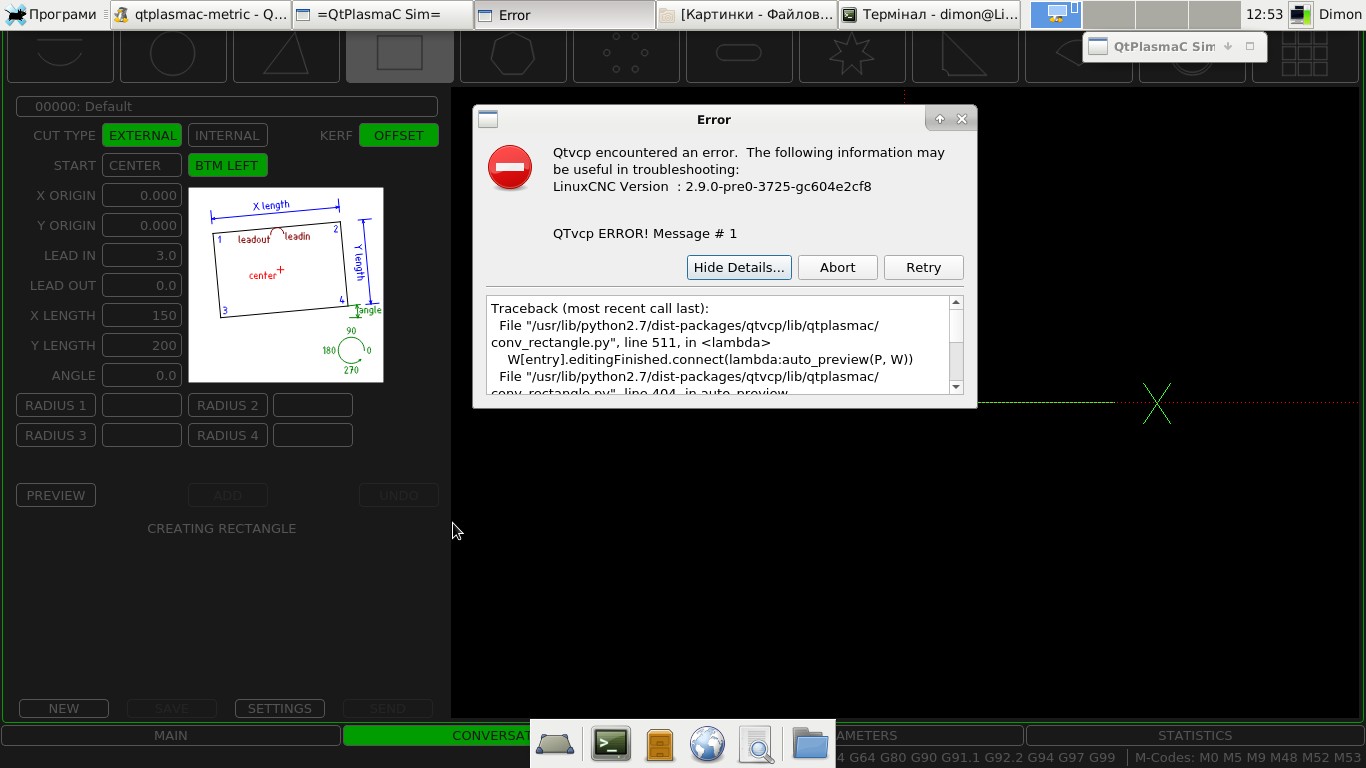
Hi I am trying to use QtPlasmaC and in the conversational tab I keep getting the error message. I tried on two computers and get the same errors.

Code:
Traceback (most recent call last): File "/usr/lib/python2.7/dist-packages/qtvcp/lib/qtplasmac/conv_rectangle.py", line 511, in <lambda> W[entry].editingFinished.connect(lambda:auto_preview(P, W)) File "/usr/lib/python2.7/dist-packages/qtvcp/lib/qtplasmac/conv_rectangle.py", line 404, in auto_preview preview(P, W) File "/usr/lib/python2.7/dist-packages/qtvcp/lib/qtplasmac/conv_rectangle.py", line 110, in preview kOffset = float(W.kerf_width.text()) * W.kOffset.isChecked() / 2 ValueError: invalid literal for float(): 1,00
Last edit: 5 years 7 months ago by Franklin.

Please Log in or Create an account to join the conversation.

More
5 years 7 months ago #203876 by phillc54
Replied by phillc54 on topic QtPlasmaC release.
What is the value of the kerf width for the default material?

Please Log in or Create an account to join the conversation.

More
5 years 7 months ago #203880 by Franklin
Replied by Franklin on topic QtPlasmaC release.
the default was 1, I tried different values, and created new materials. The result is the same.
I am using LinuxCNC 2.8.0 Debian 10 Buster PREEMPT-RT ISO
and updated to the master.

Please Log in or Create an account to join the conversation.

More
5 years 7 months ago #203881 by phillc54
Replied by phillc54 on topic QtPlasmaC release.
After looking a bit closer it may be a locale issue, I see 1,00 and it is probably expecting 1.00

I will have a look at this tomorrow.

Please Log in or Create an account to join the conversation.

More
5 years 7 months ago #203884 by Franklin
Replied by Franklin on topic QtPlasmaC release.
I also noticed that the "kerf offset" button is only active in the "greating circle" and "greating bolt circle" tabs, in other tabs the "kerf offset" button does not respond when pressed.
When in the settings I enter any value in the In the input box '"lead in" and save it, the "kerf offset" button becomes active in all tabs

Please Log in or Create an account to join the conversation.

More
5 years 7 months ago #203886 by phillc54
Replied by phillc54 on topic QtPlasmaC release.
That is correct, in all the shapes except circle and bolt circle the offset is done with G41.1 or G42.1 both of which require a lead in.

Please Log in or Create an account to join the conversation.

Moderators: snowgoer540
Time to create page: 0.244 seconds
Powered by Kunena Forum