- Posts: 328
- Thank you received: 267

We can definitely make that an option. I will make the icons in the spinbox buttons shift a few pixels when pressed, which gives some feedback.AgentWD40 wrote: Sorry I'm not able to download this and see for myself before I ask.. Do the buttons have a different color when pressed? Im just thinking about mashing a touchscreen with fat fingers, it might be nice for the + and - buttons to flash the control green and red respectively when pressing the "kerf width" control for example.
The numbers will increment up, based on where the cursor is in the number. It works pretty well. In the future it would be nice to have the MPG increment the number in any spinbox that was highlighted.AgentWD40 wrote: If you press and hold + or - will the number cycle up or down as long as you hold or does it only increment once per tap? I assume that holding wouldn't be practical for some controls. What's the increment value? Will the increment value be end user adjustable in a config?
I am all about customizability (is that a word?). Everything that looks like a simple frame in the VCP is actually a special TabWidget that can have custom tabs added very easily without having to change anything in the main VCP code. So you can add your buttons just about wherever you like, while still keeping the clean look!AgentWD40 wrote: Finally, will there be room for me to add my own buttons somewhere? At least a couple on the main screen?
Please Log in or Create an account to join the conversation.

 ). Keep up the good work.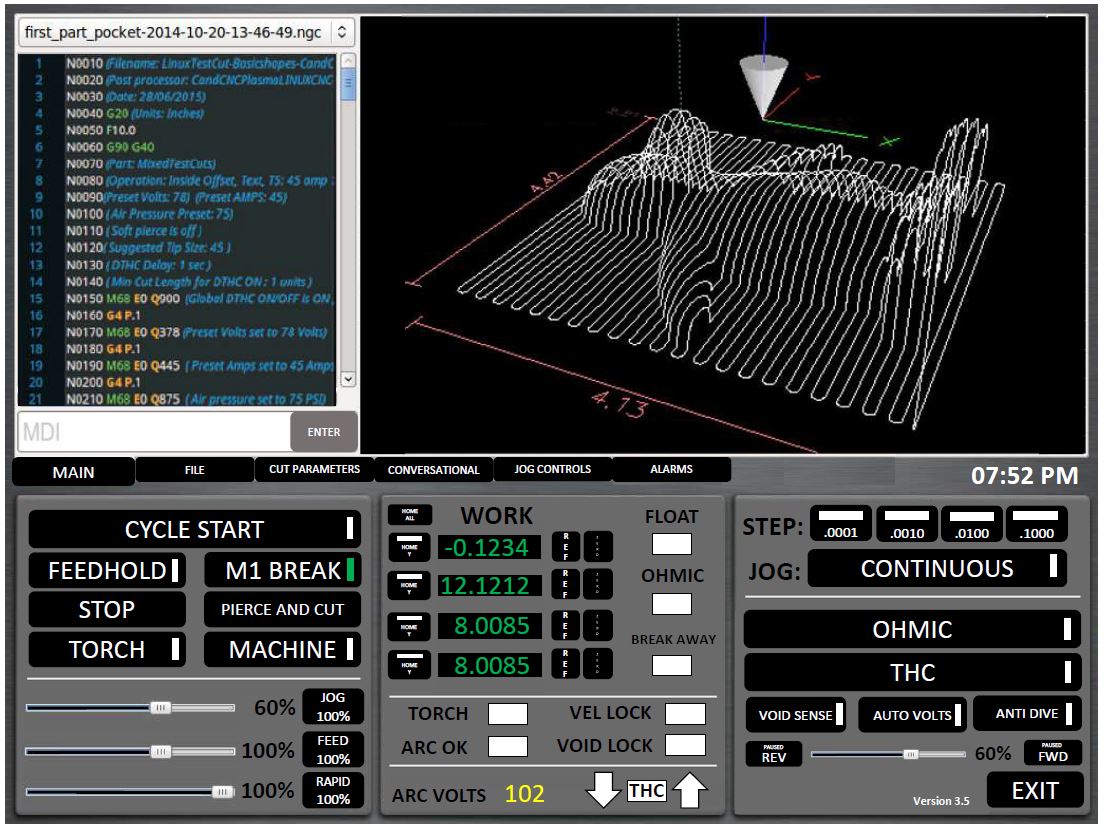
Please Log in or Create an account to join the conversation.
thats not a numer, it can be anything.rodw wrote: The Cut parameters drop down needs to display the material name, not just the number.
Linuxcnc is open-source so is MonoKrom.rodw wrote: I Know you want to keep true to a monokrom screen but when I looked at best practice for HMI controls, it said that colour and other features should be used to draw the eye to a problem. So if it were possible, I would like to suggest that a section of the screen be allowed one different colour combination to highlight problems and errors. My press brake has one single status line that turns red when in an error state (estop, on limit etc) is present. I would suggest something similar but for this GUI, I think red background with white text would draw the eye very effectively. It would be great if all the annoying popups that Linuxcnc raises on errors could be captured and constrained to a single fixed area of the screen.
I'm not sure if linuxcnc can be tamed in this way.
Thankyourodw wrote: And yes I agree that its amazing whats been done so quickly and it just shows how powerful group projects become.
Please Log in or Create an account to join the conversation.
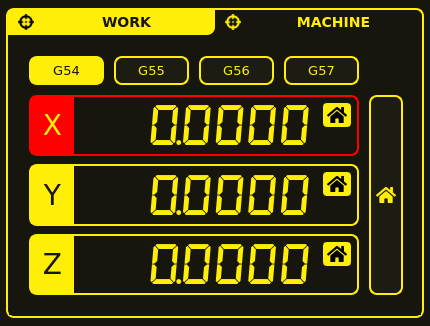
I have this implemented for axis faults. I think it looks ok, and is clearly indicates which axis has faulted.rodw wrote: I Know you want to keep true to a monokrom screen but when I looked at best practice for HMI controls, it said that colour and other features should be used to draw the eye to a problem. So if it were possible, I would like to suggest that a section of the screen be allowed one different colour combination to highlight problems and errors. My press brake has one single status line that turns red when in an error state (estop, on limit etc) is present. I would suggest something similar but for this GUI, I think red background with white text would draw the eye very effectively.
Yes, QtPyVCP already catches and makes the error messages as channels. There is an error messages widgets that records each error with a time stamp, and you can sort and filter error messages based on type. Maybe we can use this, or make something similar that might fit in with the design better.rodw wrote: It would be great if all the annoying popups that Linuxcnc raises on errors could be captured and constrained to a single fixed area of the screen. I'm not sure if linuxcnc can be tamed in this way.
Please Log in or Create an account to join the conversation.
It can be added.snowgoer540 wrote:
1. The first thing I noticed is the Breakaway status is missing from the Main page.
can you mention those?2. The THC panel has things in it that have really nothing to do with the THC.
if more people ask so.3. Consider having all of the "File" options on their own tab, this will free up a lot of room.
again if more people ask it4. I agree, there is a need for custom buttons on the main tab. A lot of us use that a lot.
it was a space problem, I'll see if can manage5. I saw you left the Hypertherm Comms off of the config tab. Do you have a plan for those? As a hypertherm user, I need them
they are work under progress, you must have seen large screen screencapture6. The rapid, feed, and jog sliders are a bit large, any thing we could do to shrink them?
time can me placed. I'll update in next screen7. Any chance we could work the time on to the main page? If we are going to load this full screen on touch monitors, seeing what time it is is really useful :laugh
Sure8. Can the "Alarm" tab, or really any of them blink when there is something that requires your attention there?
i have not used cut-recover before.9. For cut recovery, there are a few directional arrows missing (diagonal).
Sorry, red is only for errors.10. I really like the colored G-Code.
read carefully.For example, the OHMIC and THC wouldnt have to take up so much room.
thankyou for your suggestions. you've got a pretty GUI yourself
Please Log in or Create an account to join the conversation.
I have come up with something.KCJ wrote:
Yes, QtPyVCP already catches and makes the error messages as channels. There is an error messages widgets that records each error with a time stamp, and you can sort and filter error messages based on type. Maybe we can use this, or make something similar that might fit in with the design better.
Please Log in or Create an account to join the conversation.
