- Posts: 257
- Thank you received: 128

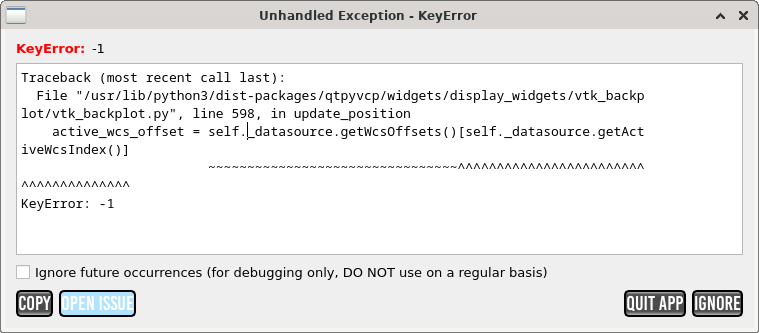
I don't know if it's related but I also get this error on startup in the log.[qtpyvcp.app.launcher][CRITICAL] Unhandled exception in vtk_backplot.py line 598 (launcher.py:37)
Traceback (most recent call last):
File "/usr/lib/python3/dist-packages/qtpyvcp/widgets/display_widgets/vtk_backplot/vtk_backplot.py", line 598, in update_position
active_wcs_offset = self._datasource.getWcsOffsets()[self._datasource.getActiveWcsIndex()]
~~~~~~~~~~~~~~~~~~~~~~~~~~~~~~~~^^^^^^^^^^^^^^^^^^^^^^^^^^^^^^^^^^^^^^
KeyError: -1
Any idea what could be causing this?[qtpyvcp.widgets.display_widgets.vtk_backplot.linuxcnc_datasource][WARNING]
KeyError: Likely means no program loaded. (linuxcnc_datasource.py:176)
Please Log in or Create an account to join the conversation.
Please Log in or Create an account to join the conversation.
Please Log in or Create an account to join the conversation.
I installed the updated qtpycp package but I'm still getting the same error as soon as I do any movement of the machine:a fix to qtpyvcp has just been pushed, apt update, apt upgrade should clear that up
The warning in the log during startup is also still there:qtpyvcp.app.launcher][CRITICAL] Unhandled exception in vtk_backplot.py line 598 (launcher.py:37)
Traceback (most recent call last):
File "/usr/lib/python3/dist-packages/qtpyvcp/widgets/display_widgets/vtk_backplot/vtk_backplot.py", line 598, in update_position
active_wcs_offset = self._datasource.getWcsOffsets()[self._datasource.getActiveWcsIndex()]
~~~~~~~~~~~~~~~~~~~~~~~~~~~~~~~~^^^^^^^^^^^^^^^^^^^^^^^^^^^^^^^^^^^^^^
KeyError: -1
If I home the machine and select an offset like G55 the error goes away. Could it be that it always expects an offset to be set?[qtpyvcp.widgets.display_widgets.vtk_backplot.linuxcnc_datasource][WARNING]
KeyError: Likely means no program loaded. (linuxcnc_datasource.py:176)
/usr/bin/linuxcnc: line 977: 3641 Segmentation fault $EMCDISPLAY -ini "$INIFILE" $EMCDISPLAYARGS $EXTRA_ARGS
Shutting down and cleaning up LinuxCNC...
task: 4371 cycles, min=0.000013, max=0.055746, avg=0.010063, 1 latency excursions (> 10x expected cycle time of 0.010000s)
hm2_eth: in hm2_eth_reset
hm2_eth: HostMot2 ethernet driver unloaded
hm2: unloading
Note: Using POSIX realtime
LinuxCNC terminated with an error. You can find more information in the log:
/home/cnc/linuxcnc_debug.txt
and
/home/cnc/linuxcnc_print.txt
as well as in the output of the shell command 'dmesg' and in the terminal
[ 892.129212] probe_basic[3324]: segfault at 0 ip 0000000000000000 sp 00007ffd69873828 error 14 in python3.11[400000+1f000] likely on CPU 1 (core 1, socket 0)
[ 892.129231] Code: Unable to access opcode bytes at 0xffffffffffffffd6.
Please Log in or Create an account to join the conversation.
Please Log in or Create an account to join the conversation.
Please Log in or Create an account to join the conversation.